
1. Johdanto
This instruction manual provides essential information for the safe and efficient installation, operation, and maintenance of your EVURU XTM024 3 Phase 4 Wire Digital Energy Meter. Please read this manual thoroughly before installation and keep it for future reference. This device is designed to accurately measure active energy consumption in three-phase four-wire AC power networks.
2. Turvallisuustiedot
- Asennuksen ja huollon saa suorittaa vain pätevä sähköasentaja.
- Ensure the power supply is completely disconnected before any installation, wiring, or maintenance procedures.
- Varmista, että voltage and current ratings of the meter match the electrical system specifications.
- Do not operate the meter in environments exceeding its specified operating temperature and humidity ranges.
- Vältä mittarin altistamista suoralle auringonvalolle, sateelle tai liialliselle pölylle.
- Do not disassemble or modify the meter. Doing so will void the warranty and may lead to electric shock or fire.
3. Tuote ohiview
The EVURU XTM024 is a digital energy meter designed for precise measurement of electrical energy. It features a clear LCD display and is suitable for DIN rail mounting.

Kuva 3.1: Kaiken kaikkiaan view of the EVURU XTM024 Digital Energy Meter, showing both the front display and the side profile with the DIN rail mounting mechanism.
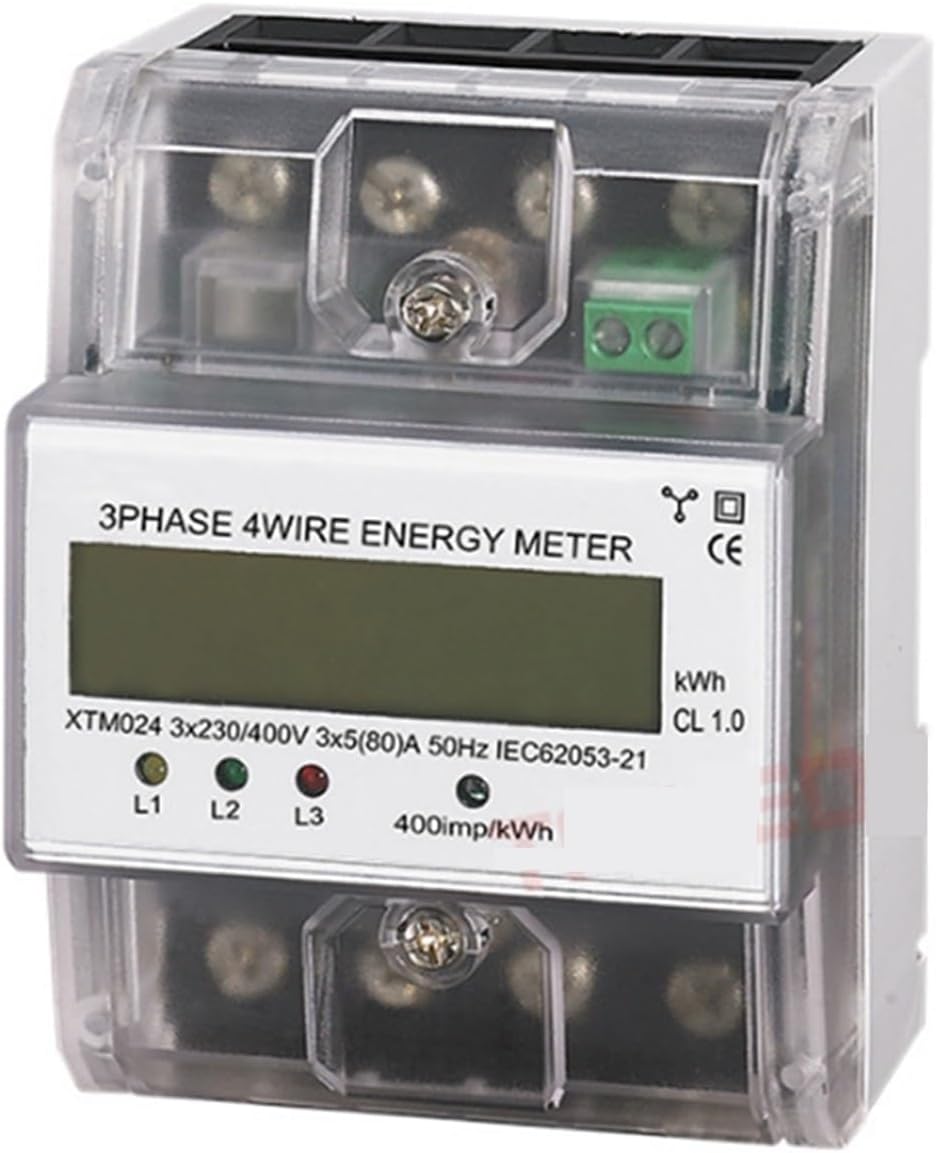
Kuva 3.2: Close-up of the meter's front panel, highlighting the LCD display, phase indicators (L1, L2, L3), and pulse output LED (400imp/kWh).
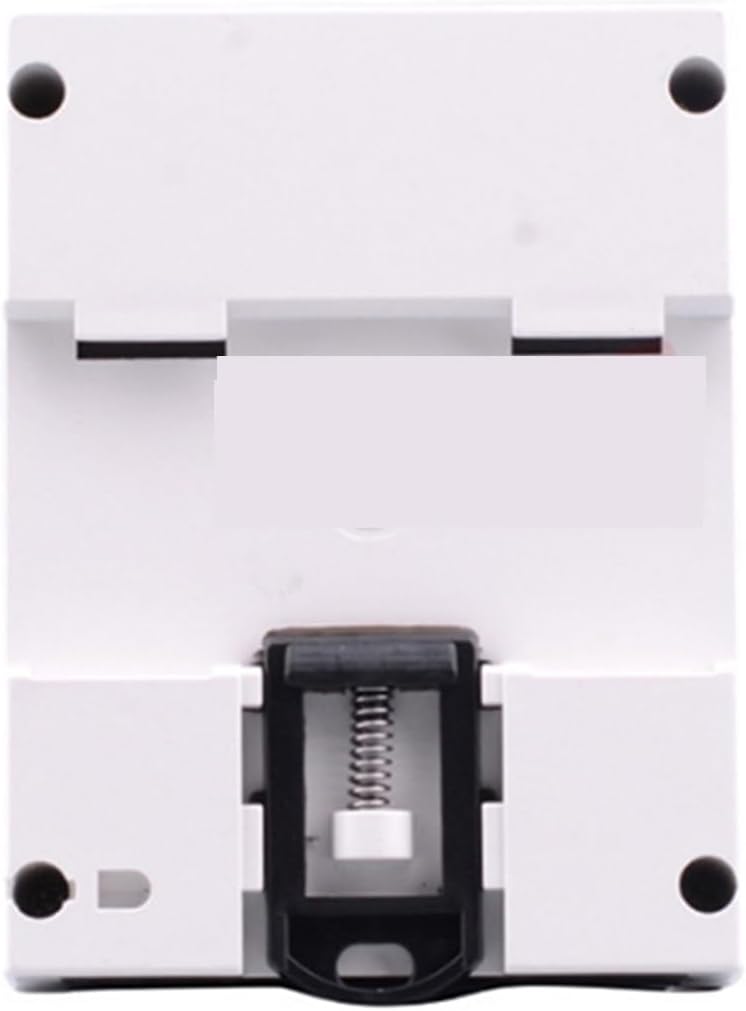
Kuva 3.3: Takaosa view of the EVURU XTM024 Digital Energy Meter, illustrating the integrated clip for secure DIN rail mounting.
Tärkeimmät ominaisuudet:
- Three-phase four-wire measurement.
- LCD 6+2 digit display for energy consumption.
- DIN rail installation.
- High accuracy level (Class 1.0).
- Pulse output for remote monitoring (400imp/kWh).
4. Asennus
The EVURU XTM024 meter is designed for DIN rail mounting. Ensure all safety precautions are followed before proceeding with installation.
4.1 Asennus
- Katkaise asennusalueen päävirtalähde.
- Locate a standard 35mm DIN rail within an appropriate electrical enclosure.
- Align the meter's DIN rail clip with the rail and press firmly until it clicks into place.
- Ensure the meter is securely fastened and cannot move freely.
4.2 Wiring (3 Phase 4 Wire)
Refer to the wiring diagram typically found on the meter's terminal cover or in accompanying documentation. The following is a general guide:
- Connect the three phase lines (L1, L2, L3) to their respective input terminals.
- Connect the neutral line (N) to its input terminal.
- Connect the load's three phase lines (L1, L2, L3) to their respective output terminals.
- Connect the load's neutral line (N) to its output terminal.
- Varmista, että kaikki liitännät ovat tiukat ja turvalliset, jotta vältetään löysiä kontakteja ja ylikuumenemista.
- If applicable, connect the pulse output terminals to a compatible data acquisition system.
Huomautus: Incorrect wiring can cause damage to the meter, electrical system, or pose a safety hazard. Always consult a qualified electrician for installation.
5. Käyttö
5.1 Virta päälle
Once correctly installed and wired, restore power to the circuit. The meter's LCD display should illuminate, and the phase indicator LEDs (L1, L2, L3) will light up if the corresponding phases are active.
5.2 Näytön lukeminen
- The LCD displays the total active energy consumption in kilowatt-hours (kWh). The format is typically 6 digits for integer kWh and 2 digits for decimal kWh (e.g., 000000.00 kWh).
- The pulse indicator LED (often labeled 400imp/kWh) will flash proportionally to the energy being consumed. A faster flash rate indicates higher power consumption.
- The L1, L2, L3 LEDs indicate the presence of voltage on each respective phase.
6. Huolto
- Puhdistus: Pidä mittari puhtaana ja pölyttömänä. Käytä puhdistamiseen pehmeää, kuivaa liinaa. Älä käytä hankaavia puhdistusaineita tai liuottimia.
- Tarkastus: Periodically inspect the wiring connections for tightness and signs of wear or damage. Ensure the meter is securely mounted.
- Ympäristö: Varmista, että käyttöympäristö pysyy määritetyissä lämpötila- ja kosteusrajoissa mittarin käyttöiän pidentämiseksi.
No user-serviceable parts are inside the meter. For any internal issues, contact qualified service personnel.
7. Vianmääritys
| Ongelma | Mahdollinen syy | Ratkaisu |
|---|---|---|
| No display / Meter not powering on | Ei virtaa; väärä johdotus; sisäinen vika. | Check main power supply. Verify wiring connections. If problem persists, contact support. |
| Incorrect energy reading | Incorrect wiring; meter fault; external interference. | Re-check wiring against diagram. Ensure meter is correctly rated for the circuit. Contact support if readings are consistently inaccurate. |
| Pulse LED not flashing | No load connected; very low power consumption; LED fault. | Ensure there is an active load. Check if the main display is accumulating energy. |
8. Tekniset tiedot
| Parametri | Arvo |
|---|---|
| Malli | XTM024 |
| Tyyppi | Three Phase Four Wire Electronic Type |
| Viite Voitage | 3 X 220/380V AC, 3 X 230/400V AC |
| Rated Voltage | AC220V/400V |
| Reference Current (Base/Max) | 3 X 5(80A), 3 X 1.5(6A), 3 X 30(100A) |
| Tarkkuustaso | 1.0 (IEC62053-21) |
| Nimellistaajuus | 50 Hz |
| Jatkuva pulssi | 400imp/kWh |
| Näyttö | LCD 6 + 2 digits |
| Virrankulutus | 2W, 10VA |
| Aloitusvirta | 0.004Ib |
| Käyttölämpötila | -20 °C - 55 °C |
| Varastointilämpötila | -25 °C - 70 °C |
| Käyttö Voltage | 0.9-1.1 Rated Voltage |
| Utmost Voltage | 0.8-1.15 Rated Voltage |
| Average Humidity Value of Year | 75 % |
| Kosteusalue | 20-80 % |
| Asennusmenetelmä | DIN-kisko |
| Mitat | Approx. 10.1 X 7.6 X 6.5cm / 3.97 X 2.99 X 2.55in |
| Paino | Noin 500 g |
9. Takuu ja tuki
For warranty information or technical support, please refer to the documentation provided with your purchase or contact your retailer/manufacturer directly. Keep your purchase receipt as proof of purchase.