
1. Tärkeitä turvallisuustietoja
Please read all safety instructions carefully before using the BYINTEK P70 Smart WiFi Projector. Keep this manual for future reference.
- Virtalähde: Käytä ainoastaan laitteen mukana toimitettua virtalähdettä. Varmista, että äänenvoimakkuus ontage vastaa projektorin vaatimuksia.
- Akun turvallisuus: The projector contains a built-in lithium-ion battery. Do not expose to extreme temperatures, puncture, or disassemble.
- Ilmanvaihto: Varmista projektorin ympärillä oleva asianmukainen ilmanvaihto ylikuumenemisen estämiseksi. Älä tuki tuuletusaukkoja.
- Lämpö: Projektori voi lämmetä käytön aikana. Tämä on normaalia. Vältä linssin tai tuuletusaukkojen koskettamista heti käytön jälkeen.
- Valotus: Älä katso suoraan projektorin linssiin, kunamp on päällä, sillä kirkas valo voi aiheuttaa silmien rasitusta tai vaurioittaa niitä.
- Vesi ja kosteus: Keep the projector away from water, rain, and excessive humidity. Do not operate with wet hands.
- Puhdistus: Katkaise virta ennen puhdistamista. Käytä pehmeää, kuivaa liinaa. Älä käytä nestemäisiä tai aerosolipuhdistusaineita.
- Lapset: Keep the projector and its accessories out of reach of children.
2. Tuote ohiview
The BYINTEK P70 is a portable smart DLP projector designed for versatile entertainment and presentation needs. It features an 8000mAh built-in battery, Android 9.0 operating system, auto-focus, and 3D support.
2.1 Pakkauksen sisältö
- BYINTEK P70 Projector x 1
- Kaukosäädin x 1
- Virtalähde x 1
- Mini kolmijalka x 1
- Säilytyspussi x 1
- Käyttöohje x 1
2.2 Tärkeimmät ominaisuudet
- Kannettava muotoilu: Kompakti ja kevyt helppo kuljettaa.
- Sisäänrakennettu akku: 8000mAh battery provides 1.5 to 3 hours of playback.
- Älykäs Android-käyttöjärjestelmä: Android 9.0 for app downloads, online streaming, and gaming.
- Automaattinen tarkennus: Automaattinen tarkennuksen säätö selkeitä kuvia varten.
- 6D-trapetsikorjaus: Advanced keystone correction for flexible placement.
- 3D-tuki: Enjoy immersive 3D content.
- Langaton yhteys: Supports wireless screen mirroring from Android, iOS, and PC devices.
- Langallinen yhteys: USB data cable sync for iOS and select Android devices.
- Suuri projektiokoko: Jopa 200 tuumaa.
- 4K Playback: Supports up to 4K video input.
- Pitkä LED-valoamp Elämä: 30,000 tuntia.
- Kaksi stereokaiutinta: Integrated 2x5W speakers for clear audio.

Image: Infographic detailing the BYINTEK P70's features including 4K support, DLP display, 6D keystone, 8000mAh battery, 3D, Type-C charge, 2G+32G memory, Android OS, and stereo speakers.
3. Asennus
3.1 Charging the Projector
Before first use, fully charge the projector. Connect the provided power adapter to the projector's Type-C port and plug it into a power outlet. The charging indicator will show the charging status.

Image: The BYINTEK P70 projector connected to a power bank via a Type-C cable, illustrating its portable charging capability.
3.2 Alkuperäinen sijoittelu
Aseta projektori vakaalle ja tasaiselle alustalle. Optimaalisen tuloksen saavuttamiseksi viewing, position it directly in front of your projection screen or wall. The included mini tripod can be used for angle adjustments.
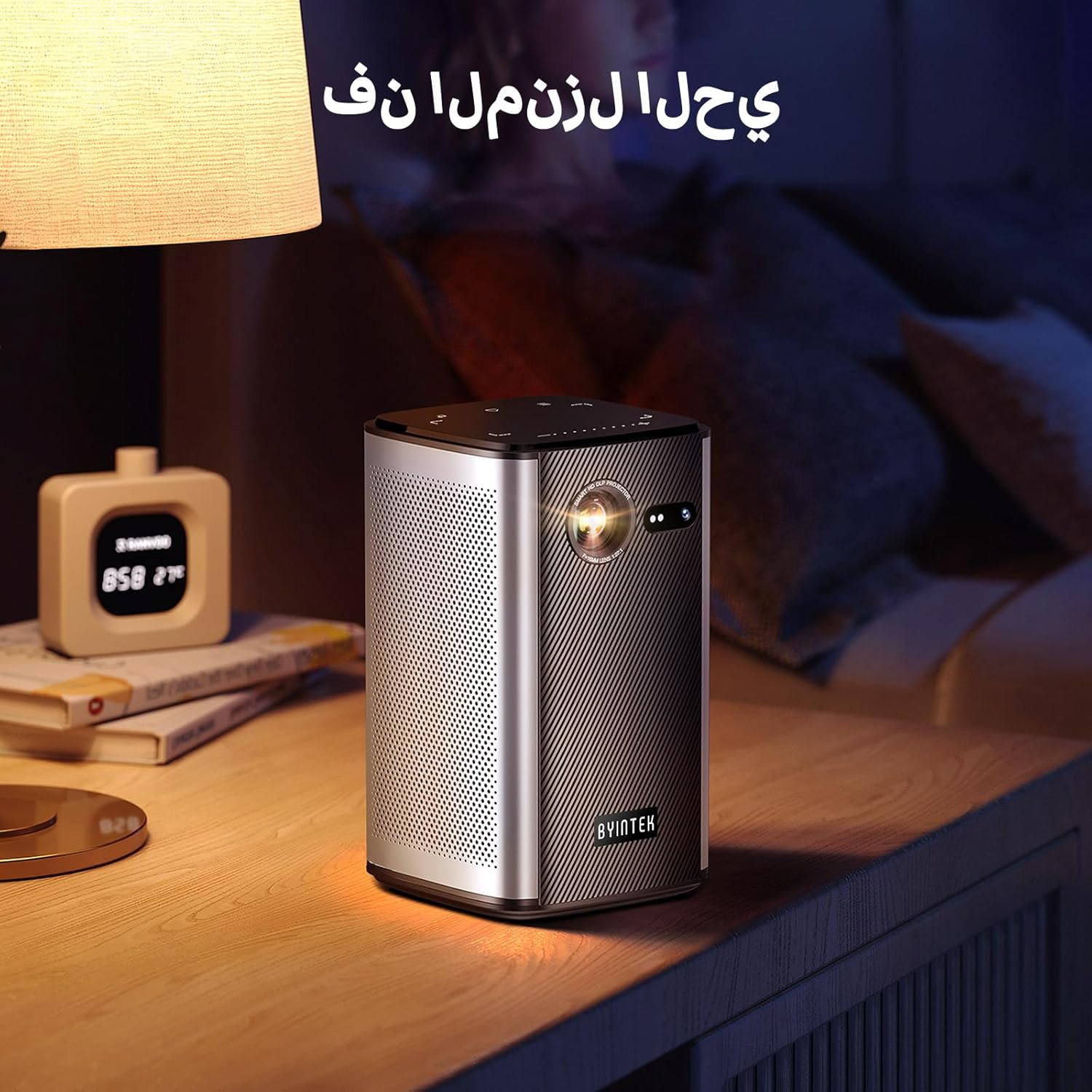
Image: The BYINTEK P70 projector placed on a bedside table, ready for indoor use.
3.3 Virran kytkeminen päälle/pois
Press and hold the power button on the projector or remote control to turn the device on or off.
3.4 Tarkennus ja trapetsivääristymän korjaus
The BYINTEK P70 features automatic focus. For keystone correction, navigate to the settings menu using the remote control. The 6D keystone correction allows for precise image adjustment, even with side projection.

Image: A visual representation of the projector's auto-focus feature, showing a clear image projected onto a wall.
4. Käyttöohjeet
4.1 Android-käyttöjärjestelmässä navigointi
Use the remote control to navigate the Android 9.0 interface. The home screen provides access to pre-installed apps and settings. You can download additional applications from the app store.

Image: The projector displaying its Android operating system interface with various application icons like Miracast, Settings, AirPlay, Market, File Explorer, YouTube, and Netflix.
4.2 Langaton näytön peilaus
The projector supports wireless screen mirroring for Android, iOS, and PC devices. Access the 'Miracast' or 'AirPlay' app on the projector's home screen and follow the on-screen instructions to connect your device.
4.3 Wired Screen Mirroring
For iOS devices and some Android devices, you can use a USB data cable for wired screen synchronization. Connect your device to the projector's USB port using its original data cable.
4.4 3D-toisto
The BYINTEK P70 supports 3D content. To enjoy 3D movies, ensure your media file is in a compatible 3D format (e.g., Blu-ray 3D, SBS, TNB) and use active shutter 3D glasses (sold separately).

Image: A family wearing 3D glasses, enjoying a 3D movie projected by the BYINTEK P70, showcasing its 3D capability.
4.5 Digitaalinen zoom
Adjust the image size from 50% to 100% using the digital zoom function on the remote control. This allows you to fit the image perfectly to your screen without moving the projector.
5. Huolto
5.1 Linssin puhdistaminen
Pyyhi projektorin linssi varovasti pehmeällä, nukkaamattomalla liinalla, joka on erityisesti suunniteltu optisille linsseille. Vältä hankaavien materiaalien tai voimakkaiden kemikaalien käyttöä.
5.2 Ulkopuolen puhdistus
Pyyhi projektorin ulkopinta pehmeällä, kuivalla liinalla. Älä käytä nestemäisiä puhdistusaineita tai suihkeita suoraan laitteeseen.
5.3 Varastointi
When not in use, store the projector in a cool, dry place, away from direct sunlight and extreme temperatures. Use the provided storage bag to protect it from dust and scratches.
5.4 Akun hoito
Akun käyttöiän pidentämiseksi vältä akun usein tapahtuvaa täydellistä purkamista. Jos säilytät akkua pitkään, lataa se noin 50 %:iin ja lataa se uudelleen muutaman kuukauden välein.
6. Vianmääritys
| Ongelma | Mahdollinen syy | Ratkaisu |
|---|---|---|
| Ei kuvaa projisoituna | Projector not powered on; input source not selected; cable not connected. | Ensure projector is on. Select correct input source (HDMI, USB, Wireless). Check cable connections. |
| Kuva on epäselvä | Out of focus; projector too close/far from screen; lens dirty. | Allow auto-focus to adjust. Adjust projector distance. Clean the lens. |
| Kaukosäädin ei toimi | Paristot vähissä/tyhjät; kaukosäädintä ei ole yhdistetty; estetty. | Replace remote batteries. Ensure line of sight to projector's IR receiver. Re-pair remote if necessary (refer to specific pairing instructions in the full manual). |
| Ei ääntä | Volume too low; external audio device connected; audio format not supported. | Increase projector volume. Disconnect external audio devices. Check audio format compatibility. |
| Langattoman peilauksen ongelmat | Poor Wi-Fi signal; device compatibility; firewall settings. | Ensure strong Wi-Fi signal. Check device compatibility with Miracast/AirPlay. Disable firewalls temporarily for testing. |
| Projektori ylikuumenee | Blocked ventilation; prolonged use in hot environment. | Ensure vents are clear. Operate in a well-ventilated area. Allow projector to cool down. |
7. Tekniset tiedot
| Ominaisuus | Erittely |
|---|---|
| Merkki | BYINTEK |
| Mallinumero | P70 |
| Tuotteen mitat | 8.2 x 8.2 x 14.2 cm |
| Tuotteen paino | 1.58 kiloa |
| Akku | 1 Lithium Ion battery (included), 8000mAh, 29.6 Wh |
| Käyttöjärjestelmä | Android |
| Näytön resoluutio | 960 x 540 |
| Näytön maksimiresoluutio | 4K Ultra HD Megapixel |
| Yhteystekniikka | Wi-Fi |
| Erikoisominaisuudet | Auto-focus, 3D Ready, Built-in Wi-Fi Receiver |
| Suositellut käyttötavat | Kotiteatteri |
| Näytön tyyppi | DLP |
| Muototekijä | Kannettava |
| Asennustyyppi | Jalustan kiinnitys |
| USB 3.0 -portit | 1 |
| HDMI-portit | 1 |
| Voitage | 12 volttia |
| Wattage | 25 wattia |
| Virtalähde | AC & Akku |
8. Takuu ja tuki
The BYINTEK P70 Smart WiFi Projector comes with a standard manufacturer's warranty. For specific warranty details, please refer to the warranty card included in your product packaging or contact BYINTEK customer support.
If you encounter any issues or have questions regarding your projector, please contact BYINTEK customer support through their official website or the contact information provided in your product documentation. Please have your model number (P70) and purchase details ready when contacting support.