
Johdanto
This manual provides essential information for the safe and efficient use of your ADEQWAT Magnetic Wall Charger with USB-C Cable. Please read these instructions carefully before using the product and retain them for future reference.
Turvallisuustiedot
- Älä altista laturia vedelle, kosteudelle tai äärimmäisille lämpötiloille.
- Do not attempt to disassemble, repair, or modify the charger. This may void the warranty and pose safety risks.
- Pidä poissa lasten ulottuvilta.
- Ensure the charger is plugged into a compatible power outlet.
- Irrota laturi pistorasiasta, kun sitä ei käytetä tai ukkosmyrskyn aikana.
- Vältä laturin pudottamista tai voimakkaiden iskujen kohteeksi altistamista.
Pakkauksen sisältö
Varmista, että pakkauksessa on kaikki tarvittavat osat:
- ADEQWAT Magnetic Wall Charger
- Integroitu USB-C-kaapeli
- Additional Metallic Plate (for magnetic attachment)
Asennus
- Avaa pistoke: Gently pull out the retractable plug from the back of the charger until it locks into place.

Kuva: Selkä view of the charger with the retractable plug extended.
- Liitä pistorasiaan: Insert the charger's plug into a standard wall power outlet.

Image: The charger plugged into a wall outlet, demonstrating its use with a smartphone and tablet.
- Optional: Attach Metallic Plate: If you wish to use the magnetic feature with a device that is not inherently magnetic, attach the provided metallic plate to the back of your smartphone or its case. Ensure the plate is securely positioned.
Toiminnassa
- Charging with USB-C Cable: Connect the integrated USB-C cable to your compatible device's USB-C port. Charging will begin automatically.
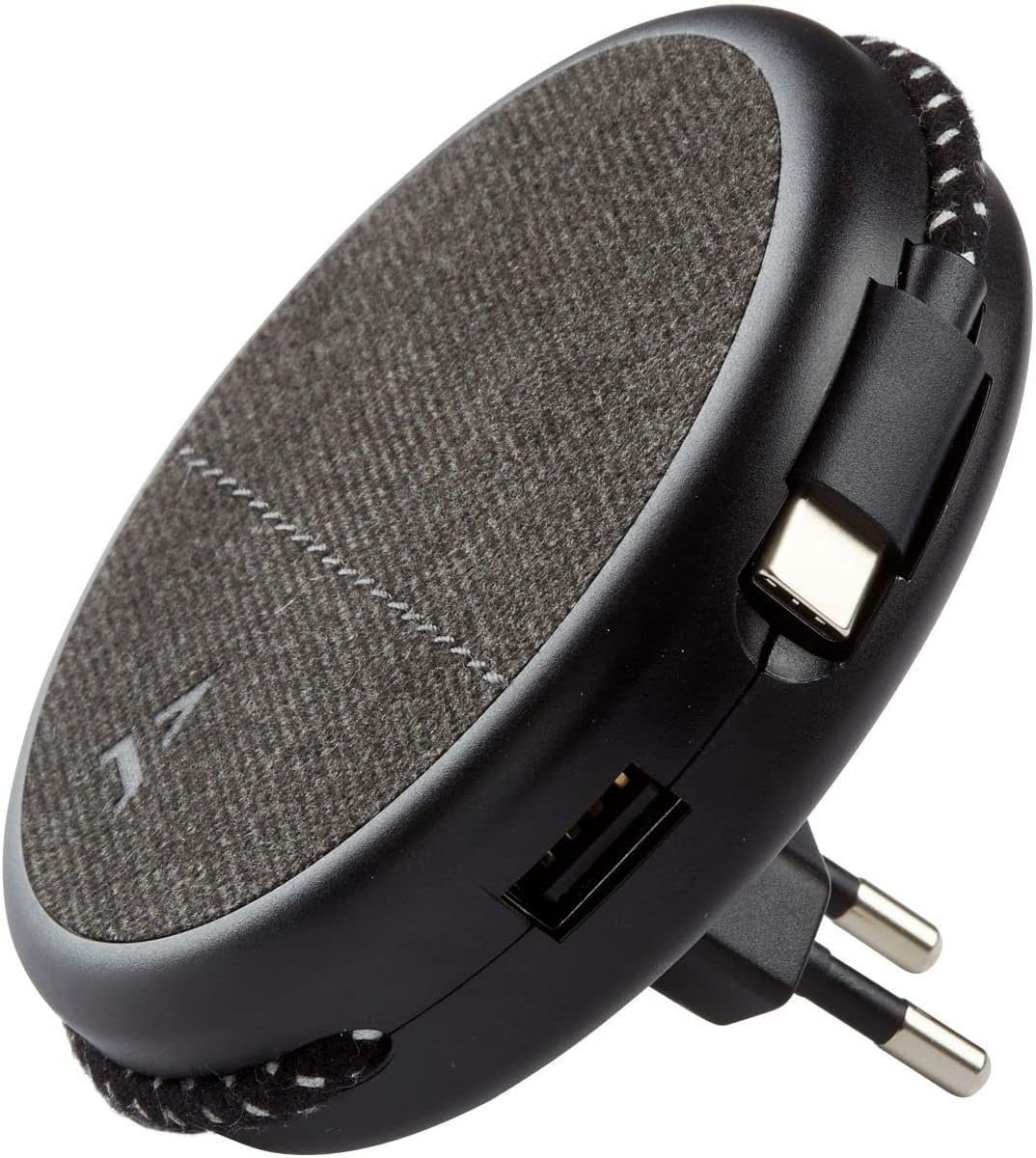
Image: Close-up of the charger, highlighting the integrated USB-C cable and an additional USB-A port.
- Charging with USB-A Port: For devices requiring a USB-A connection, use your own USB-A cable and plug it into the USB-A port on the charger.
- Magneettisen ominaisuuden käyttäminen: Once the charger is plugged into a wall outlet, you can magnetically attach your smartphone (with or without the metallic plate) to the charger's surface for convenient holding while charging.
Huolto
- Puhdistus: Disconnect the charger from the power outlet before cleaning. Use a soft, dry cloth to wipe the surface. Do not use liquid cleaners or abrasive materials.
- Varastointi: When not in use, store the charger in a cool, dry place, away from direct sunlight and extreme temperatures. The retractable plug can be folded back into the charger for compact storage.
Vianetsintä
| Ongelma | Mahdollinen syy | Ratkaisu |
|---|---|---|
| Laite ei lataudu. | Laturi ei ole kytketty kunnolla. Laitteen kaapeli viallinen. Device incompatible. | Ensure the charger is fully inserted into the wall outlet. Kokeile eri kaapelia. Verify device compatibility with USB charging standards. |
| Magneettinen kiinnitys on heikko. | Device not magnetic. Metallic plate not properly attached. | Ensure your device has a magnetic back or use the provided metallic plate. Re-position or re-attach the metallic plate securely. |
| Laturi tuntuu lämpimältä. | Normaali toiminta. Ylikuormitus. | A slight warmth during charging is normal. If it becomes excessively hot, disconnect immediately and contact support. Avoid charging multiple high-power devices simultaneously if it causes overheating. |
Tekniset tiedot
| Merkki | ADEQWAT |
| Mallinumero | 8005668 |
| Väri | Musta |
| Liitännät | USB (Integrated USB-C Cable, 1x USB-A Port) |
| Erikoisominaisuus | Magneettinen |
| USB-portteja yhteensä | 1 (USB-A) + 1 (Integrated USB-C) |
| Yhteensopivat laitteet | Matkapuhelimet, tabletit |
| Teholähtö | 17 wattia |
| Kohteiden määrä | 2 (Charger + Metallic Plate) |
| Virtalähde | Johdollinen sähkö |
| Kannettava | Kyllä |
Takuu ja tuki
For warranty information or technical support, please refer to the documentation provided with your purchase or visit the official ADEQWAT websivusto. Säilytä ostokuitti takuuvaatimuksia varten.