
1. Johdanto
Thank you for choosing the HOETEK L51 Smartwatch. This manual provides essential information for setting up, operating, and maintaining your device. Please read it carefully to ensure optimal performance and longevity of your smartwatch.
The HOETEK L51 Smartwatch is designed to enhance your daily life with features such as Bluetooth calling, comprehensive health monitoring, and various sports modes. It features a 1.95-inch full touch screen and is compatible with Android and iOS devices.
2. Pakkauksen sisältö
Varmista, että pakkauksessa on kaikki tarvittavat osat:
- HOETEK L51 Smartwatch
- Latauskaapeli
- Käyttöopas
3. Asennus
3.1 Älykellon lataaminen
Before first use, fully charge the smartwatch. Connect the magnetic charging cable to the charging contacts on the back of the watch and plug the USB end into a standard USB power adapter (not included).

Image: The smartwatch connected to its magnetic charging cable, displaying a charging icon on the screen.
A full charge typically takes about 2 hours. The watch has an ultra-long standby life of up to 20 days and 7 days of normal use.
3.2 Sovelluksen asennus ja pariliitos
The HOETEK L51 Smartwatch uses the 'Da Fit' application. Download the 'Da Fit' app from the App Store (iOS) or Google Play Store (Android).
- Varmista, että älypuhelimesi Bluetooth on käytössä.
- Avaa 'Da Fit' -sovellus ja luo tili tai kirjaudu sisään.
- In the app, navigate to 'Device' and select 'Add Device'.
- Select 'L51' from the list of available devices to pair.
- Vahvista pariliitospyyntö sekä puhelimellasi että älykellolla.
3.3 Bluetooth-puhelutoiminnon asetukset
To enable the Bluetooth call function:
- After initial pairing, go to your phone's Bluetooth settings.
- Look for a second Bluetooth device named 'L51_CALL' (or similar) and pair with it.
- Once connected, you can make and receive calls directly from your smartwatch.

Image: A person wearing the smartwatch, which displays a phone dial pad and call records. This illustrates the Bluetooth call function.
4. Käyttöohjeet
4.1 Perusnavigointi
The HOETEK L51 Smartwatch features a 1.95-inch full touch screen and a rotatable crown for navigation.
- Pyyhkäise ylös/alas: Selaa valikoita ja ilmoituksia.
- Pyyhkäise vasemmalle/oikealle: Käytä pikatoimintoja tai eri näyttöjä.
- Napauta: Valitse kohde tai vahvista toiminto.
- Paina kruunua: Palaa aloitusnäyttöön tai herätä laite.
- Kruunun pyörittäminen: Scroll through lists or adjust settings.

Kuva: Lähikuva views of the smartwatch highlighting its 1.95-inch touch screen, 240x282 resolution, customizable dial, and rotatable crown.
4.2 Kellotaulujen mukauttaminen
The smartwatch offers over 200 watch faces through the 'Da Fit' app. You can also upload personal photos to create custom dials.
- Katsottavana: Long-press the home screen to quickly change watch faces.
- Sovelluksen kautta: Open the 'Da Fit' app, go to 'Device' > 'Watch Faces' to browse and apply more options or customize with your photos.

Image: The smartwatch displaying a custom watch face with a family photo, demonstrating the custom dial feature.

Image: A row of smartwatches displaying different customizable watch faces, including a pet photo and abstract designs, illustrating the variety available.
4.3 Urheilutilat ja aktiivisuuden seuranta
The smartwatch supports over 120 sports modes, including walking, running, cycling, yoga, hiking, jump rope, and football. It tracks daily steps, calories burned, and distance traveled.
- Access sports modes from the main menu.
- Select your desired activity to start tracking.
- View detailed activity records in the 'Da Fit' app.

Image: A collage showing various sports icons, the smartwatch displaying activity data (calories, distance, steps), and a close-up of the heart rate sensor on the back of the watch.

Image: A woman exercising in a gym, wearing the smartwatch which displays a 'Sports Record' screen with total moves, steps, calories, and average heart rate.
4.4 Terveyden seuranta
The L51 Smartwatch includes a high-performance sensor for 24/7 heart rate and sleep monitoring.
- Syke: Kello seuraa jatkuvasti sykettäsi. View real-time data on the watch or detailed trends in the 'Da Fit' app.
- Unenvalvonta: The watch automatically tracks your sleep patterns, including light, moderate, and deep sleep, and awake time. Access sleep quality reports in the 'Da Fit' app to understand your body's state.
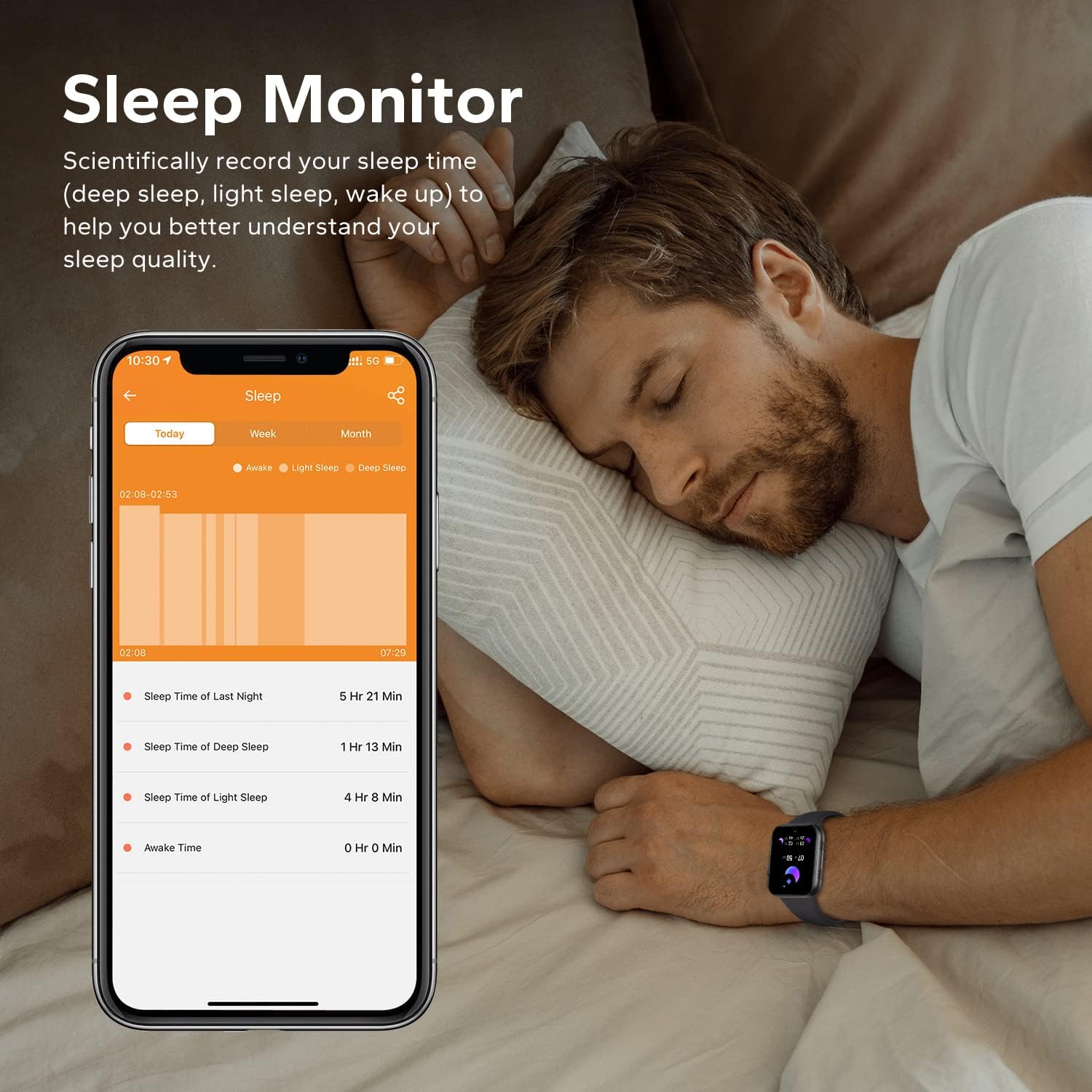
Image: A man sleeping while wearing the smartwatch, with a smartphone next to him displaying detailed sleep monitoring data, including sleep duration and stages.

Image: A close-up of the back of the smartwatch, showing the green light of the heart rate monitor sensor.
4.5 Älykkäät ilmoitukset
Receive call records and message notifications directly on your wrist. The watch supports notifications from various apps like Facebook, Twitter, WhatsApp, Instagram ja Messenger.
- Ensure the 'Da Fit' app has notification permissions enabled on your phone.
- In the app, select which applications you want to receive notifications from.
- Lift your wrist to view saapuvat viestit ja hälytykset.
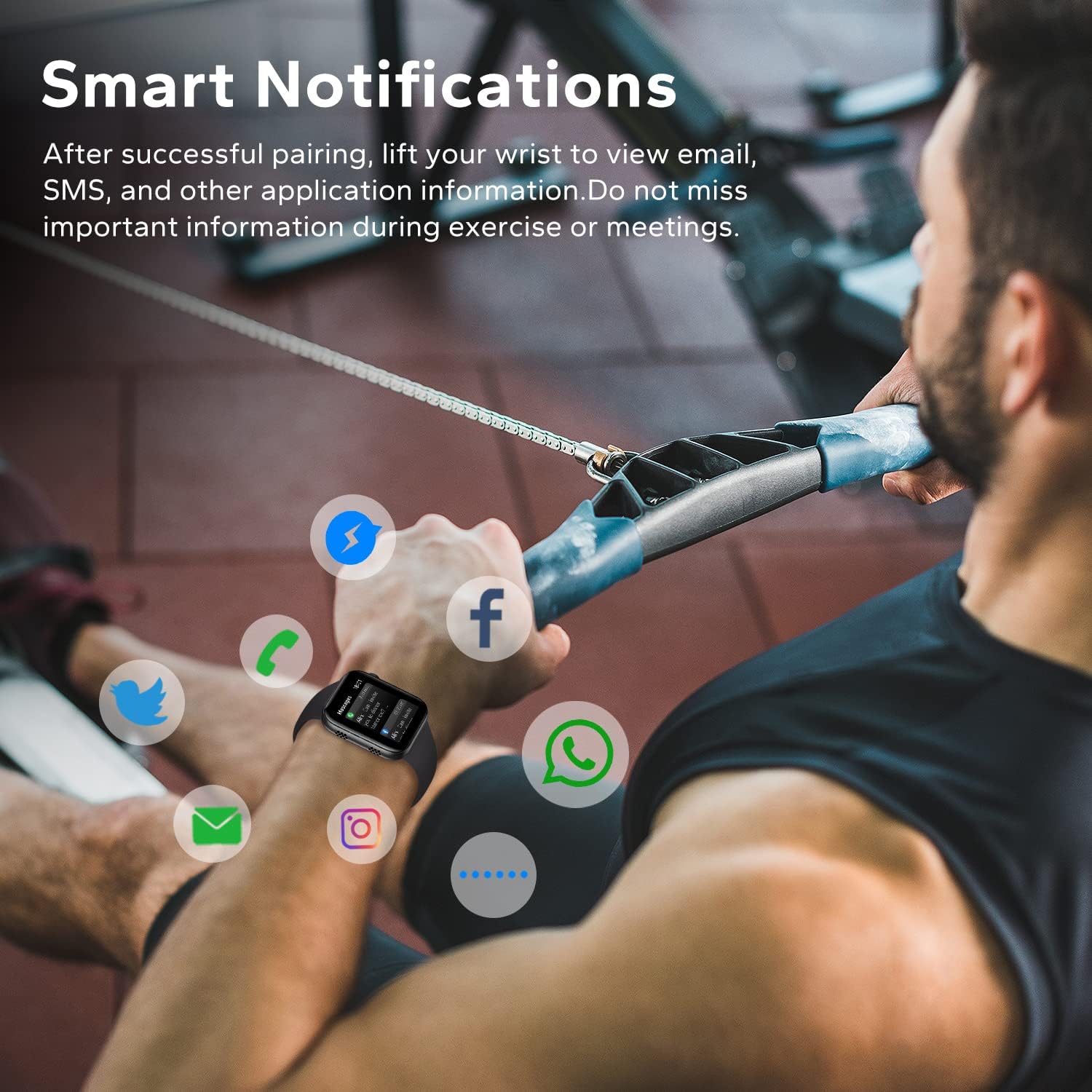
Image: A man exercising, wearing the smartwatch which displays various social media and communication app icons floating around it, indicating smart notification capabilities.
4.6 Muita käytännön toimintoja
The HOETEK L51 Smartwatch offers additional features for convenience:
- Musiikin hallinta: Ohjaa musiikin toistoa puhelimellasi suoraan kellosta.
- Kameran ohjaus: Käytä kelloa puhelimesi kameran kaukosäätimenä.
- Muistutus istumisesta: Saat hälytyksiä liikkumisesta käyttämättömyysjaksojen jälkeen.
- Muistutus vedestä: Aseta muistutuksia veden juomisesta.
- Herätyskello: Set alarms directly on the watch or via the app.
- Sekuntikello ja ajastin: Perusajastustoiminnot.
- Etsi puhelin: Paikanna pariliitetty älypuhelin soittamalla se.

Image: The smartwatch screen showing a music player interface with playback controls and album art.

Image: Two people taking a selfie, with one person's smartwatch displaying a camera shutter button, indicating remote photo control.

Image: A hand wearing the smartwatch, which displays a 'Remind to Move' notification, encouraging activity.
5. Huolto
5.1 Puhdistus
Puhdista älykellosi ja rannekkeesi säännöllisesti ihoärsytyksen estämiseksi ja laitteen toimivuuden ylläpitämiseksi.
- Pyyhi näyttö ja runko pehmeällä,amp, nukkaamaton kangas.
- Käytä hihnan puhdistamiseen mietoa saippuaa ja vettä, huuhtele se huolellisesti ja kuivaa kokonaan ennen käyttöä.
- Vältä kovien kemikaalien tai hankaavien materiaalien käyttöä.
5.2 Vedenkestävyys (IP67)
The HOETEK L51 Smartwatch is IP67 rated, meaning it is resistant to dust and can withstand immersion in water up to 1 meter for 30 minutes. It is suitable for daily use, such as hand washing or light rain.

Image: The smartwatch covered in water droplets, with the text 'IP67 Waterproof', demonstrating its water resistance.
Tärkeää:
- Do not use the watch for swimming, diving, or in hot water (e.g., showers, saunas), as steam and hot water can damage the seals.
- Water resistance is not permanent and may decrease over time with normal wear and tear.
5.3 Akun hoito
- Vältä äärimmäisiä lämpötiloja, sillä ne voivat lyhentää akun käyttöikää.
- Lataa laite säännöllisesti, mutta vältä sen jättämistä täysin tyhjäksi pitkiksi ajoiksi.
6. Vianmääritys
If you encounter issues with your HOETEK L51 Smartwatch, refer to the following common solutions:
| Antaa | Mahdollinen ratkaisu |
|---|---|
| Kello ei käynnisty | Varmista, että kello on ladattu täyteen. Liitä se laturiin vähintään 30 minuutiksi. |
| Ei voi yhdistää puhelimeen | 1. Ensure Bluetooth is enabled on your phone. 2. Make sure the watch is within range. 3. Restart both the watch and your phone. 4. Try unpairing and re-pairing through the 'Da Fit' app. |
| Ilmoituksia ei vastaanotettu | 1. Check if 'Da Fit' app has notification permissions. 2. Ensure notifications are enabled for specific apps within 'Da Fit'. 3. Verify Bluetooth connection. |
| Heart rate/sleep data inaccurate | Ensure the watch is worn snugly on your wrist, not too tight or too loose. Clean the sensor regularly. Note that data is for reference and not for medical use. |
| Bluetooth call not working | Ensure both 'L51' and 'L51_CALL' (or similar) are paired in your phone's Bluetooth settings. |
7. Tekniset tiedot
| Ominaisuus | Yksityiskohta |
|---|---|
| Merkki | HOETEK |
| Mallinumero | L51 |
| Näytön koko | 1.95 tuumaa |
| Käyttöjärjestelmä | Android (4.4 and above), iOS (10.0 and above) |
| Yhteydet | Bluetooth 5.0 |
| Erikoisominaisuudet | Heart Rate Monitor, Sleep Monitor, Bluetooth Call, Activity Tracker |
| Akun koostumus | Litium-polymeeri |
| Akunkesto (normaalikäyttö) | 7 päivää |
| Valmiusaika | 20 päivää |
| Vedenkestävyys | IP67 |
| Kohdeyleisö | Aikuinen (unisex) |
8. Takuu ja tuki
For warranty information and customer support, please refer to the documentation provided with your purchase or contact HOETEK customer service through their official websivusto tai jälleenmyyjä, josta tuote ostettiin.