
1. Johdanto
Thank you for choosing the EBTOOLS 2.4G Wireless Keyboard and Mouse combo. This product is designed for comfortable and efficient use with its low-noise operation, adjustable DPI settings, and reliable 2.4G wireless connectivity. This manual provides detailed instructions for setup, operation, and maintenance to ensure optimal performance.
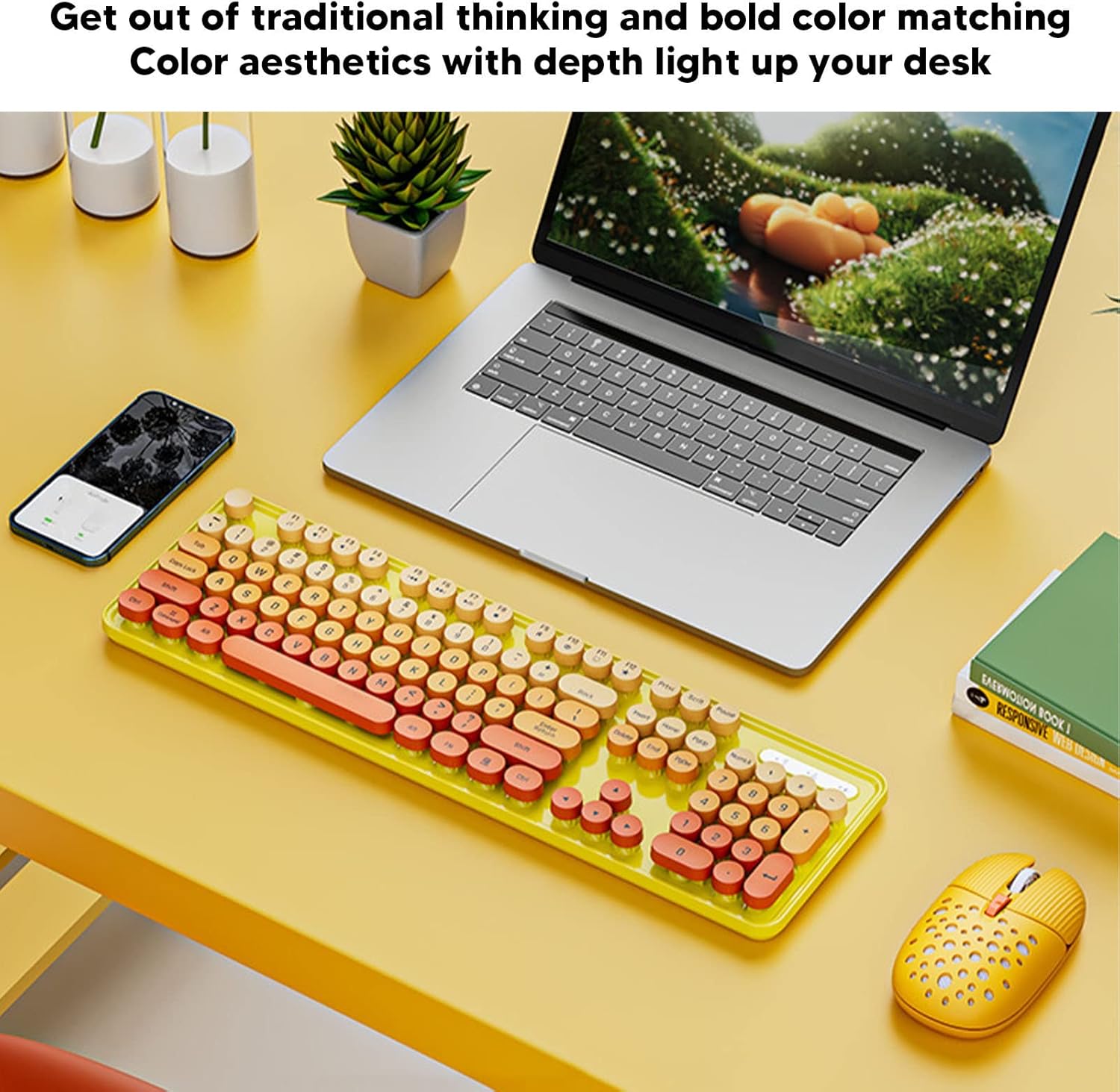
Image: The EBTOOLS 2.4G Wireless Keyboard and Mouse in mixed color yellow, displayed on a desk alongside a laptop and smartphone, showcasing sen muotoilu ja kompakti koko.
2. Pakkauksen sisältö
- 1 x EBTOOLS 2.4G Wireless Keyboard
- 1 x EBTOOLS 2.4G Wireless Mouse
- 1 x USB-vastaanotin (yleensä hiiren paristolokerossa)
- Käyttöopas (tämä asiakirja)
3. Asennusohjeet
3.1. Akun asennus
The keyboard and mouse require batteries for operation. Please ensure you have 1 AA battery for the keyboard and 1 AA battery for the mouse (batteries are not included).
- Paikanna paristolokero näppäimistön alapuolelta.
- Avaa paristolokeron kansi.
- Insert the AA battery according to the polarity indicators (+/-) inside the compartment.
- Sulje paristolokeron kansi kunnolla.

Image: The underside of the EBTOOLS keyboard with the battery compartment open, showing where to insert the AA battery.
3.2. USB-vastaanottimen kytkeminen
The keyboard and mouse share a single 2.4G USB receiver for wireless connection.
- Locate the USB receiver. It is typically stored in the battery compartment of the mouse for safekeeping.
- Irrota USB-vastaanotin säilytyspaikastaan.
- Plug the USB receiver into an available USB port on your computer (desktop PC, laptop, etc.).
- The system should automatically detect and install the necessary drivers. This is a plug-and-play device.

Image: A diagram illustrating the compatibility of the keyboard and mouse with various systems, including desktop PCs, laptops, and other computers, highlighting its plug-and-play functionality.

Image: An illustration demonstrating the 2.4G wireless connection mode for the keyboard and mouse, emphasizing the ability to connect two devices wirelessly with a single receiver.
4. Käyttöohjeet
4.1. Adjusting Mouse DPI
The mouse features three adjustable DPI (Dots Per Inch) settings to suit your preference and task requirements. You can cycle through these settings by pressing the DPI button, usually located near the scroll wheel on the mouse.
- 800 DPI: Suitable for precise tasks or slower cursor movement.
- 1600 DPI: Standard setting for general use.
- 2400 DPI: Ideal for faster cursor movement, such as gaming or navigating large screens.
4.2. Using Multimedia Keys
The keyboard is equipped with 18 multimedia keys for quick access to various functions. These keys are typically activated by pressing the Fn key in combination with the corresponding function key (F1-F12) or dedicated multimedia keys.

Kuva: Yksityiskohtainen view of the EBTOOLS keyboard layout, highlighting the standard keys and the 18 multimedia keys, along with their respective functions such as volume control, media playback, and quick access to applications.
Yleisiä multimediatoimintoja ovat:
- Volume Down / Up / Mute
- Play / Pause / Previous Track / Next Track
- Home / My Computer / Mail / Favorites
- Other system-specific functions
5. Huolto
5.1. Puhdistus
Näppäimistön ja hiiren pitkäikäisyyden ja ulkonäön ylläpitämiseksi:
- Pyyhi pinnat pehmeällä, kuivalla liinalla.
- Pinttyneeseen likaan, kevyesti dampKostuta liina vedellä tai miedolla puhdistusliuoksella. Vältä voimakkaita kemikaaleja.
- Poista pöly ja roskat näppäimistön näppäinten välistä paineilmalla.
5.2. Pariston vaihto
When the keyboard or mouse becomes unresponsive or exhibits intermittent connectivity, it may be time to replace the batteries. Follow the battery installation steps in Section 3.1.

Image: An illustration depicting the energy-saving features of the keyboard and mouse, emphasizing lower power consumption and extended battery life for continuous use.
6. Vianmääritys
| Ongelma | Ratkaisu |
|---|---|
| Näppäimistö/hiiri ei reagoi |
|
| Väliaikainen yhteys |
|
| Hiiren kursori liikkuu epätasaisesti tai epätasaisesti |
|
7. Tekniset tiedot
| Ominaisuus | Yksityiskohta |
|---|---|
| Merkki | EBTOOLS |
| Väri | Mixed Color Yellow |
| Yhteystekniikka | 2.4G Radio Frequency Wireless |
| Erikoisominaisuus | Vähämeluinen toiminta |
| Yhteensopivat laitteet | Personal Computer (Desktop PC, Laptop) |
| Käyttöjärjestelmä | Major PC Operating Systems |
| Hand Orientation (Mouse) | Molempikätinen |
| Paristot vaaditaan | Yes (1 AA for keyboard, 1 AA for mouse) |
| Näppäinten lukumäärä (näppäimistö) | 104 |
| Virtalähde | Paristokäyttöinen |
| Näppäimistön asettelu | QWERTY |
| Hiiren DPI-asetukset | 800, 1600, 2400 (säädettävä) |
| Materiaali | ABS |
8. Viralliset tuotevideot
8.1. Keyboard and Mouse Overview
Video: Yliview of the EBTOOLS Keyboard and Mouse, demonstrating its features and design. This video is provided by the seller, Zhiyavex-US.
8.2. Yunseity Wireless Keyboard and Mouse Demonstration
Video: A demonstration of the Yunseity Wireless Keyboard and Mouse, showcasing its functionality and user experience. This video is provided by the seller, Zhiyavex-US.
9. Takuu ja tuki
EBTOOLS products are designed for reliability and performance. For any questions, technical support, or warranty inquiries, please refer to the contact information provided with your purchase or visit the official EBTOOLS websivusto. Säilytä ostokuitti takuuvaatimuksia varten.
The product comes with a standard return policy of 30 days from the date of purchase for refund or replacement, as per seller terms.