
1. Johdanto
Thank you for choosing the NANAMI Magnetic Wireless Charger. This device is designed to provide convenient and efficient wireless charging for your MagSafe-compatible iPhone models and AirPods. Please read this manual carefully before use to ensure proper operation and safety.
2. Pakkauksen sisältö
- NANAMI Magnetic Wireless Charger Unit x 1
- USB-C to USB-A Charging Cable (120cm) x 1
3. Tekniset tiedot
| Mallinumero | A8S |
| Merkki | NANAMI |
| Tulo Voltage | 9 volttia |
| Lähtö wattage | Max 10W |
| Yhteystyyppi | USB |
| USB-porttien määrä | 1 |
| Väri | Valkoinen |
| Tuotteen paino | 110 g |
| Mitat | 16.3 x 11.6 x 1.7 cm |
| Yhteensopivat laitteet | iPhone 16/15/14/13/12 Series, AirPods 4/3/Pro (2nd Gen) with Wireless Charging Case, Galaxy Buds +/Pro, Soundcore Life P3/P2(Mini)/Liberty Air2(Pro)/Neo2, other Qi-compatible smartphones and wireless earphones. |
4. Asennus
- Liitä laturi: Insert the USB-C end of the provided charging cable into the port on the NANAMI Magnetic Wireless Charger.
- Virtalähde: Connect the USB-A end of the charging cable to a compatible USB power adapter (not included) with a minimum output of 9V/2A or 5V/3A for optimal performance.
- Sijoitus: Aseta langaton laturi tasaiselle, vakaalle alustalle.
Ensure the power adapter is properly connected to a wall outlet.
5. Käyttöohjeet
- Aloita lataus: Place your MagSafe-compatible iPhone or AirPods (with wireless charging case) directly onto the center of the NANAMI Magnetic Wireless Charger. The device will magnetically align for optimal charging.
- Latausilmaisin: A subtle LED indicator on the charger will illuminate to confirm that charging has begun. The light will turn off after a few seconds to avoid disturbance, especially in dark environments.
- Latausnopeus: The charger delivers up to 10W for compatible devices. Charging speed may vary based on the device, battery level, and environmental factors.
- Kotelon yhteensopivuus: The charger supports charging through non-metallic phone cases up to 3-4mm thick. For best results, remove cases thicker than 4mm or those containing metal, magnetic strips, or credit cards.


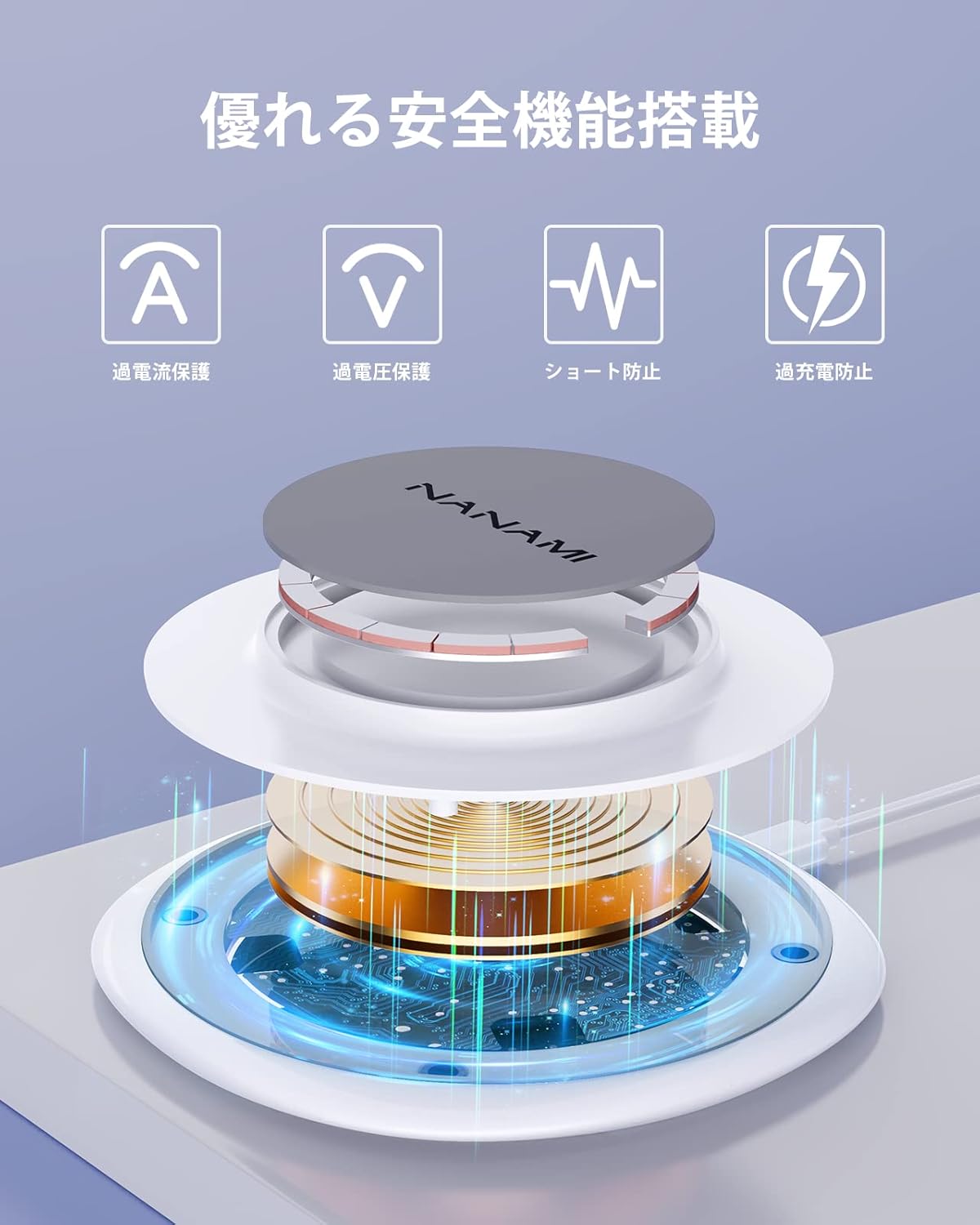
6. Turvaominaisuudet
The NANAMI Magnetic Wireless Charger incorporates advanced safety mechanisms to protect your devices and ensure safe operation:
- Ylivirtasuoja: Estää liiallisen virran aiheuttamat vauriot.
- Overvoltage Suojaus: Suojatoimet volyymia vastaantage piikkejä.
- Oikosulun esto: Suojaa sähköoikosuluilta.
- Ylikuormitussuoja: Stops charging once the device battery is full, extending battery lifespan.
- Lämpötilan säätö: Valvoo ja säätää laturin lämpötilaa ylikuumenemisen estämiseksi.
- Vieraiden kohteiden tunnistus (FOD): Automatically detects metal objects on the charging surface and prevents charging to avoid heat generation and potential damage.

7. Huolto
- Puhdistus: Disconnect the charger from the power source before cleaning. Use a soft, dry cloth to wipe the surface. Do not use harsh chemicals or abrasive materials.
- Varastointi: Säilytä laturia viileässä, kuivassa paikassa suojassa suoralta auringonvalolta ja äärimmäisiltä lämpötiloilta.
- Käsittely: Vältä laturin pudottamista tai voimakkaiden iskujen kohteeksi altistamista.
8. Vianmääritys
| Ongelma | Mahdollinen syy | Ratkaisu |
|---|---|---|
| Laite ei lataudu |
|
|
| Hidas lataus |
|
|
| Laturin LED-valo ei pala |
|
|
9. Takuu ja tuki
This NANAMI product comes with an 18 kuukauden takuu from the date of purchase. Your order number serves as proof of purchase and warranty. In the unlikely event of a defect or issue within the warranty period, please follow these steps:
- Locate your order in your purchase history on Amazon.
- Click on the 'Contact Seller' link associated with your order.
- Describe the issue clearly.
Our customer support team guarantees a response within 24 hours to assist you with troubleshooting, replacement, or refund as per our warranty policy.