
1. Johdanto
This manual provides comprehensive instructions for the Poly Voyager 5200 Bluetooth headset. It covers essential information for setup, operation, maintenance, and troubleshooting, enabling users to maximize the headset's performance and utilize its advanced features effectively.
2. Tuote ohiview
The Poly Voyager 5200 is a professional-grade Bluetooth headset designed for clear communication in various environments. It features advanced noise-canceling technology and voice control capabilities, making it ideal for mobile professionals.
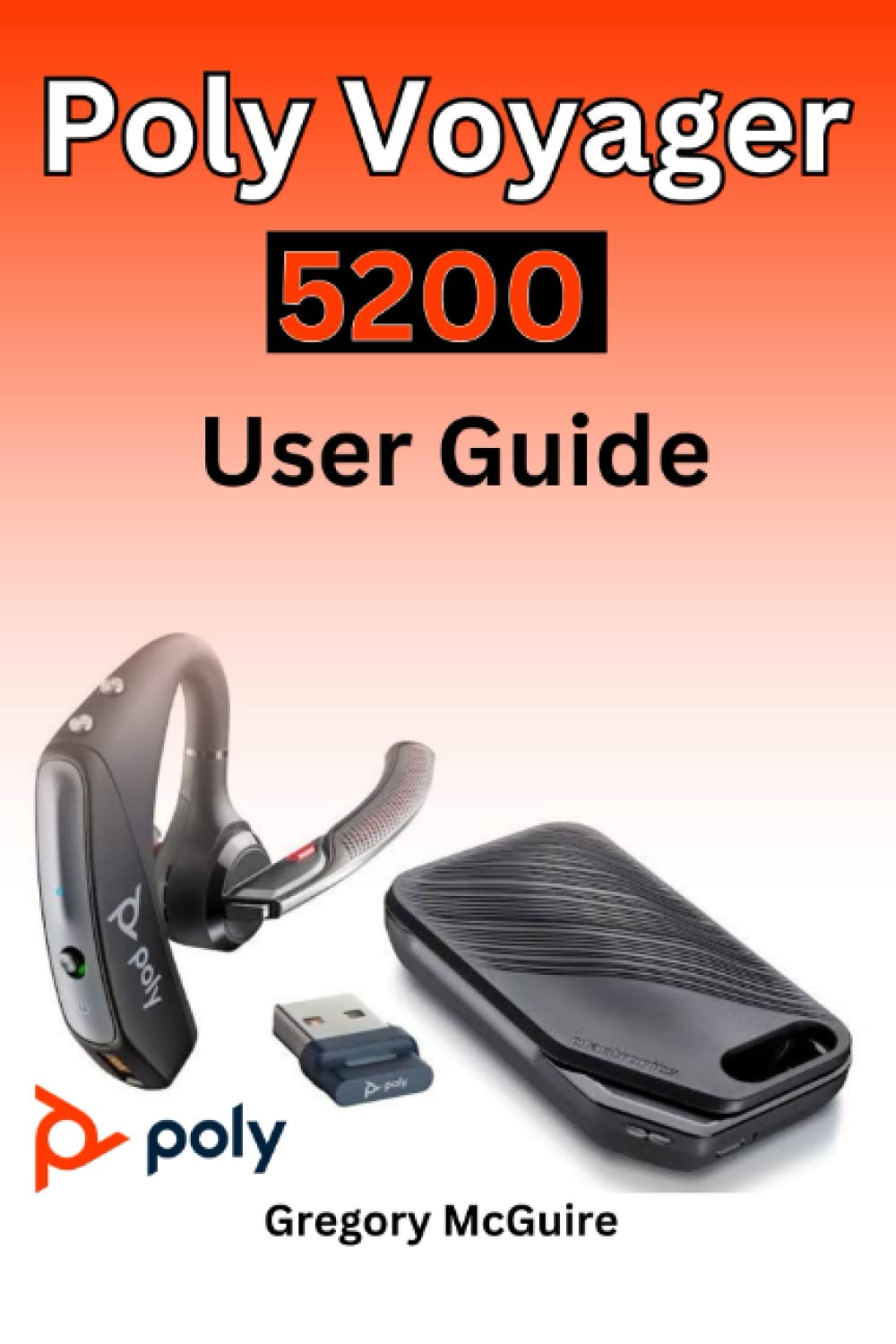
Figure 2.1: Front cover of the Poly Voyager 5200 User Guide book, featuring a red and orange gradient design with 'Copyrighted Material' text.

Figure 2.2: Back cover of the Poly Voyager 5200 User Guide book, displaying the ISBN 9798387380280 barcode and 'Copyrighted Material' text.
3. Asennus
3.1 Kuulokkeiden lataaminen
Before first use, fully charge your Poly Voyager 5200 headset.
- Connect the provided USB charging cable to the headset's charging port.
- Plug the other end of the USB cable into a USB wall charger or a powered USB port on your computer.
- The indicator light on the headset will illuminate to show charging status. It will typically turn off or change color when fully charged.
3.2 Pariliitos laitteen kanssa
To use your headset, you must pair it with your Bluetooth-enabled device (e.g., smartphone, tablet, computer).
- Virta päälle: Turn on your Poly Voyager 5200 headset by pressing and holding the Power button until you hear a voice prompt or see the indicator light flash.
- Ota pariliitostila käyttöön: Press and hold the Call button on the headset until the indicator light flashes red and blue, indicating it is in pairing mode.
- Ota Bluetooth käyttöön: On your device, go to the Bluetooth settings and ensure Bluetooth is enabled.
- Valitse kuulokkeet: From the list of available devices, select "Poly V5200" or "Plantronics V5200". If prompted for a passcode, enter "0000" (four zeros).
- Vahvistus: Once successfully paired, the headset's indicator light will stop flashing red and blue, and you will hear a voice prompt confirming the connection.
4. Käyttöohjeet
4.1 Perusohjaimet
- Virta päälle/pois: Paina virtapainiketta ja pidä sitä painettuna noin 2 sekuntia.
- Puhelun vastaaminen/lopetus: Paina soittopainiketta kerran.
- Hylkää puhelu: Press and hold the Call button for approximately 2 seconds.
- Äänenvoimakkuuden säätö: Use the Volume Up (+) or Volume Down (-) buttons located on the headset to adjust audio levels.
- Mykistä/Poista mykistys: Paina mykistyspainiketta aktiivisen puhelun aikana.
- Voice Commands/Assistant: Press the Voice button to activate your device's voice assistant (e.g., Siri, Google Assistant).
4.2 Kuulokkeiden käyttö
For optimal comfort and sound clarity, adjust the headset as follows:
- Gently place the ear tip into your ear.
- Rotate the microphone boom until it points towards your mouth.
- Ensure the headset is secure and comfortable for extended wear.
5. Huolto
5.1 Puhdistus
Säännöllinen puhdistus auttaa ylläpitämään kuulokkeiden suorituskykyä ja hygieniaa.
- Wipe the headset with a dry, soft, lint-free cloth.
- Avoid using harsh chemicals, cleaning solvents, or abrasive materials, as these can damage the headset.
- Älä upota kuulokkeita veteen tai mihinkään muuhun nesteeseen.
5.2 Varastointi
Proper storage extends the life of your headset.
- Säilytä kuulokkeita viileässä, kuivassa paikassa, poissa suorasta auringonvalosta ja äärimmäisistä lämpötiloista.
- When not in use for extended periods, ensure the headset is partially charged to prevent deep discharge.
6. Vianmääritys
If you encounter issues with your Poly Voyager 5200 headset, refer to the following common troubleshooting steps:
- Ei virtaa: Ensure the headset is fully charged. Verify that the charging cable and power source are functioning correctly.
- Paritusta ei voi muodostaa: Confirm the headset is in pairing mode (indicator flashing red and blue). Ensure Bluetooth is enabled on your device and the headset is within range. Try deleting previous pairings on your device and re-pairing.
- Huono äänenlaatu: Check the headset's placement and ensure the microphone boom is positioned correctly towards your mouth. Move closer to your connected device to minimize interference. Ensure there are no physical obstructions between the headset and the device.
- Ei ääntä: Verify that the volume levels on both the headset and your connected device are turned up. Confirm that the Poly Voyager 5200 is selected as the audio output device on your phone or computer.
- Kuulokemikrofoni ei vastaa: Try resetting the headset by turning it off and then on again. If the issue persists, consult the official Poly support resources.
7. Tekniset tiedot
| Ominaisuus | Yksityiskohta |
|---|---|
| ASIN | B0BYR893FQ |
| Kustantaja | Itsenäisesti julkaistu |
| Julkaisupäivä | 17. maaliskuuta 2023 |
| Kieli | englanti |
| Tulostuspituus | 35 sivua |
| ISBN-13 | 979-8387380280 |
| Tuotteen paino | 3.68 unssia |
| Mitat | 6 x 0.08 x 9 tuumaa |
8. Turvallisuustiedot
Please read and follow these safety guidelines to ensure safe operation and prevent damage to your headset:
- Avoid exposing the headset to extreme temperatures, direct sunlight, moisture, or corrosive substances.
- Do not attempt to disassemble, modify, or repair the headset yourself. Refer all servicing to qualified personnel.
- Use only manufacturer-approved charging cables and accessories.
- Keep the headset and its accessories out of reach of children and pets.
- Prolonged exposure to high volume levels may cause hearing damage. Listen at moderate volumes.
9. Takuu ja tuki
Specific warranty details and support contact information for the Poly Voyager 5200 headset are not provided within this manual. For warranty claims, technical support, or further assistance, please refer to the official Poly (formerly Plantronics) websivustolta tai ota yhteyttä suoraan heidän asiakaspalveluunsa.