
Tuote loppuview
The DEPOW Black Surge Protector Power Strip (Model: QT560-CU) is designed to provide power and protection for multiple electronic devices. It features 5 grounded AC outlets and 4 USB ports (2 USB-A, 2 USB-C) to charge up to 9 devices simultaneously. The ultra-thin flat plug and 5-foot extension cord offer flexible placement options, while its 1700 Joules surge protection safeguards your electronics from power fluctuations.
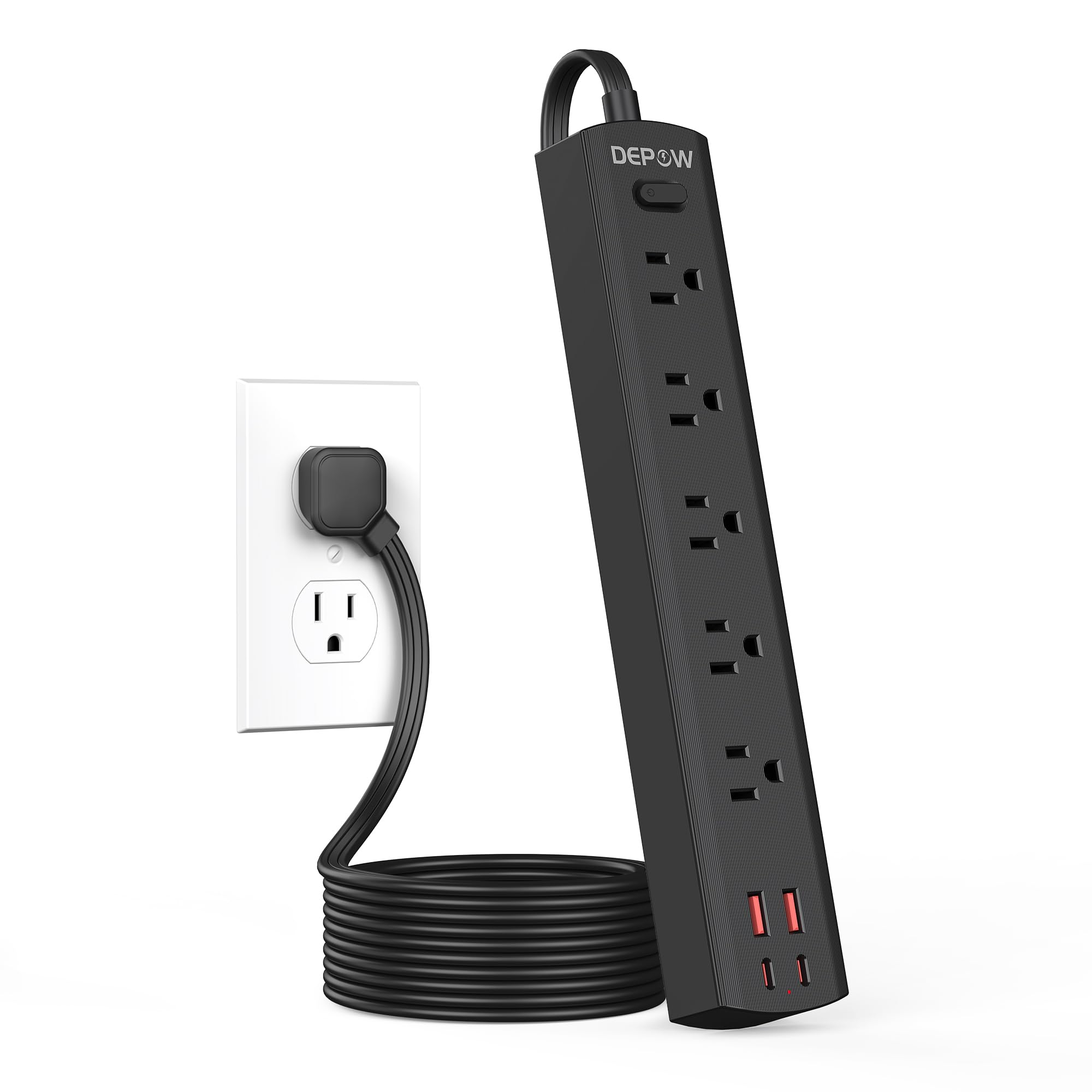
Image: The DEPOW Black Surge Protector Power Strip, showcasing its 5 AC outlets and 4 USB ports (2 USB-A, 2 USB-C) on a flat surface.
Tärkeimmät ominaisuudet:
- 9-in-1-virtalähderatkaisu: 5 AC outlets and 4 USB ports (2 USB-A, 2 USB-C) for simultaneous charging.
- Edistynyt ylijännitesuojaus: 1700 Joules rating protects devices from power surges and spikes.
- Tilaa säästävä muotoilu: Ultra-thin flat plug (0.33-inch profile) with a 45° right-angle design allows placement behind furniture without blocking other outlets.
- Joustava sijoitus: 5-foot flat extension cord and wall-mountable design with 2 mounting holes.
- Älykäs USB-lataus: USB ports deliver optimized charging (Max 3.4A/17W Shared) for smartphones, tablets, and other USB-powered devices.
- Kattava turvallisuus: Features overload, short-circuit, grounded, USB over-voltage, USB over-current, USB over-heat, and flame retardant protection.
Asennusohjeet
Follow these steps to set up your DEPOW Surge Protector Power Strip:
1. Pakkauksesta purkaminen ja tarkastus:
- Poista jatkojohto varovasti pakkauksestaan.
- Tarkista laite mahdollisten vaurioiden varalta. Älä käytä laitetta, jos se on vaurioitunut.
- Ensure all components are present: power strip, mounting screws (if applicable).

Image: The underside of the DEPOW power strip, highlighting the two mounting holes and product dimensions (10.83in length, 1.97in width).
2. Sijainnin valinta:
- Select a dry indoor location away from water sources and heat.
- Consider using the wall-mount feature for a tidy setup, especially in offices or behind furniture.
3. Kytkeminen virtalähteeseen:
- Plug the power strip's flat plug into a standard 125V AC wall outlet. The 45° right-angle design ensures it doesn't block adjacent outlets.
- Nauhan virran merkkivalo syttyy vahvistaen, että se saa virtaa.

Image: A visual comparison demonstrating how the ultra-thin flat plug (0.33 inches) of the DEPOW power strip fits flush against a wall, unlike a thicker standard plug (2.04 inches).
4. Seinäkiinnitys (valinnainen):
- Identify the two mounting holes on the back of the power strip.
- Mark the desired screw locations on the wall, ensuring they align with the mounting holes.
- Drill pilot holes if necessary and insert the provided screws, leaving them slightly protruding.
- Align the power strip's mounting holes with the screws and slide the strip down to secure it.
Käyttöohjeet
This section details how to use your DEPOW Surge Protector Power Strip effectively.
1. Virran kytkeminen päälle/pois:
- The power strip features an On/Off switch. Press the switch to toggle power to all connected devices.
- The switch also acts as an overload protection reset button. If the strip experiences an overload (exceeding 1625W), it will automatically shut off. Press the switch to reset after reducing the load.
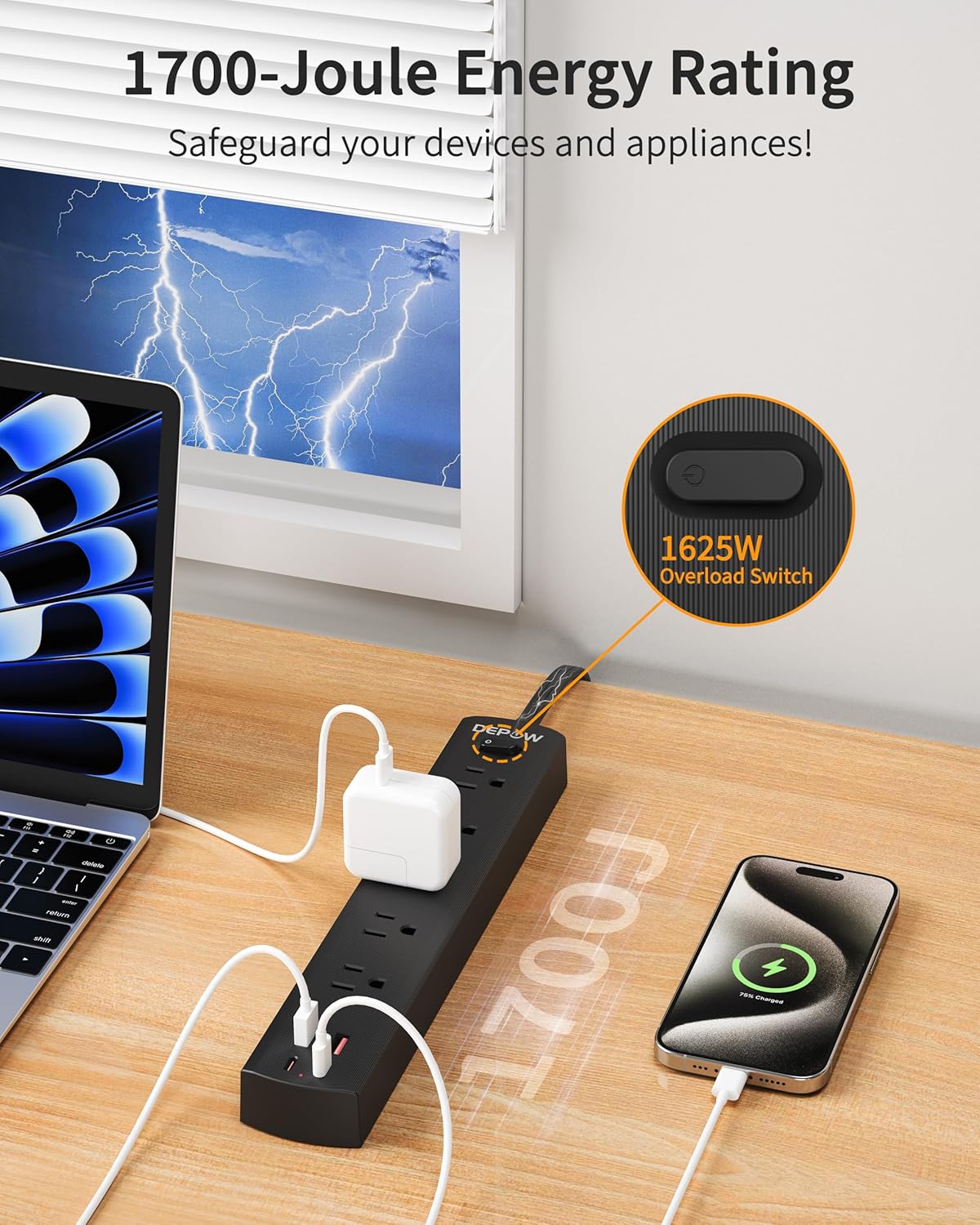
Image: The DEPOW power strip in use, highlighting the 1625W overload switch and indicating 1700 Joules of surge protection.
2. Connecting AC Devices:
- Plug your AC-powered devices into any of the 5 grounded AC outlets.
- The widely spaced outlets accommodate larger power adapters without blocking adjacent ports.
- Ensure the total power consumption of all connected AC devices does not exceed 1625W (13A at 125V).

Image: The DEPOW power strip on a desk, with various devices like laptops, phones, and chargers plugged into its AC and USB ports, demonstrating its multi-device charging capability.
3. Using USB Charging Ports:
- Connect your USB-powered devices (smartphones, tablets, smartwatches, etc.) to the 2 USB-A or 2 USB-C ports.
- The USB ports provide optimized charging with a maximum shared output of 3.4A/17W.

Image: A close-up of the DEPOW power strip's USB ports, illustrating the charging capabilities for USB-A (12W Max) and USB-C (15W Max) with a total shared output of 17W.
4. Video Demonstration:
Video: An official DEPOW video demonstrating the features and usage of the power strip, including its multiple outlets and USB ports. Note: This video title mentions "10 Ft" but the product is "5 Ft". The video content is generally applicable to the product's features.
Huolto
Proper maintenance ensures the longevity and safe operation of your power strip.
- Puhdistus: Irrota jatkojohto pistorasiasta ennen puhdistamista. Pyyhi pinta kuivalla, pehmeällä liinalla. Älä käytä nestemäisiä puhdistusaineita tai aerosoleja.
- Varastointi: Kun jatkojohtoa ei käytetä pitkään aikaan, säilytä sitä viileässä ja kuivassa paikassa.
- Säännöllinen tarkastus: Periodically check the power cord and the unit for any signs of damage, such as frayed wires, cracks, or loose connections. If any damage is found, discontinue use immediately.
- Vältä ylikuormitusta: Varmista aina kokonaispainotage of connected devices does not exceed the maximum rating of 1625W to prevent tripping the overload protection.
Vianetsintä
If you encounter issues with your DEPOW Surge Protector Power Strip, refer to the following common problems and solutions:
| Ongelma | Mahdollinen syy | Ratkaisu |
|---|---|---|
| Ei virtaa laitteille. |
|
|
| Laitteet eivät lataudu USB:n kautta. |
|
|
| Jatkojohto tuntuu lämpimältä. |
|
|
Tekniset tiedot
| Ominaisuus | Yksityiskohta |
|---|---|
| Mallinumero | QT560-CU |
| Pistorasiat | 5 maadoitettua pistorasiaa |
| USB-portit | 2 USB-A, 2 USB-C |
| USB-lähtö | Max 3.4A/17W Shared |
| AC Input/Output | 125V~, 60Hz, 13A, 1625W Max |
| Ylijännitesuoja | 1700 joulea |
| Johdon pituus | 5 Feet (Flat Plug) |
| Mitat (P x L x K) | 10.83 x 1.97 x 0.1 tuumaa |
| Tuotteen paino | 10.8 unssia |
| Turvaominaisuudet | Overload, Short-circuit, Grounded, USB Over-voltage, USB Over-current, USB Over-heat, Flame Retardant Protection |
Takuu ja tuki
Takuutiedot:
DEPOW products are designed for reliability and performance. This product comes with a standard manufacturer's warranty. Please refer to the product packaging or the official DEPOW websivustolta tarkemmat takuuehdot.
Asiakastuki:
For technical assistance, troubleshooting, or warranty claims, please contact DEPOW customer support through the following channels:
- Online: Visit the official DEPOW websivusto usein kysyttyjen kysymysten ja tukiresurssien osalta.
- Sähköposti: Refer to your product packaging for the customer service email address.
- Puhelin: Contact details may be available on the DEPOW websivuston tai tuotteen dokumentaatio.
Please have your model number (QT560-CU) and purchase information ready when contacting support.