
wansview W7
wansview 2K Security Camera W7 User Manual
Malli: W7
1. Tuote ohiview
Wangitview 2K Security Camera W7 is a high-resolution outdoor surveillance camera designed to provide comprehensive home security. Featuring 2K (3MP) video capture, full-color night vision, two-way audio, and advanced motion detection, it offers reliable monitoring day and night. The camera is IP65 waterproof, ensuring durability in various weather conditions, and supports both local SD card storage and cloud storage options.

Figure 1.1: wansview 2K Security Camera W7 and its mobile application interface.
2. Asennusopas
2.1. Pakkauksen sisältö
- wansview 2K Security Camera W7
- USB-virtajohto
- Pistoke
- Asennusopas
- Mounting Screws (2 sets)
2.2. Alkuasetukset
- Virtaliitäntä: Connect the USB power cord to the camera and then to the power plug. Plug the power plug into a standard electrical outlet. The camera requires a wired power connection for operation.
- Lataa sovellus: Download the "Wansview Cloud" app from the Apple App Store or Google Play Store on your smartphone.
- Tilin rekisteröinti: Avaa Wansview Cloud app and register for a new account or log in if you already have one.
- Lisää laite: Tap the "+" icon in the app to add a new device. Select the W7 camera model.
- Wi-Fi-yhteys: Follow the in-app instructions to connect the camera to your 2.4GHz Wi-Fi network. Ensure your Wi-Fi signal is strong at the camera's intended mounting location. You will be prompted to scan a QR code displayed on your phone screen with the camera's lens.
- Asennus: Once the camera is successfully connected, choose a suitable outdoor location for mounting. Use the provided mounting screws and the installation guide to securely attach the camera to a wall. The camera is designed for wall-mounted installation.

Figure 2.1: Key features and weather resistance of the wansview W7 camera.
3. Käyttöohjeet
3.1. Livenä View ja panoroinnin/kallistuksen hallinta
Access the live video feed from your camera through the Wansview Cloud app. You can remotely control the camera's viewing angle with its 350° pan and 55° tilt capabilities to monitor a wide area.
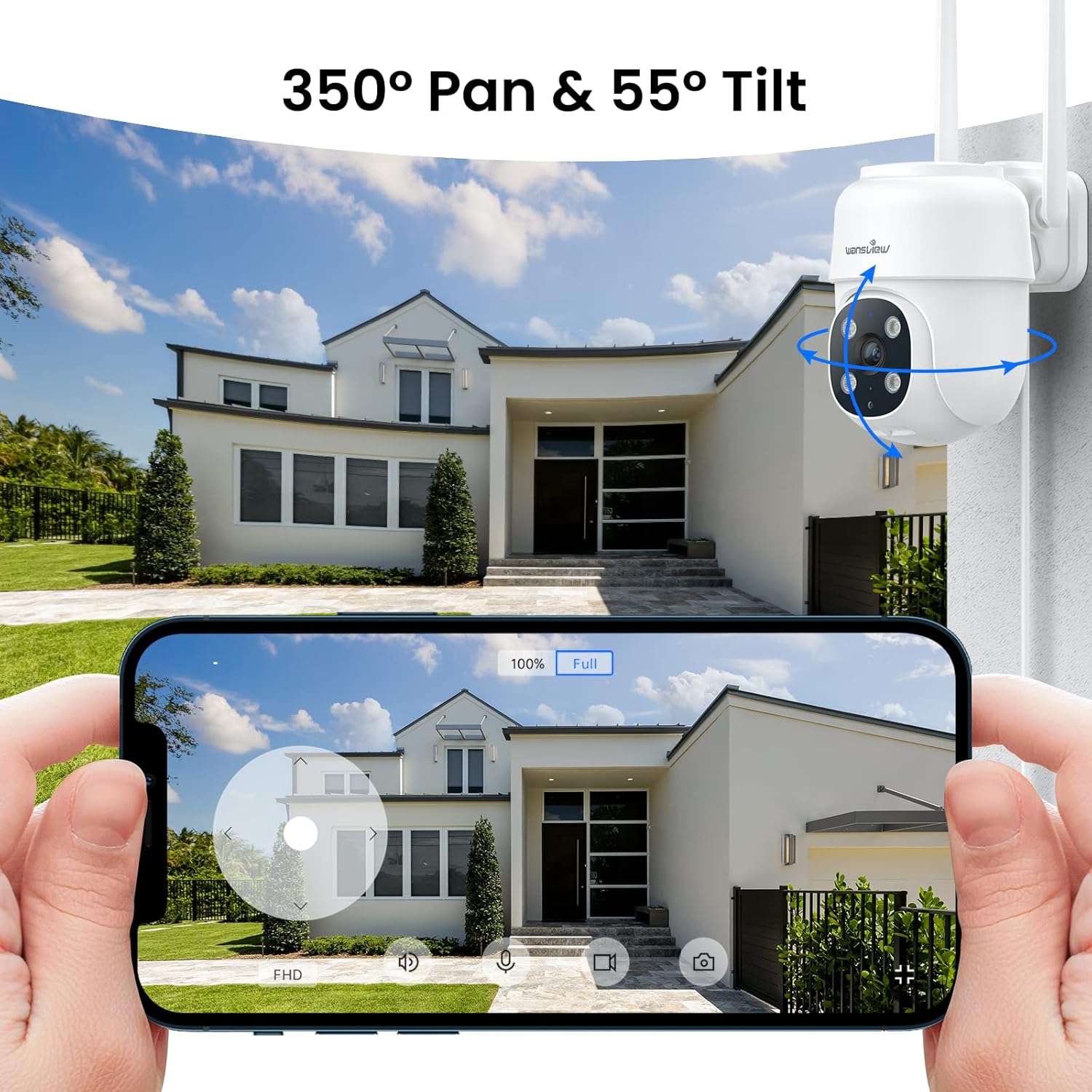
Figure 3.1: Remote pan and tilt control via the Wansview Pilvisovellus.
3.2. Kaksisuuntainen ääni
The camera features a built-in microphone and speaker, enabling two-way communication. Use the app to speak to visitors or deter unwanted guests from your property.
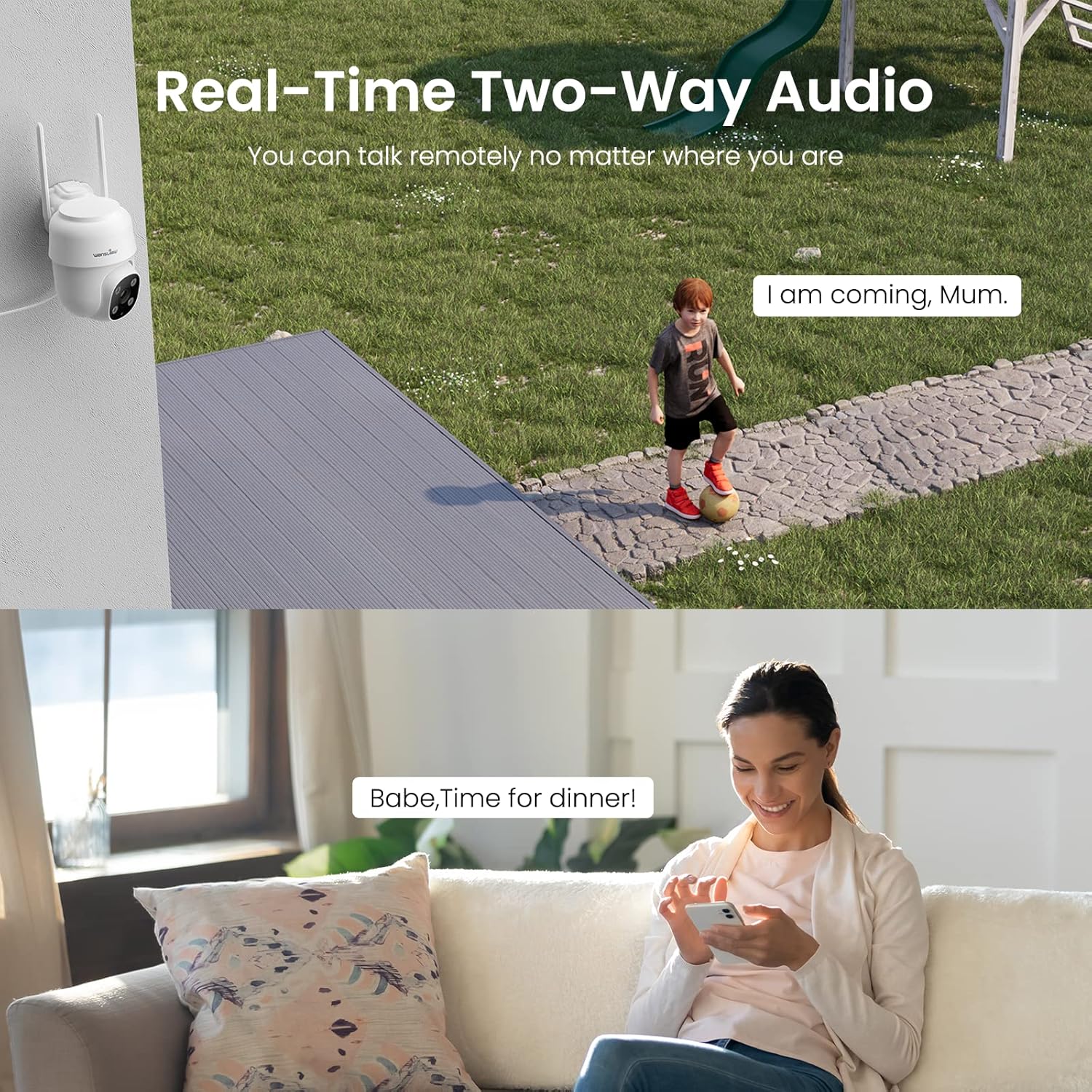
Figure 3.2: Demonstrating the real-time two-way audio functionality.
3.3. Yönäkötilat
The W7 camera offers two night vision modes for clear visibility in low-light conditions:
- Infrapunayönäkö: Tarjoaa selkeitä mustavalkoisia kuvia täydellisessä pimeydessä.
- Täysvärinen yönäkö: Utilizes built-in white lights to display color images at night when activated.

Figure 3.3: Visual comparison of infrared and full-color night vision.
3.4. Liiketunnistus ja hälytykset
The camera's built-in sensor detects motion and can trigger real-time alerts to your phone. You can customize the motion detection sensitivity and define specific detection areas within the app to minimize false alarms.
- Valohälytys: The camera's white light can be set to turn on automatically or manually upon motion detection.
- Sireenihälytys: An audible siren can be activated to deter intruders.
- Ilmoitus: Saat push-ilmoituksia älypuhelimeesi, kun liikettä havaitaan.
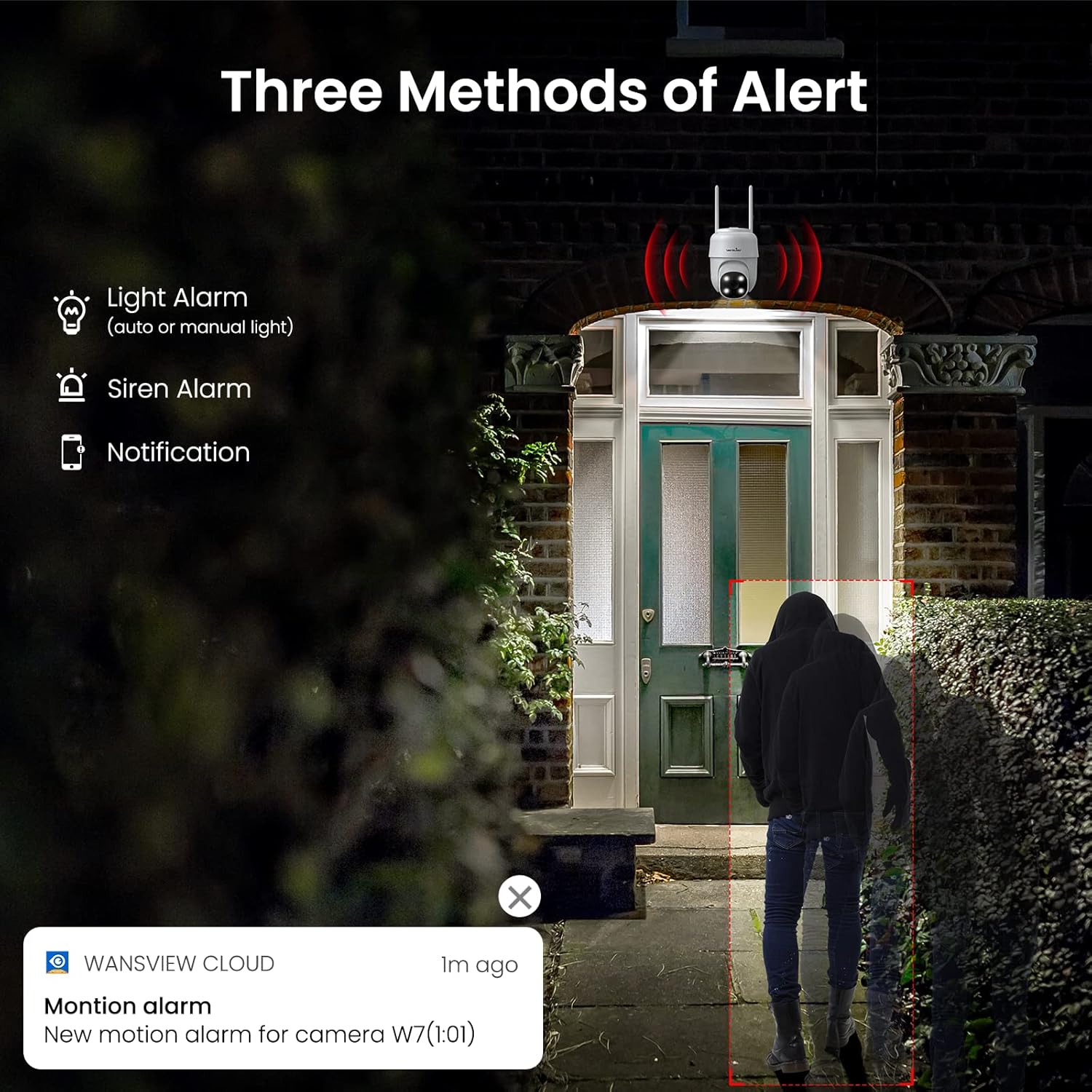
Kuva 3.4: Päättynytview of the three alert methods available.

Figure 3.5: Customizing the motion detection area for precise alerts.
3.5. Tallennus ja säilytys
The W7 camera supports continuous 24/7 recording to ensure no important moments are missed. You have two primary storage options:
- SD-kortin tallennustila: Insert a microSD card (up to 128GB, not included) into the camera for local storage of recordings.
- Pilvitallennus: Optional cloud storage provides a secure backup for your video footage.
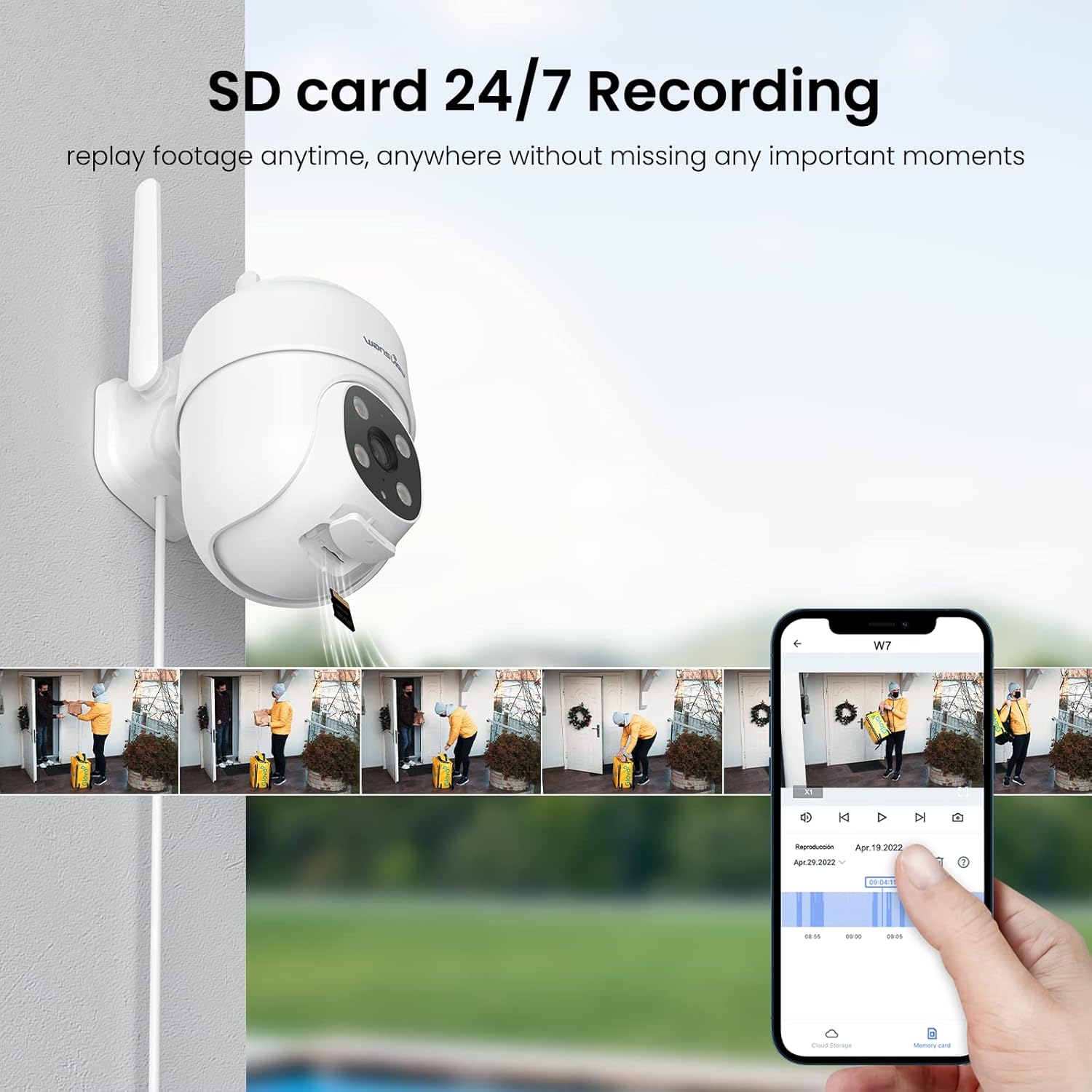
Figure 3.6: SD card storage and playback of recorded footage.
3.6. Älykoti-integraatio
Wangitview W7 camera is compatible with Amazon Alexa Echo Show and Google Home. You can use voice commands to view your camera's live feed on compatible smart displays.

Figure 3.7: Integrating the camera with smart home assistants like Alexa.
3.7. Usean käyttäjän pääsy
You can share camera access with family members or trusted individuals through the Wansview Cloud app, allowing multiple users to view live-syötettä ja tallenteita samanaikaisesti.

Figure 3.8: Sharing camera access with family and friends.
4. Huolto
- Puhdistus: Regularly clean the camera lens and body with a soft, dry cloth to ensure clear image quality. Avoid using harsh chemicals or abrasive materials.
- Virtaliitäntä: Periodically check the power cord and plug for any signs of damage. Ensure the connection remains secure.
- Wi-Fi-signaali: Verify that the camera maintains a strong 2.4GHz Wi-Fi signal at its installed location for optimal performance. Consider a Wi-Fi extender if the signal is weak.
- Laiteohjelmistopäivitykset: Keep the Wansview Cloud app updated to the latest version, as this often includes firmware updates for the camera that improve performance and security.
- SD-kortin hallinta: If using an SD card for storage, periodically check its status in the app. Format the SD card as needed to maintain optimal recording performance.
5. Vianmääritys
5.1. Yleisiä ongelmia ja ratkaisuja
| Ongelma | Mahdollinen syy | Ratkaisu |
|---|---|---|
| Kamera offline-tilassa/Ei voida muodostaa yhteyttä | No power; Weak Wi-Fi signal; Incorrect Wi-Fi password; Router issues. | Check power connection. Ensure camera is within Wi-Fi range. Verify Wi-Fi password. Restart router and camera. |
| Huono videon laatu | Likainen linssi; Riittämätön valaistus; Verkon kaistanleveysongelmat. | Clean the camera lens. Ensure adequate lighting for optimal 2K resolution. Check network speed. |
| Motion alerts are inaccurate/too frequent | Sensitivity too high; Detection area too broad. | Adjust motion detection sensitivity in the app (e.g., set to 'Normal'). Refine the detection area to focus on critical zones. |
| Night vision not clear/not activating | Obstruction in front of lens; Ambient light interference. | Ensure no objects are blocking the camera's view. Minimize external light sources that might interfere with infrared sensors. |
| Kaksisuuntaisen äänen ongelmat | Microphone/speaker blocked; App permissions; Network delay. | Check for obstructions around microphone/speaker. Ensure app has microphone permissions. Check network stability. |
| SD-kortti ei tallenna | SD-kortti täynnä/vioittunut; Väärä muoto; Korttia ei ole asetettu oikein. | Format the SD card via the app. Ensure the card is correctly inserted. Replace if corrupted. |
5.2. Kameran nollaaminen
If issues persist, you can reset the camera to its factory settings through the Wansview Cloud app under device management. This can resolve many software-related problems.
6. Tekniset tiedot
| Ominaisuus | Yksityiskohta |
|---|---|
| Mallinumero | W7 |
| Videon resoluutio | 2K (3 megapikseliä) |
| Sisä-/ulkokäyttö | Ulkona |
| Virtalähde | Johdollinen sähkölaite (5 volttia, 5 wattia) |
| Yhteydet | 2.4 GHz Wi-Fi |
| Panorointi/kallistusalue | 350° panorointi, 55° kallistus |
| Viewkulma | 95 astetta |
| Night Vision | Full-Color Night Vision, Infrared Night Vision (up to 10 meters) |
| Vesitiivis luokitus | IP65 |
| Käyttölämpötila | -10 ℃ - 50 ℃ (14 °F - 122 °F) |
| Tallennusvaihtoehdot | MicroSD-kortti (jopa 128 Gt, ei sisälly toimitukseen), pilvitallennustila |
| Mitat (P x L x K) | 4.5 x 3.44 x 4.8 tuumaa |
| Tuotteen paino | 13.3 unssia |
| Mukana olevat komponentit | Camera, USB cable, Plug, Installation guide, Mounting screws |
7. Takuu ja tuki
For warranty information and technical support, please refer to the official wansview website or contact wansview customer service directly. Customer support can assist with setup, troubleshooting, and product inquiries.
Annettujen tietojen perusteella ei ollut saatavilla virallisia tuotevideoita upotettavaksi.
Ask a question about this manual
Ask about setup, troubleshooting, compatibility, parts, safety, or missing instructions. Manuals+ will review the question and use this page’s manual context to help answer it.