
1. Johdanto
The SIIG Thunderbolt 4 Docking Station (Model: JU-DK0U11-S1) is designed to expand the connectivity of your laptop, providing a comprehensive workstation solution. This docking station offers 15 ports, enabling connections for multiple displays, peripherals, network, and power through a single Thunderbolt 4 cable. It supports high-speed data transfer and versatile display configurations for both Mac and Windows systems.

Image 1.1: SIIG Thunderbolt 4 Docking Station (JU-DK0U11-S1) overview.
2. Pakkauksen sisältö
Varmista, että pakkauksessasi on kaikki tarvittavat osat:
- SIIG Thunderbolt 4 Docking Station (JU-DK0U11-S1)
- 150 W: n virtalähde
- Thunderbolt 4 -kaapeli
- Käyttöopas

Image 2.1: Contents included in the SIIG Thunderbolt 4 Docking Station package.
3. Tuote ohiview
3.1 Etupaneelin portit
- 3.5mm Stereo Out: Kuulokkeille tai ulkoisille kaiuttimille.
- SD 3.0 -korttipaikka: Supports SD 3.0 UHS-1 memory cards up to 2TB.
- USB-A 3.2 Gen 1 (5Gbps) Ports (x2): For connecting USB-A peripherals, supporting 5V/0.9A charging.
- Thunderbolt 4 -portti: For connecting Thunderbolt 4 devices or displays.
- Virtapainike: To turn the docking station on or off.

Kuva 3.1: Yksityiskohtainen view of the front panel ports.
3.2 Takapaneelin portit
- DC Power Jack (20V/7.5A): Connects to the included 150W power adapter.
- Thunderbolt 4 Port (Host PD 60W): Connects to your laptop via the Thunderbolt 4 cable, providing up to 60W power delivery.
- 3.5mm Mic In: Ulkoisen mikrofonin liittämiseen.
- Micro SD (TF) 3.0 Card Slot: Supports Micro SD (TF) 3.0 UHS-1 memory cards up to 2TB.
- USB-A 2.0 (480Mbps) Ports (x2): For connecting USB-A peripherals, supporting 5V/1.5A charging.
- Gigabit Ethernet-portti: Kiinteää verkkoyhteyttä varten.
- DisplayPort-lähtö: Ulkoisen näytön liittämistä varten.
- HDMI -lähtö: Ulkoisen näytön liittämistä varten.
- Thunderbolt 4 Ports (x2): For connecting additional Thunderbolt 4 devices or displays, providing 45W power delivery.

Kuva 3.2: Yksityiskohtainen view of the rear panel ports.
4. Asennusohjeet
- Liitä virta: Plug the included 150W power adapter into the DC Power Jack on the rear of the docking station, then connect it to a power outlet.
- Yhdistä isäntätietokoneeseen: Use the provided Thunderbolt 4 cable to connect the Thunderbolt 4 Host port (60W PD) on the rear of the docking station to your laptop's Thunderbolt 4 or USB-C port.
- Virta päälle: Press the power button on the front panel of the docking station. The power indicator LED should illuminate.
- Yhdistä näytöt: Connect your monitors to the available DisplayPort, HDMI, and Thunderbolt 4 output ports on the docking station. Refer to the 'Display Configuration' section for supported setups.
- Liitä oheislaitteet: Connect your USB devices, Ethernet cable, and audio devices to the corresponding ports on the docking station.
5. Käyttöohjeet
5.1 Näytön asetukset
The docking station supports various display setups, including single 8K or quad 4K displays, utilizing Thunderbolt 4 and DisplayLink technology. Ensure DisplayLink drivers are installed for optimal performance, especially for additional displays beyond native Thunderbolt outputs.
- Single Display Output: Supports up to 8K resolution.
- Kaksoisnäyttölähtö: Supports up to 2x 4K resolution via two Thunderbolt 4 ports.
- Quad Display Output: Achieved by combining two Thunderbolt 4 ports with the DisplayPort and HDMI ports, enabling four 4K displays.

Kuva 5.1: Esim.ample of a quad display setup using the docking station.

Image 5.2: Display compatibility and resolution matrix for Windows and Mac M1/M2 systems.
5.2 Virransyöttö
The docking station provides power to your connected devices:
- Kannettavan tietokoneen lataus: Up to 60W Power Delivery (PD) to the host laptop via the Thunderbolt 4 host port.
- Thunderbolt 4 -portit: Each of the three downstream Thunderbolt 4 ports provides up to 45W of power.
- USB-A Fast Charging: Two USB-A 5Gbps ports support 5V/0.9A charging, and two USB-A 2.0 ports support 5V/1.5A charging.

Image 5.3: Power delivery capabilities of the docking station.
5.3 Tiedonsiirto
Experience high-speed data transfer for efficient workflow:
- Thunderbolt 4: Up to 40Gbps data transfer speed, 8 times faster than USB 3.0.
- USB-A 3.2 Gen 1: Up to 5Gbps data transfer speed.
- Memory Card Reader: Supports SD 3.0 UHS-1 and Micro SD (TF) 3.0 UHS-1 with data transfer rates up to 104MB/s.
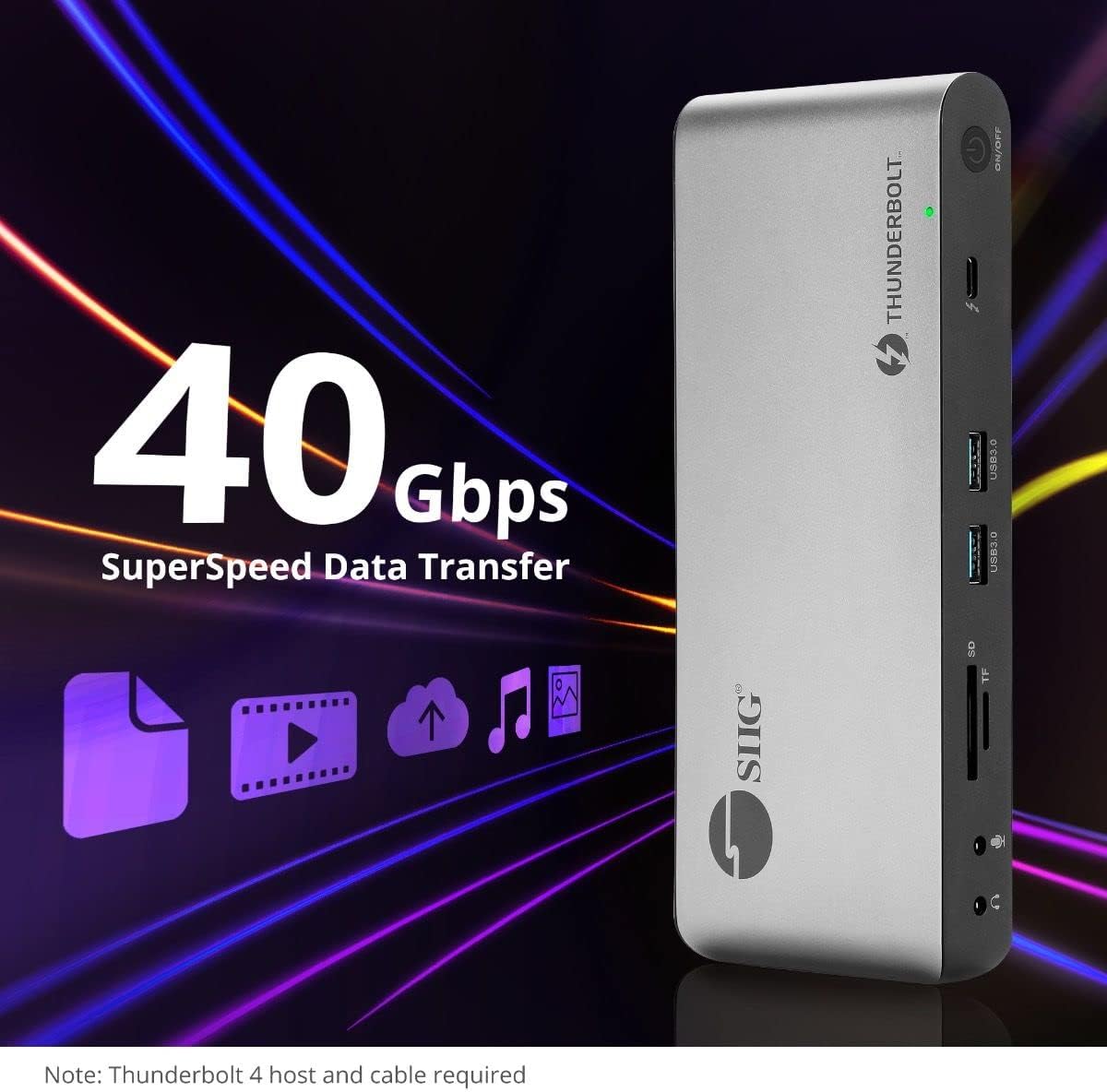
Image 5.4: High-speed data transfer capabilities.
6. Yhteensopivuus
The SIIG Thunderbolt 4 Docking Station is broadly compatible with various systems:
- Käyttöjärjestelmät: Mac M1/M2/M3 Pro & Max, Intel chip Macs, Windows PCs (Intel/AMD/Snapdragon), and Chromebooks.
- Taaksepäin yhteensopivuus: Fully compatible with Thunderbolt 3, USB4, and USB-C equipped computers.
7. Huolto
Varmistaaksesi telakointiasemasi pitkän käyttöiän ja optimaalisen suorituskyvyn, noudata näitä huolto-ohjeita:
- Puhdistus: Puhdista laitteen ulkopinta pehmeällä, kuivalla liinalla. Vältä nestemäisiä puhdistusaineita tai liuottimia.
- Ilmanvaihto: Varmista, että latausasema on hyvin ilmastoidussa tilassa ylikuumenemisen estämiseksi. Älä tuki tuuletusaukkoja.
- Varastointi: Säilytä laitetta viileässä, kuivassa paikassa, poissa suorasta auringonvalosta ja äärimmäisistä lämpötiloista.
- Käsittely: Vältä laitteen pudottamista tai altistamista voimakkaille iskuille.
8. Vianmääritys
If you encounter issues with your SIIG Thunderbolt 4 Docking Station, refer to the following common problems and solutions:
- Ei virtaa:
- Varmista, että virtalähde on kytketty kunnolla sekä telakointiasemaan että toimivaan pistorasiaan.
- Verify the power button on the docking station is pressed and the power indicator LED is on.
- Näyttöongelmat (ei signaalia/väärä resoluutio):
- Check all display cables (HDMI, DisplayPort, Thunderbolt) are securely connected to both the docking station and the monitors.
- Ensure your laptop's display settings are configured correctly to detect and extend/mirror displays.
- For multi-display setups, especially beyond two monitors, ensure DisplayLink drivers are installed and up to date on your operating system.
- Verify your monitors support the selected resolution and refresh rate.
- Oheislaitteita ei havaittu:
- Ensure USB devices are properly connected to the docking station's USB ports.
- Kokeile liittää oheislaite suoraan kannettavaan tietokoneeseen varmistaaksesi, että se toimii.
- Restart the docking station and your laptop.
- Ylikuumeneminen:
- Ensure the docking station is placed in an area with adequate airflow and not covered.
- Reduce the number of high-power devices connected if possible, or consider using a cooling pad if persistent.
- Hidas tiedonsiirto:
- Ensure you are using Thunderbolt 4 certified cables for Thunderbolt connections.
- Verify the connected device supports the expected transfer speeds.
9. Tekniset tiedot
| Ominaisuus | Yksityiskohta |
|---|---|
| Mallinumero | JU-DK0U11-S1 |
| Tuotteen mitat | 3.27 x 7.8 x 1.14 tuumaa |
| Tuotteen paino | 15.4 unssia (0.96 puntaa) |
| Portteja yhteensä | 15 (including 7 USB ports) |
| Isäntäyhteys | Thunderbolt 4 (USB-C) |
| Videolähdöt | 1x HDMI, 1x DisplayPort, 3x Thunderbolt 4 (USB-C) |
| Näytön maksimiresoluutio | Single 8K@30Hz, Quad 4K@60Hz |
| Virransyöttö (isäntä) | Jopa 60W |
| Power Delivery (Downstream TB4) | Jopa 45W porttia kohden |
| Tiedonsiirtonopeus | Thunderbolt 4: 40Gbps, USB-A 5Gbps: 5Gbps |
| Ethernet | Gigabit Ethernet |
| Kortinlukija | SD 3.0 UHS-1, Micro SD (TF) 3.0 UHS-1 (up to 2TB) |
| Audioportit | 3.5mm Stereo Out, 3.5mm Mic In |
| Yhteensopiva käyttöjärjestelmä | Mac M1/M2/M3 Pro & Max, Intel Macs, Windows, Chromebooks |
| Väri | Musta |
| UPC | 662774045689 |
10. Takuu ja tuki
SIIG products are designed for reliability and performance. For warranty information and technical support, please refer to the documentation included with your product or visit the official SIIG websivusto. Säilytä ostokuitti takuuvaatimuksia varten.


