
Johdanto
The Orange Box is a portable Bluetooth speaker designed to deliver high-quality audio. This manual provides essential information for setting up, operating, maintaining, and troubleshooting your device. Please read these instructions carefully before use to ensure optimal performance and longevity of your speaker.
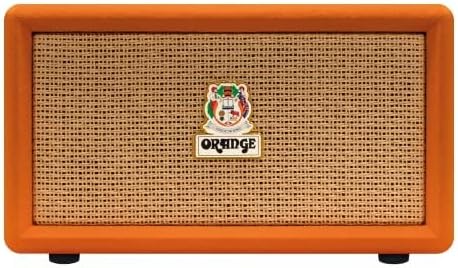
Kuva: Edessä view of the Orange Box Portable Bluetooth Speaker.
Tärkeitä turvallisuustietoja
Sähköiskun, tulipalon ja loukkaantumisen riskin vähentämiseksi noudata seuraavia turvallisuusohjeita:
- Älä altista kaiutinta sateelle tai kosteudelle.
- Älä pura laitetta. Anna kaikki huoltotyöt pätevän henkilöstön tehtäväksi.
- Avoid extreme temperatures. Do not place near heat sources or in direct sunlight.
- Käytä ainoastaan laitteen mukana toimitettua virtajohtoa.
- Pidä poissa lasten ulottuvilta.
- Varmista asianmukainen ilmanvaihto; älä tuki mitään tuuletusaukkoja.
Pakkauksen sisältö
Varmista, että kaikki pakkauksessa olevat osat ovat mukana:
- Orange Box Portable Bluetooth Speaker
- Virtakaapeli
- Irrotettava kahva

Image: The Orange Box speaker shown with its retail packaging, indicating included accessories.
Tuote loppuview
Etupaneelin säätimet
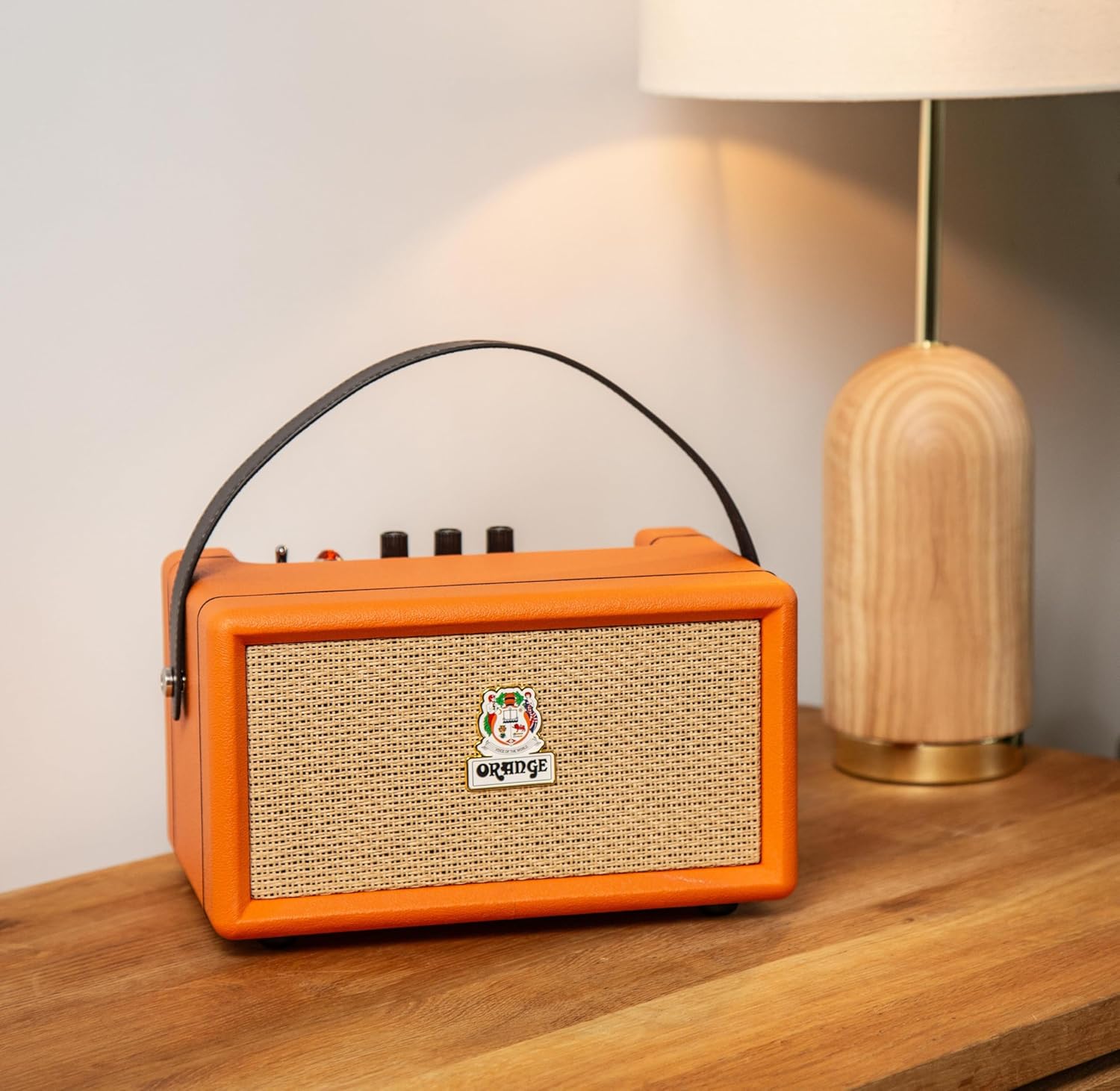
Kuva: Yksityiskohtainen view of the Orange Box control panel.
- Päälle/pois-kytkin: Vaihtaa kaiuttimen tehon.
- Pariston ilmaisin: Näyttää akun nykyisen varaustason.
- Diskantin säätö: Säätää korkeataajuisten äänien lähtöä.
- Basson säätö: Säätää matalataajuisten äänien lähtöä.
- Äänenvoimakkuuden säätö: Säätää äänen kokonaislähtötasoa.
- AUX-tulo: 3.5 mm:n tuloliitäntä ulkoisten äänilaitteiden kytkemiseen.
- Bluetooth-painike: Käynnistää Bluetooth-pariliitostilan.
- Ylikuormitusvalo: Illuminates when the audio signal is too high, indicating potential distortion.
Takapaneelin liitännät

Kuva: Takaosa view of the Orange Box speaker, highlighting the power input.
- DC IN: Power input port for connecting the supplied power cable to charge the battery or operate the speaker.
Asennus
1. Kaiuttimen lataaminen
- Connect the supplied power cable to the DC IN port on the rear of the speaker.
- Liitä virtajohdon toinen pää sopivaan pistorasiaan.
- The battery indicator light will show charging status. A full charge provides up to 15 hours of playback.

Image: Visual representation of the speaker's long battery life.
2. Virta päälle / pois
- To power on, flip the On/Off switch to the 'On' position.
- To power off, flip the On/Off switch to the 'Off' position.
Käyttöohjeet
1. Bluetooth-pariliitos
- Varmista, että kaiuttimeen on kytketty virta.
- Press the Bluetooth button on the control panel. The Bluetooth indicator light will flash, indicating pairing mode.
- Ota Bluetooth käyttöön äänilaitteessasi (älypuhelin, tabletti jne.) ja hae käytettävissä olevia laitteita.
- Select "Orange Box" from the list of devices.
- Once connected, the Bluetooth indicator light will become solid. The speaker has a Bluetooth range of up to 15 meters.

Image: Bluetooth 5.0 connectivity icon.
2. AUX-tulon käyttö
- Connect a 3.5mm audio cable (not supplied) from your audio device's headphone jack to the AUX In port on the speaker's control panel.
- Kaiutin vaihtaa automaattisesti AUX-tulotilaan.
3. Adjusting Audio
- Äänenvoimakkuus: Käännä äänenvoimakkuusnuppia lisätäksesi tai vähentääksesi äänenvoimakkuutta.
- Basso/diskantti: Use the Bass and Treble knobs to fine-tune the audio equalization to your preference.
4. Overload Indicator
The Overload light illuminates when the input signal is too strong, which can cause audio distortion. If this light frequently comes on, reduce the volume from your audio source or the speaker's volume knob to prevent clipping and ensure clear sound.

Image: Overload light indicator on the control panel.
Huolto
- Puhdistus: Use a soft, dry cloth to clean the speaker''s exterior. Do not use liquid cleaners or aerosols.
- Varastointi: Kun kaiutinta ei käytetä pitkään aikaan, säilytä sitä viileässä ja kuivassa paikassa.
- Akun hoito: Akun käyttöiän pidentämiseksi vältä akun usein tapahtuvaa täydellistä tyhjentymistä. Lataa kaiutin säännöllisesti, vaikka sitä ei käytettäisikään.
Vianetsintä
| Ongelma | Mahdollinen syy | Ratkaisu |
|---|---|---|
| Ei virtaa | Akku on tyhjä tai virtajohtoa ei ole kytketty. | Charge the speaker using the supplied power cable. Ensure the power switch is in the 'On' position. |
| Ei ääntä | Volume is too low, incorrect input selected, or device not paired. | Increase speaker volume and source device volume. Ensure Bluetooth is paired or AUX cable is properly connected. |
| Bluetooth ei muodosta yhteyttä | Speaker is not in pairing mode or device is out of range. | Press the Bluetooth button to enter pairing mode. Move your device closer to the speaker (within 15 meters). Forget the device on your phone and re-pair. |
| Vääristynyt ääni | Volume too high (overload) or poor audio source quality. | Reduce the volume on the speaker or your audio source. Check the audio source for quality issues. |
| Lyhyt akunkesto | Akku ei ole täysin latautunut tai akku on vanhentunut. | Ensure the speaker is fully charged before use. Battery performance may decrease over time. |
Tekniset tiedot
| Ominaisuus | Yksityiskohta |
|---|---|
| Merkki | Oranssi |
| Mallinumero | Orange Box |
| Mallin nimi | ORA ORANGEBOX |
| Kaiuttimen suurin lähtöteho | 50 watin tehollisarvo |
| Yhteystekniikka | Bluetooth, Aux-liitäntä |
| Bluetooth-alue | 15 metriä |
| Äänilähtötila | Stereot |
| Kaiuttimen tyyppi | kannettava kaiutin |
| Väri | Oranssi |
| Kotelon materiaali | Muovi |
| Tuotteen mitat (S x L x K) | 13" S x 11" L x 10" K |
| Tuotteen paino | 2.97 kiloa |
| Virtalähde | Paristokäyttöinen |
| Akun kesto | Jopa 15 tuntia |
| Valvontamenetelmä | Touch (for Bluetooth button), Rotary Knobs |

Image: Dimensions of the Orange Box speaker.
Takuu ja tuki
The Orange Box Portable Bluetooth Speaker comes with a Yhden vuoden rajoitettu takuu from the manufacturer, Orange. This warranty covers defects in materials and workmanship under normal use.
For warranty claims, technical support, or service inquiries, please contact Orange customer support through their official website or the retailer where the product was purchased. Please have your proof of purchase and the product's model number (Orange Box) available when contacting support.