
1. Yliview
The ZTW Beatles G2 40A Electronic Speed Controller (ESC) is designed for RC fixed-wing airplanes, multi-copters, and DIY projects. It features a 32-bit microprocessor for enhanced computing ability and faster running speed, ensuring stable and efficient performance. This ESC includes multiple protection features and offers programmable functions for precise control.
Tärkeimmät ominaisuudet:
- 32-bit microprocessor for stronger computing ability and faster running speed.
- Useita suojauksia: käynnistys, ylikuumeneminen, alhainen tilavuustage katkaisu, signaalihäviö, vaihehäviö.
- Stronger BEC output up to 4A/5V, 6V continuous and peak to 8A.
- Super smooth, accurate, and programmable throttle linearity and response.
- Supports high RPM motors and is programmable by LCD card or transmitter.
- Synchronous rectification for energy-saving and high efficiency.

Image: ZTW Beatles G2 40A ESC with XT60 power connector and 3.5mm bullet motor connectors.
2. Turvallisuustiedot
Always exercise caution when operating RC equipment. Improper use can lead to serious injury or damage. Please observe the following safety guidelines:
- Varmista ennen virran kytkemistä, että kaikki liitännät ovat kunnolla kiinni.
- Never operate the ESC with damaged wiring or connectors.
- Keep hands and loose clothing away from rotating propellers and motors.
- Use appropriate battery types and voltages as specified in the product specifications.
- Avoid operating in wet conditions or extreme temperatures.
- Perform throttle calibration before first use or when changing transmitters.
- Irrota akku aina käytön jälkeen.
3. Pakkauksen sisältö
Paketti sisältää seuraavat tuotteet:
- 1 x ZTW Beatles G2 40A ESC
- 1 x Käyttöohje

Image: ZTW Beatles G2 40A ESC in its retail packaging, showing the ESC and user manual.
4. Tekniset tiedot
| Ominaisuus | Yksityiskohta |
|---|---|
| Mitat (PxLxK) | 68 mm x 25 mm x 10 mm (2.4 x 0.98 x 0.39 tuumaa) |
| Paino | 37 g (2.08 unssia) |
| akun tuki | 2-4S Lipo / 5-12NC |
| Voitage Alue | 7.6 V - 15.8 V |
| Jatkuva virta | 40A |
| Huippuvirta | 55A (for 10 seconds) |
| BEC-lähtö | 4A/5V or 6V (peak 8A) |
| Moottorin tyyppi | Harjaton |
| RPM Support | 200,000 for 2-Pole, 82,000 for 6-Pole, 42,000 for 12-Pole |
| Virtaliittimet | XT60 |
| Moottorin liittimet | 3.5mm bullet female |
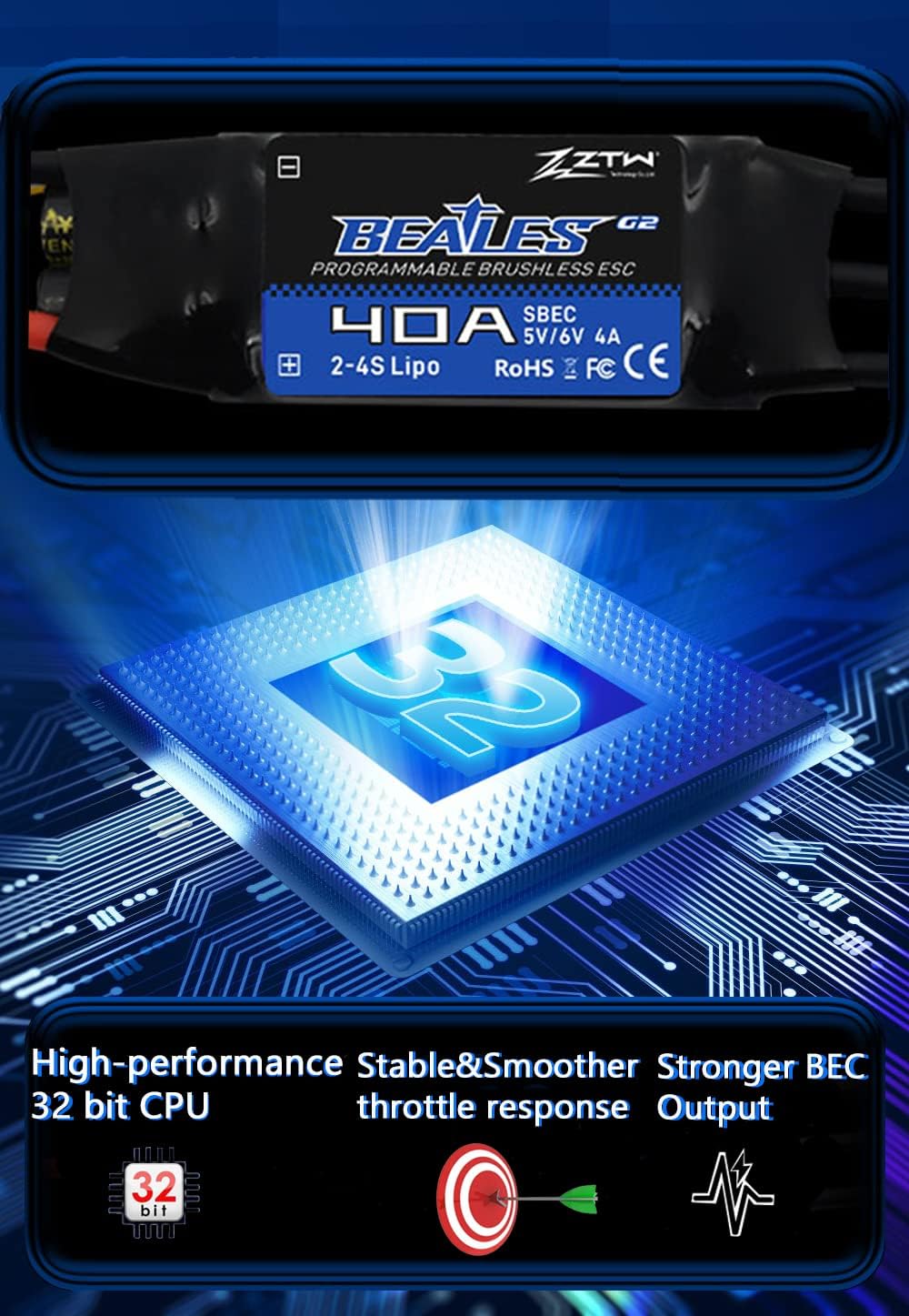
Image: Internal diagram illustrating the 32-bit CPU, stable performance, and strong BEC output.
5. Asennus ja käyttöönotto
Proper installation of the ESC is crucial for safe and optimal performance. Follow these steps for connecting your ZTW Beatles G2 40A ESC:
- Kytke moottorin johdot: Connect the three black motor wires from the ESC to your brushless motor's connectors. The order of connection determines the motor's rotation direction. This can be adjusted later during commissioning.
- Connect Receiver Signal Wire: Connect the ESC's black-red-white 3-pin signal wire to your receiver's throttle channel.
- Secure ESC: Secure the ESC and its XT60 power connector to the arm of your RC model using zip ties or other appropriate fasteners. Ensure they are firmly secured to prevent movement during operation.
- Virtalähde: Connect the XT60 plug from the ESC to your battery.
Video: This video demonstrates the installation process of a Brushless ESC for a drone or RC plane, including connecting motor wires and securing the ESC.
6. Käyttö
6.1. Throttle Calibration
Throttle calibration is essential for the ESC to correctly recognize the throttle range of your transmitter. This procedure should be performed before the first use or if you change your transmitter.
- Turn on your transmitter and move the throttle stick to the highest position.
- Connect the ESC's power wires to the battery.
- Listen for two beeps from the ESC.
- Immediately move the transmitter's throttle stick to the lowest position.
- Listen for a confirmation tone from the ESC. This indicates successful calibration.
- Disconnect the battery and then reconnect it. If the throttle responds normally, calibration is complete.
Video: This video demonstrates the throttle calibration procedure for the Mantis Slim G2 ESC series.
Video: A general guide on how to calibrate an ESC, applicable to the ZTW Beatles G2 40A ESC.
6.2. ESC:n ohjelmointi
The ZTW Beatles G2 40A ESC offers several programmable functions such as brake type, cut-off voltage, soft start, and motor direction. Programming can be done using your transmitter or an optional LCD Program Card G2.
Programming via Transmitter:
- Kytke lähetin päälle ja siirrä kaasuvipu yläasentoon.
- Liitä akku ESC: hen.
- Listen for a series of beeps indicating entry into programming mode. Each beep sequence corresponds to a specific parameter.
- Move the throttle stick to the bottom position to enter the corresponding parameter item.
- Move the throttle stick to the top position to save the selected parameter value. Programming is completed.
- Disconnect the battery to exit programming mode.
Video: This video demonstrates how to program your ESC using the transmitter.
Programming via LCD Program Card G2:
- Unplug the ESC throttle cable from the receiver.
- Insert the LCD Program Card G2 into the ESC's throttle cable.
- Connect the ESC to the battery.
- Wait for the LCD screen to display the power-on interface.
- Press the "ITEM" or "OK" button to select parameters and program.
- Upon completion of programming, press the "OK" button to save the parameters.
Video: This video shows how to set parameters for the Mantis Slim G2 ESC using an LCD Program Card.
6.3. SMR (Switch Motor Rotation) Function
The SMR function allows you to change the motor rotation direction. This is particularly useful for aircraft landing, as it can effectively shorten the landing distance.
- Ensure the SMR function is set to "ON" in the ESC programming.
- With the throttle below 50%, flip the 2-stage switch on your transmitter to change the motor rotation.
Note: The SMR function is only effective when the throttle is below 50% and is primarily intended for use during aircraft landing to shorten the landing distance.
Video: This video demonstrates how to set and use the SMR (Switch Motor Rotation) function of your ESC.
7. Huolto
To ensure the longevity and optimal performance of your ZTW Beatles G2 40A ESC, follow these maintenance tips:
- Keep the ESC clean and free from dust, dirt, and moisture.
- Tarkista säännöllisesti kaikki johdot ja liittimet kulumisen, rispaantumisen tai vaurioiden varalta. Vaihda vaurioituneet osat välittömästi.
- Varmista riittävä ilmanvaihto ESC:n ympärillä käytön aikana ylikuumenemisen estämiseksi.
- Säilytä ESC:tä kuivassa, viileässä paikassa, poissa suorasta auringonvalosta ja äärimmäisistä lämpötiloista.
8. Vianmääritys
If you encounter issues with your ZTW Beatles G2 40A ESC, consider the following common troubleshooting steps:
- Moottori ei pyöri:
- Check all power connections (battery to ESC, ESC to motor).
- Ensure the throttle is calibrated correctly.
- Verify that the receiver is properly bound to the transmitter.
- Tarkista moottorin johdot löysien liitosten tai vaurioiden varalta.
- Motor stutters or runs irregularly:
- Check motor timing settings (can be adjusted via programming).
- Varmista, että moottorin vaihejohdot on kytketty oikein.
- Tarkista akun tilavuustage on määritetyllä alueella.
- ESC:n ylikuumeneminen:
- Ensure adequate ventilation around the ESC.
- Check for excessive current draw (e.g., oversized propeller, motor issues).
- Verify motor timing is not set too aggressively.
- No response from ESC after power-on:
- Tarkista akun liitäntä ja äänenvoimakkuustage.
- Ensure the ESC's signal wire is correctly plugged into the receiver.
- Re-perform throttle calibration.
9. Takuu ja tuki
ZTW and HAWK HOBBY offer a 100% free warranty for this ESC. For warranty claims or technical support, please contact your retailer or the manufacturer directly with your proof of purchase.
For further assistance, refer to the official ZTW websivustolla tai ota yhteyttä heidän asiakaspalveluunsa.