
1. Johdanto
Welcome to the user manual for your new TAOPON Smartwatch IP67 Round. This guide provides essential information on setting up, operating, maintaining, and troubleshooting your device. Please read this manual thoroughly to ensure proper use and to maximize your smartwatch's features.
2. Tuote ohiview
The TAOPON Smartwatch is a versatile wearable device designed for both men and women, offering a range of features to support your health and daily activities. It features a round, high-definition display and is built with IP67 water resistance.

Kuva 2.1: Lähikuva view of the TAOPON Smartwatch, showcasinpyöreän näytön ja tyylikkään muotoilunsa ansiosta.
Tärkeimmät ominaisuudet:
- Physical Health Monitoring: Equipped with a heart rate sensor, the smartwatch helps monitor your heart rate and blood pressure. Sleep data analysis assists in improving sleep quality.
- High-Definition Round Screen: Features a 1.28-inch IPS 240x240 color touchscreen for easy operation. Offers 5 main interfaces and a soft, humanized silicone strap for comfort.
- Toiminnan seuranta: Tracks steps, calories burned, distance, and other important fitness information. Includes functions like 'find phone', stopwatch, alarm, music control, and sedentary reminders.
- Ilmoitukset: Connects via Bluetooth to your smartphone using the 'Da Fit' app to display caller ID/number, SMS, and SNS notifications (Facebook, WhatsApp, Twitter, Instagram, Messenger, email, Skype). Vibrates to alert you to important calls and messages.
- Compatibility & Battery: Compatible with iOS 9.0+ and Android 5.0+ smartphones. Features a 200mA battery providing 7-10 days of normal use and charges fully in 2 hours.
Paketin sisältö:
Varmista, että pakkauksessa on kaikki tarvittavat osat:
- TAOPON Smartwatch
- Latauskaapeli
- Käyttöopas
- Silikonihihna

Figure 2.2: The smartwatch package contents, including the watch, charging cable, and user manual.
3. Asennus
3.1 Älykellon lataaminen
Lataa älykellosi täyteen ennen ensimmäistä käyttökertaa. Liitä magneettinen latauskaapeli kellon takana oleviin latausliittimiin ja kytke USB-pää virtalähteeseen (ei sisälly toimitukseen) tai tietokoneen USB-porttiin. Täysi lataus kestää yleensä noin 2 tuntia.

Figure 3.1: The smartwatch charging, highlighting its ultra-thin dial and battery life.
3.2 Sovelluksen asennus
Avataksesi kaikki ominaisuudet ja synkronoidaksesi tiedot, lataa 'Da Fit' app on your smartphone. You can find it on the App Store (for iOS devices) or Google Play Store (for Android devices).
- Skannaa QR-koodi käyttöoppaasta tai kellon pakkauksesta tai hae 'Da Fit' puhelimesi sovelluskaupasta.
- Lataa ja asenna sovellus.
- Grant necessary permissions when prompted by the app.
3.3 Laitteen pariliitos
Kun olet asentanut sovelluksen, yhdistä älykellosi älypuhelimeesi:
- Varmista, että Bluetooth on käytössä älypuhelimellasi.
- Open the 'Da Fit' app.
- Siirry sovelluksessa kohtaan ”Laite” tai ”Lisää laite”.
- The app will search for available devices. Select your TAOPON Smartwatch from the list (it may appear as 'Smartwatch' or a similar identifier).
- Vahvista pariliitospyyntö sekä puhelimellasi että älykellolla, jos sitä pyydetään.
4. Käyttöohjeet
4.1 Perusnavigointi
The smartwatch features a full touchscreen for intuitive control:
- Pyyhkäise ylös/alas: Selaa valikoita ja ilmoituksia.
- Pyyhkäise vasemmalle/oikealle: Käytä pikatoimintoja tai eri kellotauluja.
- Napauta: Valitse kohde tai vahvista toiminto.
- Paina sivupainiketta: Palaa aloitusnäyttöön tai kytke virta päälle/pois (pitkä painallus).
4.2 Terveyden seuranta
Älykellosi seuraa jatkuvasti erilaisia terveysmittareita:
- Syke: Access the heart rate interface to view your current heart rate. The watch can track your heart rate throughout the day.
- Verenpaine: Measure your blood pressure directly from the watch. For accurate readings, remain still during measurement.
- Unenvalvonta: Wear the watch to bed to track your sleep patterns, including total sleep, light sleep, and deep sleep. View detailed analysis in the 'Da Fit' app.

Figure 4.1: Health monitoring features including heart rate, calories, blood oxygen, and detailed sleep tracking.
4.3 Aktiivisuuden seuranta
The smartwatch is equipped with multiple sports modes to track your workouts:
- Askellaskuri: Automatically records your daily steps.
- Distance & Calories: Calculates distance traveled and calories burned based on your activity.
- Urheilutilat: Select from various sports modes (e.g., walking, running, cycling) to get specific data for your activity.

Figure 4.2: The smartwatch tracking steps, distance, and calories during a run.
4.4 Ilmoitukset
Receive real-time alerts directly on your wrist:
- Puheluhälytykset: The watch will vibrate and display the caller's name or number. You can accept or reject calls from the watch.
- Viestihälytykset: View incoming SMS and social media notifications (e.g., Facebook, WhatsApp, Twitter) directly on the watch screen.

Figure 4.3: The smartwatch displaying an incoming call and icons for various messaging apps.
4.5 lisätoimintoja
Älykellossa on useita käteviä ominaisuuksia:
- Musiikin hallinta: Ohjaa musiikin toistoa älypuhelimellasi (toisto, tauko, kappaleiden ohittaminen) suoraan kellostasi.
- Etäkamera: Käytä kelloasi älypuhelimesi kameran kaukosäätimen laukaisimena.
- Etsi puhelin: If your phone is misplaced, use this feature to make it ring.
- Sekuntikello ja herätys: Utilize the built-in stopwatch and set alarms.
- Muistutus istumisesta: Saat hälytyksiä liikkumisesta, jos olet ollut liian kauan passiivisena.
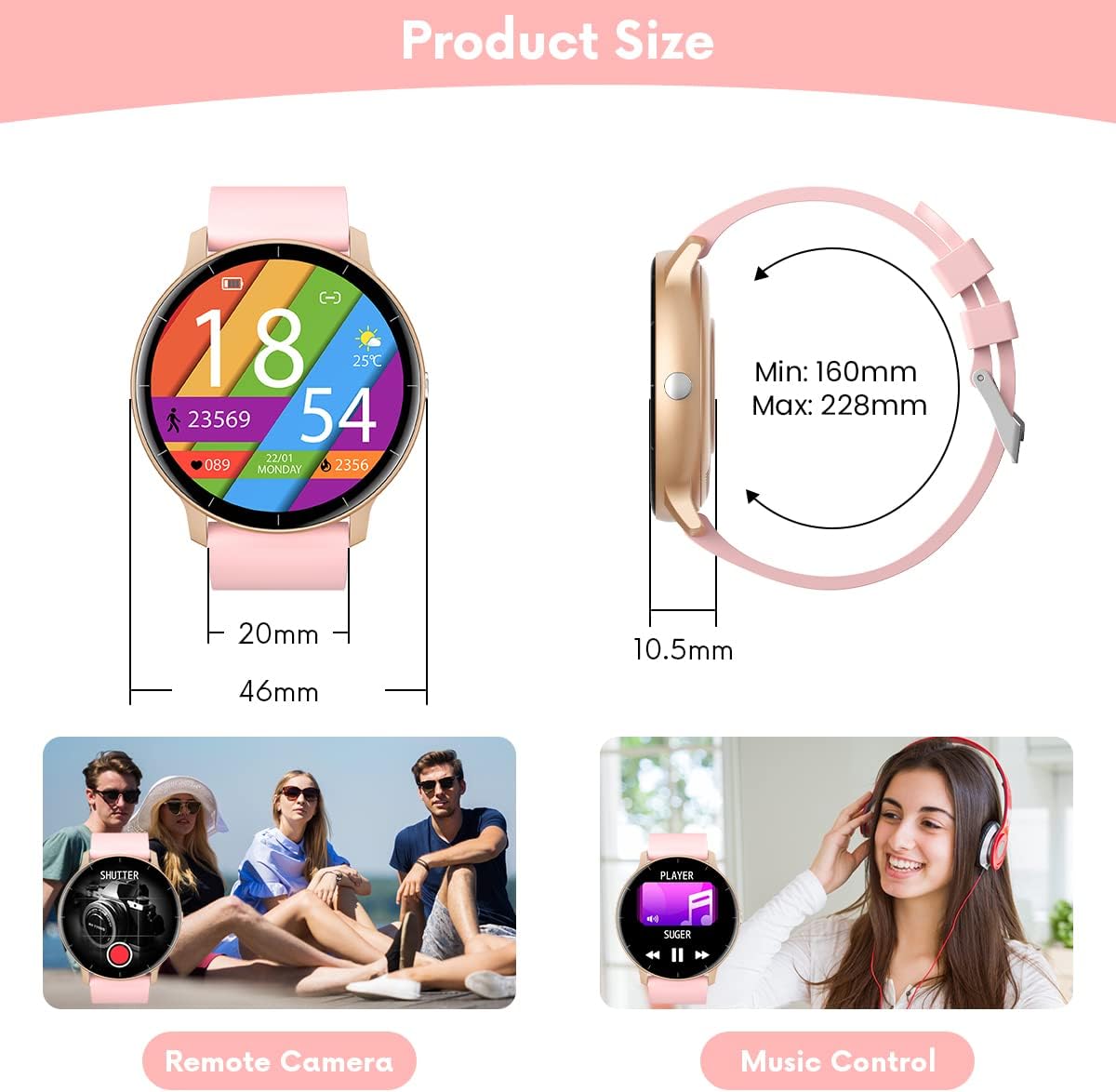
Figure 4.4: Illustrations of remote camera control and music playback features.
4.6 Kellotaulujen mukauttaminen
Mukauta älykelloasi erilaisilla kellotauluilla:
- The watch comes with several pre-installed main interfaces.
- Through the 'Da Fit' app, you can access a wider selection of watch faces or even upload your own photos to create custom designs.
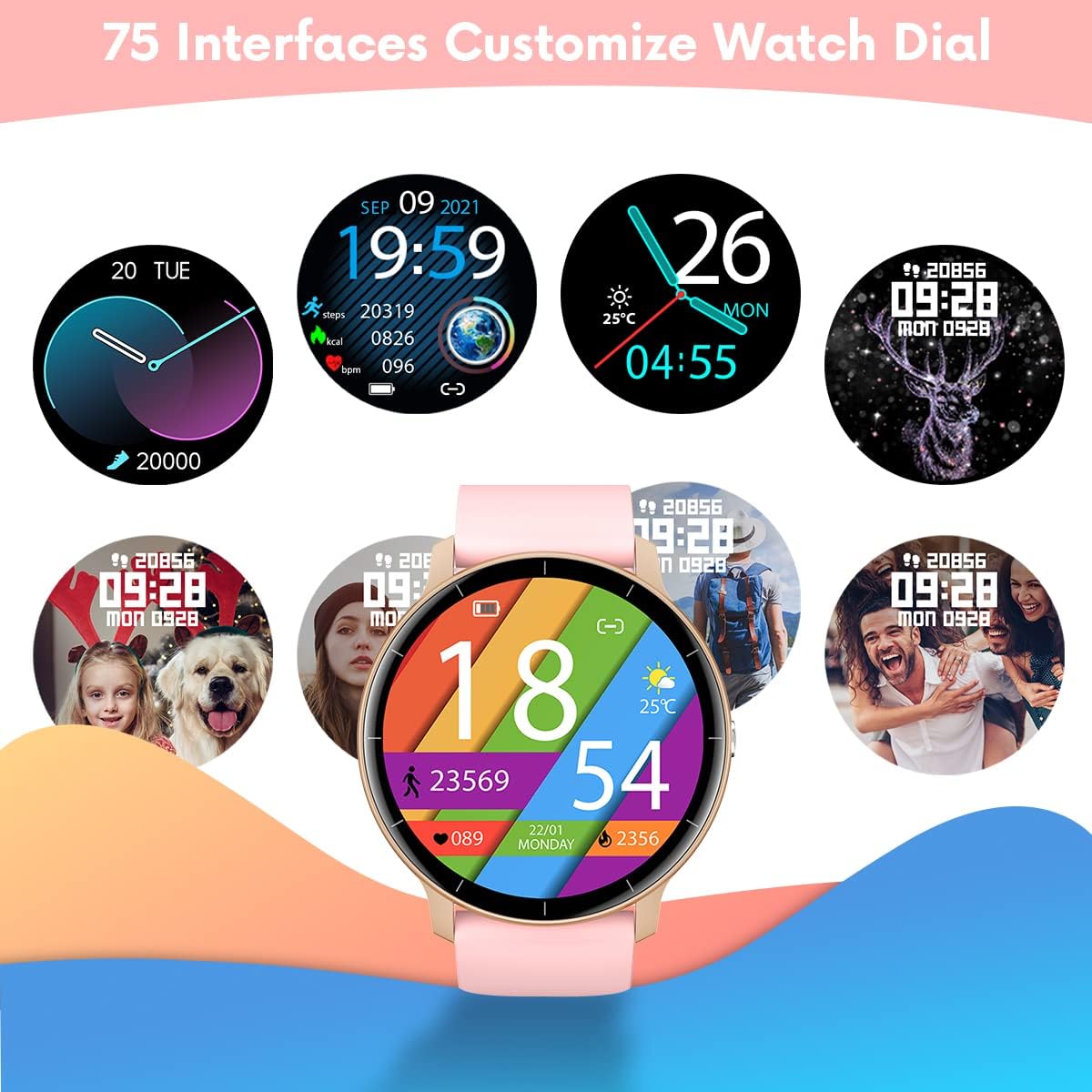
Figure 4.5: A variety of customizable watch face designs available for the smartwatch.
5. Huolto
5.1 Älykellon puhdistaminen
Älykellosi ulkonäön ja toimivuuden ylläpitämiseksi:
- Pyyhi näyttö ja ranneke säännöllisesti pehmeällä,amp kangas.
- Vältä voimakkaiden kemikaalien tai hankaavien materiaalien käyttöä, sillä ne voivat vahingoittaa laitetta.
- Varmista, että latauskontaktit ovat puhtaat ja kuivat ennen lataamista.
5.2 Vedenkestävyys (IP67)
Your TAOPON Smartwatch is rated IP67, meaning it is resistant to dust and can withstand immersion in water up to 1 meter for up to 30 minutes. This makes it suitable for daily use, such as washing hands or light rain exposure.
- Älä use the watch for swimming, diving, or showering with hot water.
- Avoid exposing the watch to high-pressure water or steam.
- If the watch gets wet, dry it thoroughly before charging or using the touchscreen.

Figure 5.1: A person washing hands with the smartwatch on, illustrating its water-resistant design.
6. Vianmääritys
Jos älykellossasi on ongelmia, katso seuraavia yleisiä ratkaisuja:
| Ongelma | Ratkaisu |
|---|---|
| Kello ei käynnisty | Varmista, että kello on ladattu täyteen. Liitä se laturiin vähintään 30 minuutiksi. |
| Ei voi yhdistää älypuhelimeen | 1. Varmista, että Bluetooth on käytössä puhelimessasi. 2. Make sure the watch is within 10 meters of your phone. 3. Käynnistä sekä kello että puhelimesi uudelleen. 4. Check if the 'Da Fit' app has necessary permissions. |
| Ilmoituksia ei vastaanotettu | 1. Check Bluetooth connection. 2. Ensure notification permissions are granted in the 'Da Fit' app and your phone's settings. 3. Verify that the app is running in the background. |
| Epätarkat terveystiedot | 1. Ensure the watch is worn snugly on your wrist, not too loose or too tight. 2. Pidä käsivartesi paikallaan mittausten aikana. 3. Environmental factors and individual physiology can affect readings. |
| Lyhyt akunkesto | 1. Vähennä näytön kirkkautta. 2. Turn off continuous heart rate monitoring if not needed. 3. Limit frequent notifications. 4. Ensure the watch is fully charged (2 hours). |
If the problem persists, please refer to the 'Da Fit' app's help section or contact customer support.
7. Tekniset tiedot
| Ominaisuus | Yksityiskohta |
|---|---|
| Merkki | TAOPON |
| Malli | Smartwatch IP67 Round (B0BKSFDWWL) |
| Näytön koko | 1.28 tuumaa |
| Näytön tyyppi | IPS Color Touchscreen (LED) |
| Resoluutio | 240 x 240 pikseliä |
| Yhteydet | Bluetooth |
| Yhteensopivuus | Android 5.0+ / iOS 9.0+ |
| Akun kapasiteetti | 200mA Lithium-polymer |
| Akun kesto | 7–10 päivää (tyypillinen käyttö) |
| Latausaika | Noin 2 tuntia |
| Vedenkestävyys | IP67 (Dust and water resistant up to 1 meter for 30 minutes) |
| Tuettu sovellus | Da Fit |
| Terveysominaisuudet | Heart Rate Monitor, Blood Pressure Monitor, Sleep Tracker |
| Activity Features | Pedometer, Calorie Counter, Distance Tracker, Multiple Sports Modes |
| Muut ominaisuudet | Notifications (Calls, SMS, SNS), Music Control, Remote Camera, Alarm, Stopwatch, Sedentary Reminder, Find Phone |
8. Takuu ja tuki
8.1 Takuutiedot
Your TAOPON Smartwatch is covered by a standard manufacturer's warranty. Please refer to the warranty card included in your product packaging for specific terms and conditions, including the warranty period and coverage details. Keep your proof of purchase for warranty claims.
8.2 Asiakastuki
For any questions, technical assistance, or issues not covered in this manual, please contact TAOPON customer support. Contact details can typically be found on the product packaging, the official TAOPON websivustolta tai jälleenmyyjän kautta.
When contacting support, please have your product model (B0BKSFDWWL) and purchase information ready.