
1. Johdanto ja loppuview
This manual provides instructions for the safe and efficient use of your CJP-Geek AC-DC Adapter, model CJP-Geek-PSA-20221025-CA227. This adapter is specifically designed to power and charge the RP-PB054 RAVPower 20100mAh Portable Powerstation.
Key features of this adapter include a wide input voltage range of 100-240V AC, ensuring compatibility with various power outlets worldwide. It is designed for portability and includes multiple safety protections to ensure reliable operation.

Image 1: The CJP-Geek AC-DC Adapter, showing the main power brick, detachable AC input cable, and DC output cable with connector.
2. Pakkauksen sisältö
Varmista, että paketti sisältää seuraavat kohteet:
- 1 x AC / DC Power Supply Charger (CJP-Geek AC-DC Adapter)
3. Asennusohjeet
- Tarkista yhteensopivuus: Ensure that the output specifications of this CJP-Geek AC-DC Adapter match the power input requirements of your RP-PB054 RAVPower 20100mAh Portable Powerstation. Refer to your power station's manual for specific input voltage ja nykyiset vaatimukset.
- Yhdistä laitteeseen: Insert the DC output plug of the adapter firmly into the charging port of your RP-PB054 RAVPower 20100mAh Portable Powerstation.
- Liitä pistorasiaan: Plug the AC input cable into a standard 100-240V AC wall outlet.
- Vahvista lataus: Observe your power station's charging indicator to confirm that it has begun charging.
4. Käyttöohjeet
- The adapter is designed for continuous use when charging compatible devices.
- Always operate the adapter in a well-ventilated area to prevent excessive heat buildup.
- Do not cover the adapter with cloths or other materials during operation, as this can impede heat dissipation.
- Disconnect the adapter from the power outlet and your device when it is not in use for extended periods.
5. Huolto
- Puhdistus: Keep the adapter clean and free from dust. Use a dry, soft cloth for cleaning. Do not use liquid cleaners or solvents.
- Varastointi: Säilytä sovitinta viileässä, kuivassa paikassa, poissa suorasta auringonvalosta ja kosteudesta, kun sitä ei käytetä.
- Kaapelin tarkastus: Regularly inspect the power cables for any signs of damage, such as fraying, cuts, or exposed wires. If any damage is observed, discontinue use immediately and replace the adapter.
- Ympäristöolosuhteet: Avoid exposing the adapter to extreme temperatures, high humidity, or corrosive environments.
6. Turvallisuustiedot
Tärkeä turvallisuushuomautus: Before connecting, always double-check that the adapter's output specifications (voltage and current) are compatible with your device's input requirements. Using an incompatible adapter can damage your device or the adapter itself.
This CJP-Geek AC-DC Adapter is CE certified and incorporates multiple protection features to ensure safe operation:
- Oikosulkusuojaus: Estää sähköoikosulkujen aiheuttamat vauriot.
- Ylivirtasuoja: Suojaa liiallista virrankulkua vastaan.
- Over-Voltage Suojaus: Suojaa volyymiltätage aaltoja.
- Ylikuormitussuojaus: Prevents damage from drawing too much power.
- Ylilataussuoja: Helps prevent overcharging of connected devices.
- Lämpötilasuojaus: Valvoo ja säätää sisälämpötilaa.
Yleiset turvallisuusohjeet:
- Älä pura tai muuta sovitinta.
- Pidä adapteri poissa lasten ulottuvilta.
- Vain sisäkäyttöön. Ei saa altistaa sateelle tai kosteudelle.
- Do not use the adapter if it has been dropped or damaged.
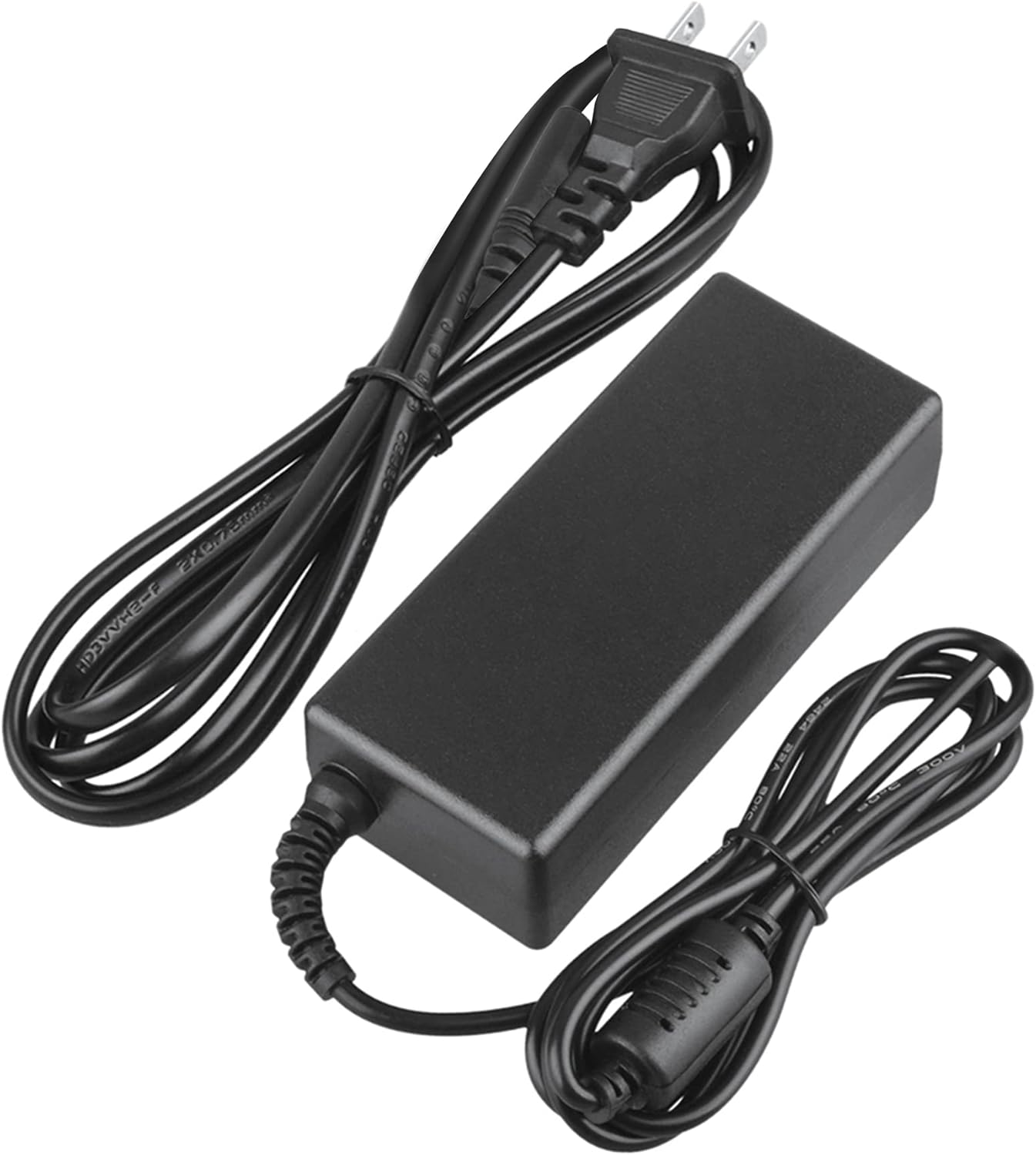
Image 2: Visual representation of the safety features, including overload, over voltage, over charge, over current, short circuit, and temperature protection.
7. Vianmääritys
- Laite ei lataudu:
- Varmista, että sovitin on kytketty kunnolla sekä pistorasiaan että laitteeseen.
- Tarkista pistorasian toiminta kytkemällä siihen toinen laite.
- Verify that the adapter's output specifications are correct for your device.
- Tarkista sovitin ja kaapelit näkyvien vaurioiden varalta.
- Sovittimen ylikuumeneminen:
- Varmista, että sovitin on hyvin ilmastoidussa tilassa eikä sitä ole peitetty.
- Irrota sovitin ja anna sen jäähtyä ennen käytön jatkamista.
- Jos ylikuumeneminen jatkuu, lopeta käyttö ja ota yhteyttä asiakastukeen.
- Ei virran merkkivaloa laitteessa:
- Varmista, että kaikki liitännät ovat turvallisia.
- Testaa eri pistorasialla.
- If possible, test the device with another compatible power source to rule out a device issue.
8. Tekniset tiedot
| Attribuutti | Erittely |
|---|---|
| Mallinumero | CJP-Geek-PSA-20221025-CA227 |
| Tulo Voltage | 100-240V AC, 50/60Hz |
| Lähtö | Refer to device requirements for RP-PB054 RAVPower 20100mAh Portable Powerstation |
| Tuotteen mitat (P x L x K) | 5 x 3 x 8 tuumaa |
| Tuotteen paino | 9 unssia |
| AC-kaapelin pituus | Noin 47 metriä (1.2 tuumaa) |
| DC-kaapelin pituus | Noin 47 metriä (1.2 tuumaa) |
| Total Cable Length (approx.) | 7.87 feet (2.4 meters) including adapter body |

Kuva 3: Yksityiskohtainen view of the adapter's dimensions and features, including cable lengths and a 'Copper interface' for stable output.
9. Takuu ja tuki
Takuutiedot:
- 30 päivän rahat takaisin -takuu
- 60 päivän ilmainen vaihto maksetulla palautustarralla
- 2 Years Worry-Free Warranty
Asiakastuki:
For any product-related issues or inquiries, please contact CJP-Geek customer service. We are committed to assisting you in resolving any problems you may encounter. If the item is found to be defective within the 2-year warranty period, a replacement will be provided without the need to return the defective unit.