
Johdanto
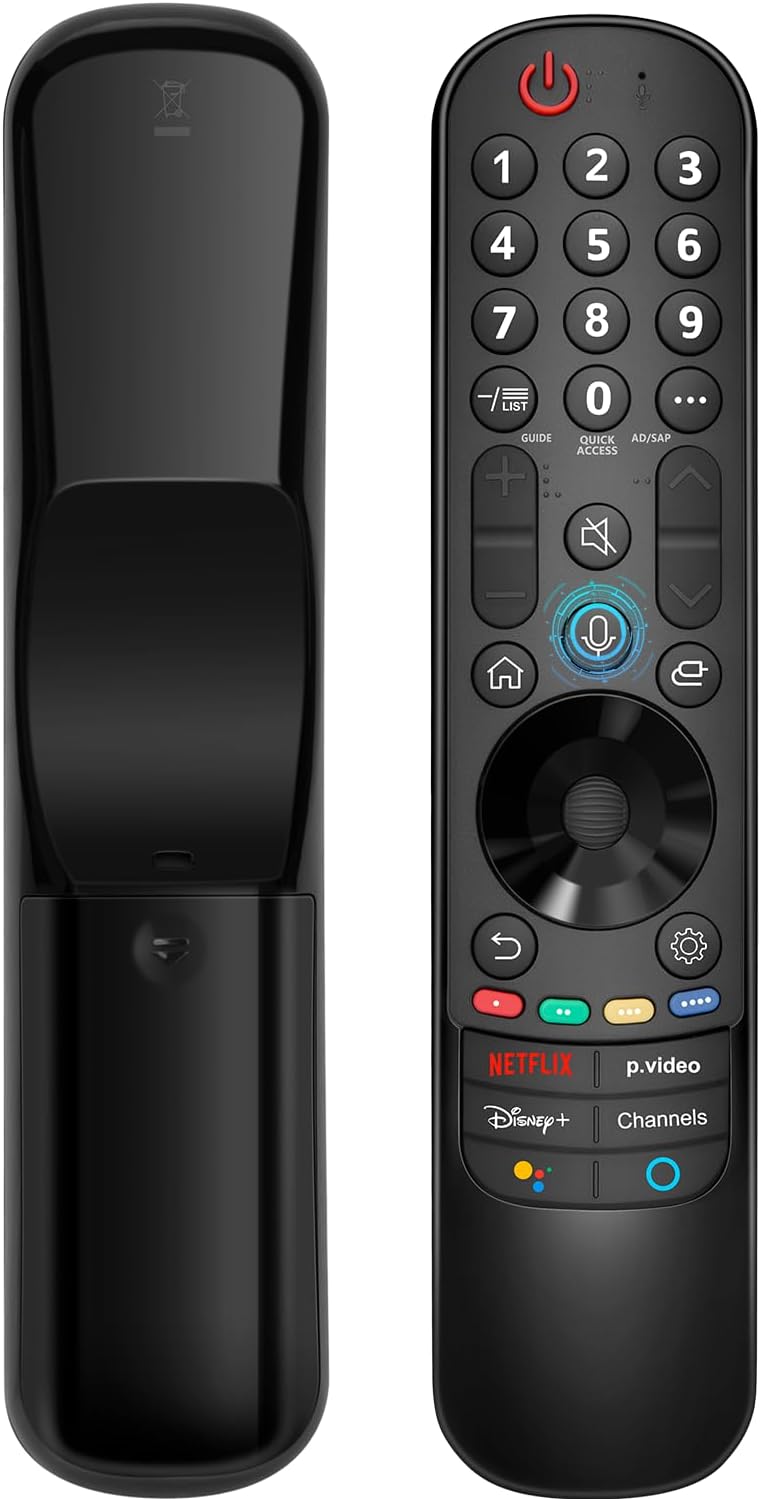
This manual provides instructions for the Angrox AN-MR21GA Magic Remote Control, designed as a replacement for compatible LG Smart TVs. This remote features pointer functionality, voice control, and dedicated shortcut buttons for enhanced navigation and user experience.
The remote is compatible with LG 2021, 2022, 2023, and 2024 OLED, QNED Mini-LED, NanoCell, and UHD TV series. It offers an ergonomic design with soft plastic buttons for comfortable use.
Yhteensopivuus
The Angrox AN-MR21GA Magic Remote Control is compatible with the following LG Smart TV series from 2021, 2022, 2023, and 2024:
- OLED TV Series: G1, G2, G3, G4, C1, C2, C3, C4, A1, A2, A3, A4 series.
- QNED Mini-LED TV Series: QNED99, QNED90 series.
- NanoCell TV Series: NANO99, NANO90, NANO85, NANO80, NANO75 series.
- UHD TV Series: UP80, UP75 series.
Specific compatible model numbers include, but are not limited to: 43NANO75UPA, 43UP7100ZUF, 43UP7560AUD, 43UP7700PUB, 43UP8000PUA, 50NANO75UPA, 50NANO77ZPA, 50NANO80UPA, 50NANO85APA, 50UP7100ZUF, 50UP7560AUD, 50UP7700PUB, 50UP8000PUA, 55NANO75UPA, 55NANO77ZPA, 55NANO80UPA, 55NANO85APA, 55NANO90UPA, 55UP7100ZUF, 55UP7560AUD, 55UP7700PUB, 55UP8000PUA, 60UP7700PUB, 60UP8000PUA, 65NANO75UPA, 65NANO77ZPA, 65NANO80UPA, 65NANO85APA, 65NANO90UPA, 65UP7100ZUF, 65UP7560AUD, 65UP7700PUA, 65UP7700PUB, 65UP8000PUA, 70UP7170ZUC, 70UP7570AUD, 70UP7770PUB, 70UP8070PUA, 75NANO75UPA, 75NANO80UPA, 75NANO85APA, 75NANO90UPA, 75QNED90UPA, 75QNED99UPA, 75UP7170ZUC, 75UP7570AUE, 75UP7770PUB, 75UP8070PUA, 82UP8770PUA, 86NANO75UPA, 86NANO85APA, 86NANO90UPA, 86NANO99UPA, 86QNED90UPA, 86QNED99UPA, 86UP8770PUA, BEJMR21GA, OLED48A1AUA, OLED48A1PUA, OLED48C1AUB, OLED48C1PUB, OLED55A1AUA, OLED55A1PUA, OLED55B1PUA, OLED55C1AUB, OLED55C1PUA, OLED55C1PUB, OLED55G1PUA, OLED65A1AUA, OLED65A1PUA, OLED65B1PUA, OLED65C1AUA, OLED65C1AUB, OLED65C1PUB, OLED65G1PUA, OLED77A1AUA, OLED77A1PUA, OLED77B1PUA, OLED77C1AUA, OLED77C1AUB, OLED77C1PUB, OLED77G1PUA, OLED83C1AUA, OLED83C1PUA, RCLLGEMR21GA, R-C-LLGEMR21GA, 43UP7670PUC, 43UP8000PUR, 50NANO75PUA, 50NANO80P, 50UP7670PUC, 50UP8000PUR, 55NANO80P, 55NANO90P, 55UP7670PUC, 55UP8000PUR, 60UP7670PUB, 60UP8000PUR.

Asennus ja pariliitos
The Angrox AN-MR21GA remote control is designed for easy setup without complex programming.
1. Akun asennus
Insert two (2) AA batteries into the remote control. Ensure correct polarity (+/-) as indicated inside the battery compartment. Batteries are not included with the remote.
2. Yhdistäminen televisioosi
There are two methods for pairing the remote with your LG Smart TV:
- Method 1 (Automatic Pairing):
- Käynnistä LG Smart TV.
- Insert 2*AA batteries into the remote.
- After approximately 20 seconds, point the remote control towards the TV.
- Paina Pyörä (OK) -painiketta.
- The remote control should register automatically, and a "Pairing Complete" message will appear on the TV screen.
- Method 2 (Manual Pairing):
- Käynnistä LG Smart TV.
- Insert 2*AA batteries into the remote.
- Paina ja pidä painettuna Kotiin (
 ) ja Takaisin () -painikkeita samanaikaisesti 5 sekunnin ajan.
 - Paina sitten Pyörä (OK) -painiketta.
- A "Pairing Complete" message should appear on the TV screen.

Käyttöohjeet
Basic Navigation and Pointer Function
The remote features a pointer function that allows you to navigate the TV screen by moving the remote. The Wheel (OK) button acts as a click function, and scrolling is also supported.
Ääniohjaus
The remote includes a voice function for issuing commands to your TV. Press and hold the voice button (microphone icon) while speaking your command. Examples include "Go back home," "Open P.Video," or "Play some music."

Pikanäppäimet
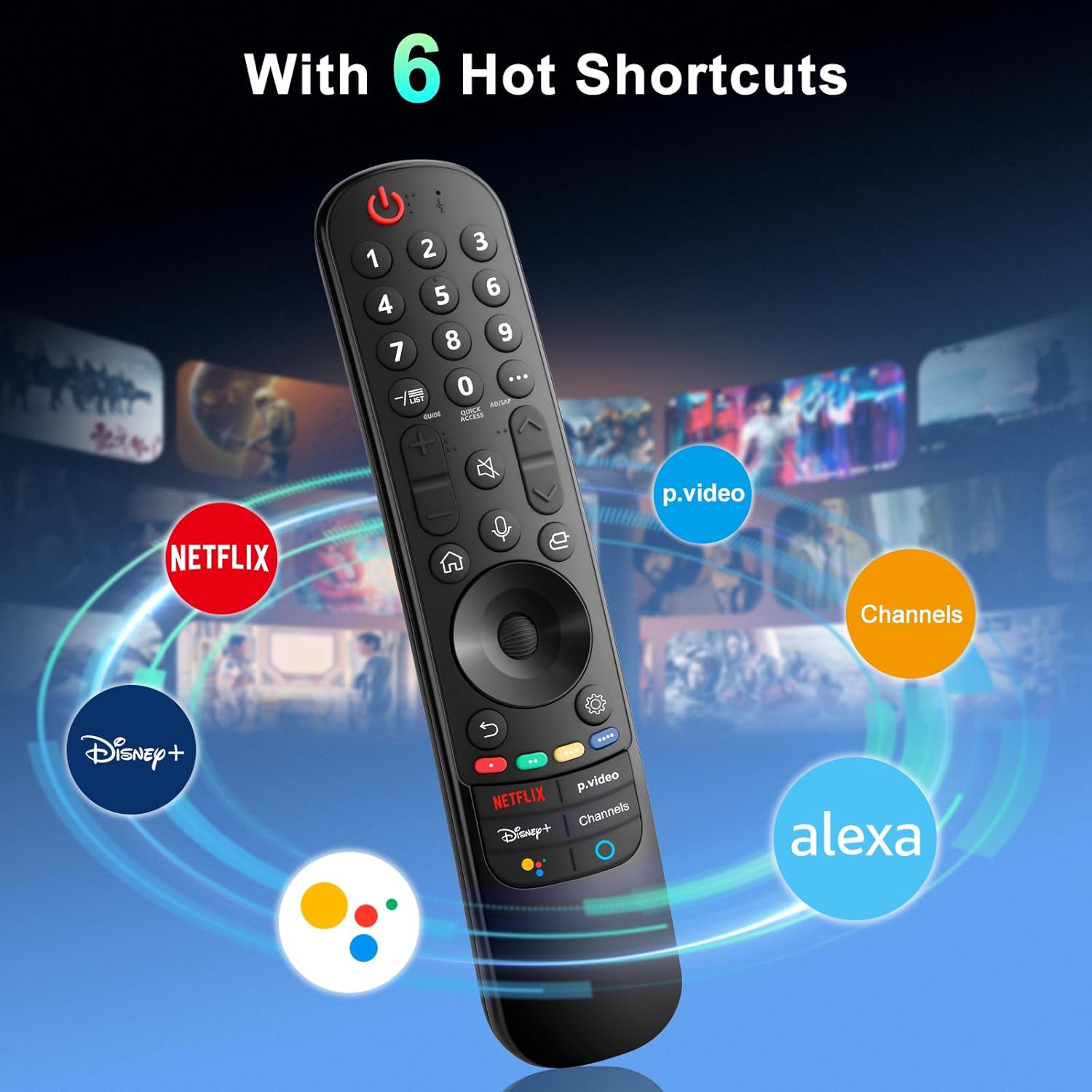
The remote provides dedicated shortcut buttons for quick access to popular streaming services and functions:
- NETFLIX: Käynnistää Netflix-sovelluksen.
- P.Video: Launches the Prime Video application.
- Disney+: Käynnistää Disney+ -sovelluksen.
- Kanavat: Accesses TV channels.
- Google Assistant: Activates Google Assistant for voice commands and searches.
- Alexa: Activates Amazon Alexa for voice commands and searches.

Yksityiskohtaiset painikkeiden toiminnot
For buttons marked with a circle symbol (©), a long press (more than one second) may activate additional functions:
- 9©: Launch Quick Help.
- - / LIST©: Checking saved channels.
- GUIDE©: Launch Guide.
- 0©: QUICK ACCESS -muokkausnäyttö tulee näkyviin.
- ...©: Display additional buttons on the remote control.
- AD/SAP©: Configures SAP.
- Volume Up/Down©: Säädä äänenvoimakkuutta.
- Channel Up/Down©: Voit vaihtaa kanavaa.
- Mute©: Select to turn off the sound from the TV.
- Accessibility©: Enter the Accessibility menu.
- Search©: Check out recommended contents. (Recommendation service may not be available depending on the countries you are in.)
- Voice Button (Microphone)©: Push and hold the button while speaking to use the voice recognition function.
- Home Button©: Näyttää aloitusvalikon.
- Input Button©: Valitsee tulolähteen.
- Settings Button©: Entering into the Home Dashboard.
- Back Button©: Siirry edelliseen vaiheeseen.
- Exit Button©: Sulkee valikon.
- Quick Settings Button©: Avaa Pika-asetukset-valikon.
- All Settings Button©: Enters the All Settings menu.
- Launch Record Button©: Launch Record. (Some models may not be supported.)
Vianetsintä
- Kaukosäädin ei vastaa:
- Ensure batteries are correctly inserted and have sufficient charge. Replace with new AA batteries if necessary.
- Re-attempt the pairing process (see "Setup and Pairing" section).
- Ensure there are no obstructions between the remote and the TV's infrared receiver. This remote primarily operates via line-of-sight.
- Pointer Function Not Working:
- Varmista, että kaukosäädin on paritettu oikein.
- Try re-pairing the remote using Method 2 (holding Home and Back buttons).
- Ääniohjaus ei toimi:
- Ensure the remote is properly paired and the TV supports voice control.
- Confirm that the voice button is being pressed and held while speaking.
- Tarkista television asetukset ja varmista, että äänentunnistus on käytössä.
- Buttons Feel Flimsy or Stick:
- This may indicate a manufacturing defect. Contact customer support for assistance.
Tekniset tiedot
| Merkki | Angrox |
| Mallinumero | AN-MR21GA |
| Tuotteen mitat | 7.48 x 1.18 x 1.18 tuumaa (18.54 x 4.06 x 1.77 cm) |
| Tuotteen paino | 3.2 unssia |
| Paristot vaaditaan | 2 AA-paristoa (eivät sisälly) |
| Erikoisominaisuudet | Ergonomic design, No Programming Required, Universal compatibility (for specified LG models), Voice Search, Pointer Function |
| Tuettujen laitteiden enimmäismäärä | 1 |
| Yhteensopivat laitteet | LG Smart Televisions (2021-2024 UHD, OLED, QNED, NanoCell series) |
Huolto
- Puhdistus: Puhdista kaukosäädin pehmeällä, kuivalla liinalla. Älä käytä nestemäisiä puhdistusaineita tai hankaavia aineita.
- Akun vaihto: Replace batteries when the remote's performance degrades. Remove batteries if the remote will not be used for an extended period to prevent leakage.
- Varastointi: Säilytä kaukosäädintä viileässä, kuivassa paikassa, poissa suorasta auringonvalosta ja äärimmäisistä lämpötiloista.
- Käsittely: Vältä kaukosäätimen pudottamista tai voimakkaiden iskujen kohdistamista siihen, sillä se voi vahingoittaa sen sisäisiä komponentteja.
Takuu ja tuki
For warranty information or technical support, please contact the manufacturer, Angrox, directly through their official channels or the retailer where the product was purchased. Please retain your proof of purchase for warranty claims.
Manufacturer: Angror
Lisätietoja saat osoitteesta Angrox Store on Amazon.