
1. Johdanto
This manual provides instructions for the installation, operation, and maintenance of the Tongou Smart WiFi DIN Rail Switch (Model: With Power Monitoring 16A). This device allows you to convert conventional small appliances into smart, remotely controllable objects via the Tuya or Smart Life application, and offers comprehensive energy consumption monitoring.
2. Turvallisuustiedot
VAROITUS: Electrical installation should only be performed by a qualified electrician. Ensure power is disconnected before installation to prevent electric shock.
- Käyttö voltage: AC 90-240V, 50/60Hz. Ensure your electrical system matches these specifications.
- The device is designed for 1-way circuits and a maximum current rating of 16 Amps. Älä ylitä tätä arvoa.
- This switch is not a circuit breaker. It does not provide short-circuit or overload protection. Install it after a differential switch for proper protection.
- The product is made from flame-retardant PA66 material with good conductivity copper contacts (Silver Relay Contacts) for enhanced safety and high-temperature resistance.
- International Protection Rating: IP20. This device is not waterproof and should not be exposed to moisture.
3. Tuote ohiview
The Tongou Smart WiFi DIN Rail Switch is a compact device designed for integration into your electrical panel. It enables smart control and energy monitoring for connected appliances.
Kuva 3.1: Etuosa view of the Tongou Smart WiFi DIN Rail Switch.
Tärkeimmät ominaisuudet:
- Kaukosäädin: Control appliances via the Tuya or Smart Life app from anywhere.
- Energianvalvonta: Real-time display and historical recording of current, voltage, power, and total energy consumption.
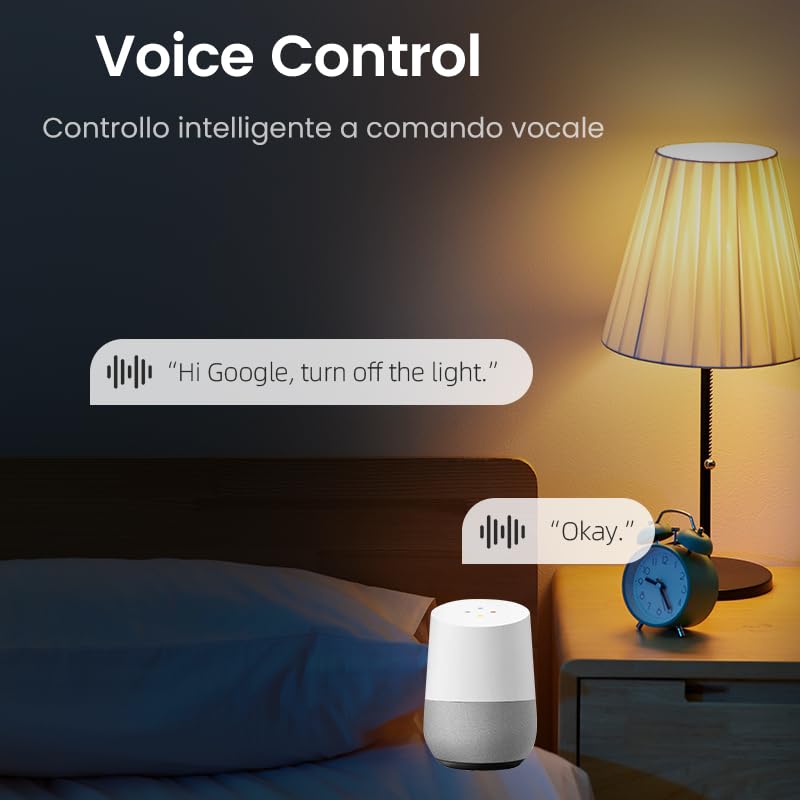
- Ääniohjaus: Yhteensopiva Amazon Alexan ja Google Assistantin kanssa handsfree-käyttöä varten.
- Useita ajastintiloja: Includes timer, countdown, cycle timing, and astronomical timing functions.
- Helppo asennus: Designed for quick wiring and DIN rail mounting.
4. Tekniset tiedot
| Parametri | Arvo |
|---|---|
| Mallinumero | With Power Monitoring 16A |
| Käyttö Voltage | AC 90-240V, 50/60Hz |
| Nykyinen luokitus | 16 Amps |
| Wattage | 3840 wattia (max) |
| Toimintatila | ON-OFF |
| Yhteysprotokolla | Wi-Fi (2.4 GHz) |
| Valvontamenetelmä | App (Tuya/Smart Life), Voice (Alexa/Google Assistant) |
| Mitat (P x L x K) | 9 x 2 x 8 cm |
| Tuotteen paino | 110 g |
| Terminaalin tyyppi | Ruuvi |
| Piirin tyyppi | 1-suuntainen |
| Kansainvälinen turva-arviointi | IP20 |
| Ylempi lämpötila | 80 astetta |
| Yhteysmateriaali | Silver Relay Contacts |
| Väri | Harmaa |
5. Asennus
5.1. Asennus
The Tongou Smart WiFi Switch is designed for DIN rail mounting. Follow these steps for safe installation:
- Katkaise virta: Before starting any electrical work, ensure the main power supply to the circuit is turned off at the circuit breaker. Verify with a voltage testaaja.
- Kiinnitä kytkin: Clip the smart switch onto a standard DIN rail within your electrical panel.
- Johdotus: Connect the live (L) and neutral (N) wires to the designated terminals on the switch. The switch is a 1P (single pole) device, meaning it switches only the phase (live) wire. It requires a permanent neutral connection. This device should be installed after a differential switch for proper protection against short circuits, overloads, and leakage. Use a screwdriver to easily tighten and loosen the screw terminals.
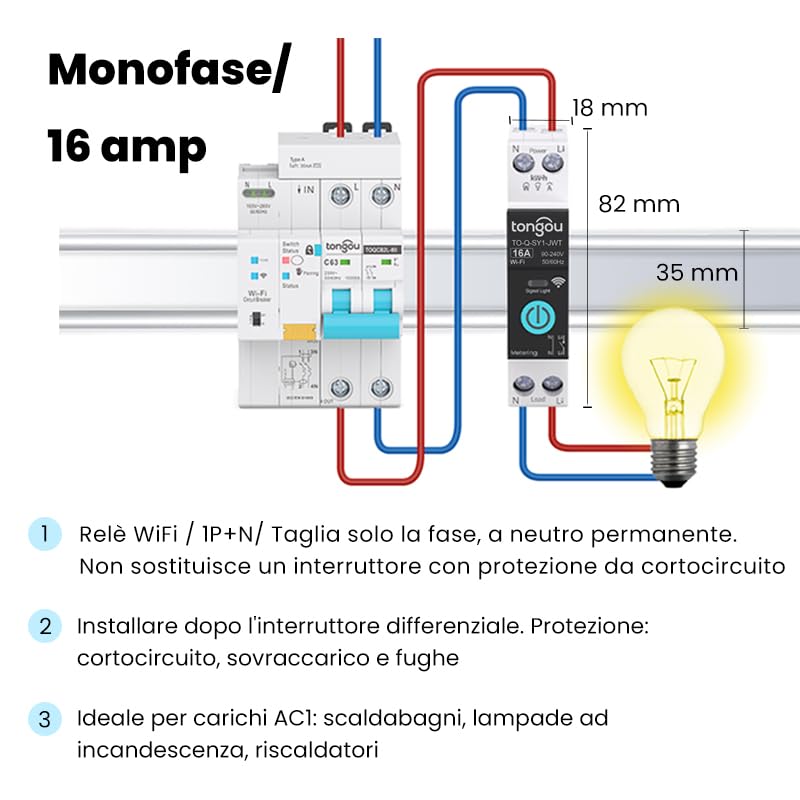
Figure 5.1: Wiring diagram for the Tongou Smart WiFi DIN Rail Switch. Connect the phase (L) and neutral (N) wires as indicated. This switch is for single-phase systems and handles up to 16 Amps. It should be installed after a differential switch for safety.
Huomautus: This switch is ideal for AC loads such as water heaters, incandescent lamps, and heaters.
5.2. Sovellusten parittaminen
To control the switch remotely, you need to pair it with the Tuya Smart or Smart Life app.
- Lataa sovellus: Lataa "Smart Life"- tai "Tuya Smart" -sovellus App Storesta (iOS) tai Google Play Kaupasta (Android).
- Rekisteröidy/Kirjaudu sisään: Avaa sovellus ja rekisteröidy uudelle tilille tai kirjaudu sisään, jos sinulla on jo tili.
- Lisää laite: Ensure your smartphone is connected to a 2.4 GHz Wi-Fi network. Power on the smart switch. The Wi-Fi indicator on the switch should be blinking rapidly (refer to the switch's LED indicator guide for pairing mode). In the app, tap "+" or "Add Device" and select the appropriate device type (e.g., "Switch (Wi-Fi)").
- Vahvista pariliitostila: Confirm the indicator light is blinking rapidly in the app.
- Anna Wi-Fi-tiedot: Enter your 2.4 GHz Wi-Fi network password.
- Yhdistä: The app will begin connecting to the device. Once connected, you can rename the switch and assign it to a room.
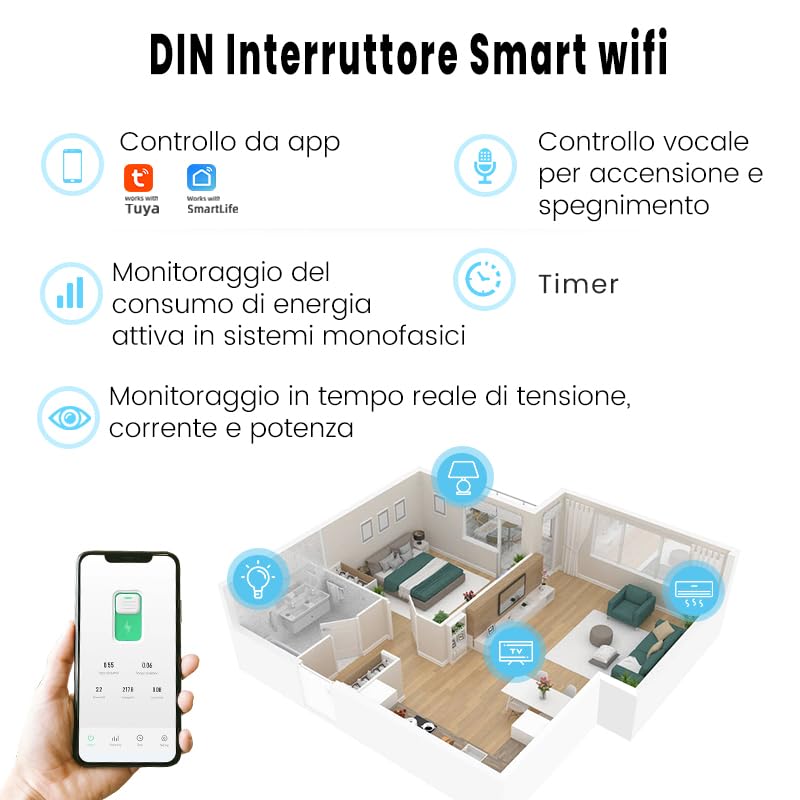
Kuva 5.2: Päättynytview of the smart switch features, including control via Tuya/Smart Life app, voice control, energy monitoring, and timer functions.
6. Käyttöohjeet
6.1. Manuaalinen ohjaus
The switch features a physical button on its front panel. Press this button once to manually turn the connected appliance ON or OFF.
6.2. Sovellusten hallinta
After successful pairing, open the Tuya Smart or Smart Life app. Select your switch from the device list. You can then:
- Toggle the switch ON/OFF remotely.
- Access energy consumption data.
- Set up schedules and timers.
- Configure automation rules.
6.3. Ääniohjaus
The switch is compatible with Amazon Alexa and Google Assistant. To enable voice control:
- Link your Tuya Smart or Smart Life account to your Amazon Alexa or Google Home app.
- Löydä laitteita ääniavustajasovelluksestasi.
- Use voice commands such as: "Alexa, turn on [Device Name]" or "Hey Google, turn off [Device Name]".

Kuva 6.1: Esimample of using voice commands with a smart assistant to control the switch.
6.4. Ajastintoiminnot
The app provides various timer modes to automate your appliances:
- Schedule Timer: Set specific ON/OFF times for different days of the week.
- Ajastin: Set a duration after which the switch will turn ON or OFF.
- Syklin ajoitus: Configure repetitive ON/OFF cycles.
- Tähtitieteellinen ajoitus: Automate based on sunrise and sunset times in your location.
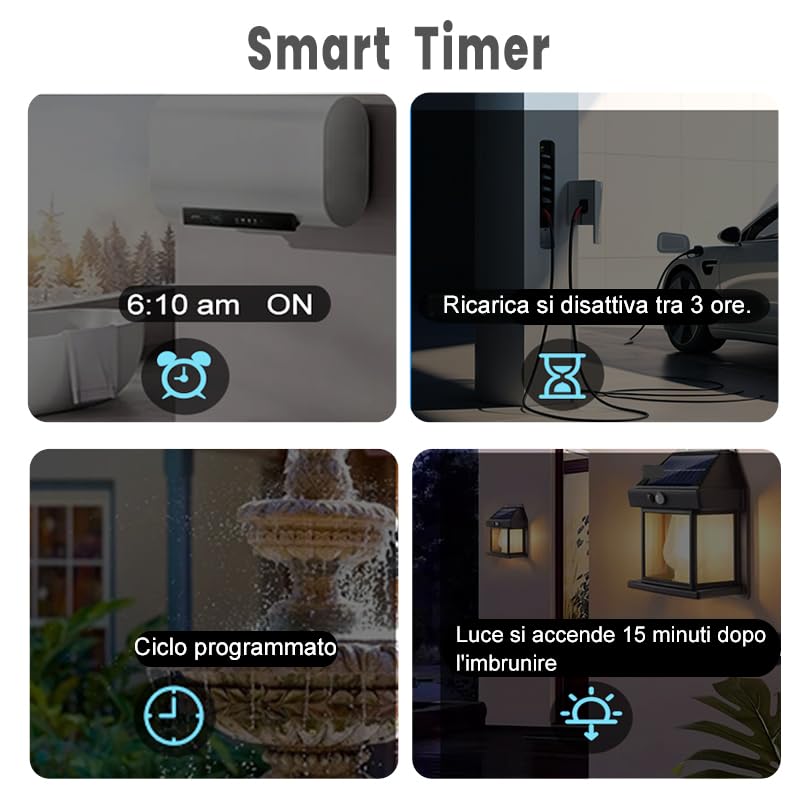
Figure 6.2: Visual representation of various smart timer functions available in the app.
6.5. Energian seuranta
The switch provides real-time and historical energy consumption data. Access this feature within the app to:
- View real-time load current, voltage ja teho.
- Review historical power consumption records by hour, day, month, and year.
- Analyze energy usage patterns to optimize consumption.
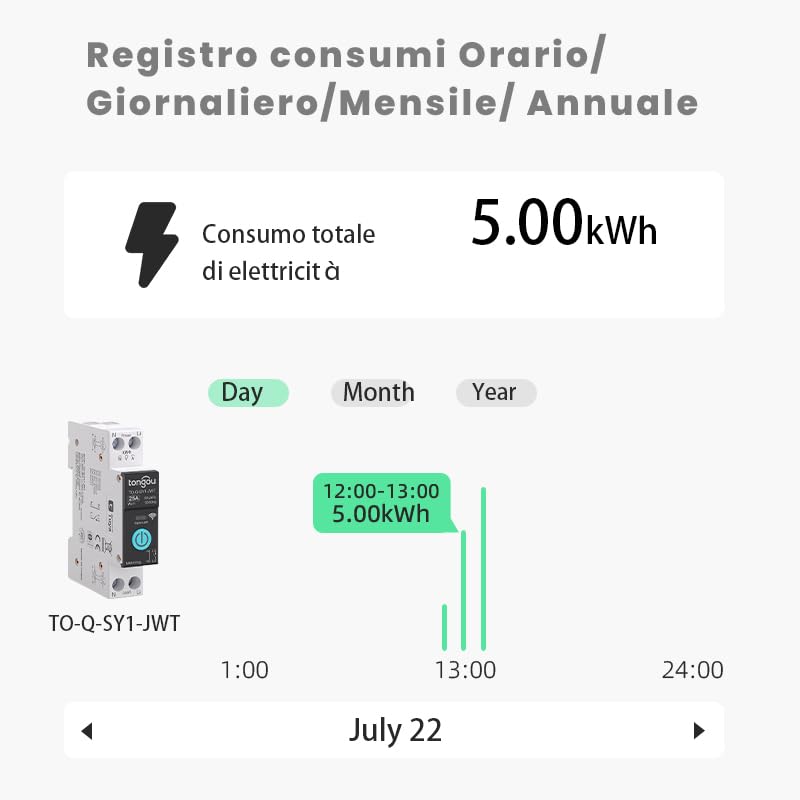
Kuva 6.3: Esimample of the energy consumption log interface, displaying total electricity consumption over various time periods.
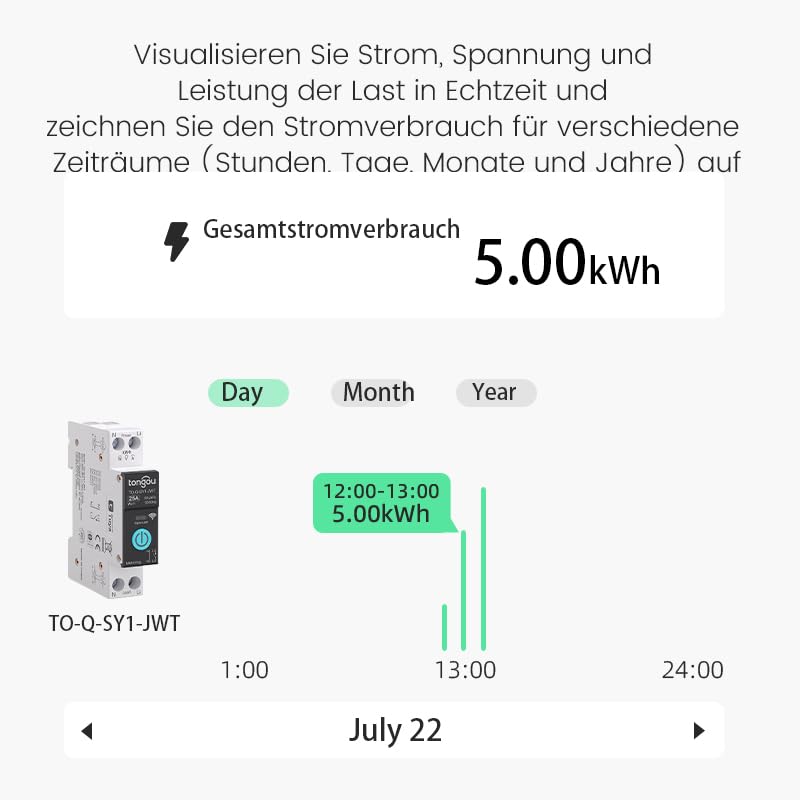
Figure 6.4: Real-time visualization of current, voltage, and power load, with historical consumption records.
7. Huolto
The Tongou Smart WiFi Switch requires minimal maintenance. Follow these guidelines:
- Puhdistus: Ensure the device is powered off before cleaning. Use a dry, soft cloth to wipe the exterior. Do not use liquid cleaners or solvents.
- Laiteohjelmistopäivitykset: Periodically check the Tuya Smart or Smart Life app for available firmware updates for your device. Updates can improve performance and add new features.
- Ympäristöolosuhteet: Operate the device within its specified temperature range (up to 80°C) and avoid humid environments.
8. Vianmääritys
| Ongelma | Mahdollinen syy | Ratkaisu |
|---|---|---|
| Laite ei muodosta yhteyttä Wi-Fi-verkkoon. | Incorrect Wi-Fi password, 5GHz Wi-Fi network, device too far from router, Wi-Fi signal interference. |
|
| Sovellusohjaus ei reagoi. | No internet connection on phone or switch, app glitch. |
|
| Ääniohjaus ei toimi. | Tiliä ei ole linkitetty, laitetta ei löydetty, virheellisiä komentoja. |
|
| Energy monitoring data is inaccurate or missing. | Improper wiring, device malfunction. |
|
9. Takuu ja tuki
For warranty information, please refer to the documentation provided with your purchase or contact your retailer. For technical support or further assistance, please contact HIVAGI INTERNATIONAL, the importer and packer of this product.
- Maahantuoja/Pakkaaja: HIVAGI INTERNATIONAL
- Websivusto: www.hivagi.in
- Asiakaspalvelu: +91 90232 97428