
Johdanto
This manual provides detailed instructions for the installation, operation, and maintenance of your BTF-LIGHTING Zigbee 3.0 C05Z RGBCCT LED Controller. This controller is designed to manage 6-pin (+V R G B CW WW) RGBCCT LED strips, offering versatile control options including app control, voice control, and automatic synchronization features. Please read this manual thoroughly before use to ensure proper functionality and safety.

Image: The BTF-LIGHTING Zigbee 3.0 C05Z RGBCCT LED Controller, a compact white device with connection terminals, shown in a modern living room setting with colorful LED strip lighting.
Turvallisuustiedot
- Varmista virtalähteen voltage matches the controller's input voltage (DC5V/12V/24V). Using an incorrect voltage can damage the device and connected LED strips.
- Do not exceed the maximum output current of 15A (6A per channel).
- Katkaise virta ennen sähköliitäntöjen tekemistä tai huoltotoimenpiteitä.
- Tämä laite on tarkoitettu vain sisäkäyttöön. Vältä altistumista kosteudelle tai äärimmäisille lämpötiloille.
- Pidä poissa lasten ulottuvilta.
- If you encounter any issues, refer to the troubleshooting section or contact customer support. Do not attempt to repair the device yourself.
Pakkauksen sisältö
Paketti sisältää seuraavat tuotteet:
- 1 x BTF-LIGHTING Zigbee 3.0 C05Z RGBCCT LED Controller
- 1 x Käyttöohje
Tuote loppuview
The C05Z RGBCCT LED Controller is a Zigbee 3.0 compatible device designed for controlling 6-pin (+V R G B CW WW) RGBCCT LED strips. It supports a wide input voltage range of DC5V, DC12V, or DC24V, with a maximum total output of 15A. Key features include:
- Zigbee 3.0 Compatibility: Works with various Zigbee gateways, including Philips Hue Bridge, Tuya Bluetooth/WiFi Dual-Mode Gateway, and Amazon Echo Plus (1st and 2nd Gen).
- Useita ohjaustiloja: Supports app control (via gateway), third-party voice control (Alexa, Google Home), device sharing, and group control.
- Automaattinen signaalinsiirto: Extends control range by relaying signals every 30 meters.
- Automatic Mode Synchronization: Ensures multiple controllers operate in sync for dynamic lighting effects.
- Säädettävä lähtö: The SET button allows switching output modes to match different LED strip types (e.g., RGBCCT).
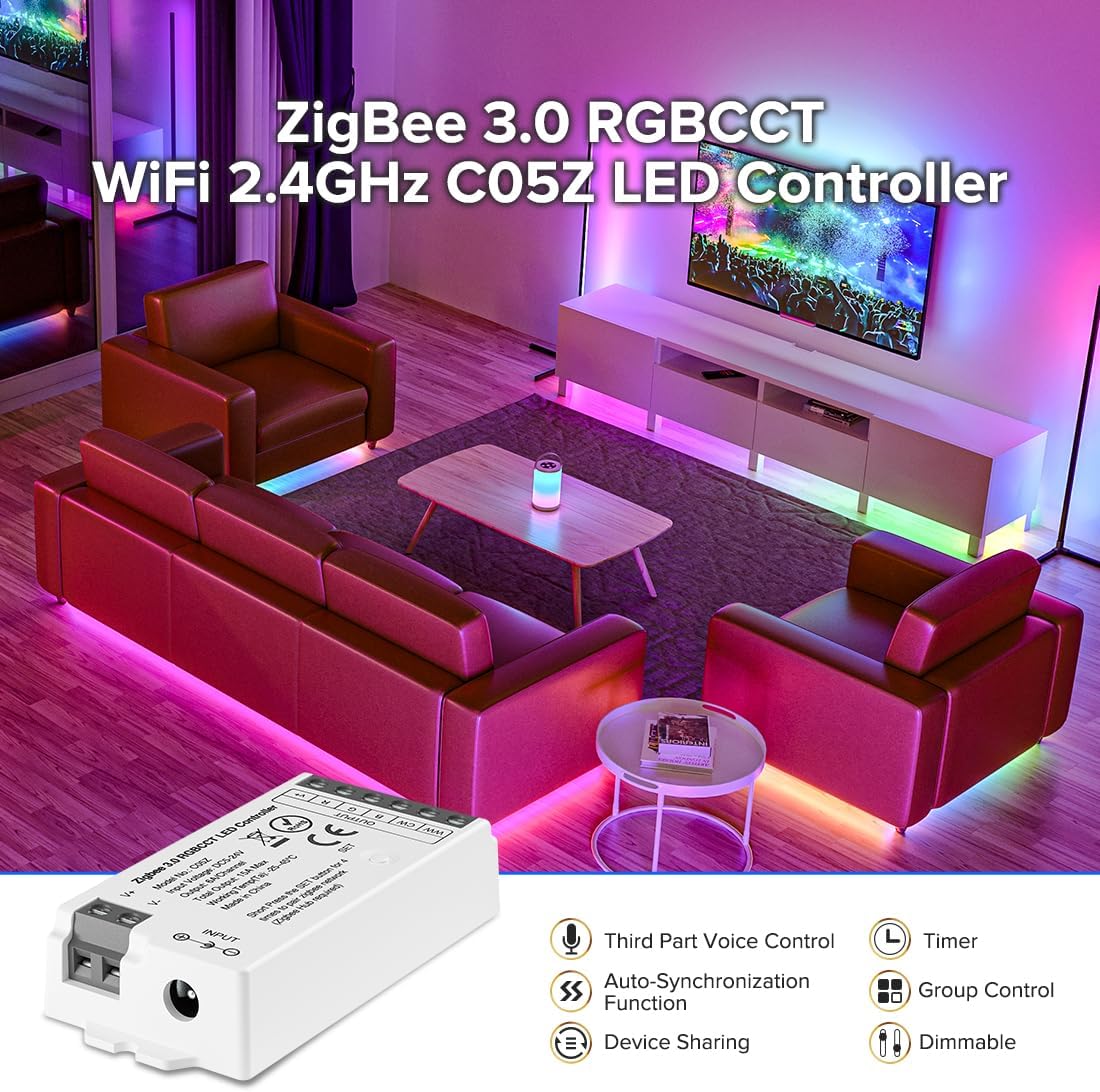
Image: The C05Z LED Controller highlighting its features: Third-Party Voice Control, Auto-Synchronization Function, Device Sharing, Timer, Group Control, and Dimmable capabilities.
Tekniset tiedot
| Ominaisuus | Erittely |
|---|---|
| Mallinumero | C05Z |
| Tulo Voltage | DC5V / DC12V / DC24V |
| Suurin lähtövirta | 15A (Max 6A per channel) |
| Max Power (DC12V) | 180W |
| Max Power (DC24V) | 360W |
| Yhteydet | Zigbee 3.0, Wi-Fi (via gateway), Bluetooth (via Tuya gateway) |
| Valvontamenetelmä | App, Voice (Alexa, Google Home), Remote (via gateway) |
| Käyttölämpötila | -20 °C - 60 °C |
| Mitat (P x L x K) | 15 x 10 x 2.3 cm |
| Paino | 30 grammaa |
| Vedenpitävä taso | Non-waterproof (Indoor use only) |
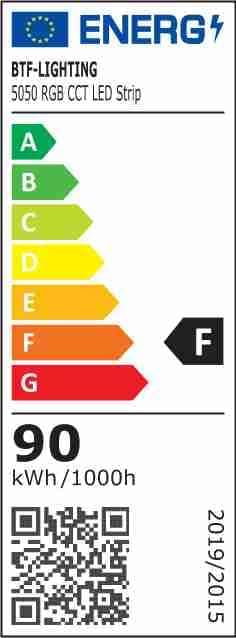
Image: Energy efficiency label for a 5050 RGB CCT LED Strip, indicating an energy class F and 90 kWh/1000h consumption. For more details, visit EPREL-tietokanta.
Asennusohjeet
1. Ohjaimen johdotus
Connect your LED strip and power supply to the controller as shown in the diagram below. Ensure correct polarity and secure connections for all wires.
- Syöte: Connect your DC5V/12V/24V power supply to the "INPUT" terminals. Match the positive (+) and negative (-) terminals.
- Lähtö: Connect your 6-pin RGBCCT LED strip to the "OUTPUT" terminals. Ensure the +V, R, G, B, CW, and WW wires are connected to their corresponding terminals on the controller.

Kuva: Lähikuva view of the C05Z LED Controller showing the input and output terminals with labels for +V, R, G, B, CW, WW, and the SET button. This diagram illustrates how to connect the power supply and the RGBCCT LED strip.
2. Selecting Output Mode
The controller supports various LED strip types. After wiring, short press the SARJA button to cycle through output modes until the correct mode for your RGBCCT LED strip is selected. The corresponding operating interface will be activated.
3. Yhdistäminen Zigbee-yhdyskäytävään
This controller requires a Zigbee Bridge or a Zigbee Tuya Gateway to function. It is compatible with common Zigbee Bridges and Coordinators, including Tuya Bluetooth/WiFi Dual-Mode Gateways, Philips Hue Bridge, and Amazon Echo Plus (1st and 2nd Gen).
- Ensure your Zigbee gateway is powered on and in pairing mode. Refer to your gateway's manual for specific instructions on entering pairing mode.
- Power on the BTF-LIGHTING C05Z LED Controller.
- The controller should automatically attempt to pair. If it does not, you may need to initiate a search for new devices within your gateway's application.
- Once paired, the controller will appear in your gateway's device list, ready for control.

Image: The C05Z LED Controller shown alongside a Philips Hue Bridge, a Tuya Bluetooth/WiFi Dual-Mode Gateway, and Amazon Echo Plus devices, illustrating its broad compatibility with smart home systems.
Käyttöohjeet
1. Sovellusten hallinta
Once paired with a compatible Zigbee gateway (e.g., Tuya, Philips Hue), you can control your LED strips using the respective mobile application. This allows for:
- Värin säätö: Select from a wide spectrum of colors for your RGB LEDs.
- Valkoisen valon säätö: Control the color temperature (Cool White to Warm White) and brightness of your CCT LEDs.
- Kirkkauden säätö: Adjust the overall brightness of the LED strip.
- Dynaamiset tilat: Access various pre-programmed lighting effects and scenes.

Kuva: Ulkopuoli view of a modern house illuminated with various colored LED lights, demonstrating the adjustable temperature (2700K-6500K), brightness (1%-100%), and "Dream Color" capabilities of the LED controller.
2. Ääniohjaus
The controller supports third-party voice control through platforms like Amazon Alexa and Google Home when connected to a compatible gateway. Link your gateway account to your voice assistant app and use commands such as:
- "Alexa, laita olohuoneen valot päälle."
- "Hey Google, set the kitchen lights to blue."
- "Alexa, dim the bedroom lights to 50%."
3. Device Sharing and Group Control
Within the app (e.g., Tuya Smart Life), you can:
- Jaa laitteet: Create a family in the app and add members to share control of your LED strips. This requires a 2.4 GHz Bluetooth connection for initial setup.
- Luo ryhmiä: Group multiple LED controllers or strips together to control them simultaneously with a single command. Follow the in-app instructions to set up groups.
4. Automatic Signal Transmission
The controller has a transmission range of 30 meters. If you need to control LED strips over longer distances (e.g., 30 meters or more), place additional controllers every 30 meters. The remote control signal will automatically transmit from one controller to the next, extending the effective control range indefinitely. This feature is ideal for large installations like hotels or extensive home lighting.
5. Automatic Mode Synchronization
When multiple controllers are activated at different times but controlled by the same remote or app, they can synchronize to the same dynamic mode and speed. This eliminates the need for manual synchronization, simplifying the management of complex lighting setups.
Huolto
- Pidä ohjain puhtaana ja pölyttömänä. Käytä puhdistamiseen pehmeää, kuivaa liinaa.
- Avoid exposing the device to direct sunlight, high humidity, or extreme temperatures.
- Varmista ohjaimen ympärillä oleva asianmukainen ilmanvaihto ylikuumenemisen estämiseksi.
- Tarkista säännöllisesti kaikki johtoliitännät varmistaaksesi, että ne ovat tukevasti kiinni.
Vianetsintä
| Ongelma | Mahdollinen syy | Ratkaisu |
|---|---|---|
| LED-nauha ei syty. | Ei virtaa ohjaimeen; väärä johdotus; viallinen LED-nauha. | Check power supply connection and ensure it's powered on. Verify all wiring connections (input and output) for correct polarity. Test the LED strip with another power source if possible. |
| Controller not pairing with gateway. | Gateway not in pairing mode; controller too far from gateway; interference. | Ensure your Zigbee gateway is in pairing mode. Move the controller closer to the gateway. Check for other 2.4 GHz devices causing interference. Reset the controller (refer to gateway manual for specific reset procedures if needed). |
| Incorrect colors or white light not working. | Incorrect output mode selected; faulty LED strip. | Paina lyhyesti SARJA button on the controller to cycle through output modes until the correct RGBCCT mode is active. Verify the LED strip is RGBCCT type and not damaged. |
| App control or voice control not responding. | Gateway offline; controller disconnected from gateway; internet connectivity issues. | Check if your Zigbee gateway is online and connected to the internet. Verify the controller is still paired with the gateway in the app. Restart the app or voice assistant. |
Takuu ja tuki
BTF-LIGHTING products are designed for reliability and performance. While specific warranty details are not provided in this manual, please retain your proof of purchase for any warranty claims. For technical support, troubleshooting assistance, or further inquiries, please contact BTF-LIGHTING customer service through the retailer where you purchased the product or visit the official BTF-LIGHTING websivustolta yhteystiedot.
Valmistaja: BTF-LIGHTING Technology Co., Limited


