
Kuephom PM10-Black
Kuephom kannettava Bluetooth-CD-soitin Walkman Käyttöohje
Model: PM10-Black
Johdanto
This manual provides detailed instructions for the operation and maintenance of your Kuephom Portable Bluetooth CD Walkman. Designed for versatility, this device supports CD, Bluetooth, USB, and AUX playback, featuring anti-skip protection and a built-in speaker. Please read this manual thoroughly before use to ensure proper functionality and longevity of your device.
Pakkauksen sisältö
Varmista, että pakkauksessasi on kaikki alla luetellut tuotteet:
- CD player X 1
- Kuulokkeet X 1
- Äänikaapeli X 1
- Latauskaapeli X 1
- Pouch X 1
Tuote loppuview

Figure 1: Kuephom Portable Bluetooth CD Walkman and its accessories, including earbuds, audio cable, charging cable, and pouch.

Figure 2: Detailed diagram illustrating the various buttons and ports on the Kuephom Portable CD Walkman, including volume controls, playback buttons, mode selection, Bluetooth transmit, USB slot, AUX in jack, earphone jack, and speaker.
Asennus
Laitteen lataaminen
The CD player has a built-in rechargeable lithium battery. Before first use, fully charge the device.
- Connect the provided USB charging cable to the charging port (DC 5V) on the device.
- Connect the other end of the USB cable to a compatible USB power source (e.g., wall charger, power bank, car charger, or computer USB port).
- Latauksen merkkivalo palaa latauksen aikana ja sammuu, kun akku on täysin latautunut. Täysi lataus kestää noin 4 tuntia.

Figure 3: The portable CD player connected to a power source via its USB charging cable, demonstrating various charging options.
Virran kytkeminen päälle/pois
Liu'uta ON/OFF switch located on the side of the device to turn it on or off.
CD-levyn asettaminen paikalleen
- Liu'uta AVATA switch to open the CD compartment cover.
- Carefully place a CD (CD, CD-R, CD-RW, MP3, WMA, WAV formats supported) onto the spindle with the label side facing up.
- Paina CD-levyä varovasti keskeltä, kunnes se napsahtaa paikalleen.
- Close the CD compartment cover firmly until it latches.
Video 1: Demonstration of inserting a CD into the Kuephom Portable CD Player and closing the compartment. This video also shows the supported disc formats.
Connecting Headphones or External Speakers (AUX)
For private listening or connecting to non-Bluetooth devices:
- Insert the 3.5mm jack of your headphones into the Kuulokeliitäntä.
- To connect to external speakers or a car audio system, use the provided 3.5mm audio cable. Insert one end into the AUX -tuloliitäntä on the CD player and the other end into the AUX input of your external device.

Figure 4: The portable CD player connected to a car's audio system via an AUX cable, demonstrating its use in a vehicle with anti-shock protection for uninterrupted playback.
Käyttöohjeet
Perustoisto
- Paina Toista/Tauko button (►▮▮) to start or pause playback.
- Paina Seuraavaksi button (►►) to skip to the next track.
- Paina Edellinen button (◄◄) to go to the beginning of the current track or the previous track.
- Paina Stop pysäytä toisto painamalla (■) -painiketta.
- Säädä äänenvoimakkuutta Vol+ ja til- painikkeita.
Bluetooth-toiminto
The device supports two-way Bluetooth connection:
Bluetooth Transmitting (Connecting to Bluetooth Headphones/Speakers)
- Ensure the CD player is powered on and a CD is inserted.
- Paina Bluetooth-lähetys button (labeled "TRANSMIT" or "BT" on some models) to enter Bluetooth transmitting mode. The Bluetooth icon on the display will flash.
- Aseta Bluetooth-kuulokkeet tai -kaiutin pariliitostilaan.
- The CD player will automatically search for and connect to nearby Bluetooth devices. Once connected, the Bluetooth icon will stop flashing.

Figure 5: The portable CD player actively transmitting audio via Bluetooth to both headphones and a separate Bluetooth speaker, illustrating its wireless output capability.
Bluetooth Receiving (Connecting to Smartphone/Laptop)
- Paina BT -tila button (labeled "BT" or "MODE" on some models) to switch the CD player into Bluetooth receiving mode.
- Ota Bluetooth käyttöön älypuhelimellasi, tabletillasi tai kannettavallasi ja hae käytettävissä olevia laitteita.
- Select "Kuephom CD Player" (or similar name) from the list of devices to pair.
- Once connected, you can play audio from your smart device through the CD player's built-in speaker.
Video 2: This video demonstrates the Bluetooth playback feature, showing the CD player connecting to a smartphone to stream audio, highlighting its versatility as a Bluetooth speaker.
Other Playback Modes
- USB-toisto: Aseta USB-muistitikku laitteeseen USB-paikka. The player will automatically switch to USB mode and begin playing compatible audio files.
- Toista toiminto: Paina Toistaa -painiketta selataksesi toistotiloja (esim. toista yksi, toista kaikki).
- AB-toisto: Paina AB button to set a starting point (A) and an ending point (B) for a section of audio to repeat. Press again to clear.
- Nopeuden säätö: Käytä Nopeuden säätö buttons (labeled "SPEED" or "SPEED +/-") to increase or decrease the playback speed. This feature is particularly useful for language learning.
- Toiston ohjelmointi: Refer to the detailed product diagram (Figure 2) for the "PROG." button if available on your model for custom track sequencing.
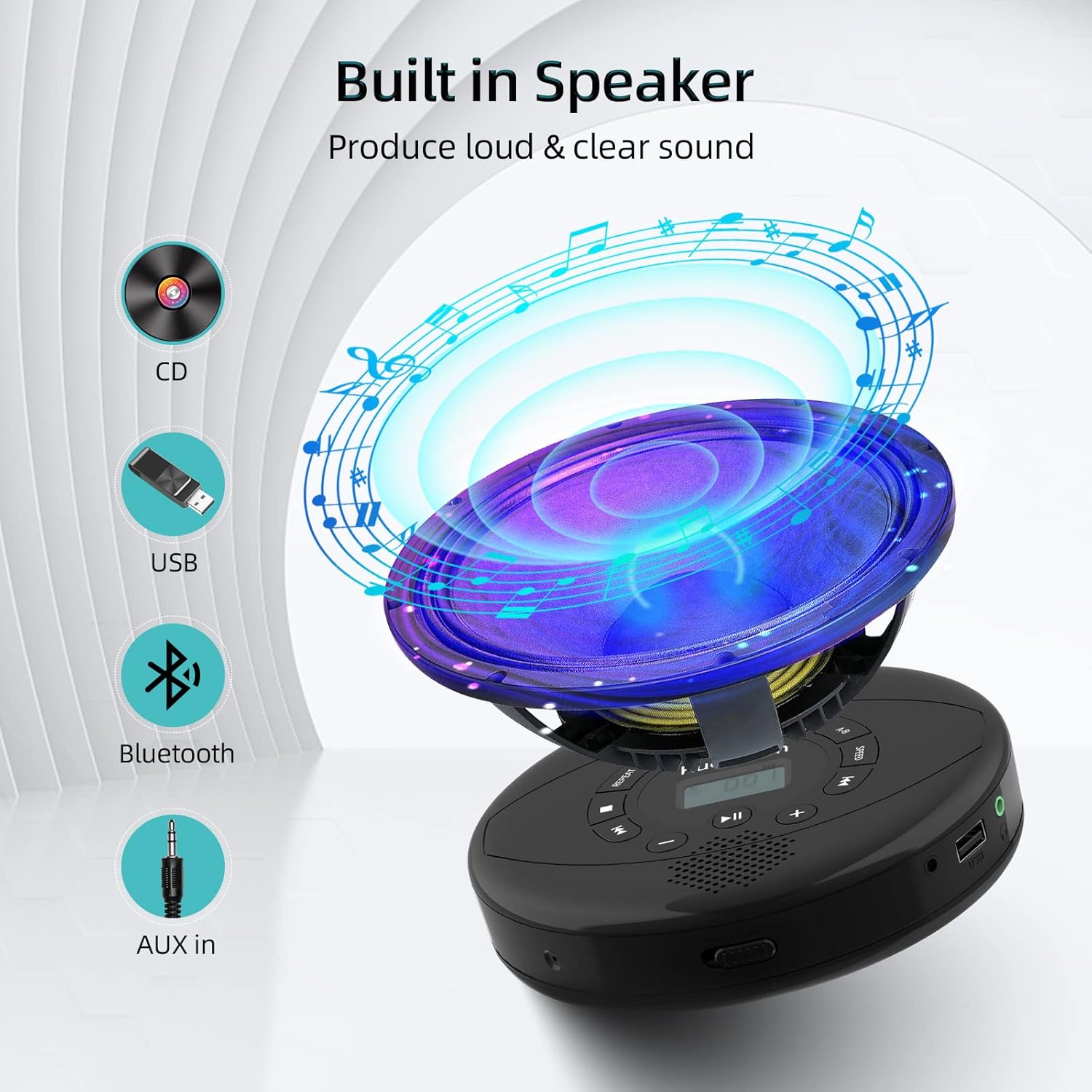
Figure 6: Illustration of the built-in speaker and the various audio input options supported by the device, including CD, USB, Bluetooth, and AUX in.
Huolto
- Pidä laite puhtaana pyyhkimällä se pehmeällä, kuivalla liinalla. Vältä hankaavien puhdistusaineiden tai liuottimien käyttöä.
- Älä altista laitetta äärimmäisille lämpötiloille, suoralle auringonvalolle tai korkealle kosteudelle.
- Handle CDs by their edges to prevent scratches and smudges. Clean CDs with a soft, lint-free cloth, wiping from the center outwards.
- Kun laitetta ei käytetä pitkään aikaan, säilytä sitä viileässä ja kuivassa paikassa.
Vianetsintä
| Ongelma | Mahdollinen syy | Ratkaisu |
|---|---|---|
| Laite ei käynnisty. | Akun varaus on heikko tai akku on tyhjä. Virta on pois päältä. | Lataa laite täyteen. Varmista, että virtakytkin on ON-asennossa. |
| CD-levy hyppii tai ei soi. | CD is dirty, scratched, or damaged. Device is unstable. | Clean the CD. Try another CD. Ensure the device is on a stable surface or utilize its anti-skip protection during movement. |
| Ei ääntä kuulokkeista/kaiuttimista. | Volume is too low. Headphones/speakers not properly connected. Incorrect mode selected. | Increase volume. Re-insert headphone/AUX cable firmly. Ensure correct mode (CD, Bluetooth, USB, AUX) is selected. |
| Bluetooth-pariliitos epäonnistuu. | Device not in pairing mode. Bluetooth device too far. Interference. | Ensure the CD player is in Bluetooth transmitting/receiving mode. Move devices closer. Turn off other Bluetooth devices to reduce interference. |
Tekniset tiedot
| Ominaisuus | Yksityiskohta |
|---|---|
| Tuotteen mitat | 5.7 x 5.7 x 1.2 tuumaa |
| Tuotteen paino | 1.21 kiloa |
| Mallinumero | PM10-Black |
| Akku | 1 litiumpolymeeriakku (mukana) |
| Merkki | Kuephom |
| Yhteystekniikka | Bluetooth, lisälaite, USB |
| Tuetut muodot | CD, CD-R, CD-RW, MP3, WMA, WAV |
| Erikoisominaisuus | Portable, Anti-Skip, Built-in Speakers |
Takuu ja tuki
For warranty information or technical support, please refer to the contact details provided with your purchase or visit the official Kuephom websivusto. Säilytä ostokuitti ostotodistuksena mahdollisten takuuvaatimusten varalta.
Ask a question about this manual
Ask about setup, troubleshooting, compatibility, parts, safety, or missing instructions. Manuals+ will review the question and use this page’s manual context to help answer it.