
Johdanto
The Victrola Journey+ Cassette Turntable offers a versatile audio experience, combining classic vinyl playback with modern features. This portable suitcase-style unit includes a 3-speed turntable, a built-in cassette player, Bluetooth connectivity for both input and output, auxiliary input, and RCA output. This manual provides detailed instructions for setting up, operating, and maintaining your device to ensure optimal performance and longevity.
Turvallisuustiedot
- Lue kaikki ohjeet ennen tuotteen käyttöä.
- Säilytä ohje myöhempää tarvetta varten.
- Älä käytä tätä laitetta veden lähellä.
- Puhdista vain kuivalla liinalla.
- Älä tuki tuuletusaukkoja. Asenna valmistajan ohjeiden mukaisesti.
- Älä asenna lähelle mitään lämmönlähteitä, kuten lämpöpattereita, lämpöpattereita, liesiä tai muita laitteita (mukaan lukien ampnostimet), jotka tuottavat lämpöä.
- Suojaa virtajohtoa kävelemiseltä tai puristumiselta, erityisesti pistokkeiden, pistorasian kohdalta ja kohdasta, jossa ne tulevat ulos laitteesta.
- Käytä vain valmistajan määrittelemiä lisälaitteita/lisävarusteita.
- Irrota tämä laite verkkovirrasta ukkosmyrskyjen aikana tai kun sitä ei käytetä pitkään aikaan.
- Anna kaikki huoltotoimenpiteet pätevän huoltohenkilöstön tehtäväksi. Huolto on tarpeen, jos laite on jollain tavalla vaurioitunut, kuten virtajohto tai pistoke on vaurioitunut, nestettä on roiskunut tai esineitä on pudonnut laitteen sisään, laite on altistunut sateelle tai kosteudelle, ei toimi normaalisti. , tai se on pudonnut.
Mitä laatikossa on
- Victrola Journey+ Cassette Turntable
- Virtalähde
- Käyttöohje
- 45 RPM -sovitin
- Ylimääräinen kynä (neula)
Tuotteen ominaisuudet ja komponentit
Familiarize yourself with the various parts of your Victrola Journey+ Cassette Turntable.

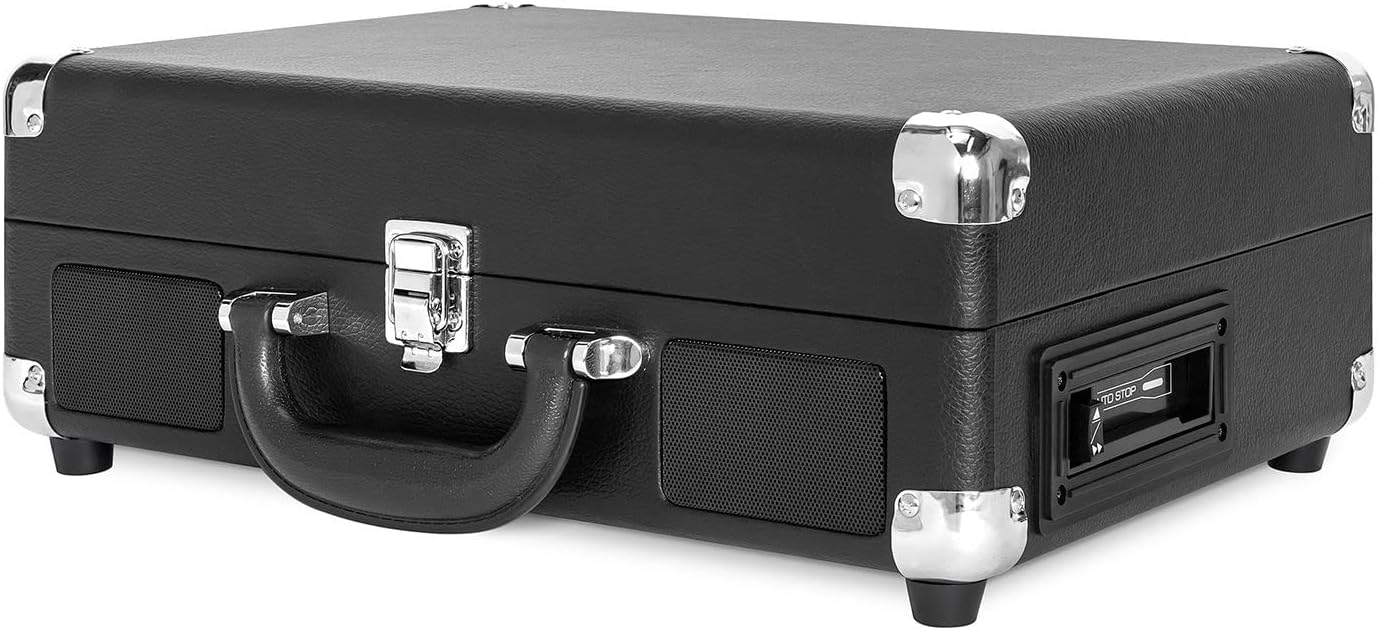

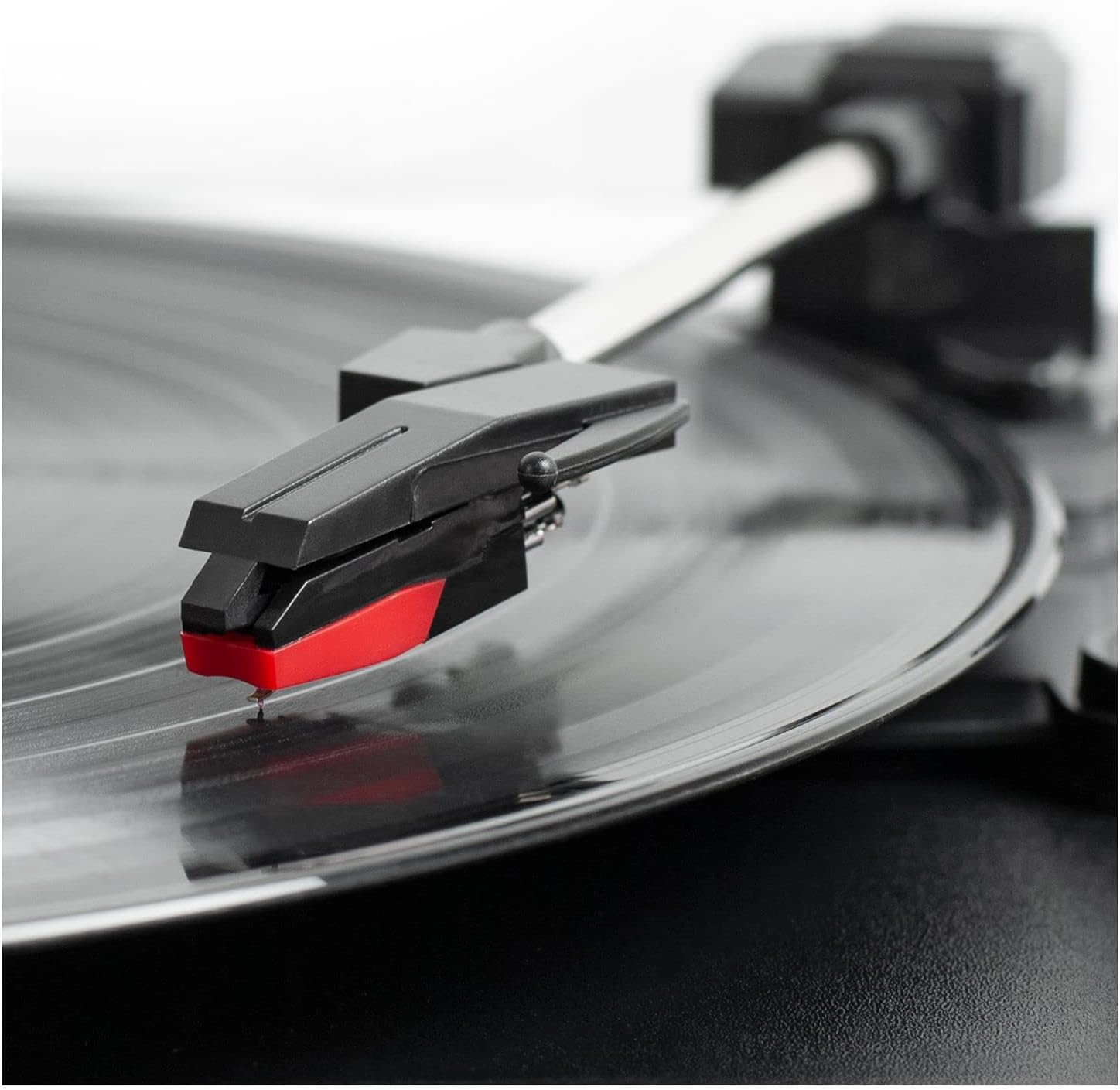
Ohjauspaneeli ohiview
- Virta/äänenvoimakkuuden säädin: Kytkee laitteen päälle/pois ja säätää äänenvoimakkuutta.
- Nopeuden valitsin: Switch between 33 1/3, 45, and 78 RPM for vinyl records.
- Automaattinen pysäytyskytkin: Enables or disables the auto-stop function for the turntable.
- Toimintokytkin: Selects between PHONO/TAPE, LINE IN, BT IN, and BT OUT modes.
- Kuulokeliitäntä: Yksityiseen kuunteluun kuulokkeilla.
- Line In Jack: Liitä ulkoiset äänilaitteet 3.5 mm:n kaapelilla.
- Kasettisoittimen säätimet: Play, Fast Forward, Rewind, Stop/Eject.
- RCA-lähtöliittimet (V/O): Liitä ulkoisiin kaiuttimiin tai ampelävämpi.
- DC IN -liitin: Liitä virtalähde.
Asennus
- Pura pakkauksesta: Carefully remove the turntable from its packaging and ensure all accessories are present.
- Sijoitus: Aseta laite tasaiselle ja vakaalle alustalle, joka ei ole alttiina suoralle auringonvalolle, lämmönlähteille eikä liialliselle pölylle tai tärinälle.
- Virtaliitäntä: Connect the DC plug of the power adapter to the DC IN jack on the back of the unit. Plug the AC adapter into a wall outlet.
- Poista kynän suoja: Gently remove the white plastic stylus protector from the needle.
- Äänivarren lukituksen avaaminen: Vapauta äänivarren lukitus, jotta äänivarsi pääsee liikkumaan vapaasti.
Käyttöohjeet
Vinyylilevyjen soittaminen
- Open the lid and place a vinyl record on the turntable platter.
- Select the appropriate speed (33 1/3, 45, or 78 RPM) using the Speed Selector switch. Use the 45 RPM adapter for 7-inch records with large center holes.
- Turn the Power/Volume knob clockwise to turn on the unit and adjust to a low volume.
- Set the Function Switch to PHONO/TAPE.
- Lift the tonearm using the cueing lever and position it over the desired track on the record.
- Laske äänivarsi varovasti levyn päälle äänivarren säätövivun avulla. Levyn sointi alkaa.
- Säädä äänenvoimakkuus haluamallesi kuuntelutasolle.
- At the end of the record, if the Auto Stop switch is ON, the platter will stop spinning. If OFF, the platter will continue to spin. Manually lift the tonearm and return it to the tonearm rest.
Kasettisoittimen käyttäminen
- Set the Function Switch to PHONO/TAPE.
- Insert a cassette tape into the side-loading slot until it clicks into place.
- Aloita toisto painamalla PLAY-painiketta.
- Use the Fast Forward (FF) and Rewind (REW) buttons to navigate tracks.
- Press the STOP/EJECT button to stop playback and eject the tape.
- Säädä äänenvoimakkuutta virta-/äänenvoimakkuusnupilla.

Bluetooth-tulo (BT IN)
Stream music wirelessly from your Bluetooth-enabled device to the turntable's built-in speakers.
- Käynnistä laite kääntämällä virta-/äänenvoimakkuusnuppia myötäpäivään.
- Set the Function Switch to BT IN. The Bluetooth indicator light will flash.
- Enable Bluetooth on your external device and search for "Victrola Journey+".
- Select "Victrola Journey+" to pair. Once paired, the indicator light will stop flashing.
- Start playing music on your device. Adjust the volume on both your device and the turntable.
Bluetooth Output (BT OUT - Vinyl Stream Technology)
Stream audio from your vinyl records to an external Bluetooth speaker.
- Varmista, että ulkoinen Bluetooth-kaiutin on pariliitostilassa.
- Turn the Power/Volume knob clockwise to turn on the turntable.
- Set the Function Switch to BT OUT. The Bluetooth indicator light will flash.
- The turntable will automatically search for and connect to your external Bluetooth speaker. Once connected, the indicator light will stop flashing.
- Play a vinyl record as described above. The audio will stream to your external speaker.
- Adjust the volume on your external Bluetooth speaker.
Auxiliary Input (LINE IN)
Connect non-Bluetooth audio devices using a 3.5mm audio cable.
- Connect one end of a 3.5mm audio cable to the LINE IN jack on the turntable.
- Liitä toinen pää ulkoisen laitteen kuulokeliitäntään tai äänilähtöön.
- Käynnistä laite kääntämällä virta-/äänenvoimakkuusnuppia myötäpäivään.
- Set the Function Switch to LINE IN.
- Start playing music on your external device. Adjust the volume on both your device and the turntable.
RCA-lähtö
Liitä levysoitin ulkoiseen laitteeseen amplifier-kaiuttimet tai aktiivikaiuttimet parannetun äänen saamiseksi.
- Connect RCA cables (not included) to the RCA OUT jacks (red for right, white for left) on the back of the turntable.
- Kytke RCA-kaapelin toinen pää vastaaviin tuloliittimiin televisiossasi. ampnostin tai teholliset kaiuttimet.
- Ensure the Function Switch is set to PHONO/TAPE for vinyl or cassette playback.
- Adjust the volume on your external audio system.
Kuulokkeiden lähtö
For private listening, plug any standard 3.5mm headphones into the HEADPHONE jack.
Huolto
- Laitteen puhdistus: Wipe the exterior with a soft, dry cloth. Do not use harsh chemicals or abrasive cleaners.
- Kynän hoito: The stylus is delicate. Handle it with care. Clean the stylus periodically with a soft brush, brushing from back to front. Replace the stylus if sound quality deteriorates or if it is visibly damaged.
- Tiedostojen hoito: Pidä levyt puhtaina ja pölyttöminä. Säilytä niitä pystyasennossa suojataskuissaan vääntymisen estämiseksi.
- Kasetin hoito: Store cassettes away from direct sunlight and heat. Avoid touching the tape surface.
Vianetsintä
| Ongelma | Mahdollinen syy | Ratkaisu |
|---|---|---|
| Ei virtaa | Virtasovitin ei ole kytketty tai pistorasia ei toimi. | Varmista, että virtalähde on kytketty kunnolla ja kytketty toimivaan pistorasiaan. |
| Kaiuttimista ei kuulu ääntä | Volume too low; Function switch incorrect; External speakers not connected/powered. | Increase volume. Set Function switch to correct source (PHONO/TAPE, BT IN, LINE IN). Check external speaker connections and power. |
| Äänen hyppimistä tai äänen vääristymistä | Dirty or damaged record; Dirty or worn stylus; Unit not on a stable surface. | Clean record. Clean or replace stylus. Place unit on a stable, level surface. |
| Bluetooth-pariliitosongelmat | Device too far; Incorrect mode selected; Device already paired. | Ensure device is within range. Select correct BT IN/OUT mode. Disconnect from other Bluetooth devices. |
| Kasetti ei soi | Tape inserted incorrectly; Function switch incorrect. | Ensure tape is fully inserted. Set Function switch to PHONO/TAPE. |
Tekniset tiedot
- Merkki: Victrola
- Mallinumero: VSC-500BTC-BLK
- Yhteystekniikka: Bluetooth
- Virtalähde: Johdollinen sähkö
- Suurin pyörimisnopeus: 78 RPM
- Erikoisominaisuudet: AUX Input, Built-In Speaker, Portable, RCA Output, Cassette Player, Vinyl Stream Technology
- Materiaali: Muovi
- Tuotteen paino: 3.51 kiloa
- Tuotteen mitat (P x L x K): 14 cm P x 11 cm L x 5 cm K
- Sisäänrakennettu media: Turntable, Cassette Player
- Mukana tulevat komponentit: Turntable, Power Adapter, 45 RPM Adapter, Extra Stylus
Takuu ja tuki
For warranty information, technical support, or service inquiries, please refer to the contact information provided in your product packaging or visit the official Victrola websivusto. Säilytä ostokuitti takuuvaatimuksia varten.