
SEMAITU TH001
SEMAITU Double Din Car Stereo User Manual
Malli: TH001
1. Johdanto
Thank you for choosing the SEMAITU Double Din Car Stereo. This advanced car multimedia system is designed to enhance your driving experience with seamless smartphone integration, superior audio quality, and convenient features. This manual provides detailed instructions for installation, operation, maintenance, and troubleshooting to ensure optimal performance and longevity of your device.
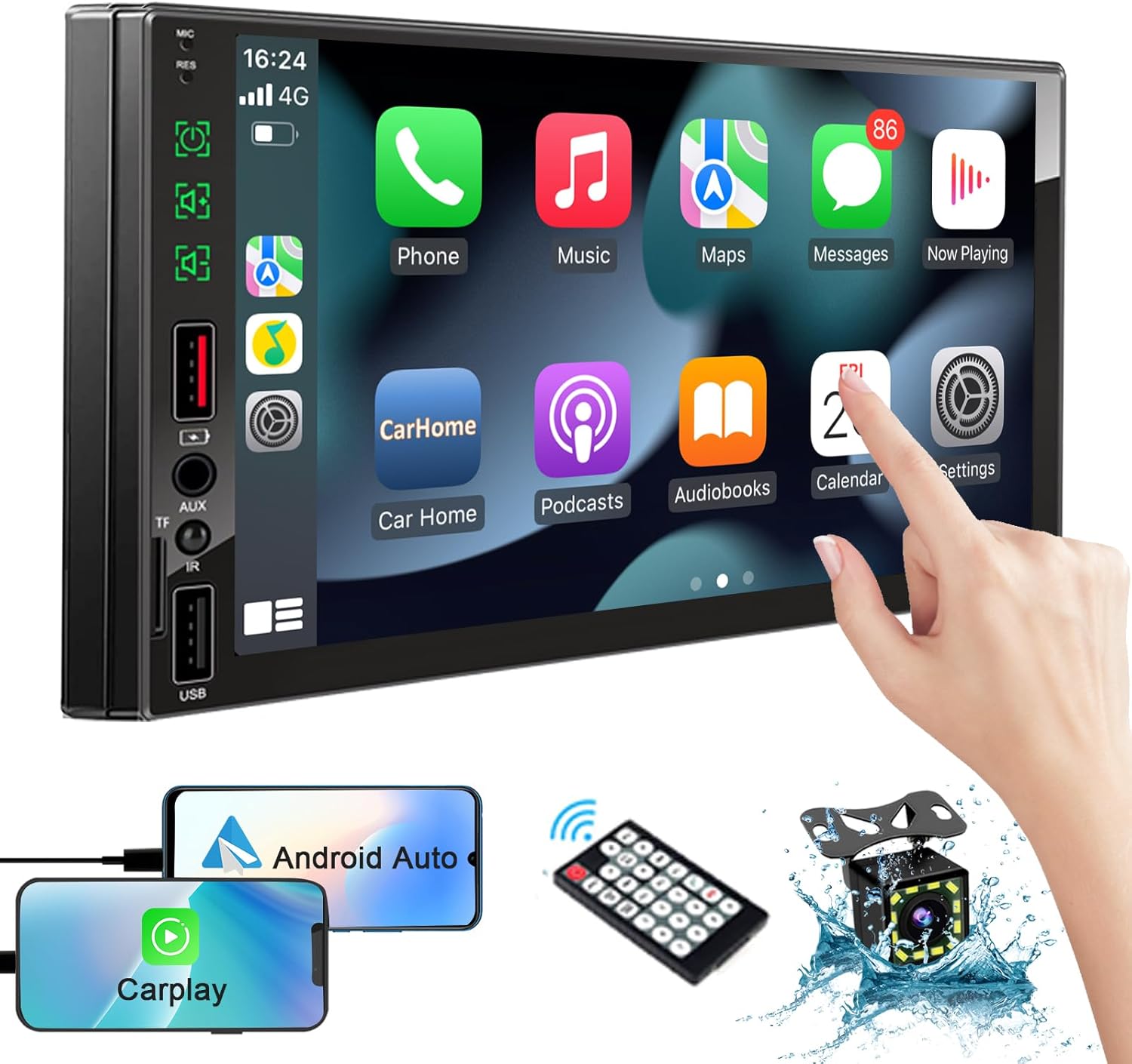
Image: The SEMAITU Double Din Car Stereo unit, remote control, backup camera, and smartphone mirroring examples.
2. Mitä laatikossa on
Varmista, että pakkauksessasi on kaikki alla luetellut tuotteet:
- 7 Inch HD Double Din Car Stereo
- HD Taka View Camera & Brackets & Frame
- Wire Harness & Disassembly Tool
- Backup Camera Cable & Camera Power Cable
- Kaukosäädin
- lavaliermikrofoni
- Käyttöopas (tämä asiakirja)
3. Asennus ja asennus
Professional installation is highly recommended for this product. Incorrect wiring can cause damage to the unit or your vehicle's electrical system. Always disconnect the vehicle's battery before beginning installation.
3.1. Kytkentäkaavioview
Refer to the detailed wiring diagram provided with your unit for specific connections. Key connections typically include:
- Virtajohdot: Jatkuva 12 V (keltainen), lisälaite 12 V (punainen), maadoitus (musta).
- Kaiutinjohdot: Liitä ajoneuvosi kaiuttimiin (esim. valkoinen/valkoinen-musta vasemmalle etukaiuttimelle, harmaa/harmaa-musta oikealle etukaiuttimelle, vihreä/vihreä-musta vasemmalle takakaiuttimelle, violetti/violetti-musta oikealle takakaiuttimelle).
- Kameran tulo: RCA video input for the backup camera.
- Käänteinen liipaisin: Wire to detect when the vehicle is in reverse gear for automatic camera display.
- Antenni: Liitä ajoneuvosi radioantenni.
- USB/TF Ports: Median toistoon ja älypuhelinyhteyden muodostamiseen.

Image: The car stereo displaying a quick response interface, indicating smooth operation.
3.2. Yksikön asennus
Secure the double din unit into your vehicle's dashboard opening using the provided mounting brackets and screws. Ensure it is firmly in place to prevent vibrations and movement.
4. Käyttöohjeet
4.1. Voice Assistants (Apple CarPlay & Android Auto)
Connect your compatible iPhone or Android smartphone via USB to enable Apple CarPlay or Android Auto. This allows you to access navigation, make calls, send messages, and play music using voice commands or the stereo's touchscreen interface.
- Apple CarPlay: Connect your iPhone using a certified USB cable. The CarPlay interface will automatically launch on the stereo screen.
- Android Auto: Connect your Android phone using a certified USB cable. Ensure Android Auto is installed on your phone. The interface will launch automatically.
- Ääniohjaus: Use the built-in microphone to activate Siri or Google Assistant for hands-free operation.

Kuva: Autossa view of the stereo displaying Apple CarPlay and Android Auto interfaces, with icons for voice assistant, call, GPS, music, messages, and more apps.
4.2. Bluetooth-järjestelmä
The integrated Bluetooth system allows for wireless audio streaming and hands-free calling.
- Pariliitos: Go to the Bluetooth settings on the stereo and your smartphone. Etsi available devices and select 'SEMAITU TH001' (or similar name) to pair.
- Handsfree-puhelut: Once paired, you can make and receive calls directly through the stereo. The built-in microphone ensures clear communication.
- Äänen suoratoisto: Play music from your smartphone wirelessly through the car stereo.

Image: The car stereo displaying a music interface with voice command bubbles for
Asiaan liittyvät asiakirjatTH001

Ask a question about this manual
Ask about setup, troubleshooting, compatibility, parts, safety, or missing instructions. Manuals+ will review the question and use this page’s manual context to help answer it.