
1. Johdanto
Thank you for choosing the ILIFE V3s Max Robot Vacuum and Mop Combo. This device is designed to provide efficient and convenient cleaning for your home, combining powerful vacuuming with intelligent mopping capabilities. This manual provides essential information for the safe operation, maintenance, and troubleshooting of your robot vacuum. Please read it thoroughly before use and retain it for future reference.
2. Turvallisuusohjeet
Vähentääksesi loukkaantumis- tai vaurioriskiä, lue ja noudata kaikkia turvaohjeita. Tämä laite on tarkoitettu vain kotitalouskäyttöön.
- Do not operate the robot near open flames or fragile objects.
- Pidä hiukset, löysät vaatteet, sormet ja kaikki ruumiinosat poissa aukoista ja liikkuvista osista.
- Älä anna lasten käyttää robottia. Valvo lapsia ja lemmikkejä robotin ollessa käynnissä.
- Käytä ainoastaan valmistajan toimittamaa alkuperäistä virtalähdettä ja lataustelakkaa.
- Varmista, että robotti on ladattu täyteen ennen ensimmäistä käyttöä.
- Älä käytä robottia suurten roskien, nesteiden tai palavien esineiden keräämiseen.
- Remove power cords, small objects, and curtains from the cleaning path to prevent entanglement.
- Do not use the mopping function on carpets or rugs.
3. Pakkauksen sisältö
Varmista, että kaikki osat ovat mukana ja hyvässä kunnossa:
- 1x ILIFE V3s Max Robot Vacuum
- 1x kaukosäädin
- 1x Filter (pre-installed)
- 1x-verkkolaite
- 1x lataustelakka
- 1x puhdistusharja
- 2x Side Brushes (spare)
- 1x moppiliina
- 1x vesisäiliö
- 1x käyttöopas
- 3 pölypussia
4. Tuote ohiview
Familiarize yourself with the main components of your ILIFE V3s Max.

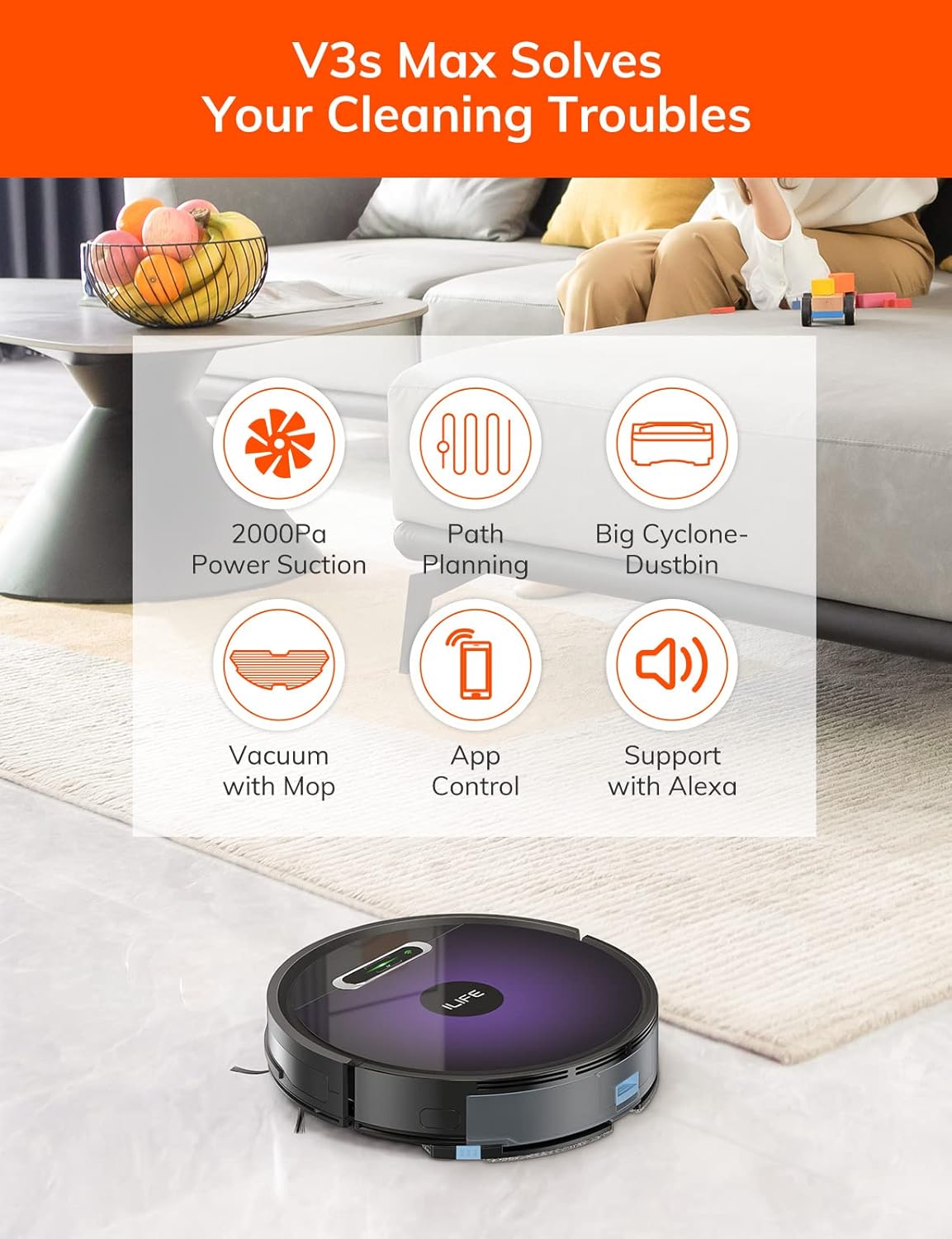
Kuva 4.1: Yläosa view of the ILIFE V3s Max robot vacuum, illustrating its 2000Pa suction, path planning, large dustbin, vacuum with mop function, app control, and Alexa support.

Kuva 4.2: Alapuoli view of the robot vacuum, highlighting the deep edge cleaning brush, powerful suction inlet, and the mop attachment for combined cleaning.
Pääkomponentit:
- Päärunko: Contains the motor, dustbin, water tank, and navigation sensors.
- Sivuharjat: Lakaise roskat imureitille.
- Vetävät pyörät: Anna robotin liikkua erilaisten pintojen yli.
- Yleispyörä: Provides directional movement.
- Latausyhteystiedot: Yhdistetään lataustelakkaan.
- Roskakori: Kerää kuivaa roskaa.
- Vesisäiliö: Pidättää vettä moppausta varten.
- Moppiliina: Kiinnitetään vesisäiliöön märkäpuhdistusta varten.
- Virtapainike: Turns the robot on/off and starts/pauses cleaning.
- Anturit: Pudotuksen, törmäyksen ja seinän seuraamisen anturit.
5. Asennus
5.1 Ensimmäinen lataus
- Aseta lataustelakka seinää vasten avoimelle alueelle varmistaen, ettei sen sivuilla ole esteitä 1 metrin ja edessä 2 metrin säteellä.
- Liitä verkkolaite lataustelakkaan ja kytke se pistorasiaan.
- Place the robot onto the charging dock, ensuring the charging contacts align. The indicator light will show charging status.
- Anna robotin latautua kokonaan ennen ensimmäistä käyttökertaa (noin 5–6 tuntia).
Kuva 5.1: The robot vacuum returning to its charging dock. Ensure the dock is placed in an accessible area.
5.2 Sovellus ja Wi-Fi-yhteys
The ILIFE V3s Max supports app control via 2.4G Wi-Fi (5G Wi-Fi is not supported).
- Lataa "ILIFEHOME"-sovellus älypuhelimesi sovelluskaupasta (iOS tai Android).
- Rekisteröi tili ja kirjaudu sisään.
- Ensure your phone is connected to a 2.4G Wi-Fi network.
- Follow the in-app instructions to add your device. This typically involves pressing and holding the robot's power button until it enters pairing mode, then entering your Wi-Fi password in the app.

Kuva 5.2: The ILIFEHOME app interface, demonstrating features like scheduling, cleaning history, suction settings, and cleaning modes. The robot also supports Amazon Alexa integration.
6. Käyttöohjeet
6.1 Puhdistuksen aloittaminen/keskeyttäminen
- Robotilta: Press the power button once to start or pause cleaning.
- From Remote Control: Press the "Clean" button.
- Sovelluksesta: Tap "Start" or "Pause" in the ILIFEHOME app.
6.2 Puhdistustilaa
The V3s Max offers multiple cleaning modes for different needs:

Kuva 6.1: Illustration of the robot's multiple cleaning modes: Random, Spot, Edge, and Path (zigzag) cleaning.
- Path Cleaning (Zigzag): The robot cleans in an efficient zigzag pattern, covering the entire area systematically. This is the default mode for general cleaning.
- Paikan puhdistus: The robot focuses on a specific dirty area, cleaning in a spiral pattern. Activate this mode for concentrated cleaning of spills or heavily soiled spots.
- Reunojen puhdistus: The robot cleans along walls and furniture edges. Useful for thorough cleaning of room perimeters.
- Satunnainen puhdistus: The robot cleans randomly, suitable for small, uncluttered spaces.
6.3 Imurointi ja moppaus
The V3s Max can vacuum and mop simultaneously or separately.

Kuva 6.2: The robot vacuum demonstrating its 2000Pa suction power, effectively picking up food crumbs and pet hair from hard floors.

Kuva 6.3: The robot vacuum illustrating three types of water adjustment for mopping, catering to various floor cleaning needs.
- Imurointi: Ensure the dustbin is installed. The robot will use its 2000Pa suction to clean dry debris.
- Moppaus: Fill the 200ml water tank with clean water and attach the mop cloth. Insert the water tank into the robot. The robot will then perform wet mopping. Do not use cleaning solutions other than water in the tank.
- Yhdistetty puhdistus: With both the dustbin and water tank installed, the robot will vacuum and mop simultaneously.
6.4 Aikataulu
Use the ILIFEHOME app to set cleaning schedules for automated cleaning sessions.
- Open the ILIFEHOME app.
- Siirry aikataulutusosioon.
- Aseta halutut siivousajat ja -päivät.
- Vahvista aikataulu. Robotti aloittaa siivouksen automaattisesti ohjelmoituina aikoina.
7. Huolto
Säännöllinen huolto varmistaa robotti-imurin optimaalisen suorituskyvyn ja pidentää sen käyttöikää.
7.1 Pölysäiliön ja suodattimen puhdistus
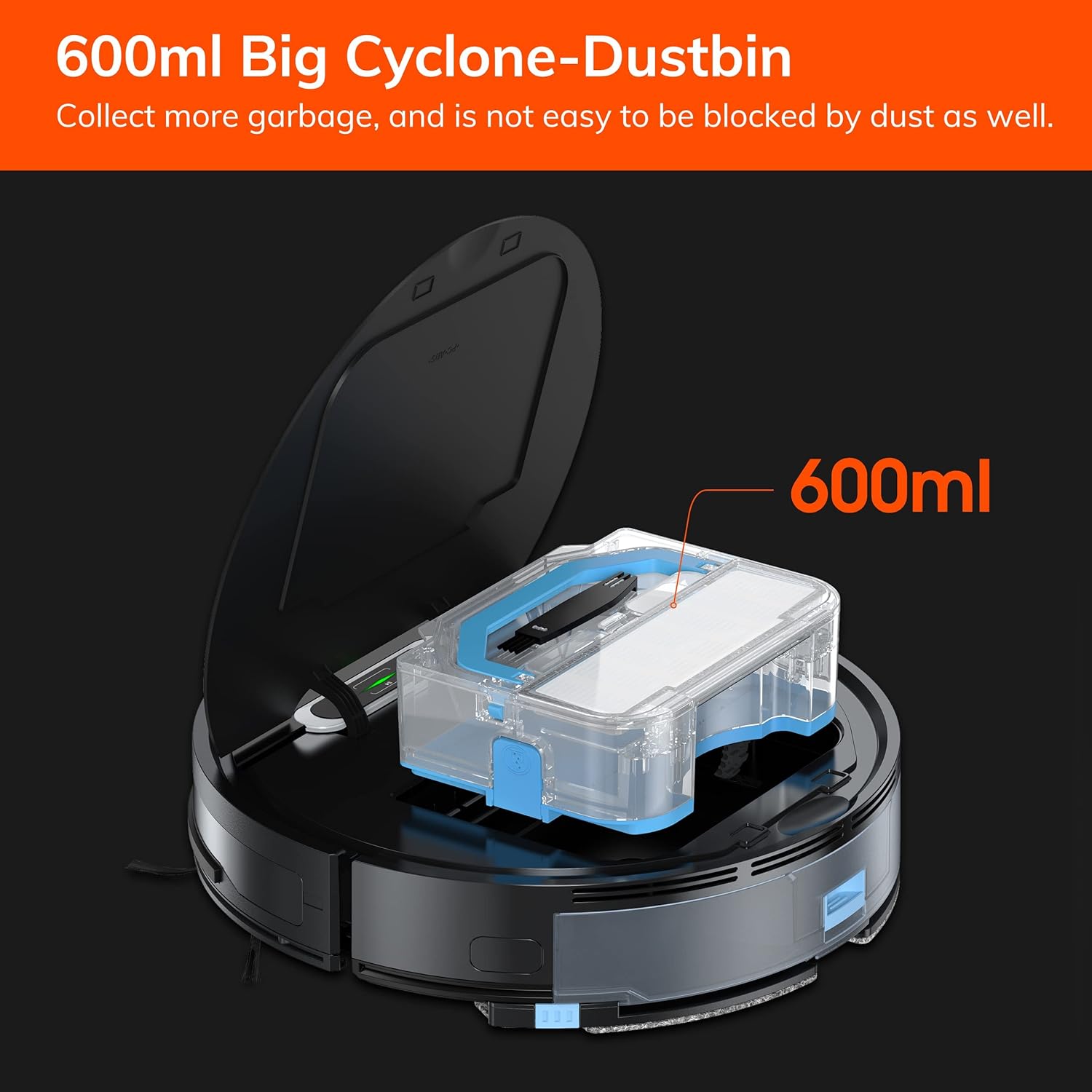
Kuva 7.1: The 600ml cyclone dustbin, designed to collect more debris and resist clogging.
- Press the "PUSH" button on the robot's top cover to open it.
- Irrota pölysäiliö vetämällä sitä ylöspäin.
- Avaa pölysäiliön kansi ja tyhjennä sen sisältö roskasäiliöön.
- Remove the filter assembly (pre-filter, sponge filter, high-performance filter).
- Clean the filters with the provided cleaning brush. Do not wash the high-performance filter with water.
- Huuhtele pölysäiliö tarvittaessa vedellä ja varmista, että se on täysin kuiva ennen takaisinasennusta.
- Kokoa suodattimet ja pölysäiliö takaisin ja aseta ne takaisin robottiin.
7.2 Sivuharjan puhdistus
- Tarkista sivuharjat säännöllisesti takertuneiden hiusten tai roskien varalta.
- Vedä sivuharjat varovasti ylöspäin irrottaaksesi ne.
- Use the cleaning brush or scissors to remove any tangled hair or debris.
- Asenna sivuharjat takaisin ja varmista, että ne napsahtavat paikoilleen.
7.3 Vesisäiliön ja moppiliinan huolto
- After each mopping session, remove the water tank.
- Tyhjennä jäljellä oleva vesi säiliöstä.
- Irrota mopin liina ja pese se käsin tai koneella. Anna sen kuivua kokonaan ilmassa.
- Rinse the water tank with clean water and allow it to air dry.
7.4 Anturin puhdistus
- Use a clean, dry cloth to wipe the anti-drop sensors (located on the bottom of the robot) and the anti-collision sensors (located on the front bumper).
- Clean the charging contacts on both the robot and the charging dock.
8. Vianmääritys
If you encounter issues with your ILIFE V3s Max, refer to the following common problems and solutions:
| Ongelma | Mahdollinen syy | Ratkaisu |
|---|---|---|
| Robotti ei käynnisty tai reagoi. | Akku vähissä; Virta pois päältä; Robotti jumissa. | Lataa robotti; Kytke virta päälle; Poista esteet. |
| Robotti ei voi palata lataustelakalle. | Lataustelakka on tukossa; Robotti liian kaukana lataustelakasta; Telakka ei ole päällä. | Ensure clear path to dock; Manually place robot near dock; Check power connection. |
| Huono puhdistusteho. | Dustbin full; Filters clogged; Side brushes worn or tangled. | Tyhjennä pölysäiliö; Puhdista/vaihda suodattimet; Puhdista/vaihda sivuharjat. |
| Robotti juuttuu usein. | Esteitä (kaapelit, matot); Korkeuseroanturit likaiset. | Clear cleaning area; Clean cliff sensors. |
| Sovellusyhteysongelmat. | Incorrect Wi-Fi (5G); Incorrect password; Router issues. | Ensure 2.4G Wi-Fi; Re-enter password; Restart router and robot. |
Jos ongelma jatkuu, ota yhteyttä ILIFE:n asiakastukeen.
9. Tekniset tiedot
| Ominaisuus | Yksityiskohta |
|---|---|
| Merkki | ELÄMÄ |
| Mallin nimi | V3s Max |
| Imuteho | Jopa 2000 Pa (pistetila) |
| Roskakorin kapasiteetti | 600 ml |
| Vesisäiliön kapasiteetti | 200 ml |
| Akun kesto | Jopa 100 minuuttia |
| Akun tyyppi | Litiumioniakku (14.4 volttia) |
| Navigointi | Gyroscopic Path Planning |
| Valvontamenetelmät | App Control, Remote Control, Amazon Alexa |
| Wi-Fi-tuki | Vain 2.4G Wi-Fi |
| Tuotteen mitat | 12.4 cm P x 11.81 cm L x 2.99 cm K |
| Tuotteen paino | 5.4 puntaa |
| Melutaso | 65 desibeliä |
| Pinta-suositus | Hard Floor, Low-Pile Carpet |
10. Takuu ja tuki
ILIFE provides a limited warranty for this product. For detailed warranty information, please refer to the warranty card included in your package or visit the official ILIFE website. For technical support, troubleshooting assistance, or replacement parts, please contact ILIFE customer service through the contact information provided on their website or within the ILIFEHOME app.
Online-tuki: www.iliferobot.com/support