
1. Johdanto
This manual provides detailed instructions for the safe and efficient operation of your BYINTEK K25 Mini Portable LCD LED Projector. Please read this manual thoroughly before using the projector and retain it for future reference. The BYINTEK K25 projector features native 1920x1080 resolution, 300 ANSI lumens brightness, and supports a projection screen size of up to 300 inches, offering a versatile viewing experience for home entertainment.

Image 1.1: The BYINTEK K25 Mini Portable LCD LED Projector, showcasing sen kompakti muotoilu.
2. Asennus
2.1 Pakkauksen purkaminen ja osat
Poista kaikki osat varovasti pakkauksesta. Varmista, että seuraavat osat ovat mukana:
- BYINTEK K25 Projector
- Kaukosäädin
- Virtakaapeli
- Käyttöopas
2.2 Sijoitus
Position the projector on a stable, flat surface such as a tabletop. Ensure adequate ventilation around the unit. The projector can display images from 46 inches to 300 inches diagonally, with projection distances varying from 5.15 feet to 30.18 feet. Adjust the distance to achieve your desired screen size.

Image 2.1: Diagram illustrating recommended throw distances for various screen sizes.
2.3 Virtaliitäntä
Connect the supplied power cable to the projector's power input port and then to a suitable electrical outlet.
2.4 Ensimmäinen käynnistys
Käynnistä laite painamalla projektorin tai kaukosäätimen virtapainiketta. Projektori aloittaa käynnistyssekvenssin.
2.5 Tarkennuksen säätö
The BYINTEK K25 features electronic focus. Use the remote control to adjust the focus until the projected image is clear and sharp.
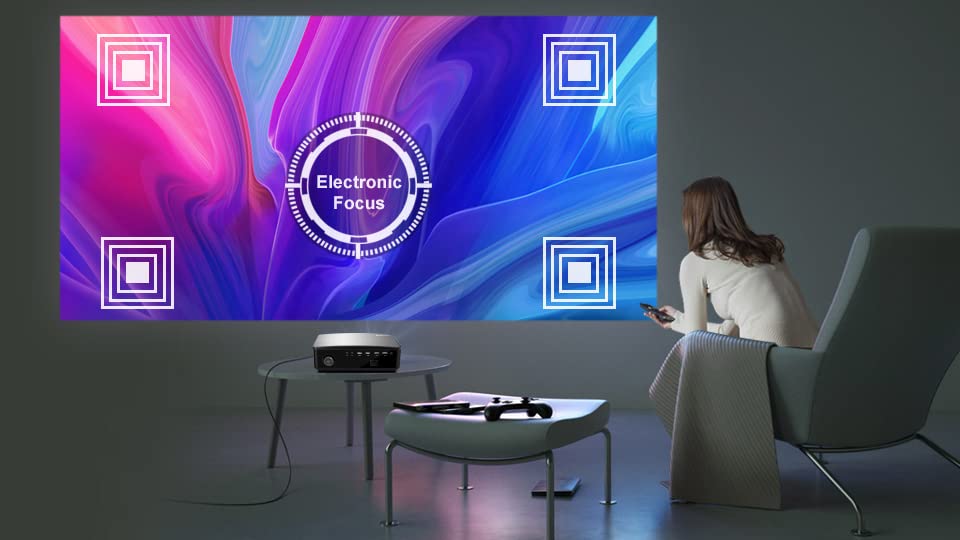
Image 2.2: Visual representation of the electronic focus adjustment feature.
2.6 Keystone-korjaus
Jos projisoitu kuva näyttää puolisuunnikkaan muotoiselta, käytä electronic keystone correction feature. The projector supports ±50° vertical and corner keystone correction. Access this setting via the projector's menu or dedicated buttons on the remote control to square the image.
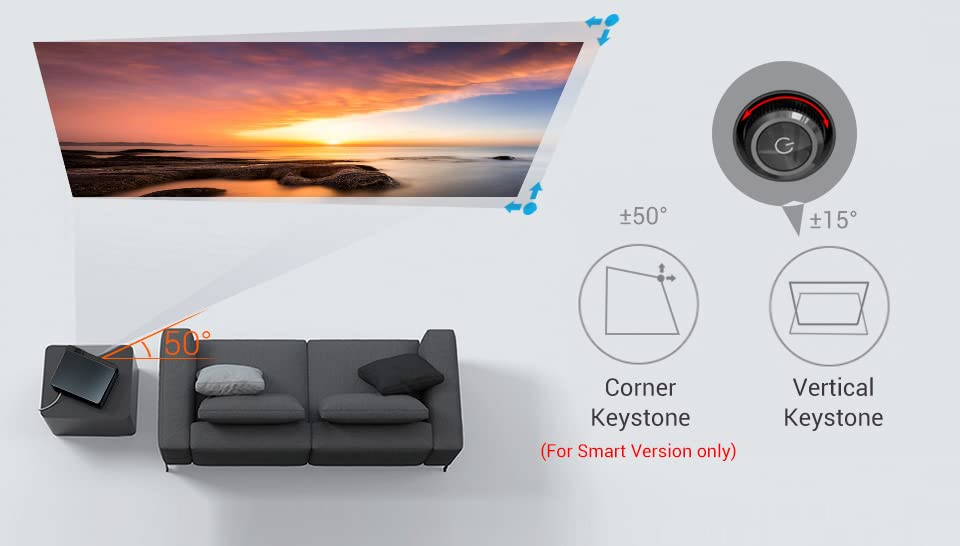
Image 2.3: Diagram illustrating vertical and corner keystone correction capabilities.
3. Käyttöohjeet
3.1 Laitteiden liittäminen
The BYINTEK K25 projector offers multiple connectivity options:
- HDMI: Connect laptops, gaming consoles (X-BOX, PS4), media players, or TV sticks using HDMI cables.
- USB: Insert USB sticks for direct media playback.
- AV: Käytä AV-porttia vanhempien laitteiden kanssa.
- Ääni ulos: Connect external speakers or headphones via the 3.5mm audio-out port.

Kuva 3.1: Takaosa view of the projector showing various input and output ports.
3.2 Tulolähteen valinta
After connecting a device, press the 'Input Source' button on the remote control or the projector to select the corresponding input (e.g., HDMI1, USB, AV).
3.3 Wireless Connectivity (Smart Version Only)
The Smart Version of the K25 supports Wi-Fi-näyttö, allowing multi-screen mirroring, Miracast, and Airplay for smartphones and tablets. Navigate to the 'Wi-Fi Display' or 'Screen Mirroring' option in the projector's menu and follow the on-screen instructions to connect your mobile device.
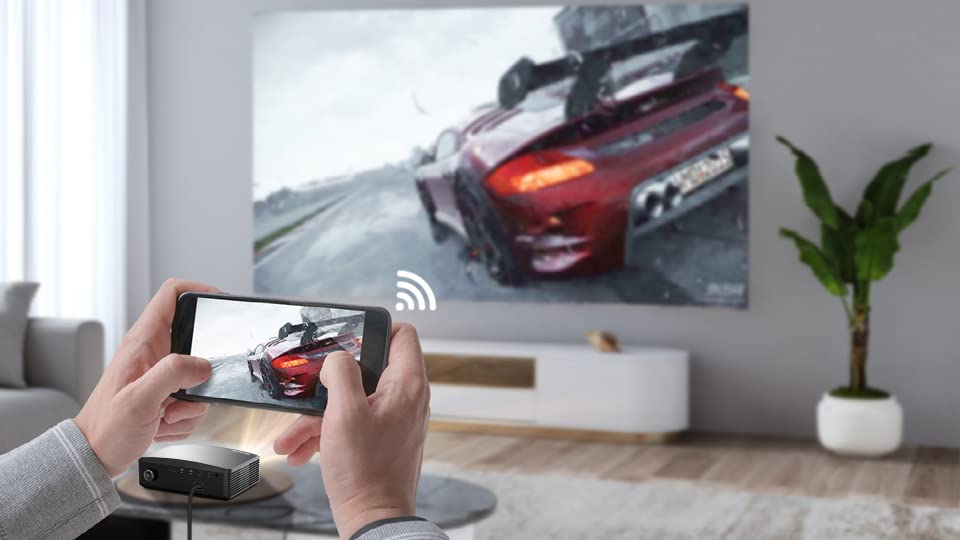
Image 3.2: A smartphone wirelessly mirroring its screen content to the projector.
3.4 Electronic Zoom
Adjust the image size without moving the projector using the electronic zoom function. This feature allows you to zoom the image from 50% to 100% using the remote control.

Image 3.3: Illustration of the electronic zoom function, adjusting image size from 50% to 100%.
3.5 Navigointi valikossa
Use the arrow keys and 'OK' button on the remote control to navigate through the projector's on-screen menu. Adjust settings such as picture mode, sound, and system preferences as needed.
3.6 Basic vs. Smart Version Interface
The BYINTEK K25 is available in two versions: Basic and Smart. The Basic version features a multimedia system for direct playback, while the Smart version runs on Android OS, offering access to an App Store and pre-installed applications like Netflix, Prime Video, and YouTube.
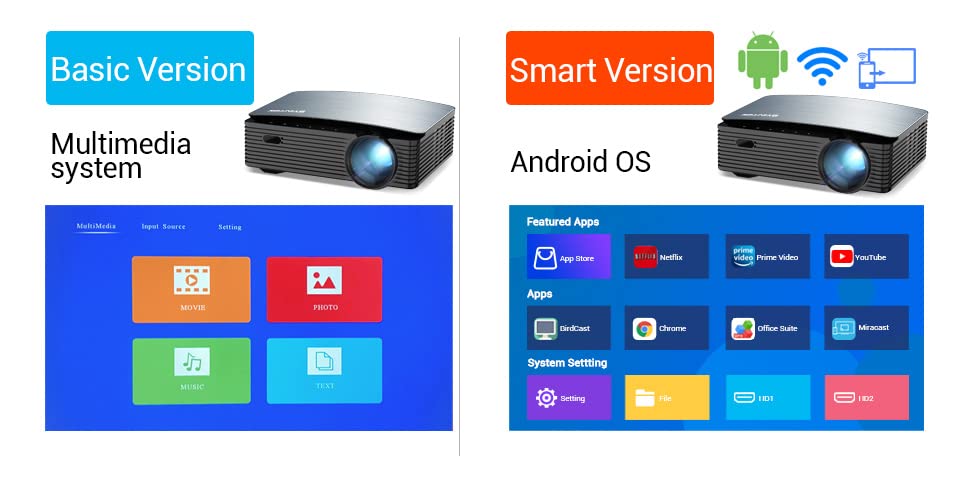
Image 3.4: Comparison of the user interfaces for the Basic (Multimedia system) and Smart (Android OS) versions of the projector.
4. Huolto
4.1 Linssin puhdistus
To maintain optimal image quality, regularly clean the projector lens. Use a soft, lint-free cloth specifically designed for optical lenses. Avoid using abrasive cleaners or excessive force.
4.2 Ilmanvaihto
Ensure that the projector's ventilation openings are not blocked. Proper airflow is crucial to prevent overheating and ensure the longevity of the device. Do not place the projector on soft surfaces that may obstruct vents.
4.3 Varastointi
When not in use for extended periods, store the projector in a cool, dry place, away from direct sunlight and extreme temperatures. Use the original packaging or a protective case to prevent dust accumulation and physical damage.
LED lamp has a long operating life of 30,000 hours, minimizing the need for frequent lamp vaihto.

Image 4.1: Information on the projector's LED lamp life, rated for 30,000 hours.
5. Vianmääritys
If you encounter issues with your BYINTEK K25 projector, refer to the following common problems and solutions:
- Ei virtaa:
Ensure the power cable is securely connected to both the projector and the electrical outlet. Check if the power outlet is functional. - Ei kuvaa:
Verify that the correct input source is selected (e.g., HDMI1, USB). Check all cable connections between the projector and the source device. Ensure the source device is powered on and outputting a signal. - Epäselvä kuva:
Adjust the electronic focus using the remote control until the image is sharp. Ensure the projection surface is flat and the projector is at an appropriate distance. - Distorted Image (Trapezoidal):
Use the electronic keystone correction feature to square the image. Adjust both vertical and corner keystone settings as needed. - Ei ääntä:
Check the projector's volume level and ensure it is not muted. If using external speakers, verify their connection and power. Ensure the audio output from the source device is active. - Kaukosäädin ei vastaa:
Check and replace the batteries in the remote control. Ensure there are no obstructions between the remote and the projector's IR receiver.
6. Tekniset tiedot
Below are the technical specifications for the BYINTEK K25 Projector:
| Ominaisuus | Erittely |
|---|---|
| Merkki | BYINTEK |
| Malli | K25 |
| Näytön tyyppi | LCD |
| Alkuperäinen resoluutio | 1920 x 1080 (Full HD) |
| Suurin näytön tarkkuus | 1920 x 1080 |
| Projector Maximum White Brightness | 300 ANSI-lumenia |
| Kontrastisuhde | 5000:1 |
| Valonlähteen käyttöikä | 30000 Hours (LED) |
| Kuvan vähimmäiskoko | 46 tuumaa |
| Kuvan enimmäiskoko | 200 tuumaa |
| Minimiheittoetäisyys | 46 tuumaa |
| Suurin heittoetäisyys | 300 tuumaa |
| Yhteystekniikka | HDMI, USB |
| Laitteistoyhteydet | HDMI, USB |
| Yhteensopivat laitteet | Laptop, Gaming Console, Media Player, Mobile Device |
| Ohjaimen tyyppi | Kaukosäädin |
| Valvontamenetelmä | Kauko |
| Muototekijä | Kannettava |
| Asennustyyppi | Pöytäteline |
| Tuotteen paino | 2.5 kiloa |
| Alkuperämaa | Kiina |
7. Takuu ja tuki
The BYINTEK K25 Mini Portable LCD LED Projector comes with a 1 vuoden takuu ostopäivästä lukien. Säilytä ostokuitti takuuvaatimuksia varten.
7.1-yhteystiedot
For technical support, warranty inquiries, or any other assistance, please contact:
- Valmistaja: BYINTEK
- Puhelinnumero: +91 8885241706 XNUMX XNUMX
- Sähköposti: care@justshop24x7.com