
1. Johdanto
The Owlet Dream Duo Gen 1 is an FDA-cleared smart baby monitoring system designed to provide caregivers with insights into their infant's well-being. This system includes the Dream Sock and the Owlet Cam 1, working together to offer real-time health readings, video monitoring, and timely notifications. It is intended for use with healthy infants between 1-18 months, weighing 6-30 lbs.
2. Sisältö
Your Owlet Dream Duo Gen 1 package contains the following components:
- Owlet Cam 1
- Dream Sock -anturi
- 4 Fabric Socks (designed to fit babies 0-18 months, 5-30 lbs)
- Tukiasema
- Nokan asennussarja
- Access to the Dream App with Predictive Sleep Technology

Figure 2.1: All components included in the Owlet Dream Duo Gen 1 package.
3. Asennusopas
3.1 Owlet Cam 1 Setup
- Unpack the Cam: Carefully remove the Owlet Cam 1 from its packaging.
- Mount the Cam: Use the provided Cam Mounting Kit to securely install the camera in your baby's nursery. Ensure the camera has a clear view pinnasängystä.
- Liitä virta: Plug the camera into a power outlet using the provided power adapter.
- Lataa sovellus: Download the Owlet Dream App from your device's app store.
- Yhdistä sovelluksen kanssa: Follow the in-app instructions to pair the Owlet Cam 1 with your smartphone or tablet. The camera requires a 2.4 GHz Wi-Fi connection.
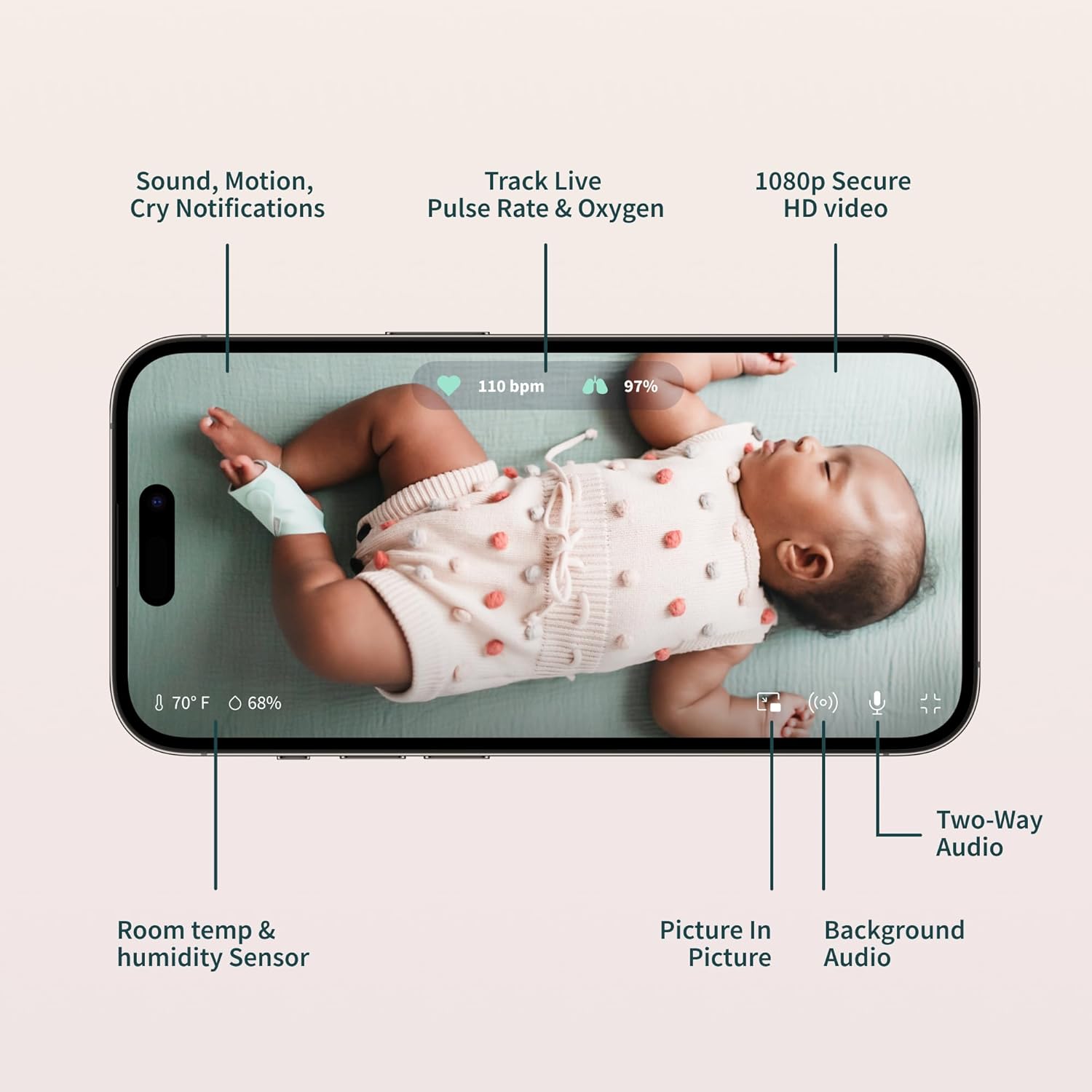
Figure 3.1: The Owlet Cam 1.
Video 3.1: Ylilyöntiview and unboxing of the Owlet product, demonstrating the components and initial setup steps.
3.2 Dream Sock Setup
- Charge the Sock: Place the Dream Sock sensor onto the Base Station to charge. The Base Station uses wireless charging for the sock.
- Select Fabric Sock: Choose the appropriate fabric sock size for your baby (0-18 months, 5-30 lbs). The package includes multiple sizes.
- Aseta anturi: Carefully insert the Dream Sock sensor into the designated pocket on the fabric sock.
- Apply to Baby's Foot: Securely wrap the Dream Sock around your baby's foot, ensuring the sensor is positioned correctly (e.g., behind the pinky toe, as indicated on the sock).
- Yhdistä sovelluksen kanssa: Follow the in-app instructions to pair the Dream Sock with your Owlet Dream App.
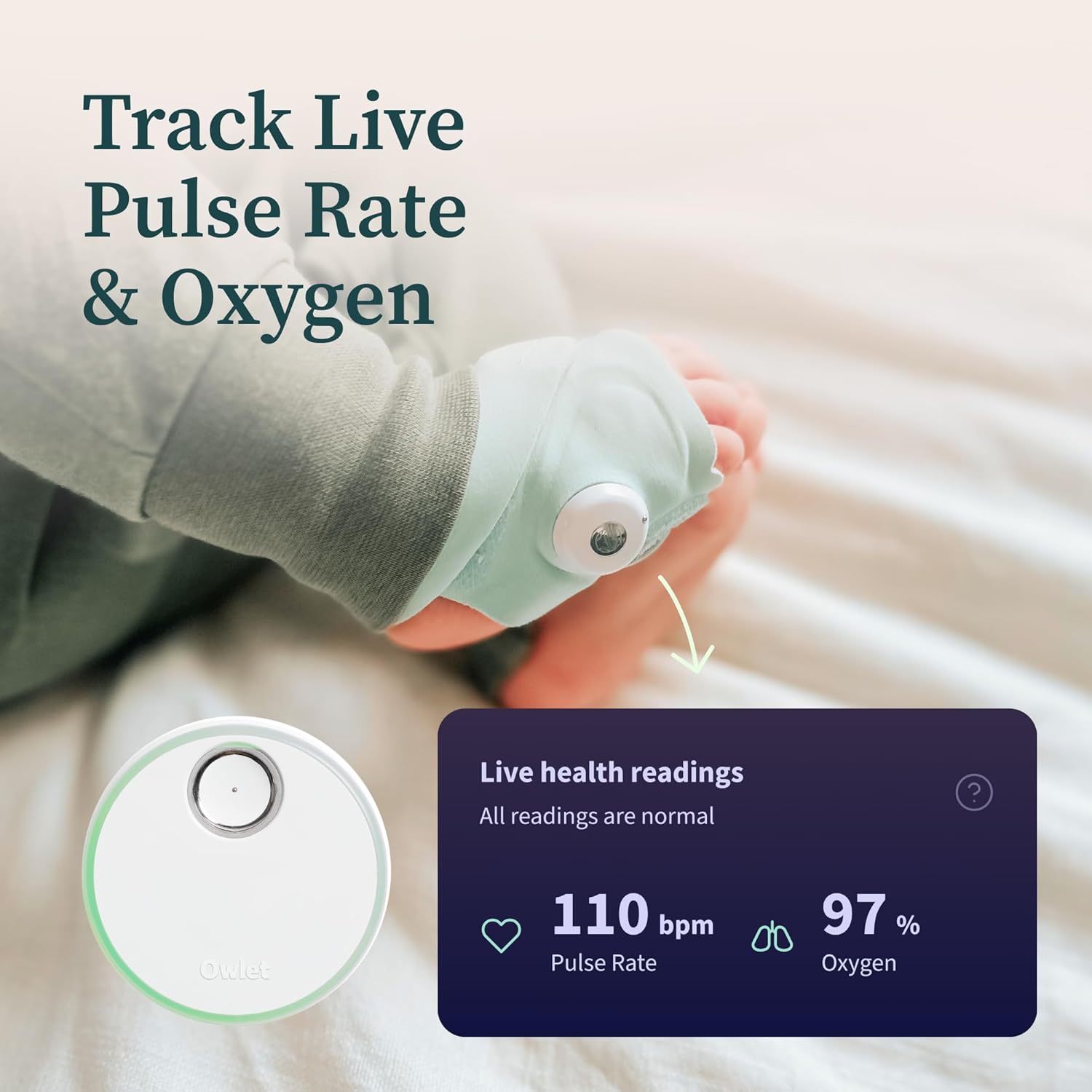
Kuva 3.2: Dream Sockin oikea asettaminen vauvan jalkaan.
Video 3.2: An unboxing video of the Owlet Dream Sock, showing how to assemble and prepare the sock for use.
3.3 Owlet Dream App Setup
- Lataa: Etsi "Owlet Dream" in the Apple App Store (iOS OS 14+) or Google Play Store (Android OS 7+).
- Luo tili: Open the app and create an Owlet account or log in if you already have one.
- Seuraa kehotteita: The app will guide you through connecting your Dream Sock and Owlet Cam 1 to your home Wi-Fi network (2.4 GHz required).

Figure 3.3: The Owlet Dream App displaying real-time monitoring data.
4. Käyttöohjeet
4.1 Reaaliaikainen seuranta
- Pulse Rate & Oxygen: The Dream Sock continuously tracks your baby’s pulse rate and oxygen levels. These readings are displayed in real-time on the Owlet Dream App.
- Unen trendit: The app provides insights into your baby's sleep patterns, including wakings and sleep quality indicators.
- Huoneympäristö: The Owlet Cam 1 monitors room temperature and humidity, visible within the app.

Figure 4.1: Live health readings from the Dream Sock.
Video 4.1: An official Owlet video demonstrating the FDA-cleared features of the Dream Sock, including live health readings and notifications.
4.2 Ilmoitukset ja hälytykset
- Tukiaseman hälytykset: The included Base Station provides light and sound notifications if your infant’s health readings fall outside preset ranges.
- Sovelluksen sisäiset ilmoitukset: Receive real-time alerts directly on your smartphone via the Owlet Dream App for critical health readings or other events like motion or sound detection.

Kuva 4.2: Esimample of a 'Low Oxygen' alert on the Owlet Dream App.
4.3 Video Monitoring Features
- 2K HD-video: View high-definition video of your baby through the Owlet Cam 1.
- HD Night Vision: The camera provides clear video even in low-light conditions.
- Kaksisuuntainen ääni: Speak to your baby or listen to sounds from the nursery through the app.
- Background Audio & Picture-in-Picture: Keep an ear on your baby while using other apps or view the video feed in a small window.
- Cry & Motion Alerts: Receive notifications for detected sound and motion in the nursery.

Figure 4.3: Owlet Cam 1 night vision view sovelluksessa.
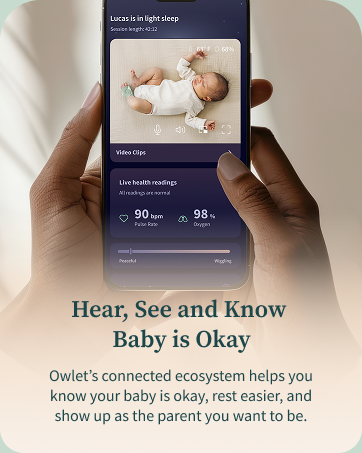
Figure 4.4: Motion and sound notifications from the Owlet Dream App.
5. Huolto
- Cleaning the Fabric Socks: Hand wash the fabric socks regularly to maintain hygiene and prevent odors. Allow them to air dry completely before reuse.
- Anturin puhdistaminen: Gently wipe the Dream Sock sensor with a dry, soft cloth. Avoid using harsh chemicals or abrasive materials.
- Cleaning the Cam: Wipe the camera lens and body with a soft, dry cloth. Do not use liquid cleaners directly on the camera.
- Lataus: Ensure the Dream Sock sensor is placed on the Base Station for charging when not in use. The Base Station should remain plugged in.
6. Vianmääritys
- Yhteysongelmat: Ensure your Wi-Fi network is 2.4 GHz. If experiencing frequent disconnections, check your router's signal strength in the nursery. Restarting the camera, Base Station, and your Wi-Fi router may resolve some issues.
- Sovelluksen häiriöt: If the app is not displaying real-time data or video correctly, try closing and reopening the app. Ensure your app is updated to the latest version.
- Sukkien sijoitushälytykset: If you receive alerts about incorrect sock placement or poor connection, re-adjust the sock on your baby's foot, ensuring it is snug but not too tight, and the sensor is correctly positioned.
- Maantieteelliset rajoitukset: This U.S. version of the Dream Duo is designed for use within the United States. Functionality may be limited or unavailable outside of the U.S.
7. Tekniset tiedot
| Merkki | Owlet |
| Mallin nimi | Owlet-unelmaduo |
| Mallinumero | PS0DN67SBK |
| UPC | 850038861261 |
| Materiaali | Plastic, Spandex |
| Väri | Gen 1 Blue |
| Yhteensopivat laitteet | 2.4 Ghz Wifi, Android OS 7+, iOS OS 14+ |
| Tuotteen mitat | 2.4 cm P x 2.4 cm L x 4.4 cm K |
| Tuotteen paino | 2.1 puntaa |
| Battery Life (Sock) | 7 days (sensor charge) |
| Anturin tyyppi | Auditory, Optical |
| Akun kuvaus | Litium-ioni |
8. Takuu ja tuki
8.1 Takuutiedot
The Owlet Dream Duo Gen 1 comes with a 1 vuoden rajoitettu takuu ostopäivästä lukien. Tämä takuu kattaa valmistusvirheet ja normaalissa käytössä esiintyvät toimintahäiriöt. Säilytä ostokuitti takuuvaatimuksia varten.
8.2 Asiakastuki
For technical assistance, troubleshooting, or warranty inquiries, please visit the official Owlet website or contact their customer support team. Detailed contact information can typically be found in the product packaging or on the Owlet websivusto.