
ASWEE P6
ASWEE Smart Watch User Manual
Model: P6 | Brand: ASWEE
1. Johdanto
Thank you for choosing the ASWEE Smart Watch. This device is designed to enhance your daily life by providing convenient access to communications, health monitoring, and fitness tracking. Featuring a 1.83-inch HD touchscreen, Bluetooth calling capabilities, and a wide array of sports modes, your ASWEE Smart Watch is a versatile companion for both men and women. This manual will guide you through the setup, operation, and maintenance of your new smartwatch.

Figure 1: ASWEE Smart Watch Overview
The ASWEE Smart Watch is equipped with advanced sensors for 24/7 heart rate and sleep monitoring, a step counter, and support for over 123 sports activities. Its IP67 waterproof rating ensures durability for various environments, including workouts and outdoor adventures. Enjoy seamless connectivity with your Android or iOS smartphone for notifications, music control, and weather updates.
2. Mitä laatikossa on
Tarkista pakkauksen sisältö varmistaaksesi, että kaikki osat ovat mukana:
- ASWEE Smart Watch (P6)
- Latauskaapeli
- Käyttöopas
- Katso Band
3. Asennus
3.1 Ensimmäinen lataus
Before first use, fully charge your ASWEE Smart Watch. Connect the magnetic charging cable to the charging points on the back of the watch and plug the USB end into a standard USB power adapter (not included). A full charge typically takes approximately 2 hours.
3.2 Sovelluksen asennus ja pariliitos
To unlock the full functionality of your smartwatch, download and install the 'Keep Health' app on your smartphone.
- Scan the QR code provided in the quick start guide or search for 'Keep Health' in your phone's app store (App Store for iOS, Google Play Store for Android).
- Install the 'Keep Health' app.
- Avaa sovellus ja luo tili tai kirjaudu sisään.
- Varmista, että Bluetooth on käytössä älypuhelimellasi.
- In the 'Keep Health' app, navigate to the 'Device' section and select 'Add Device'.
- The app will search for nearby devices. Select 'ASWEE P6' from the list of found devices.
- Suorita pariliitosprosessi loppuun noudattamalla näytön ohjeita. Sinun on ehkä vahvistettava pariliitospyyntö sekä puhelimellasi että kellollasi.

Figure 2: Keep Health App Interface
4. Käyttö
4.1 Perusnavigointi
The ASWEE Smart Watch features a full touch screen for easy navigation:
- Pyyhkäise ylös/alas: Selaa valikoita ja ilmoituksia.
- Pyyhkäise vasemmalle/oikealle: Access quick functions or different data screens (e.g., heart rate, steps, weather).
- Napauta: Valitse kohde tai vahvista toiminto.
- Paina ja pidä painettuna: On the watch face, press and hold to change watch faces.
4.2 Bluetooth-puhelut
Once paired with your smartphone, you can make and answer calls directly from your watch:
- Puheluihin vastaaminen: When a call comes in, the watch will vibrate and display the caller ID. Tap the green phone icon to answer.
- Soittaminen: Access the 'Call' function on your watch to dial numbers or select contacts from your synced phonebook.
4.3 Älykkäät ilmoitukset
Receive real-time alerts for calls, messages, and app notifications directly on your wrist. Ensure notification permissions are enabled in the 'Keep Health' app and your phone settings.
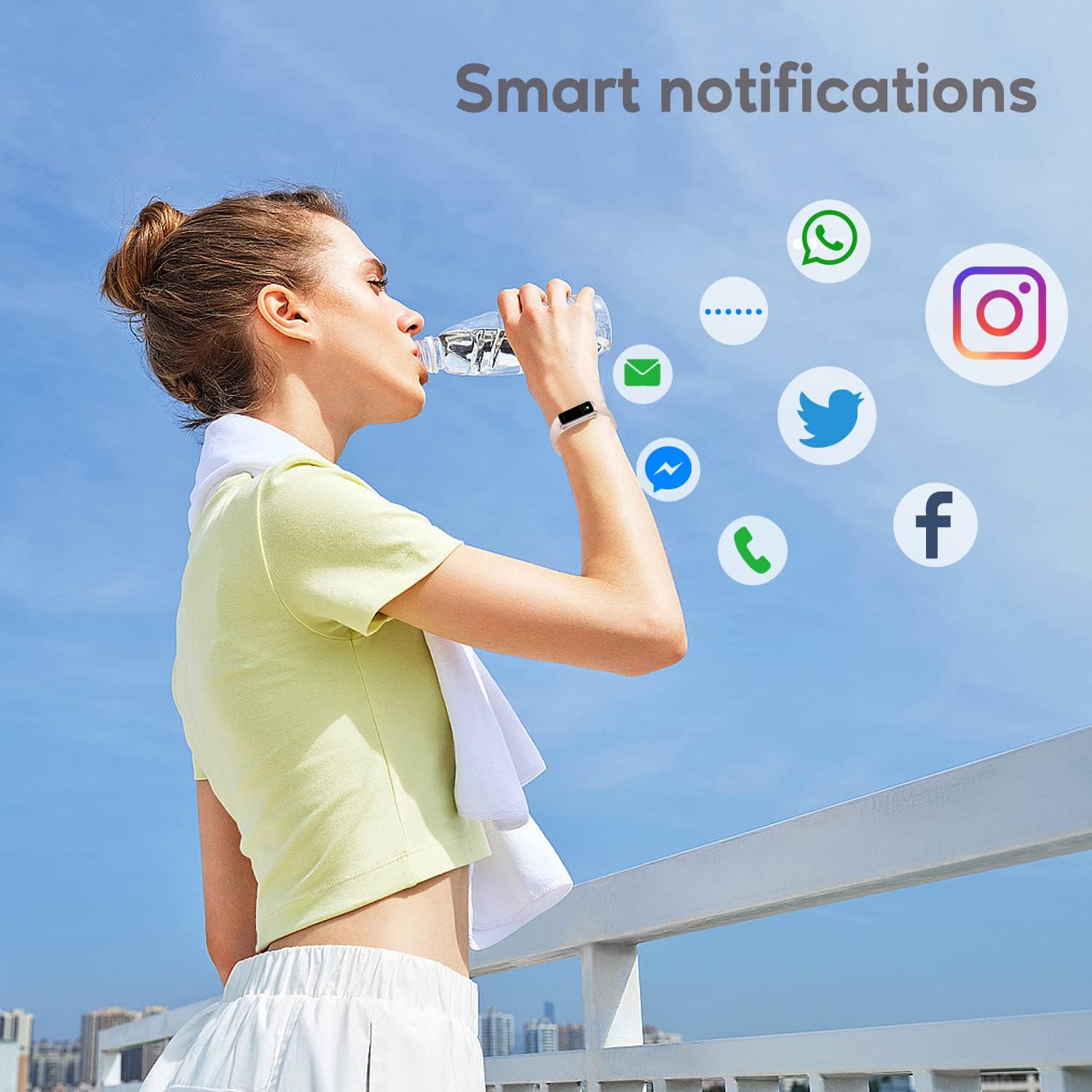
Kuva 3: Älykkäät ilmoitukset
4.4 urheilutilaa
The watch supports over 123 sports modes to track your workouts. Select your desired activity from the 'Sports' menu to record data such as heart rate, calories burned, and distance.

Kuva 4: Keskeiset ominaisuudetview
4.5 Terveyden seuranta
Your ASWEE Smart Watch continuously monitors key health metrics:
- Syke: Tarjoaa sykkeen seurannan 24/7. View reaaliaikaista dataa kellossa tai yksityiskohtaisia trendejä sovelluksessa.
- Unenvalvonta: Tracks your sleep patterns, including deep, light, and REM sleep stages. Review your sleep quality score and duration in the 'Keep Health' app.
- Askellaskuri: Automatically tracks your daily steps, distance, and calories burned.
- Naisten kiertoseuranta: For women, the watch can help track menstrual cycles and log symptoms through the app.

Figure 5: Heart Rate Monitor in Use

Kuva 6: Unen seurantatoiminto
4.6 Mukautetut kellotaulut
Personalize your watch by choosing from a variety of pre-installed watch faces or uploading your own photos and designs via the 'Keep Health' app.

Kuva 7: Mukautettavat kellotaulut
4.7 Kameran hallinta
Use your smartwatch as a remote shutter for your phone's camera. Open the camera function in the 'Keep Health' app and tap the camera icon on your watch to take a photo.

Figure 8: Camera Remote Control
5. Huolto
5.1 Vedenkestävyys
The ASWEE Smart Watch is IP67 waterproof, meaning it is resistant to splashes, rain, and brief immersion in water. It is suitable for daily use, hand washing, and light rain. However, it is not recommended for hot showers, saunas, or diving, as steam and hot water can damage the seals.

Kuva 9: Vedenkestävyys
5.2 Puhdistus ja hoito
Kellon ulkonäön ja toimivuuden ylläpitämiseksi:
- Pyyhi kello ja ranneke säännöllisesti pehmeällä, kuivalla liinalla.
- Käytä tarvittaessa hieman damp puhdistukseen tarkoitetulla liinalla ja kuivaa sitten huolellisesti.
- Vältä voimakkaiden kemikaalien, hankaavien puhdistusaineiden tai liuottimien käyttöä.
- Pidä latauskoskettimet puhtaina ja kuivina varmistaaksesi oikean latauksen.
6. Vianmääritys
6.1 Watch Won't Connect or Keeps Disconnecting
Jos sinulla on yhteysongelmia:
- Varmista, että puhelimesi Bluetooth on käytössä.
- Verify the watch and phone are within the maximum Bluetooth range (8-10 meters). Obstacles can affect connection.
- If issues persist, delete the watch's Bluetooth serial number from the 'Keep Health' app, then uninstall and reinstall the app. Repeat the pairing process.
6.2 Watch Not Receiving Message Notifications
If notifications are not appearing on your watch:
- Confirm your phone is successfully connected to the watch in the 'Keep Health' app.
- Check your phone's settings: Go to phone settings > find the 'Keep Health' app > turn on 'Notifications' permission.
- Within the 'Keep Health' app, ensure the 'notification' function is enabled for the specific apps you wish to receive alerts from.
- If the problem continues, delete the watch's Bluetooth serial number from the 'Keep Health' app, then uninstall and reinstall the app.
7. Tekniset tiedot
| Ominaisuus | Yksityiskohta |
|---|---|
| Merkki | ASWEE |
| Mallinumero | P6 |
| Näytön koko | 1.83 Inches (HD Touch Screen) |
| Käyttöjärjestelmä | Wear OS 3.0 |
| Yhteystekniikka | Bluetooth |
| Akun kapasiteetti | 240 miljoonaaamp Hours (up to 7 days heavy use, 25 days standby) |
| Vedenkestävyys | IP67 |
| Erikoisominaisuudet | Touchscreen, Lightweight, Activity Tracker, Daily Workout Memory, Phone Call |
| Tuotteen mitat | 1.2 x 1.5 x 25 cm; 80 g |
8. Takuu ja tuki
ASWEE products are manufactured to high quality standards. For any issues or inquiries regarding your ASWEE Smart Watch, please refer to the warranty information provided at the time of purchase or contact ASWEE customer support through the official website or your retailer. Please have your model number (P6) and purchase details ready when contacting support.
Ask a question about this manual
Ask about setup, troubleshooting, compatibility, parts, safety, or missing instructions. Manuals+ will review the question and use this page’s manual context to help answer it.