
Star Micronics BSH-HR2081BT BLK
Star Micronics BSH-HR2081BT Langaton Bluetooth 1D/2D -viivakoodinlukija Käyttöohje
Model: BSH-HR2081BT BLK
1. Johdanto
This manual provides comprehensive instructions for the setup, operation, maintenance, and troubleshooting of your Star Micronics BSH-HR2081BT Wireless Bluetooth 1D/2D Barcode Scanner. Designed for efficiency and durability, this scanner is a reliable solution for various point-of-sale and inventory management applications.
The BSH-HR2081BT scanner is equipped with a high-power CPU, enabling it to effortlessly capture high-density, high-volume, and even distorted barcodes from both printed materials and digital screens. Its robust design, coupled with advanced wireless capabilities, ensures seamless integration into your workflow.
2. Tärkeimmät ominaisuudet
- Tehokas skannaus: Powerful CPU captures high-density, high-volume, and distorted 1D/2D barcodes on paper or screen.
- Pidentynyt akun käyttöikä: Offers up to 12 hours of continuous operation (one scan every six seconds) with its 2200mAh battery.
- Monipuoliset liitännät: Connects directly to the host device via Bluetooth Low Energy (BLE) or wirelessly to a Star printer using the included USB dongle.
- Reliable Wireless Range: Maintains a stable wireless connection to transmit data, with communication distances up to 50 meters (approximately 164 feet).
- Kestävä rakenne: Features an IP42-rated design and a drop-resistant housing, capable of withstanding drops from up to 1.2 meters (approximately 4 feet).
3. Asennusopas
3.1. Pakkauksen purkaminen ja alkutarkastus
Poista kaikki osat varovasti pakkauksesta. Varmista, että seuraavat osat ovat mukana:
- Star Micronics BSH-HR2081BT Barcode Scanner
- USB-latauskaapeli
- USB Dongle (for wireless connection to Star printers)
- Skannerin teline

Figure 3.1: Barcode scanner and its USB dongle.
3.2. Skannerin lataaminen
Before first use, fully charge the scanner. Connect the USB charging cable to the scanner's charging port (located at the bottom of the handle) and plug the other end into a USB power adapter (not included) or a computer's USB port. The charging indicator light will show the charging status.

Figure 3.2: USB charging port at the base of the scanner handle.
3.3. Skannerin kytkeminen
The BSH-HR2081BT scanner offers two primary connection methods:
3.3.1. Bluetooth Connection (Direct to Host Device)
- Varmista, että skanneri on päällä.
- On your host device (smartphone, tablet, or computer), enable Bluetooth.
- Etsi available Bluetooth devices. The scanner should appear as "Star Micronics BSH-HR2081BT" or similar.
- Select the scanner to pair. Follow any on-screen prompts to complete the pairing process.
3.3.2. Wireless Connection (via USB Dongle to Star Printer)
- Insert the provided USB dongle into an available USB port on your compatible Star printer (e.g., mC-Print, mPOP).
- Power on the scanner. The scanner and dongle should automatically establish a connection.
- Refer to your Star printer's manual for specific instructions on connecting external devices.

Figure 3.3: Barcode scanner placed in its included stand.
4. Käyttöohjeet
4.1. Skannauksen perustoiminnot
To scan a barcode, point the scanner's window at the barcode and press the trigger button. A successful scan will typically be indicated by an audible beep and/or a visual confirmation light.
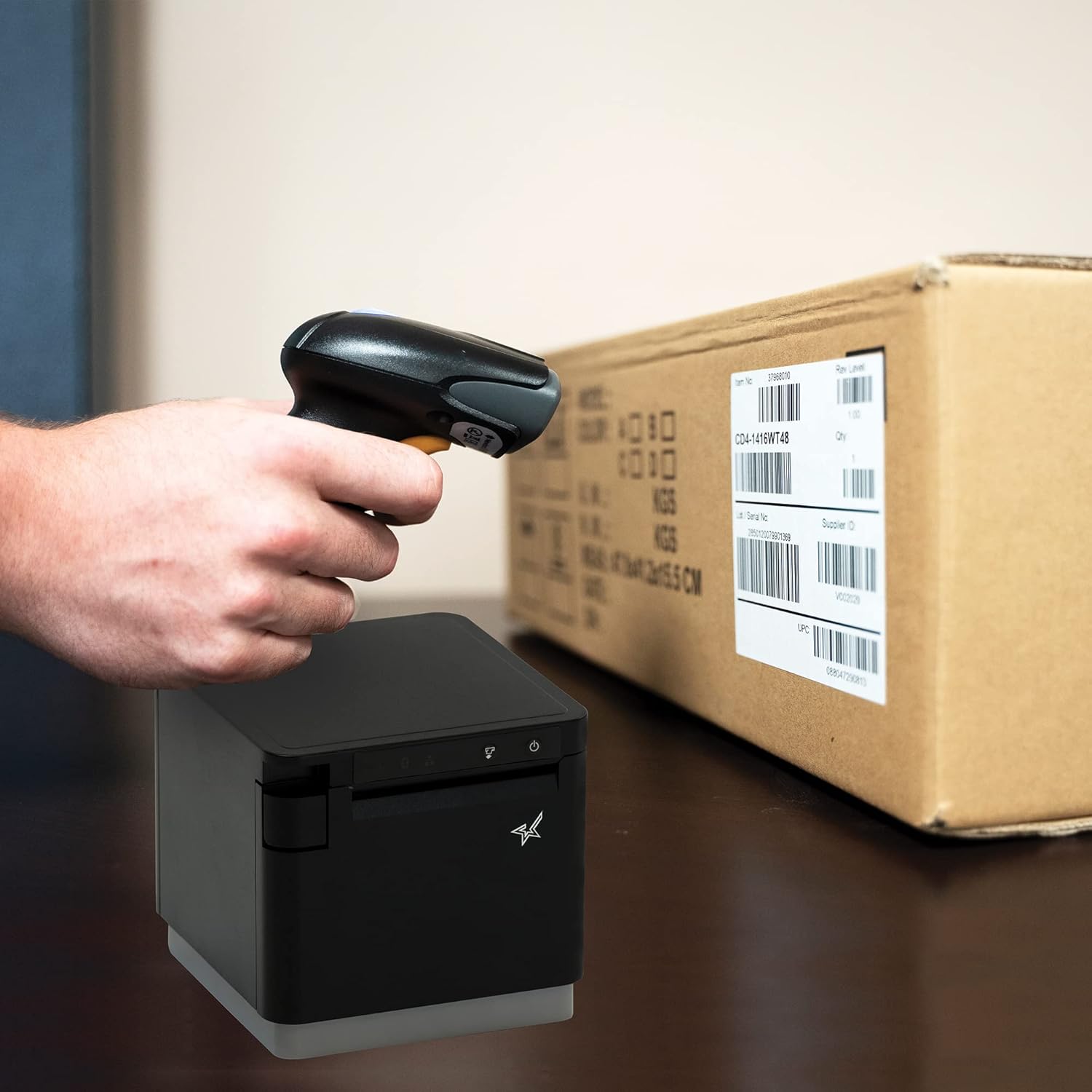
Kuva 4.1: Esimample of scanning a barcode on a package.
4.2. Skannaustilat
The BSH-HR2081BT scanner supports six different scanning modes to accommodate various operational needs:
- Tasotila: The scanner's trigger will activate the decode session.
- Laukaisutila: A trigger pull activates a decode session.
- Sense Mode: The scanner activates a decode session every time it detects a barcode.
- Jatkuva tila: The scanner automatically starts one decode session after another.
- Pulssitila: When the trigger is pulled and released, scanning is activated until a barcode is decoded or the decode session timeout expires.
- Erätila: When the trigger is pulled and released, scanning is activated until the trigger is released.
Refer to the full user guide (link in Section 7) for detailed instructions on how to switch between these modes and configure specific settings.
5. Huolto
5.1. Skannerin puhdistaminen
To maintain optimal performance, keep the scanner's window clean. Use a soft, lint-free cloth lightly dampened with water or a mild, non-abrasive cleaner. Do not use harsh chemicals or abrasive materials, as they may damage the scanner's surface or optical components.
5.2. Akun hoito
The scanner is equipped with a Lithium Ion battery. To prolong battery life:
- Vältä akun usein toistuvaa täydellistä tyhjentymistä.
- Säilytä skanneria viileässä ja kuivassa paikassa, kun sitä ei käytetä pitkään aikaan.
- Charge the battery regularly, even if the scanner is not in frequent use.
6. Vianmääritys
6.1. Scanner Not Connecting
- Tarkista teho: Ensure the scanner is fully charged and powered on.
- Bluetooth-pariliitos: For Bluetooth connections, ensure Bluetooth is enabled on your host device and the scanner is in pairing mode. Try unpairing and re-pairing the device.
- USB Dongle: If using the USB dongle, ensure it is securely plugged into the Star printer and the printer is powered on.
- Alue: Ensure the scanner is within the effective communication range (up to 50m) of the host device or dongle.
6.2. Scanner Not Reading Barcodes
- Barcode Condition: Ensure the barcode is clear, not smudged, torn, or excessively reflective.
- Etäisyys ja kulma: Adjust the distance and angle of the scanner to the barcode. Try different scanning modes if applicable.
- Valaistus: Ensure adequate lighting. Avoid direct glare on the barcode.
- Skannerin ikkuna: Clean the scanner's reading window as described in the Maintenance section.
6.3. Lyhyt akunkesto
- Täysi lataus: Ensure the scanner is charged until the indicator shows a full charge.
- Usage Pattern: Continuous heavy usage will deplete the battery faster.
- Akun ikä: Over time, rechargeable batteries naturally lose capacity.
7. Tekniset tiedot
| Erittely | Yksityiskohta |
|---|---|
| Tuotteen mitat | 5.7 x 4 x 2.7 tuumaa |
| Tuotteen paino | 1.06 kiloa |
| Mallinumero | BSH-HR2081BT BLK |
| Paristot | 1 litiumioniakku vaaditaan (mukana) |
| Valmistaja | Star Micronics |
| Yhteensopivat laitteet | Älypuhelin, tabletti |
| Virtalähde | Paristokäyttöinen |
| Yhteystekniikka | Bluetooth, USB-kaapeli |
| IP-luokitus | IP42 |
| Pudotusvastus | Jopa 1.2 metriä |
8. Takuu ja tuki
For warranty information and technical support, please contact Star Micronics directly or visit their official websivusto. Säilytä ostokuitti ostotodistuksena takuuvaatimuksia varten.
Yksityiskohtainen käyttöopas PDF-muodossa on ladattavissa:
Ask a question about this manual
Ask about setup, troubleshooting, compatibility, parts, safety, or missing instructions. Manuals+ will review the question and use this page’s manual context to help answer it.