
Dzees D3K
Dzees Solar Security Camera D3K User Manual
Malli: D3K
Brand: Dzees
Thank you for choosing the Dzees Solar Security Camera. This manual provides essential information for setting up, operating, and maintaining your device. Please read it thoroughly before use to ensure optimal performance and safety.
1. Johdanto
The Dzees D3K Solar Security Camera is an advanced wireless outdoor surveillance solution designed for comprehensive home security. It features 2K resolution for clear imaging, 360° pan and 90° tilt capabilities for wide coverage, and is powered by an efficient solar panel for continuous operation. Equipped with intelligent AI detection, color night vision, and an IP66 weather-resistant design, the D3K provides reliable monitoring in various environmental conditions.
Tärkeimmät ominaisuudet:
- 2K PTZ Camera: Supports 355° horizontal and 90° vertical rotation with 4X digital zoom for comprehensive coverage.
- Aurinkoenergialla toimiva: High-efficiency solar panel ensures continuous power supply, reducing the need for manual charging.
- Älykäs AI-tunnistus: Accurately distinguishes between individuals, packages, vehicles, and animals, minimizing false alarms.
- Hälytystoiminnot: Features a loud siren, spotlight, and sound alerts to deter intruders.
- Värillinen yönäkö: Tarjoaa selkeän ja täysvärisen videokuvan myös hämärässä.
- IP66 Säänkestävä: Designed to withstand various weather conditions, ensuring year-round protection.
- Joustava säilytystila: Supports up to 128GB memory card (not included) and offers 2 years of free 3-day loop cloud storage.
2. Pakkauksen sisältö
Tarkista pakkauksen sisältö purkamisen yhteydessä varmistaaksesi, että kaikki osat ovat mukana:
- Dzees Solar Security Camera
- Aurinkopaneeli
- Asennusteline
- Kiinnitysruuvit ja ankkurit
- USB-latauskaapeli
- Käyttöopas (tämä asiakirja)
3. Tuote ohiview
Familiarize yourself with the main components of your Dzees Solar Security Camera:

Figure 3.1: Dzees Solar Security Camera D3K and accompanying solar panel.
- Kameran linssi: Tallentaa 2K-resoluution videota.
- Kohdevalot: Tarjoa valaistusta värillistä yönäköä ja pelotetta varten.
- PIR-anturi: Havaitsee liikkeen infrapunalämpösignaalien perusteella.
- Mikrofoni: Tallentaa ääntä kaksisuuntaista viestintää varten.
- Kaiutin: Lähettää ääntä kaksisuuntaista viestintää ja sireeniä varten.
- Aurinkopaneelin portti: Connects the solar panel for continuous charging.
- Reset-painike: Käytetään kameran tehdasasetusten palauttamiseen.
- Micro SD -korttipaikka: Paikalliseen videoiden tallennukseen (tukee jopa 128 Gt:a, kortti ei sisälly toimitukseen).
- antennit: Vakaan Wi-Fi-yhteyden takaamiseksi.
4. Asennusopas
4.1 Ensimmäinen lataus
Before initial use, fully charge the camera using the provided USB cable. Connect the USB cable to the camera's charging port and a standard 5V/2A USB power adapter (not included). A full charge typically takes several hours.
4.2 Sovelluksen asennus
Download and install the "Dzees Home" app on your smartphone or tablet. The app is available on both the Apple App Store and Google Play Store.

Figure 4.1: The Dzees Home app interface, displaying multiple camera feeds and control options.
- Etsi "Dzees Home" in your device's app store.
- Lataa ja asenna sovellus.
- Rekisteröi uusi tili tai kirjaudu sisään, jos sinulla on jo tili.
4.3 Kameran pariliitos
Follow these steps to connect your camera to your Wi-Fi network and the Dzees Home app:
- Open the Dzees Home app and tap the "+" icon to add a new device.
- Valitse kameramallisi listasta.
- Power on the camera. The camera will emit a voice prompt indicating it's ready for pairing.
- Yhdistä kamera 2.4 GHz:n Wi-Fi-verkkoon noudattamalla sovelluksen ohjeita. Note: This camera only supports 2.4GHz Wi-Fi.
- Skannaa puhelimesi näytöllä näkyvä QR-koodi kameran linssillä.
- Kun kamera on yhdistetty, se vahvistaa pariliitoksen onnistuneen.

Figure 4.2: Illustration of the solar-powered, wire-free setup, emphasizing 2.4GHz WiFi connectivity and solar charging efficiency.
4.4 Kameran asennus
Choose a suitable location for mounting your camera, ensuring it has a clear view of the area you wish to monitor and that the solar panel receives adequate direct sunlight throughout the day.
- Merkitse porauskohdat käyttämällä kiinnitystelinettä mallina.
- Poraa reiät ja aseta seinäankkurit, jos asennat tiiliseinään tai kipsilevyyn.
- Kiinnitä kiinnitysteline seinään mukana toimitetuilla ruuveilla.
- Kiinnitä kamera telineeseen.
- Connect the solar panel cable to the camera's solar panel port. Position the solar panel to maximize sun exposure.
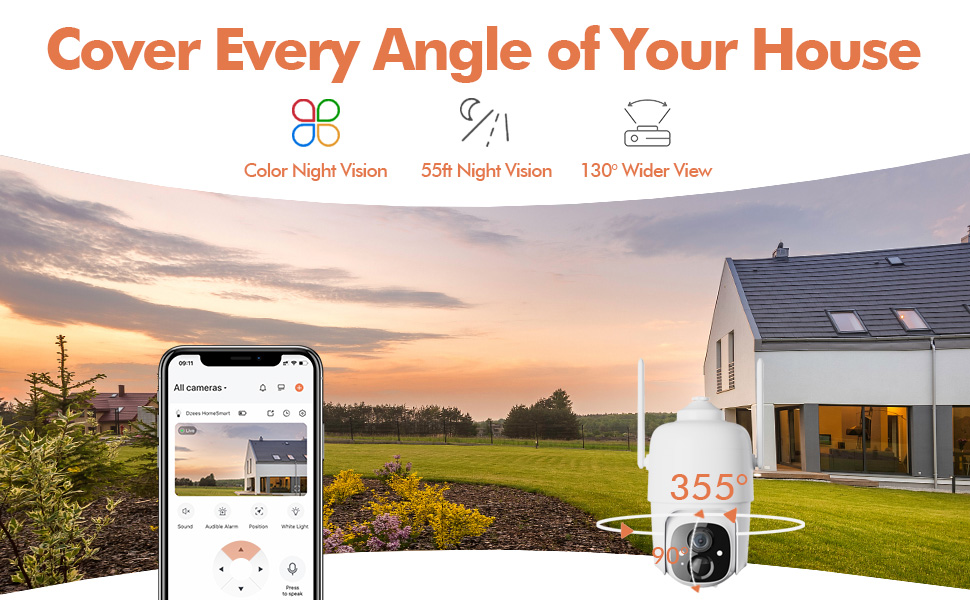
Figure 4.3: The Dzees camera mounted outdoors, showcasing its IP66 weather-resistant design, capable of operating in various weather conditions.

Figure 4.4: The camera's advanced PIR motion detection in action, highlighting its ability to detect movement within a specified zone.
5. Kameran käyttö
5.1 Livenä View ja Toisto
Access the live video feed and review recorded events through the Dzees Home app.
- From the app's home screen, tap on the camera's thumbnail to enter the live view käyttöliittymä.
- Use the timeline or event list to navigate and play back recorded footage.

Figure 5.1: The Dzees Home app displaying live camera feed with controls for pan, tilt, digital zoom, and night vision settings.
5.2 Panorointi, kallistus ja zoomaus (PTZ)
Ohjaa kameraa viewing angle directly from the app:
- Livenä view, use the directional controls to pan (355° horizontal) and tilt (90° vertical) the camera.
- Pinch to zoom in or out for 4X digital zoom. Note: This is digital zoom, not optical zoom.
- Set up to 5 preset points for quick navigation to frequently monitored areas.

Figure 5.2: Illustration of setting up and utilizing up to 5 preset positions for rapid camera view säätö.
5.3 Liiketunnistus ja hälytykset
Customize your detection settings to receive relevant alerts:
- Siirry sovelluksessa kameran asetuksiin.
- Enable AI detection to differentiate between people, packages, vehicles, and animals.
- Define custom activity zones to focus detection on specific areas and ignore others.
- Adjust detection sensitivity to reduce unwanted notifications.
- Saat välittömiä push-ilmoituksia puhelimeesi, kun liikettä havaitaan.
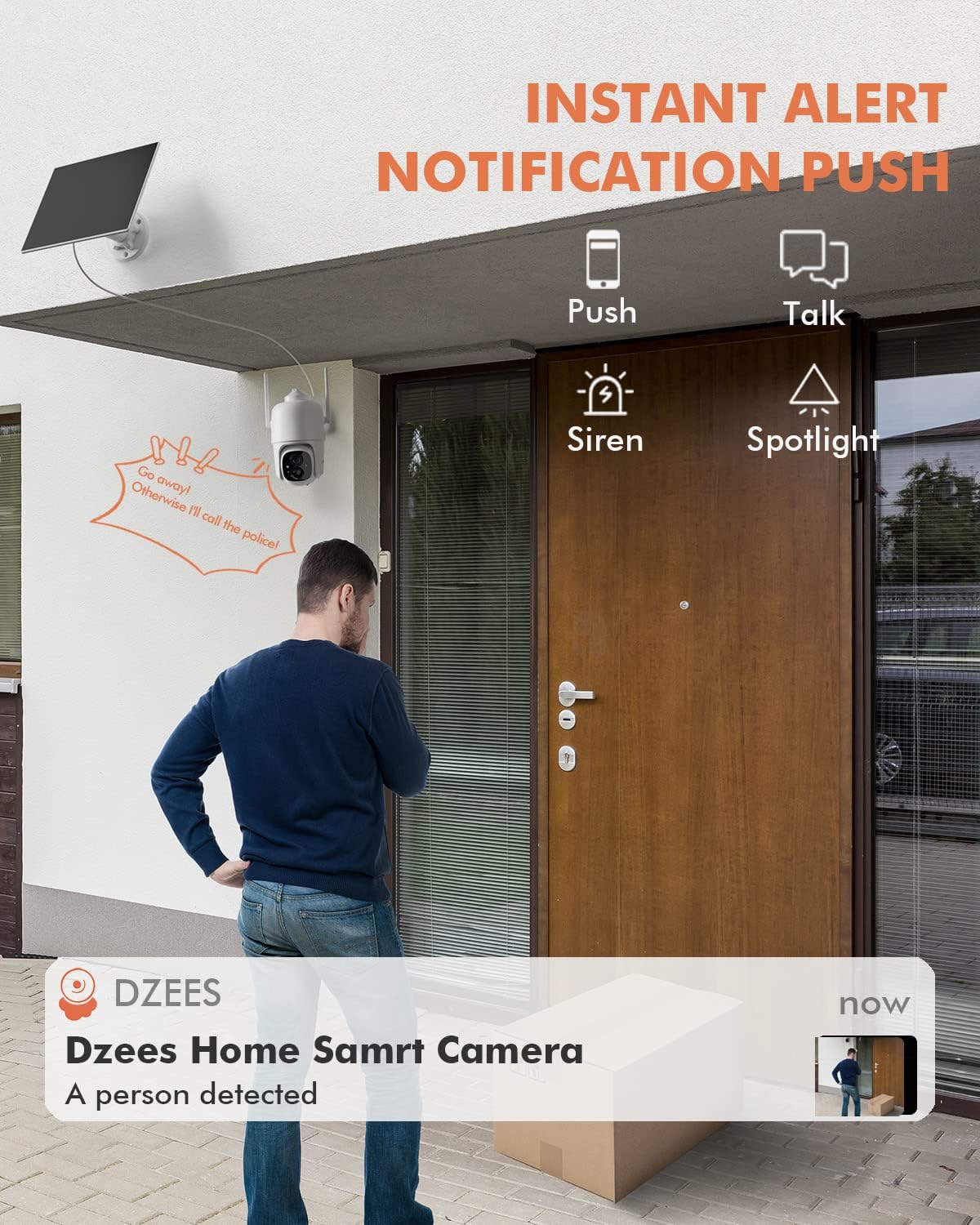
Kuva 5.3: Esimample of an instant push notification received on a smartphone when the camera detects a person.
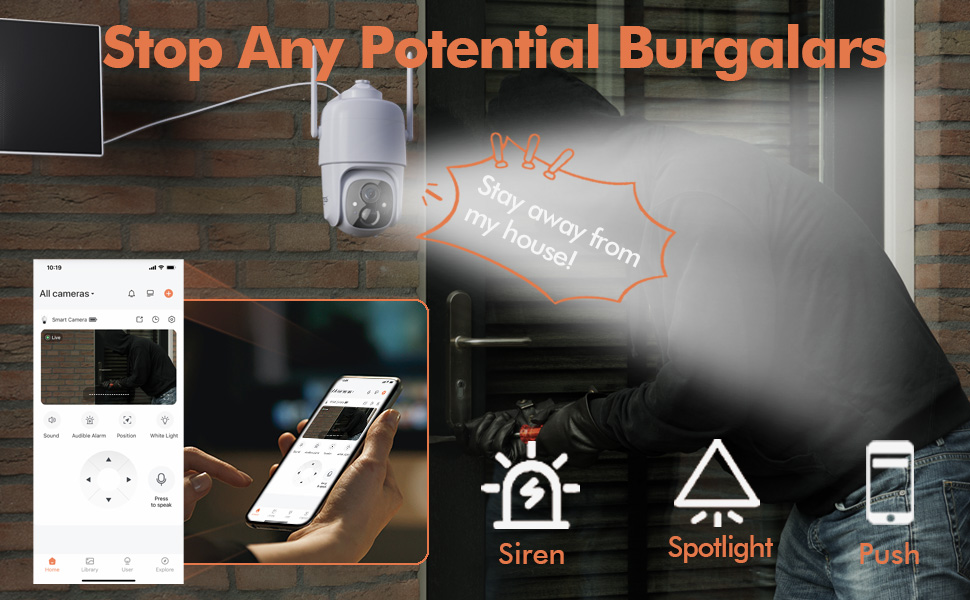
Figure 5.4: Detailed motion detection settings within the Dzees app, allowing for customization of detection zones and sensitivity.
5.4 Kaksisuuntainen ääni
Communicate with visitors or deter intruders using the camera's built-in microphone and speaker:
- Livenä view, napauta mikrofonikuvaketta puhuaksesi kameran kautta.
- Napauta kaiutinkuvaketta kuunnellaksesi ääntä kameran sijainnista.
5.5 Kohdevalo ja sireeni
Enhance security with active deterrence features:
- Manually activate the spotlight or siren from the live view interface in the app.
- Configure automatic activation of the spotlight or siren upon motion detection in the camera settings.
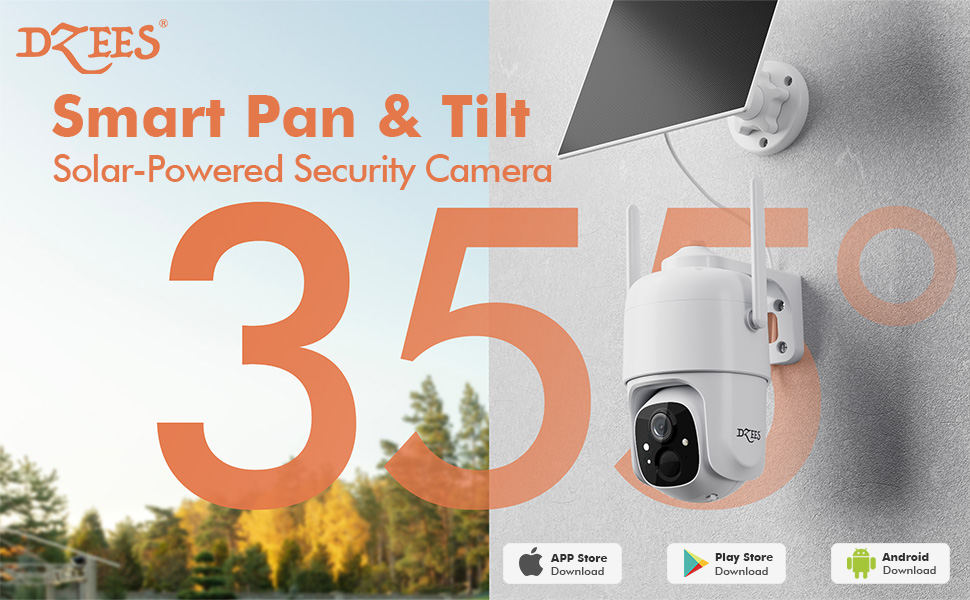
Figure 5.5: The camera's active deterrence features, including siren, spotlight, and instant push notifications, designed to deter potential intruders.
5.6 Tallennusvaihtoehdot
Your Dzees camera offers flexible storage solutions for your recordings:
- Paikallinen tallennustila: Insert a Micro SD card (up to 128GB, not included) into the camera's SD card slot for continuous or event-based recording.
- Pilvitallennus: Enjoy 2 years of free 3-day loop cloud storage. A 30-day trial of the Plus Plan is available for new users, offering upgraded cloud storage and advanced AI features.

Figure 5.6: The camera's support for both local Micro SD card storage (up to 128GB) and free 3-day cloud storage.
6. Huolto
Regular maintenance ensures the longevity and optimal performance of your Dzees Solar Security Camera:
- Cleaning the Lens and Solar Panel: Pyyhi kameran linssi ja aurinkopaneeli säännöllisesti pehmeällä,amp cloth to remove dust, dirt, or debris. This ensures clear video quality and efficient solar charging.
- Akun tilan tarkistaminen: Monitor the battery level in the Dzees Home app. Ensure the solar panel is receiving sufficient direct sunlight to maintain charge.
- Laiteohjelmistopäivitykset: The Dzees Home app will notify you of available firmware updates. It is recommended to update the camera's firmware to ensure you have the latest features and security enhancements. Follow the in-app instructions for updating.
7. Vianmääritys
If you encounter issues with your Dzees Solar Security Camera, refer to the following common problems and solutions:
7.1 Kamera ei muodosta yhteyttä Wi-Fi-verkkoon
- Varmista, että Wi-Fi-verkkosi on 2.4 GHz:n taajuudella. Kamera ei tue 5 GHz:n Wi-Fi-verkkoa.
- Check the Wi-Fi signal strength at the camera's location. Move the camera closer to the router if the signal is weak.
- Varmista, että olet syöttänyt oikean Wi-Fi-salasanan.
- Try resetting the camera by pressing and holding the reset button for 5 seconds until you hear a prompt. Then, attempt pairing again.
7.2 Akku ei lataudu tai tyhjenee nopeasti
- Ensure the solar panel is connected securely to the camera.
- Verify that the solar panel is positioned to receive direct sunlight for several hours daily, without any obstructions (e.g., trees, eaves).
- Clean the surface of the solar panel regularly to remove dirt or dust that may hinder charging efficiency.
- In prolonged cloudy or rainy weather, the battery may drain. Consider temporarily charging the camera via USB if needed.
7.3 Liiallinen määrä vääriä hälytyksiä
- Adjust the motion detection sensitivity in the Dzees Home app to a lower setting.
- Utilize the activity zone feature to exclude areas with frequent irrelevant motion (e.g., busy streets, swaying trees).
- Enable AI detection to filter out non-human movements.
7.4 Huono kuvanlaatu
- Puhdista kameran linssi pehmeällä, nukkaamattomalla liinalla.
- Ensure a strong Wi-Fi connection for optimal streaming quality.
- Check for any physical obstructions in front of the lens.
7.5 No Night Vision
- Verify that night vision mode is enabled in the Dzees Home app settings.
- Ensure the camera's spotlights are not obstructed.
If the issue persists after trying these solutions, please contact Dzees customer support for further assistance.
8. Tekniset tiedot
| Ominaisuus | Erittely |
|---|---|
| Mallinumero | D3K |
| Videon resoluutio | 2K / 3MP |
| Pan kulma | 355° |
| Kallistuskulma | 90° |
| Digitaalinen zoom | 4X |
| Yönäköalue | Up to 55 feet (Color Night Vision supported) |
| Säänkestävyys | IP66 |
| Virtalähde | Solar Powered (with built-in rechargeable battery) |
| Yhteydet | 2.4 GHz:n Wi-Fi, Bluetooth |
| Paikallinen tallennustila | Micro SD -kortti (jopa 128 Gt, ei sisälly toimitukseen) |
| Pilvitallennus | Free 3-day loop storage (2 years included) |
| Mitat (P x L x K) | 5.8 x 7 x 8 tuumaa |
| Paino | 1.06 puntaa (480 grammaa) |
| Materiaali | Akryylinitriilibutadieenistyreeni (ABS) |
9. Takuu ja tuki
Dzees is committed to providing high-quality products and excellent customer service.
- Takuu: Your Dzees Solar Security Camera comes with 2 years of after-sales support, ensuring peace of mind.
- Tekninen tuki: An experienced technical team is available for 24/7 lifetime support. For any inquiries or assistance, please contact Dzees customer service.
- Verkkoresurssit: Visit the official Dzees Store for more product information, FAQs, and support resources: Dzees Store on Amazon.