
1. Johdanto
Kiitos ostoksestasiasing the Muse M-308 BT Bluetooth Speaker. This manual provides essential information for the safe and correct use of your device. Please read it thoroughly before use and keep it for future reference.
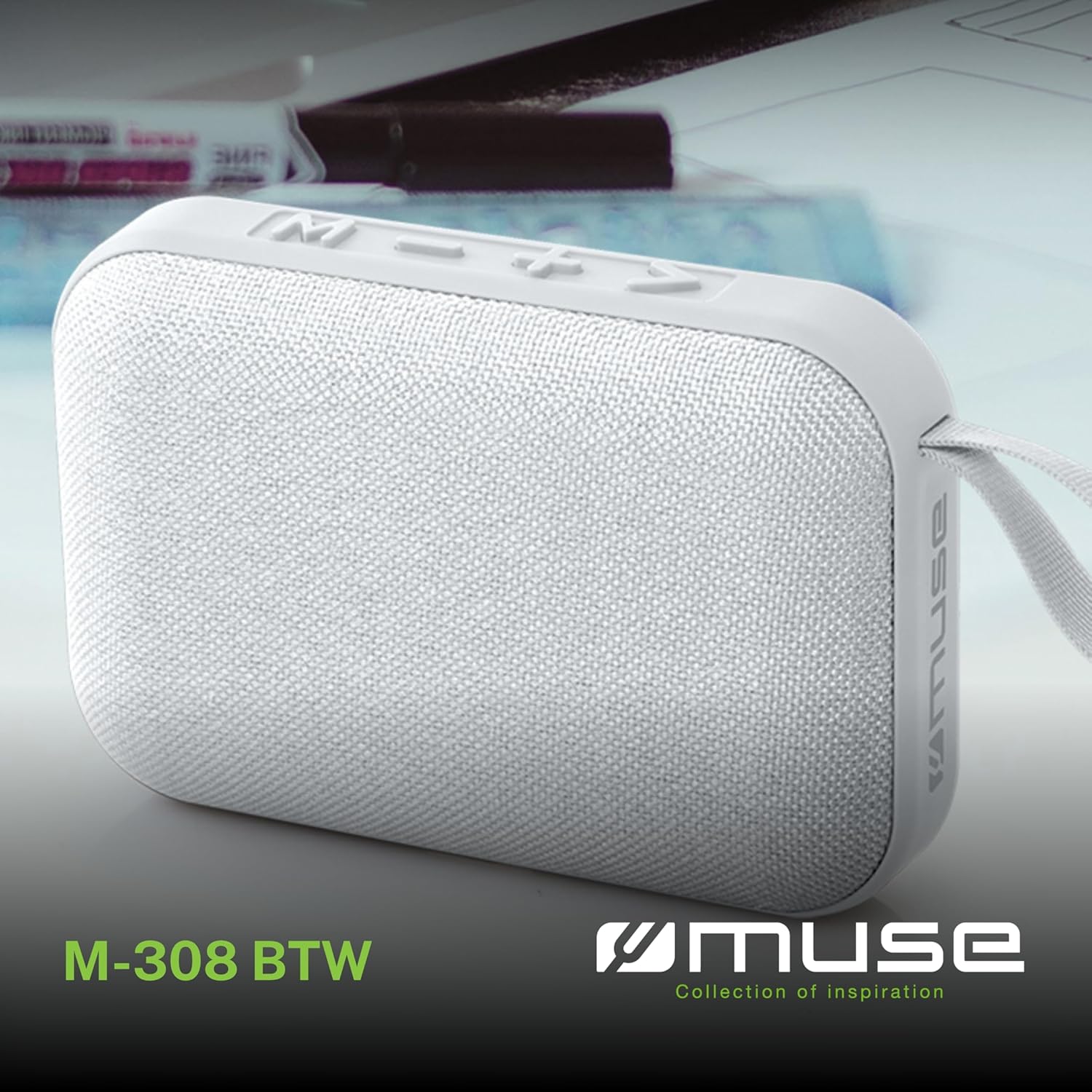
Kuva 1.1: Edessä view of the Muse M-308 BT Bluetooth Speaker.
2. Tuotteen ominaisuudet
- Bluetooth-yhteys: Suoratoista ääntä langattomasti yhteensopivista laitteista.
- Handsfree-toiminto: Integrated microphone for taking calls.
- Median toisto: Supports music playback from USB and MicroSD (TF) cards.
- Stereopariliitos: Connect two M-308 BT speakers for enhanced stereo sound.
- LED-ilmaisin: Provides visual feedback for Bluetooth pairing and charging status.
- Kompakti ja kevyt: Designed for portability, weighing approximately 200g.
- Sisäänrakennettu ladattava akku: 1200mAh capacity for up to 10 hours of playback.
- Lähtöteho: 5 Watts for clear audio.

Image 2.1: Key features of the Muse M-308 BT speaker.

Image 2.2: Additional functionalities of the Muse M-308 BT speaker.
3. Pakkauksen sisältö
Varmista, että kaikki osat ovat mukana purkaessasi pakkauksesta:
- Muse M-308 BT Bluetooth Speaker
- USB-latauskaapeli
- Käyttöopas (tämä asiakirja)
4. Ohjaimet ja liitännät
Tutustu kaiuttimen säätimiin ja liitäntäportteihin:

Image 4.1: Top panel with various connections.
- USB-portti: Musiikin toistamiseen USB-muistitikulta.
- Micro-USB-portti: Kaiuttimen lataamiseen.
- Micro SD (TF) Card Slot: Musiikin toistamiseen Micro SD -kortilta.
- On / off kytkin: Kaiuttimen virran kytkeminen päälle tai pois päältä.

Image 4.2: Side panel with control buttons.
- M-painike (tila): Paina vaihtaaksesi Bluetooth-, USB- ja Micro SD -tilojen välillä.
- - Button (Volume Down / Previous Track):
- Lyhyt painallus: Äänenvoimakkuuden vähentäminen.
- Pitkä painallus: Siirry edelliseen kappaleeseen.
- + Button (Volume Up / Next Track):
- Lyhyt painallus: Lisää äänenvoimakkuutta.
- Pitkä painallus: Siirry seuraavaan kappaleeseen.
- > Button (Play / Pause / Call):
- Lyhyt painallus: Toista tai keskeytä musiikki.
- Short press (during incoming call): Answer call.
- Long press (during incoming call): Reject call.
- Short press (during call): End call.
5. Asennus
5.1 Kaiuttimen lataaminen
- Connect the supplied USB charging cable to the Micro-USB port on the speaker.
- Liitä USB-kaapelin toinen pää USB-virtalähteeseen (ei sisälly toimitukseen) tai tietokoneen USB-porttiin.
- The LED indicator will illuminate to show charging status. It will turn off or change color when fully charged.
5.2 Virran kytkeminen päälle/pois
- Käynnistääksesi laitteen, liu'uta ON/OFF-kytkin ON-asentoon. Kuulet äänimerkin.
- Sammuta virta liu'uttamalla ON/OFF-kytkin 'OFF'-asentoon.
5.3 Bluetooth -pariliitos
- Ensure the speaker is powered on and in Bluetooth mode (indicated by a flashing LED). If not, press the 'M' button to switch to Bluetooth mode.
- Ota Bluetooth käyttöön älypuhelimellasi, tabletillasi tai muulla yhteensopivalla laitteella.
- Etsi available Bluetooth devices and select "M-308 BT" from the list.
- Kun pariliitos on muodostettu, LED-merkkivalo lakkaa vilkkumasta ja jää palamaan tasaisesti, ja kuulet vahvistusäänen.
- The speaker will automatically connect to the last paired device when powered on, if it is within range.
5.4 Stereopariliitos (TWS-toiminto)
To pair two M-308 BT speakers for true wireless stereo sound:
- Ensure both speakers are powered on and in Bluetooth pairing mode (LED flashing).
- On one of the speakers (this will be the primary speaker), double-press the 'M' button. The speaker will search for another M-308 BT speaker.
- Once connected, both speakers will emit a confirmation tone, and the LED on the primary speaker will flash slowly, while the LED on the secondary speaker will remain solid.
- Yhdistä nyt laitteesi ensisijaiseen kaiuttimeen Bluetoothin kautta osiossa 5.3 kuvatulla tavalla.
6. Käyttöohjeet
6.1 Musiikin toistaminen
- Bluetooth-tila: After successful pairing, start playing music on your connected device. The audio will stream through the speaker.
- USB/Micro SD -tila: Insert a USB flash drive or Micro SD card into the respective port. The speaker will automatically switch to the corresponding mode and begin playing music. If it doesn't, press the 'M' button to cycle through modes.
6.2 Äänenvoimakkuuden säätö
- Lisää äänenvoimakkuutta painamalla '+'-painiketta.
- Paina '-'-painiketta äänenvoimakkuuden vähentämiseksi.
6.3 Reitin navigointi
- Long press the '+' button to skip to the next track.
- Long press the '-' button to go back to the previous track.
6.4 Handsfree-puhelut
- When a call comes in, the music will pause. Press the '>' button to answer the call.
- To end a call, press the '>' button again.
- To reject an incoming call, long press the '>' button.
7. Huolto
- Pidä kaiutin poissa äärimmäisistä lämpötiloista, suorasta auringonvalosta ja kosteudesta.
- Do not expose the speaker to water or other liquids. This model is not water-resistant.
- Puhdista kaiutin pehmeällä, kuivalla liinalla. Älä käytä hankaavia puhdistusaineita tai liuottimia.
- Älä yritä purkaa tai korjata kaiutinta itse. Tämä mitätöi takuun.
- Kun akkua ei käytetä pitkään aikaan, lataa se vähintään kerran kolmessa kuukaudessa akun kunnon ylläpitämiseksi.
8. Vianmääritys
| Ongelma | Mahdollinen syy | Ratkaisu |
|---|---|---|
| Kaiutin ei käynnisty. | Akku on tyhjä. | Lataa kaiutin mukana toimitetulla USB-kaapelilla. |
| Pariliitos Bluetoothin kautta ei onnistu. | Bluetooth is not enabled on your device or speaker is not in pairing mode. Speaker is too far from the device. | Ensure Bluetooth is active on both devices. Make sure the speaker is in Bluetooth pairing mode (flashing LED). Move the speaker closer to your device (within 10 meters). |
| Ei ääntä. | Volume is too low. Speaker is not connected. Incorrect mode selected. | Increase the volume on both the speaker and your connected device. Re-pair the Bluetooth connection. Press the 'M' button to cycle through modes (Bluetooth, USB, Micro SD). |
| Music playback from Micro SD card is erratic or "screaming". | Korruptoitunut files on Micro SD card. Incompatible file muoto. | Varmista ääni files are in a compatible format (e.g., MP3). Try using a different Micro SD card or reformatting the current one and reloading files. |
| Speaker switches between modes (e.g., SD and BT) unexpectedly. | Interference or a temporary software glitch. | Power off the speaker, wait a few seconds, then power it back on. Ensure no other devices are causing interference. If the issue persists, try removing the Micro SD card if it's inserted. |
9. Tekniset tiedot
| Mallin nimi | M-308 BT |
| Merkki | Muusa |
| Yhteystekniikka | Bluetooth, langallinen |
| Langaton viestintätekniikka | Bluetooth |
| Kaiuttimen suurin lähtöteho | 5 wattia |
| Äänilähtötila | Stereot |
| Kaiuttimen tyyppi | Kannettava Bluetooth-kaiutin |
| Erikoisominaisuudet | Bluetooth |
| Yhteensopivat laitteet | Älypuhelin, tabletti |
| Virtalähde | Akku |
| Akun kesto | 10 tuntia |
| Akun kapasiteetti | 1200 miljoonaaampee-tunti |
| Tuotteen mitat (S x L x K) | 118D x 30B x 76H millimeters (11.8 x 3 x 7.6 cm) |
| Tuotteen paino | 200 grammaa |
| Materiaali | Plastic rubber material |
| Is Water Resistant | Ei |
| Mukana olevat komponentit | USB-latauskaapeli |
Image 9.1: Dimensions of the Muse M-308 BT speaker.
10. Takuu ja tuki
The Muse M-308 BT Bluetooth Speaker comes with a 2 vuoden takuu ostopäivästä alkaen.
For technical support, warranty claims, or further assistance, please contact your retailer or visit the official MUSE websivustolta yhteystiedot.