
Johdanto
Thank you for choosing the Edifier Hecate GT4 Gaming Earbuds. These true wireless earbuds are designed to provide a low-latency audio experience for gaming across multiple platforms, including PS5, PS4, Nintendo Switch, mobile phones, and PCs. Featuring Bluetooth 5.2 connectivity, an IP55 rating for dust and splash resistance, and customizable RGB lighting, the GT4 earbuds offer both performance and convenience. Please read this manual thoroughly to ensure proper use and optimal performance of your new earbuds.
Pakkauksen sisältö
Varmista, että pakkauksessasi on kaikki alla luetellut tuotteet:
- Edifier Hecate GT4 Gaming Earbuds (Left and Right)
- Latauskotelo
- USB-C latauskaapeli
- Multiple Sizes of Eartips (Small, Medium, Large)
- Käyttöopas

Image: The Edifier Hecate GT4 earbuds, charging case, USB-C cable, and extra eartips are shown, representing the package contents.
Asennus
1. Kuulokkeiden ja kotelon lataaminen
Before first use, fully charge the earbuds and charging case. Place the earbuds into the charging case. Connect the USB-C charging cable to the charging port on the case and the other end to a USB power adapter (not included) or a computer's USB port. The indicator lights on the case will show charging status.
- Latausaika: Noin 1.5 tuntia täydellä latauksella.
- Akun kesto: Up to 7 hours of playback on a single charge, with an additional 21 hours provided by the charging case.
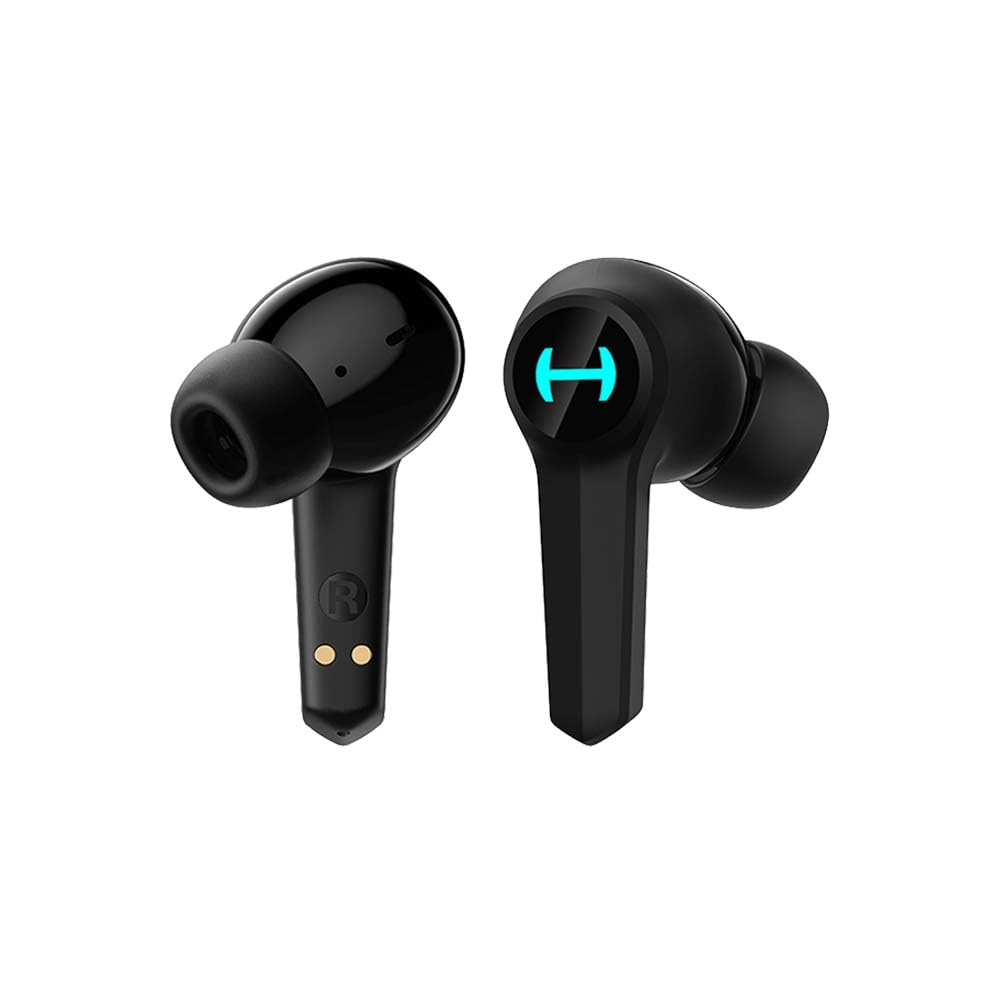
Image: The Edifier Hecate GT4 earbuds are shown inside their open charging case, with the case's RGB lights illuminated.
2. Bluetooth-pariliitos
- Varmista, että kuulokkeet on ladattu.
- Avaa latauskotelo. Kuulokkeet siirtyvät automaattisesti pariliitostilaan, minkä merkkinä vilkkuvat valot.
- On your device (phone, PC, console), enable Bluetooth and search for new devices.
- Select "EDIFIER HECATE GT4" from the list of available devices to connect.
- Once connected, the earbud lights will stop flashing or show a steady light.
The earbuds support Bluetooth 5.2 for a stable and efficient connection.
Käyttöohjeet
1. Virta päälle/pois
- Virta päälle: Avaa latauskotelo tai ota nappikuulokkeet kotelosta. Ne käynnistyvät automaattisesti.
- Virta pois: Aseta nappikuulokkeet takaisin latauskoteloon ja sulje kansi. Ne sammuvat automaattisesti.
2. Kosketa Ohjaimet
The Edifier Hecate GT4 earbuds feature touch-sensitive controls on each earbud. Refer to the diagram below for touch panel location.

Image: A finger is shown touching the outer surface of an earbud, indicating the smart touch control area.
| Toiminta | Vasen nappikuuloke (L) | Oikea kuuloke (R) |
|---|---|---|
| Toista/Tauko | Kaksoisnapauta | Kaksoisnapauta |
| Seuraava kappale | Kolminkertainen napautus | Kolminkertainen napautus |
| Vastaa / Lopeta puhelu | Kaksoisnapauta | Kaksoisnapauta |
| Hylkää puhelu | Pitkä painallus (2s) | Pitkä painallus (2s) |
| Aktivoi pelitila | Pitkä painallus (2s) | Pitkä painallus (2s) |
| Deactivate Game Mode | Pitkä painallus (2s) | Pitkä painallus (2s) |
Note: Volume control may need to be adjusted directly on your connected device.
3. Game Mode (45ms Low-Latency)
The Edifier Hecate GT4 features a dedicated Game Mode to reduce audio latency to as low as 45ms, providing a synchronized audio-visual experience crucial for gaming. To activate or deactivate Game Mode, long press either earbud for 2 seconds. You will hear an audio prompt indicating the mode change.

Image: An illustration depicting the low latency feature of the earbuds, highlighting the 45ms response time.
Video: Virallinen tuotevideo-esittelyasing the features of the EDIFIER HECATE GT4 Gaming Earbuds, including low latency and ergonomic design.
4. RGB-valaistus
The charging case and earbuds feature RGB lighting. The lighting indicates various statuses such as charging, pairing, and game mode activation. The specific patterns and colors are pre-set and provide visual feedback on the earbuds' operational status.

Image: The Edifier Hecate GT4 charging case is shown with its red RGB lighting illuminated, indicating its gaming aesthetic.
Huolto
- Puhdistus: Use a soft, dry cloth to clean the earbuds and charging case. Do not use liquid cleaners or abrasive materials.
- Vedenkestävyys: The earbuds have an IP55 rating, meaning they are protected against dust and low-pressure water jets. Avoid submerging them in water or exposing them to heavy rain. Dry them thoroughly if they get wet.
- Varastointi: Kun nappikuulokkeita ei käytetä, säilytä niitä latauskotelossa niiden suojaamiseksi ja latauksen ylläpitämiseksi. Säilytä viileässä, kuivassa paikassa, poissa äärimmäisistä lämpötiloista.

Image: An Edifier Hecate GT4 earbud is shown with water splashing around it, illustrating its water-resistant feature.
Vianetsintä
| Ongelma | Mahdollinen syy | Ratkaisu |
|---|---|---|
| Kuulokkeet eivät käynnisty. | Akku vähissä. | Lataa nappikuulokkeet ja latauskotelo täyteen. |
| Laitteen pariliitos ei onnistu. | Bluetooth not enabled, earbuds not in pairing mode, or device too far. | Ensure Bluetooth is enabled on your device. Place earbuds in case, close, then open to re-enter pairing mode. Keep devices within 10 meters. |
| Ei ääntä tai ääni katkonaista. | Earbuds not properly connected, low battery, or interference. | Check Bluetooth connection. Recharge earbuds. Move away from sources of interference (e.g., Wi-Fi routers). |
| Yhdestä kuulokkeesta ei kuulu ääntä. | Individual earbud connection issue. | Place both earbuds back into the charging case, close the lid, then open it again to reset the connection. Re-pair if necessary. |
| Low latency mode not working. | Game Mode not activated. | Long press either earbud for 2 seconds to activate Game Mode. Listen for the audio prompt. |
| Cannot connect to PS4/PS5/Switch. | Console limitations or specific pairing requirements. | Some consoles may require a separate Bluetooth adapter for full compatibility or specific pairing steps. Refer to your console's manual for Bluetooth audio device connection instructions. |
Tekniset tiedot
| Ominaisuus | Yksityiskohta |
|---|---|
| Mallinumero | GT4-BK |
| Merkki | Edifier |
| Yhteystekniikka | Langaton (Bluetooth) |
| Bluetooth-versio | 5.2 |
| Korvien sijoitus | Korvassa |
| Ääniohjaimen tyyppi | Dynamic Driver (10mm Composite Diaphragm Unit) |
| Taajuusalue | 20Hz-20kHz |
| Matala latenssi | 45 ms (pelitila) |
| Akunkesto (nappikuulokkeet) | Jopa 7 tuntia |
| Akun kokonaiskesto (kotelon kanssa) | Jopa 28 tuntia (7 + 21 tuntia) |
| Akun latausaika | Noin 1.5 tuntia |
| Valvontamenetelmä | Kosketa |
| Vedenkestävyystaso | IP55 (pöly- ja roiskevesitiivis) |
| Yhteensopivat laitteet | PS5, PS4, Nintendo Switch, Phone (Android, iOS), PC |
| Materiaali | Muovi |
| Tuotteen paino | 0.12 kiloa |
Takuu ja tuki
Edifier products are designed and manufactured to the highest quality standards. For information regarding warranty coverage, please refer to the warranty card included in your product packaging or visit the official Edifier website. If you encounter any issues or have questions about your Edifier Hecate GT4 Gaming Earbuds, please contact Edifier customer support through their official channels for assistance.
Virallinen toimittaja Websivusto: www.edifier.com