
1. Tärkeitä turvallisuustietoja
Please read all safety and operating instructions carefully before using this television. Keep this manual for future reference. Always follow basic safety precautions to reduce the risk of fire, electric shock, and injury.
- Älä altista laitetta sateelle tai kosteudelle.
- Älä tuki tuuletusaukkoja. Asenna valmistajan ohjeiden mukaisesti.
- Älä asenna lähelle mitään lämmönlähteitä, kuten lämpöpattereita, lämpöpattereita, liesiä tai muita laitteita (mukaan lukien ampnostimet), jotka tuottavat lämpöä.
- Suojaa virtajohtoa käymiseltä tai puristumiselta etenkin pistokkeiden, pistorasioiden ja niiden kohdalta, josta ne poistuvat laitteesta.
- Käytä vain valmistajan määrittelemiä lisälaitteita/lisävarusteita.
- Anna kaikki huollot pätevälle huoltohenkilöstölle. Huolto on tarpeen, jos laite on vahingoittunut millään tavalla.
2. Mitä laatikossa on
Carefully unpack your new Sansui TV and ensure all items listed below are present.
- 1 x Sansui 4K Ultra HD Android LED TV (JSW50ASUHD)
- 2 x pöytäjalusta
- 1 x Wall Mounting Set
- 4 x Screws for stand/mount
- 1 x Käyttöohje
- 1 x Takuukortti
- 1 x kaukosäädin
- 2 x AAA-paristoa (kaukosäätimeen)
- 1 x virtajohto
- 1 x Mini AV-kaapeli
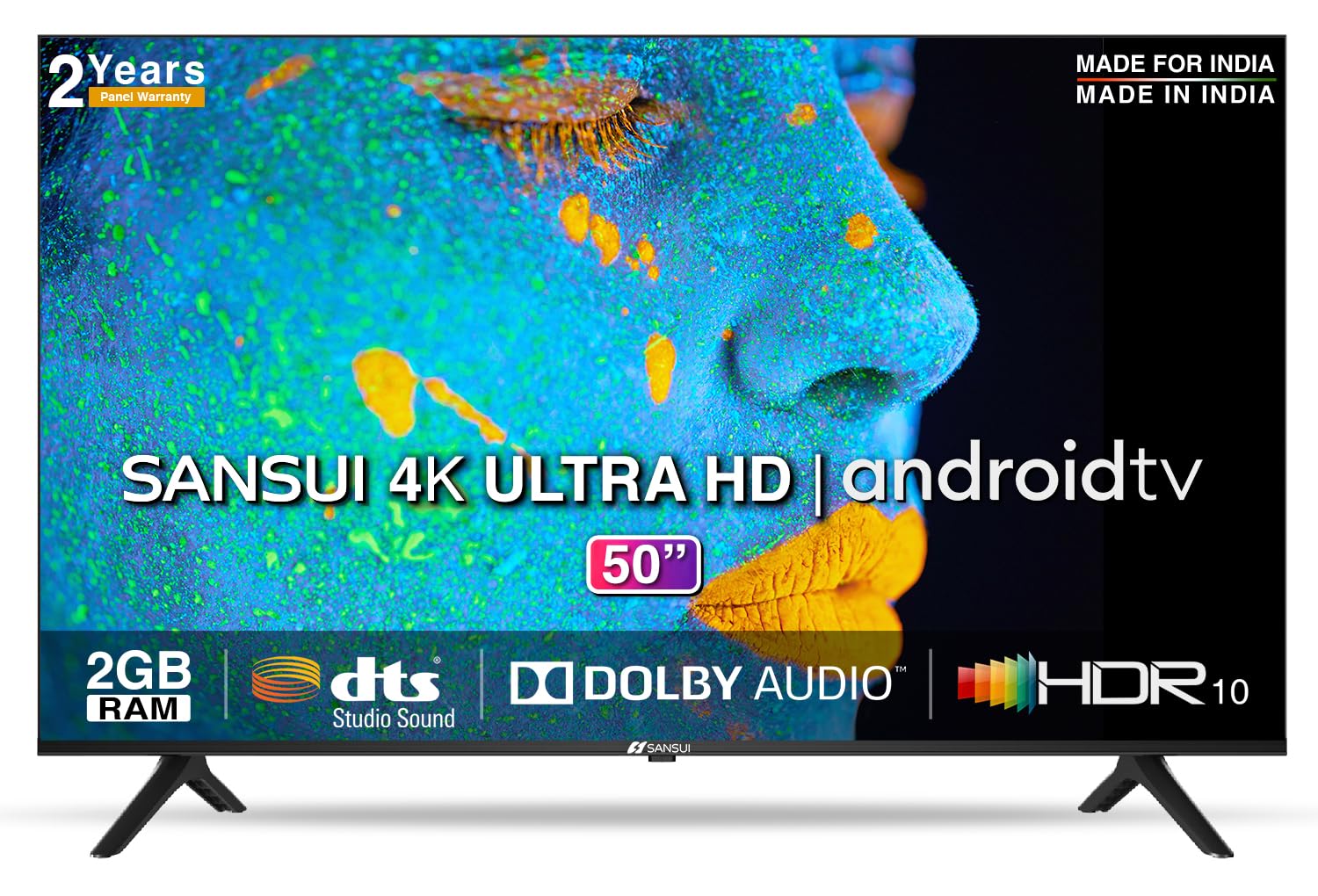
Image: Sansui 50-inch 4K Ultra HD Android LED TV with its table stand.
3. Tuote ohiview
3.1. Tärkeimmät ominaisuudet
- Näyttö: 4K Ultra HD (3840x2160) resolution, 60Hz refresh rate, Wide Viewing Angle, A+ Grade Panel, Wide Colour Gamut, HDR 10, Crystal Clear Display, High Brightness, Bezel-less Design.
- Audio: Dolby Audio, DTS Studio Sound, 20 Watts Audio Output.
- Smart TV:n ominaisuudet: Android 10.0 (Certified by Google), Google Assistant, Alexa Enabled Support, Built-in Chromecast, CA53 Quad Core Processor, 2GB RAM, 8GB ROM.
- Tuetut sovellukset: Prime Video, Netflix, Disney + Hotstar, YouTube, Google Play.
- Liitettävyys: 3 HDMI ports, 2 USB ports, 3.5mm audio jack, Bluetooth, Wi-Fi, RJ45 (Ethernet), Antenna.

Image: Visual representation of the TV's main features and capabilities.
3.2. Mitat
The TV features a 50-inch screen (127 cm diagonal) with a bezel-less design for an immersive viewkokemusta.

Image: Detailed dimensions of the Sansui 50-inch TV, including width, height, and depth with and without the stand.
4. Asennus
4.1. Pöytätelineen asentaminen
- Aseta televisio näyttö alaspäin pehmeälle ja tasaiselle alustalle vaurioiden välttämiseksi.
- Kohdista pöytäjalustan jalustat television pohjassa oleviin vastaaviin uriin.
- Secure the bases using the provided screws. Ensure they are tightened firmly.
4.2. Seinäkiinnitys (valinnainen)
If you choose to wall mount your TV, please use the provided wall mounting set and screws. The VESA mount standard is 800 x 400 mm. It is recommended to seek professional assistance for wall mounting to ensure proper and safe installation.
4.3. Laitteiden liittäminen
The TV offers various connectivity options for your external devices.
- Teho: Liitä virtajohto television virransyöttöön ja sitten pistorasiaan.
- HDMI: Use HDMI cables to connect devices like set-top boxes, gaming consoles, or Blu-ray players to the 3 HDMI ports.
- USB: Connect USB drives or other USB devices to the 2 USB ports for media playback.
- Ääni ulos: Use the 3.5mm jack to connect headphones or external audio systems.
- Ethernet (RJ45): For a stable internet connection, connect an Ethernet cable from your router to the RJ45 port.
- Antenni: Connect your antenna cable to the RF input for terrestrial broadcasting.
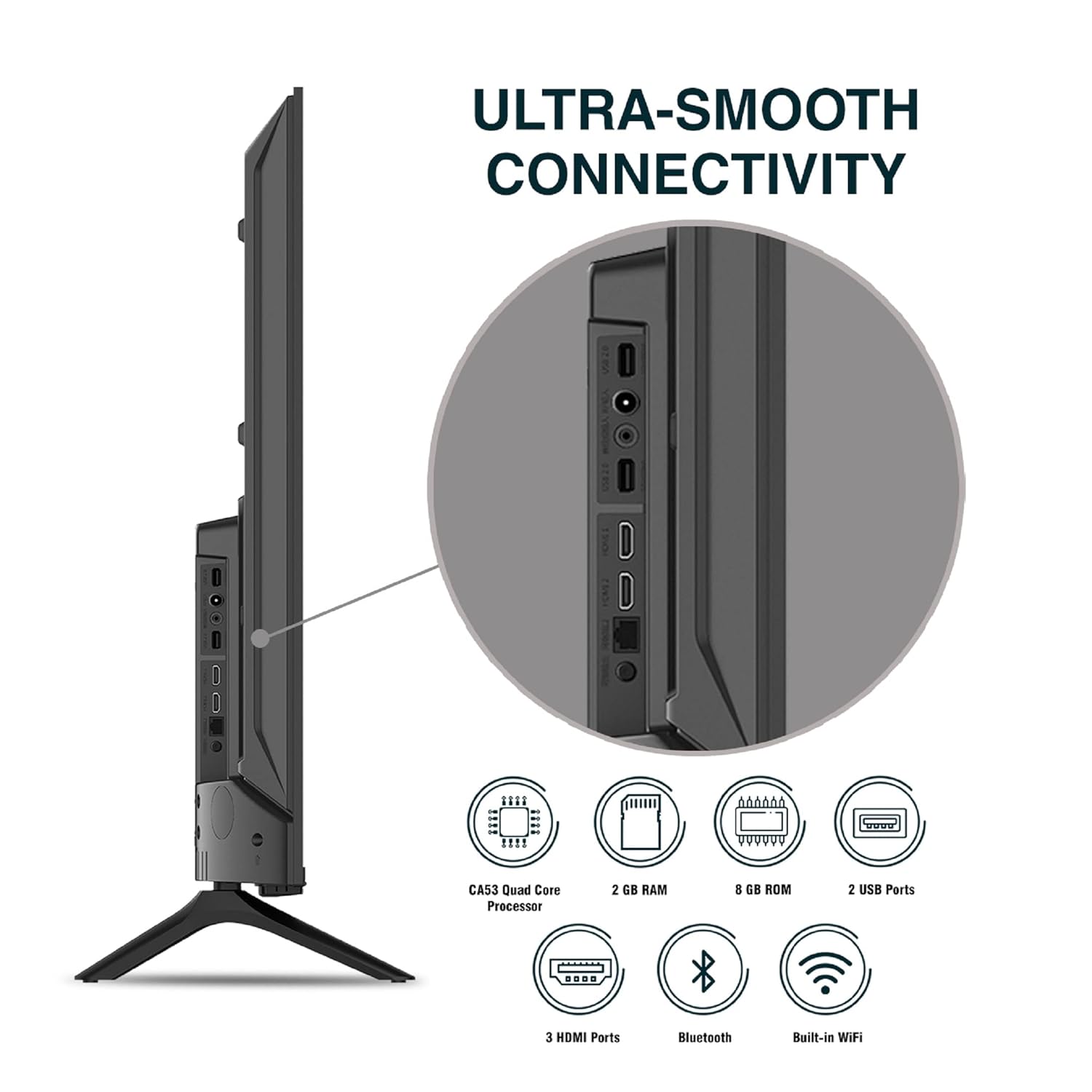
Kuva: Yksityiskohtainen view television liitäntäporteista.
5. Käyttöohjeet
5.1. Peruskäyttö
- Virta päälle/pois: Press the power button on the remote control or on the TV to turn it on or off.
- Alkuasennus: Upon first power-on, follow the on-screen instructions to set up language, network connection, and Google account.
- Syöttölähde: Press the 'Input' button on the remote to select between HDMI, AV, TV, or other connected sources.
- Äänenvoimakkuuden säätö: Käytä kaukosäätimen äänenvoimakkuuden lisäys/vähennyspainikkeita.
5.2. Älykkään kaukosäätimen käyttö
The included remote control features voice control and dedicated hotkeys for quick access to popular streaming services.
- Ääniohjaus: Press the Google Assistant button (microphone icon) and speak your commands to search for content, control smart home devices, or ask questions.
- Pikanäppäimet: Directly launch Netflix, Prime Video, YouTube, and Google Play with a single press.
- Navigointi: Use the directional pad and 'OK' button to navigate the Android TV interface.

Image: Sansui Smart Remote Control with voice control and app hotkeys.
5.3. Android TV Interface and Smart Features
Your Sansui TV runs on Android 10.0, providing access to a wide range of apps and smart functionalities.
- Aloitusnäyttö: The home screen displays your favorite apps, recommended content, and input sources.
- Google Play Kauppa: Download and install additional apps, games, and content from the Google Play Store.
- Sisäänrakennettu Chromecast: Cast content (videos, photos, music) from your smartphone, tablet, or computer directly to the TV.
- Google Assistant/Alexa: Use voice commands via the remote or a compatible Alexa device to control your TV and other smart home devices.

Image: Android TV home screen showing available applications.
6. Huolto
Oikea hoito ja huolto pidentävät televisiosi käyttöikää.
- Näytön puhdistaminen: Pyyhi näyttö varovasti pehmeällä, nukkaamattomalla liinalla. Pinttyneisiin tahroihin käytä televisioille tarkoitettua näytönpuhdistusainetta. Levitä sitä liinaan, älä suoraan näyttöön.
- Kaapin puhdistus: Pyyhi television kotelo pehmeällä, kuivalla liinalla. Älä käytä hankaavia puhdistusaineita tai liuottimia.
- Ilmanvaihto: Varmista, että tuuletusaukot ovat puhtaita pölystä ja roskista ylikuumenemisen estämiseksi.
- Virtajohto: Regularly check the power cord for any damage. If damaged, replace it with an authorized part.
7. Vianmääritys
Jos kohtaat ongelmia, katso seuraavia yleisiä ongelmia ja ratkaisuja.
| Ongelma | Mahdollinen syy | Ratkaisu |
|---|---|---|
| Ei Virtaa | Virtajohto irti; pistorasiaongelma | Tarkista virtajohdon liitäntä; Testaa pistorasiaa toisella laitteella. |
| No Picture, Only Sound | Väärä tulolähde; Ulkoisen laitteen ongelma | Select correct input source; Check external device connection and power. |
| No Sound, Only Picture | Volume muted/low; External audio system issue | Unmute or increase volume; Check external audio system connections. |
| Kaukosäädin ei toimi | Paristot tyhjentyneet; Kaukosäätimen ja television välissä on este | Vaihda paristot; Poista mahdolliset esteet. |
| Wi-Fi-yhteysongelmat | Väärä salasana; Reitittimen ongelmat; Signaalihäiriöt | Re-enter password; Restart router; Move TV closer to router or use Ethernet. |
Jos ongelma jatkuu näiden ratkaisujen kokeilemisen jälkeen, ota yhteyttä asiakastukeen.
8. Tekniset tiedot
Detailed technical specifications for the Sansui JSW50ASUHD TV.
| Ominaisuus | Kuvaus |
|---|---|
| Mallin nimi | SANSUI LED - JSW50ASUHD |
| Näytön koko | 50 tuumaa (127 cm) |
| Näyttötekniikka | LED |
| Resoluutio | 4K Ultra HD (3840x2160) |
| Päivitystaajuus | 60 Hz |
| Käyttöjärjestelmä | Android 10.0 (Certified by Google) |
| Prosessori | CA53 neliytiminen |
| RAM | 2 Gt |
| ROM (tallennustila) | 8 Gt |
| Äänilähtö | 20 wattia |
| Äänitekniikka | Dolby Audio, DTS Studio -ääni |
| HDMI-portit | 3 |
| USB-portit | 2 |
| Langaton yhteys | Wi-Fi, Bluetooth |
| Muut liitännät | Ethernet (RJ45), 3.5mm Audio Jack, Antenna |
| HDR-tuki | HDR10 |
| Asennustyyppi | Seinäkiinnike ja pöytäkiinnike |
| VESA-kiinnitysstandardi | 800 x 400 mm |
| Virrankulutus | 120 wattia |
| Tuotteen paino | 9650 grammaa |
| Väri | Mystique Black |
9. Takuu ja tuki
Your Sansui TV comes with a comprehensive warranty and dedicated customer support.
- Takuu: 1 year comprehensive warranty and 1 year additional on panel from the date of purchase.
- Takuutuki: For warranty-related queries, please contact Sansui Toll Free No.: 1800-419-3777.
- Maahantuojan yhteyshenkilö: Jaina India Pvt Ltd., D170, Okhla Industrial Area, Phase-1, New Delhi-110020 INDIA | Email: sansuicare@jainaindia.com.
Säilytä ostokuittisi takuuvaatimuksia varten.