
Johdanto
The Ozeri Pro Digital Kitchen Food Scale is engineered for precise measurement in culinary applications. This manual provides essential information for the proper setup, operation, and maintenance of your scale to ensure optimal performance and longevity.
Tuotteen ominaisuudet
- Tarkat asteikot: Measures with accuracy of 0.05 oz or 1 gram.
- Wide Capacity Range: Supports weights from 0.05 oz up to 12 lbs (1 gram to 5.4 kg).
- Käyttäjäystävällinen käyttöliittymä: Features oversized buttons for easy operation.
- Suuri LCD-näyttö: Provides clear weight readings in pounds (lbs), kilograms (kg), grams (g), and ounces (oz).
- Automatic Tare Function: Calculates net weight by subtracting the container's weight.
- Automaattinen sammutus: Conserves battery life with a 3-minute auto turn-off feature.
- Kompakti muotoilu: Kevyt ja helppo säilyttää.
Asennus
Akun asennus
The Ozeri Pro Digital Kitchen Food Scale requires two (2) AAA batteries for operation. These batteries are included with your purchase.
- Paikanna paristolokero vaa'an alapuolelta.
- Avaa paristolokeron kansi.
- Aseta kaksi AAA-paristoa paikoilleen varmistaen oikea napaisuus (+/-).
- Sulje paristolokeron kansi kunnolla.

Video: Demonstrating battery installation on the Ozeri Digital Kitchen Scale.
Huomautus: For optimal performance, use fresh batteries. Remove batteries if the scale will not be used for an extended period.
Käyttöohjeet
Kytkeminen päälle/pois
- Paina ON/OFF/TARE button to turn the scale on. The LCD will display '0.00' when ready.
- Sammuta painamalla ja pitämällä ON/OFF/TARE button for a few seconds, or allow the automatic 3-minute shut-off feature to activate.
Mittayksiköiden muuttaminen
The scale can display measurements in grams (g), ounces (oz), pounds (lb), and kilograms (kg).
- Kun vaaka on päällä, paina UNIT -painiketta selataksesi käytettävissä olevia yksiköitä.
- Select your desired unit (g, oz, lb, kg) before weighing.
Taara-toiminnon käyttäminen
The Tare function allows you to subtract the weight of a container or previous ingredients, ensuring you measure only the new item.
- Aseta tyhjä astia punnitusalustalle. Näytölle ilmestyy sen paino.
- Paina ON/OFF/TARE -painiketta. Näyttö palautuu arvoon '0.00'.
- Add your ingredients to the container. The display will now show only the weight of the added ingredients.
- Repeat the Tare function as needed for multiple ingredients.
Video: Demonstrating the unit and tare functions of the Ozeri Digital Kitchen Scale.
Video: Yliview of the Ozeri Pro Digital Food Scale, highlighting its features and ease of use.
Punnitustuotteet
- Ensure the scale is on and displaying '0.00' in your desired unit.
- Carefully place the item(s) to be weighed onto the center of the weighing platform.
- Lue LCD-näytöllä näkyvä paino.
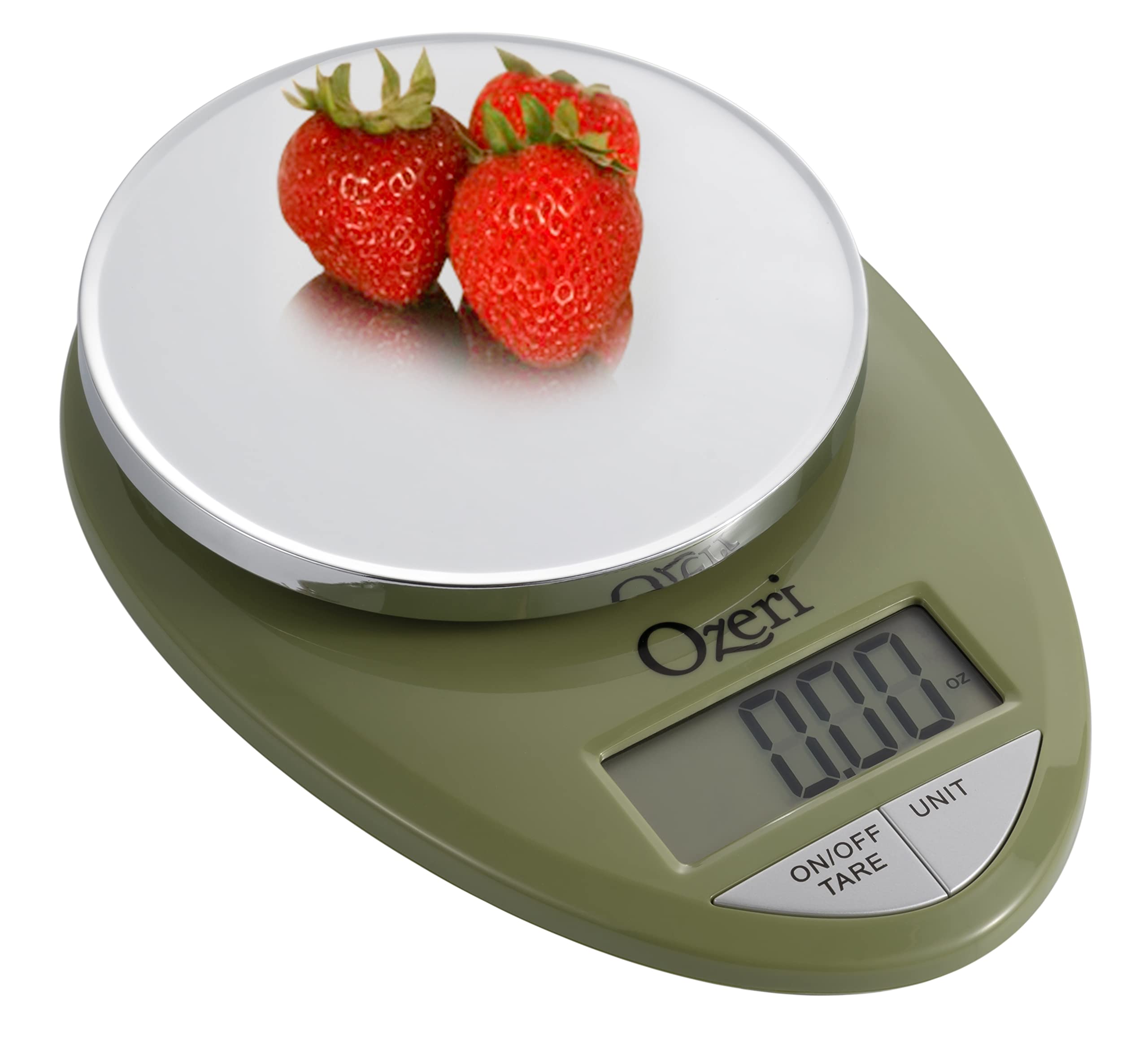
Image: The Ozeri Pro Digital Kitchen Food Scale displaying a weight with a small bowl of herbs on its platform.

Image: The Ozeri Pro Digital Kitchen Food Scale displaying a weight with a small ramekin of blueberries on its platform.
Huolto
Puhdistus
- Wipe the scale surface clean with a damp cloth. Avoid abrasive cleaners or submerging the unit in water.
- Varmista, että vaaka on kuiva ennen säilytystä tai seuraavaa käyttökertaa.
Varastointi
The compact design of the Ozeri Pro Digital Kitchen Food Scale allows for easy storage in a drawer or cabinet when not in use.

Kuva: Puoli view of the Ozeri Pro Digital Kitchen Food Scale, demonstrating its slim profile kätevää säilytystä varten.
Vianetsintä
- Epätarkkoja lukemia: Ensure the scale is placed on a flat, stable surface. Avoid placing items that exceed the maximum weight capacity.
- Näyttö ei käynnisty: Tarkista, että paristot on asennettu oikein ja että niissä on riittävästi virtaa. Vaihda paristot tarvittaessa.
- Näytön virheilmoitukset: Refer to the full product manual (if available) or contact Ozeri customer support for specific error code interpretations.
Tekniset tiedot
| Ominaisuus | Yksityiskohta |
|---|---|
| Merkki | Ozeri |
| Mallinumero | ZK12-GN |
| Kapasiteetti | 0.05 oz to 12 lbs (1 gram to 5.4 kg) |
| Valmistuminen | 0.05 oz or 1 gram |
| Näytön tyyppi | LCD |
| Mittayksiköt | grams, ounces, pounds, kilograms |
| Erikoisominaisuudet | Automatic Tare, 3-minute Auto Shut-off, Large Display |
| Virtalähde | 2 AAA-paristoa (mukana) |
| Materiaali | Polykarbonaatti |
| Tuotteen mitat | 10 x 7 x 4 tuumaa |
| Tuotteen paino | 9.6 unssia |
Takuu ja tuki
For information regarding product warranty, returns, or technical support, please refer to the official Ozeri website or contact their customer service directly. Details are typically provided in the packaging or on the manufacturer's official support pages.