
TAOPON smartwatch zl02g
TAOPON-älykellon käyttöohje
Model: smartwatch zl02g
1. Johdanto
Welcome to the TAOPON Smart Watch user manual. This guide provides essential information for setting up, operating, and maintaining your new smartwatch. The TAOPON Smart Watch is designed for both Android and iOS phones, featuring IP67 waterproofing, a full touch screen, and comprehensive fitness and health tracking capabilities.

Figure 1: TAOPON Smart Watch, showcasinsen tyylikkään muotoilun ja eloisan näytön ansiosta.
2. Tärkeimmät ominaisuudet
- Muodikas muotoilu: Features a 1.28-inch full touch color screen with 240x240 pixel resolution, offering high-definition clarity. Customize your watch face with various pre-set dials or your own photos.
- Kattava kuntoseuranta: Supports 8 sports modes including walking, running, cycling, skipping rope, badminton, basketball, football, and swimming. Tracks calorie consumption, steps, distance, activity minutes, and heart rate. Connects to your mobile phone's GPS for detailed movement tracking.
- Kehittynyt terveyden seuranta: Accurately monitors real-time health data such as heart rate, blood oxygen, and blood pressure. Includes a sleep monitor to track deep sleep, light sleep, and overall sleep quality trends.
- Convenient Smart Tools: Integrates practical tools like weather forecast, pedometer, sedentary reminder, remote camera control, music control, theater mode, timer, deep breathing guide, and adjustable brightness. Supports up to 3 alarms.
- Älykkäät ilmoitukset: Receives message notifications from the 'Da Fit' APP, including call reminders, call rejection, SMS, Facebook, Twitter, LinkedIn, WhatsApp, Line, and InstagRAM.
- Pitkä akunkesto ja kestävyys: Equipped with a 200mAh battery providing up to 7 days of typical use and 30 days of standby time on a single charge. Features an IP67 waterproof rating, suitable for hand washing and rainy conditions.
3. Asennusopas
3.1 Laatikon purkaminen ja alkulataus
Upon unboxing, ensure all components are present: the TAOPON Smart Watch, charging cable, and user manual. Before first use, fully charge the device.
- Liitä magneettinen latauskaapeli kellon takana oleviin latauspisteisiin.
- Kytke kaapelin USB-pää tavalliseen USB-virtalähteeseen (suositus 5 V / 1 A) tai tietokoneen USB-porttiin.
- The watch display will indicate charging status. A full charge typically takes about 2 hours.

Figure 2: Illustration of the smartwatch's ultra-thin dial and charging process, highlighting its long battery life.
3.2 Sovelluksen asennus ja pariliitos
To unlock the full potential of your TAOPON Smart Watch, download and install the 'Da Fit' application on your smartphone.
- Scan the QR code in the manual or search for 'Da Fit' in your smartphone's app store (Google Play Store for Android, Apple App Store for iOS).
- Install the 'Da Fit' app and open it.
- Varmista, että Bluetooth on käytössä älypuhelimellasi.
- In the 'Da Fit' app, navigate to the 'Device' section and select 'Add Device'.
- The app will search for available devices. Select 'smartwatch zl02g' from the list to pair.
- Follow any on-screen prompts to complete the pairing process. Once connected, the watch will synchronize time and data with your phone.
4. Käyttöohjeet
4.1 Perusnavigointi
- Kosketusnäyttö: Pyyhkäise vasemmalle/oikealle, ylös/alas navigoidaksesi valikoissa ja ominaisuuksissa. Napauta valitaksesi.
- Sivupainike: Press the side button to return to the home screen or to turn the screen on/off.
- Nosta herätä: The display automatically lights up when you raise your wrist.
4.2 Kellotaulujen mukauttaminen
Personalize your smartwatch by changing the watch face.
- From the home screen, long-press the watch face to enter the watch face selection mode.
- Swipe left or right to browse pre-installed watch faces. Tap to select.
- For more options, open the 'Da Fit' app, go to 'Watch Faces' or 'Dial Settings' to download new designs or set a custom photo as your watch face.
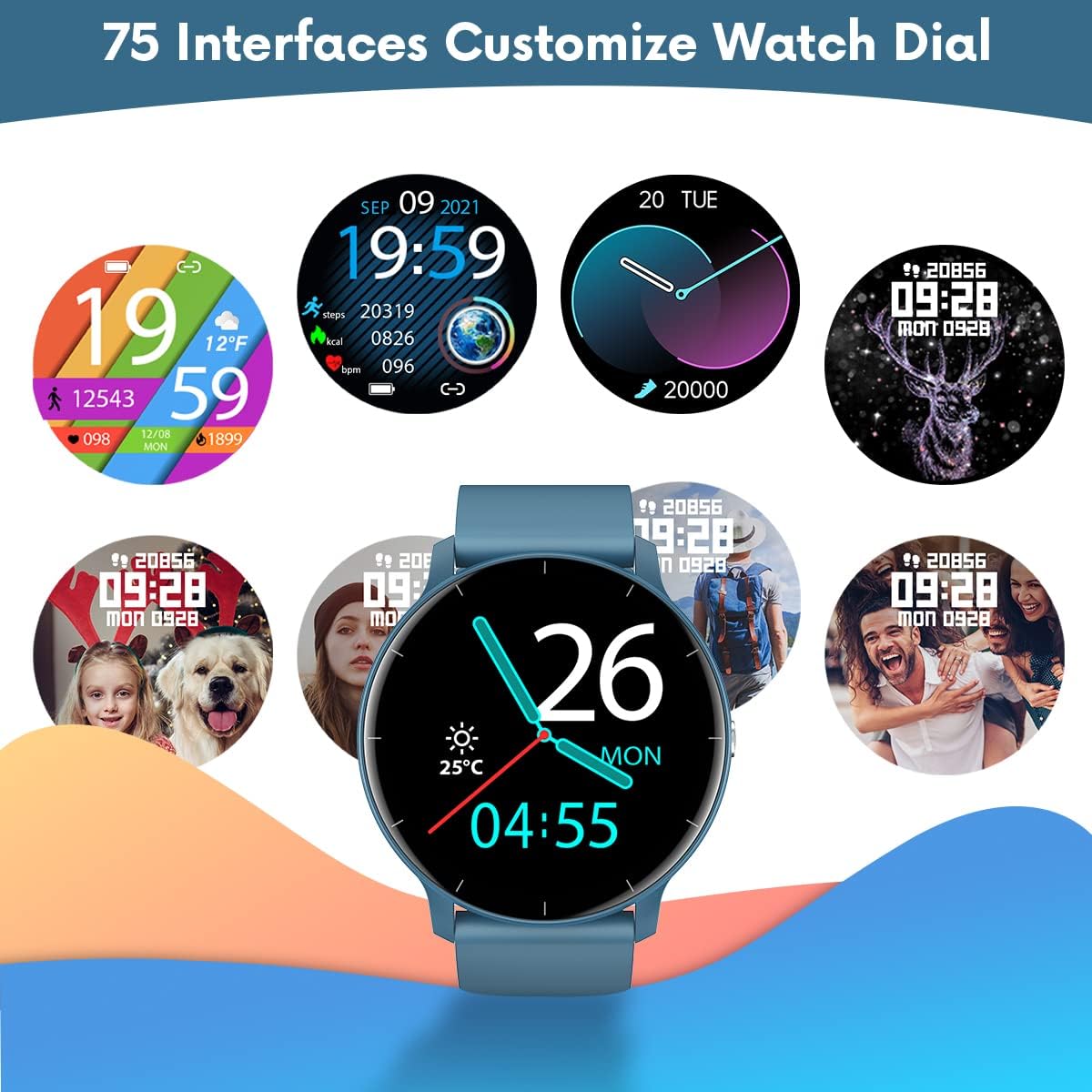
Kuva 3: Esimamples of customizable watch faces available on the TAOPON Smart Watch.
4.3 Kuntoilun seuranta
Utilize the various sports modes to track your workouts.
- Swipe on the watch to find the 'Exercise' or 'Sports Modes' icon.
- Select your desired activity (e.g., Walking, Running, Cycling).
- The watch will begin tracking your activity, including steps, distance, calories burned, and heart rate.
- Connect to your phone's GPS via the 'Da Fit' app for detailed route mapping during outdoor activities.
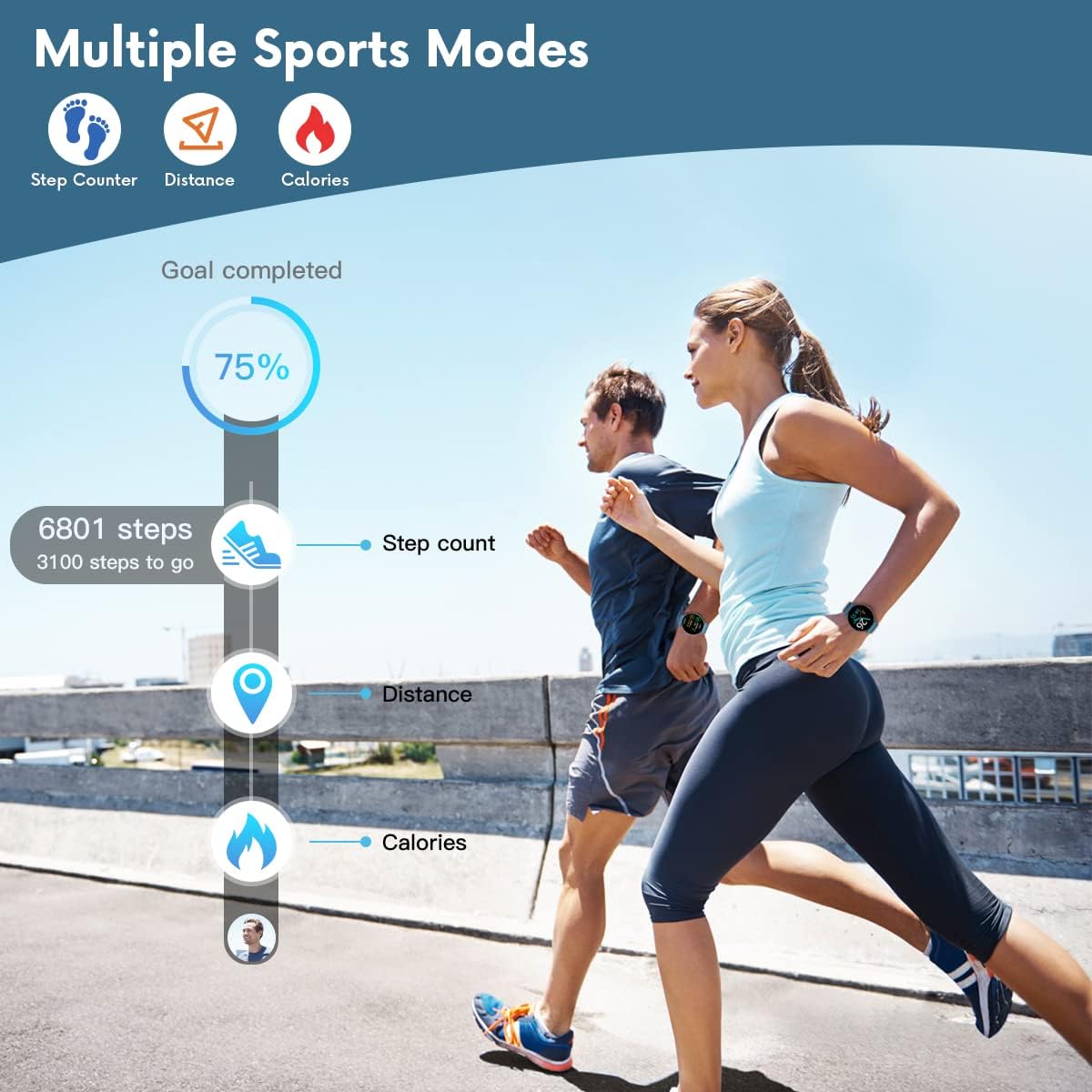
Figure 4: The smartwatch displaying fitness metrics like step count, distance, and calories during a workout.
4.4 Terveyden seuranta
Monitor your vital health metrics directly from your wrist.
- Syke: Navigate to the heart rate monitoring interface. The watch will automatically measure your heart rate. Continuous monitoring can be enabled via the 'Da Fit' app.
- Verenpaine ja veren happipitoisuus (SpO2): Access these functions from the watch menu. Ensure the watch is worn snugly on your wrist for accurate readings.
- Unenvalvonta: Wear the watch to bed. It will automatically track your sleep patterns, including deep sleep, light sleep, and wake times. View detailed sleep reports in the 'Da Fit' app.

Figure 5: Visual representation of the smartwatch's health monitoring capabilities, including heart rate, blood pressure, blood oxygen, and sleep tracking.
4.5 Älykkäät ominaisuudet
- Ilmoitukset: Ensure the 'Da Fit' app has necessary permissions. You will receive call, SMS, and social media notifications directly on your watch. You can reject calls from the watch.
- Kameran kaukosäädin: Open the camera function in the 'Da Fit' app. Use the watch as a remote shutter button to take photos on your phone.
- Musiikin hallinta: Control music playback on your smartphone (play/pause, next/previous track) directly from the watch.
- Sääennuste: View current weather conditions and forecasts after syncing with the 'Da Fit' app.
- Hälytykset ja muistutukset: Set up to 3 alarms via the 'Da Fit' app. Enable sedentary reminders to prompt you to move after periods of inactivity.

Figure 6: Using the smartwatch to remotely control your phone's camera for group photos.

Figure 7: The smartwatch interface showing music playback controls.
5. Huolto ja hoito
Proper maintenance ensures the longevity and optimal performance of your TAOPON Smart Watch.
- Puhdistus: Pyyhi kellon näyttö ja ranneke säännöllisesti pehmeällä, kuivalla liinalla. Pinttyneeseen likaan käytä hieman kostutettuaamp liinalla ja kuivaa huolellisesti. Vältä voimakkaita kemikaaleja tai hankaavia materiaaleja.
- Vedenkestävyys: The watch is IP67 waterproof, meaning it can withstand splashes, rain, and brief immersion in shallow water (e.g., hand washing). Do not use it for hot showers, diving, or prolonged submersion. Vältä kosketusta kuuman veden, höyryn tai syövyttävien nesteiden kanssa.
- Varastointi: Säilytä kelloa viileässä, kuivassa paikassa, poissa suorasta auringonvalosta ja äärimmäisistä lämpötiloista.
- Lataus: Use only the provided charging cable. Do not attempt to charge the watch if it or the cable is wet.
6. Vianmääritys
If you encounter issues with your TAOPON Smart Watch, refer to the following common solutions:
| Ongelma | Mahdollinen ratkaisu |
|---|---|
| Kello ei käynnisty | Varmista, että kello on ladattu täyteen. Liitä laturiin ja odota muutama minuutti ennen kuin yrität käynnistää kellon. |
| Pariliitos puhelimen kanssa ei onnistu | Ensure Bluetooth is enabled on your phone and the watch is within range. Restart both the watch and your phone. Check if the 'Da Fit' app has necessary permissions. |
| Epätarkat terveystiedot | Ensure the watch is worn snugly on your wrist, not too loose or too tight. Avoid excessive movement during measurements. Clean the sensor on the back of the watch. |
| Ilmoituksia ei vastaanotettu | Verify that the 'Da Fit' app is running in the background and has notification permissions enabled for the desired apps. Check phone's notification settings. |
| Lyhyt akunkesto | Reduce screen brightness, disable continuous heart rate monitoring, and limit frequent notifications. Ensure background app refresh is managed. |
7. Tekniset tiedot
| Ominaisuus | Yksityiskohta |
|---|---|
| Mallinumero | smartwatch zl02g |
| Mitat | 1.77 x 1.77 x 0.39 tuumaa |
| Paino | 1.23 unssia (35 grammaa) |
| Näytön koko | 1.28 tuumaa |
| Näytön resoluutio | 240x240 pikseliä |
| Akun kapasiteetti | 200 mAh litiumpolymeeri |
| Akun kesto (tyypillinen käyttö) | Jopa 7 päivää |
| Valmiusaika | Jopa 30 päivää |
| Vedenkestävyys | IP67 |
| Yhteensopivuus | iOS 9.0 & Android 5.0 or higher |
| Yhteydet | Bluetooth |
| GPS | Älypuhelimen kautta |
| Valmistaja | TAOPON |
8. Takuu ja tuki
For warranty information and customer support, please refer to the documentation included with your product or contact TAOPON customer service directly. Keep your purchase receipt as proof of purchase.
Ask a question about this manual
Ask about setup, troubleshooting, compatibility, parts, safety, or missing instructions. Manuals+ will review the question and use this page’s manual context to help answer it.