
1. Turvallisuustiedot
Lue kaikki ohjeet huolellisesti ennen laitteen käyttöä ja säilytä ne myöhempää tarvetta varten. Näiden ohjeiden noudattamatta jättäminen voi aiheuttaa sähköiskun, tulipalon tai vakavan vamman.
- Irrota tuuletin aina pistorasiasta ennen sen puhdistamista, huoltamista tai siirtämistä.
- Do not operate the fan with a damaged cord or plug. If the cord or plug is damaged, contact customer service for repair or replacement.
- Tämä tuuletin on tarkoitettu vain sisäkäyttöön. Älä käytä sitä ulkona tai märissä tiloissa.
- Pidä tuuletin poissa vedestä ja muista nesteistä. Älä upota tuuletinta veteen.
- Varmista, että tuuletin on asetettu vakaalle ja tasaiselle alustalle, jotta se ei kaadu.
- Pidä lapset ja lemmikit poissa tuulettimen läheltä käytön aikana.
- Do not insert fingers or any objects into the grille when the fan is operating.
- Do not block air openings or operate near curtains, drapes, or other objects that could block airflow.
- Älä käytä tuuletinta tiloissa, joissa säilytetään syttyviä nesteitä tai kaasuja.
2. Tuote ohiview
The Amazon Basics 40" 70-Degree Oscillating Digital Tower Fan is designed to provide efficient and customizable cooling for various indoor spaces. It features a sleek, compact design and user-friendly controls.
Komponentit
- Tornituuletinyksikkö
- Base (requires assembly)
- Kaukosäädin
Tärkeimmät ominaisuudet
- Tehokas jäähdytys: Delivers powerful airflow for effective cooling in enclosed spaces.
- Mukautettavat nopeudet: Four intuitive speed settings to adjust airflow.
- Useita tiloja: Includes Standard, Breeze, and Nature modes for varied airflow patterns.
- oscillation: 70-degree oscillation for wide-range air flow coverage.
- Ajastintoiminto: Programmable timer up to 15 hours for energy saving and convenience.
- Kaukosäädin: Convenient remote for adjusting settings from a distance.
- Digitaaliset säätimet: Easy-to-use digital control panel located on the top of the fan.
- Kompakti muotoilu: Slim tower design (11.4"D x 11.4"W x 39.3"H) fits easily into any room.

Kuva 2.1: The Amazon Basics 40-inch Digital Tower Fan shown with its remote control. The fan is black with a sleek, tall design, and the remote is compact with clearly labeled buttons for power, speed, mode, oscillation, and timer.

Kuva 2.2: A diagram illustrating the key features of the tower fan, including its 40-inch height, 4 customizable airflow speed settings, timer with auto shutoff (1h, 2h, 4h, 8h options), and convenient remote control for adjusting speed, oscillation, and timer. The diagram highlights the digital display and control panel on top of the fan.
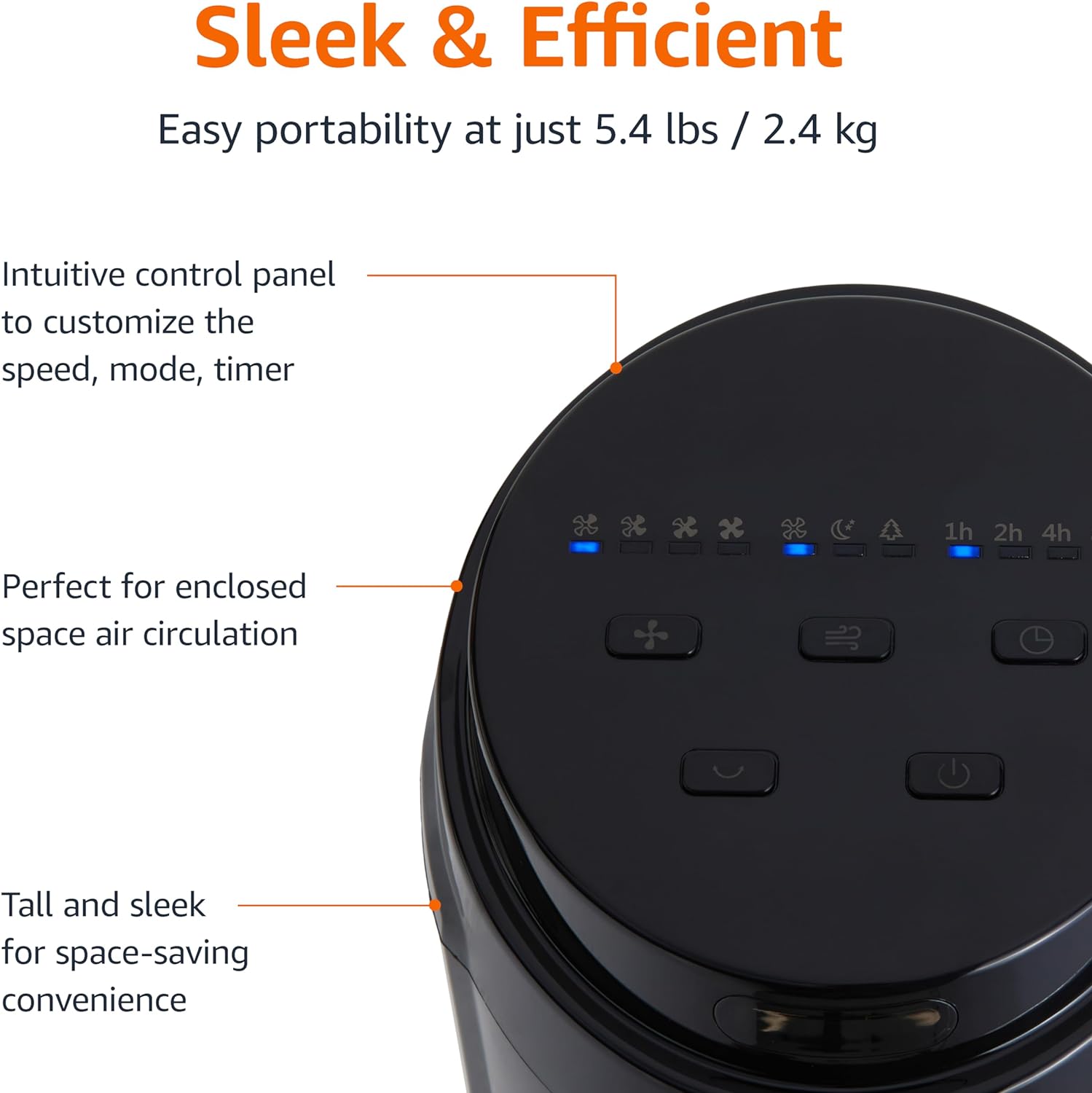
Kuva 2.3: Lähikuva view of the intuitive control panel located on the top of the Amazon Basics Tower Fan. The panel features buttons for speed, mode, power, oscillation, and timer, along with LED indicators for selected settings. This design allows for easy customization of fan operation.
3. Asennus
3.1 Kokoaminen
- Poista kaikki osat varovasti pakkauksesta.
- Attach the fan base to the main tower unit. Align the slots on the base with the corresponding tabs on the bottom of the fan.
- Secure the base using the provided screws, if any, ensuring it is firmly attached.
3.2 Sijoitus
- Aseta tuuletin tukevalle ja tasaiselle alustalle.
- Ensure there is adequate space around the fan for proper air circulation, especially for the oscillation feature.
- Keep the fan at least 1 foot (30 cm) away from walls, furniture, and other objects.
- Plug the power cord into a standard NEMA 5-15 (US Standard Wall Outlet) electrical outlet.
4. Käyttöohjeet
The fan can be operated using either the control panel on top of the unit or the included remote control.
4.1 Control Panel & Remote Control Functions
| Painike/toiminto | Kuvaus |
|---|---|
| Virta (päällä/pois) | Kytkee tuulettimen päälle tai pois päältä. |
| Nopeus | Cycles through 4 fan speed settings (Low, Medium, High, Max). |
| tila | Selects between 3 operating modes:
|
| värähtely | Activates or deactivates the 70-degree oscillation feature, allowing the fan to sweep air across a wider area. |
| Ajastin | Sets the fan to automatically turn off after a specified period (up to 15 hours in 1-hour increments). |
4.2 Kaukosäätimen käyttö
The remote control allows for convenient operation of all fan functions from a distance. Ensure the remote is pointed towards the fan's control panel for optimal response.
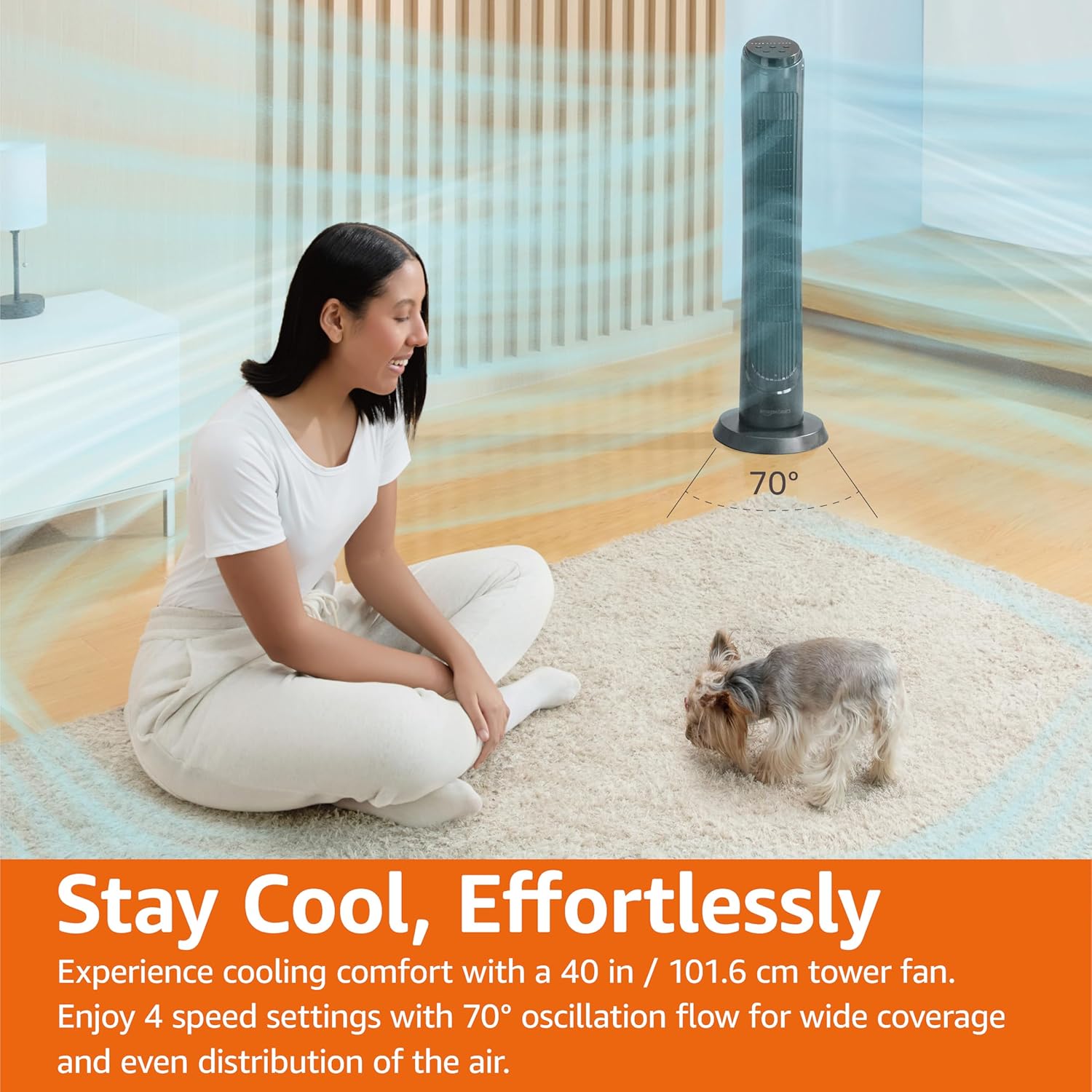
Kuva 4.1: The Amazon Basics Tower Fan oscillating 70 degrees, providing wide coverage and even air distribution in a room. A person and a small dog are comfortably seated on a rug, benefiting from the airflow.

Kuva 4.2: The Amazon Basics Tower Fan positioned in a modern living space, demonstrating its effective airflow. The image visually represents the air movement from the fan, highlighting its ability to circulate air throughout the room.
5. Huolto
5.1 Puhdistus
- Irrota tuuletin aina ennen puhdistamista.
- Käytä pehmeää, damp liinalla tuulettimen ulkopintojen pyyhkimiseen.
- Do not use abrasive cleaners or harsh chemicals, as these may damage the fan's finish.
- For dust accumulation on the air intake or output grilles, use a vacuum cleaner with a brush attachment to gently remove dust.
- Varmista, että tuuletin on täysin kuiva ennen kuin kytket sen takaisin pistorasiaan.
5.2 Varastointi
- Jos tuuletin varastoidaan pidemmäksi aikaa, puhdista se huolellisesti yllä kuvatulla tavalla.
- Säilytä tuuletinta alkuperäispakkauksessaan tai sopivassa laatikossa suojataksesi sitä pölyltä ja vaurioilta.
- Säilytä viileässä, kuivassa paikassa.
6. Vianmääritys
Jos tuulettimessasi on ongelmia, katso seuraavat yleiset ongelmat ja ratkaisut:
| Ongelma | Mahdollinen syy | Ratkaisu |
|---|---|---|
| Tuuletin ei käynnisty. | Ei virtaa; Virtapainiketta ei painettu. | Ensure the power cord is securely plugged into a working outlet. Press the Power button on the control panel or remote. |
| Heikko tai ei lainkaan ilmavirtausta. | Air intake/output blocked; Fan speed too low. | Check for any obstructions around the fan grilles. Increase the fan speed setting. |
| Oskillointi ei toimi. | Oscillation feature not activated. | Press the Oscillation button on the control panel or remote. Ensure the fan is on a flat surface. |
| Kaukosäädin ei toimi. | Batteries are dead; Remote not pointed correctly. | Replace the remote control batteries. Ensure the remote is pointed directly at the fan's control panel. |
| Epätavallinen melu. | Tuuletin ei ole tasaisella alustalla; Sisäinen este. | Place the fan on a stable, level surface. Unplug the fan and check for any foreign objects inside the grilles (do not attempt to disassemble). |
Jos ongelma jatkuu näiden ratkaisujen kokeilemisen jälkeen, ota yhteyttä asiakastukeen.
7. Tekniset tiedot
| Attribuutti | Yksityiskohta |
|---|---|
| Merkki | Amazonin perusteet |
| Mallin nimi | DC2021 |
| Väri | Musta |
| Sähkötuulettimen suunnittelu | Tuulettimen |
| Virtalähde | AC virta |
| Tyyli | 40" - Digital |
| Tuotteen mitat | 11.4" S x 11.4" L x 39.3" K |
| Huonetyyppi | Makuuhuone, olohuone, toimisto |
| Erikoisominaisuus | Oscillating, 4 Speeds, 3 Modes, Timer, Remote Control |
| Suositellut käyttötavat | Cooling and Air Circulation for Indoor Spaces |
| Melutaso | 60 dB |
| Wattage | 50 wattia |
| Tuotteen paino | 7.5 paunaa (noin 3.4 kg) |
| Mukana olevat komponentit | Kauko |
| Sisä-/ulkokäyttö | Sisätiloissa |
| Valvontamenetelmä | Kauko |
| Terän materiaali | Muovi |
| Tehotasojen lukumäärä | 4 |
| Päävirtaliittimen tyyppi | NEMA 5-15 (US Standard Wall Outlet) |
| Valmistaja | Amazon |
| UPC | 840095880428 |
| Alkuperämaa | Kiina |
8. Takuu ja tuki
For detailed warranty information, please refer to the official Warranty PDF document provided by Amazon Basics. This document outlines the terms and conditions of your product's warranty.
For further assistance, troubleshooting not covered in this manual, or to inquire about replacement parts, please contact Amazon Basics customer support.
- Virallinen käyttöohje (PDF): Lataa PDF
- Official Warranty (PDF): Lataa PDF
- Amazonin peruskauppa: Käy myymälässä