
XTOOL XTOOL D7W
XTOOL D7W Wireless OBD2 Scanner Diagnostic Tool
Käyttöopas
Johdanto
The XTOOL D7W is an advanced wireless OBD2 diagnostic scanner designed for comprehensive vehicle system analysis. This tool provides extensive diagnostic capabilities, including bidirectional control, ECU coding, and over 39 special reset functions. It supports a wide range of vehicle brands and incorporates modern communication protocols like CAN FD and DoIP, offering efficient and precise vehicle maintenance and repair solutions.

Image: XTOOL D7W diagnostic tablet and wireless VCI module.
Pakkauksen sisältö
Varmista, että pakkauksessa on kaikki tarvittavat osat:
- D7W Tablet (Main diagnostic unit)
- VCI Box (Vehicle Communication Interface)
- USB-kaapeli (C-tyyppi)
- Tabletin laturi
- US Adapter
- EU-sovitin
- EN Adapter
- Kantolaukku
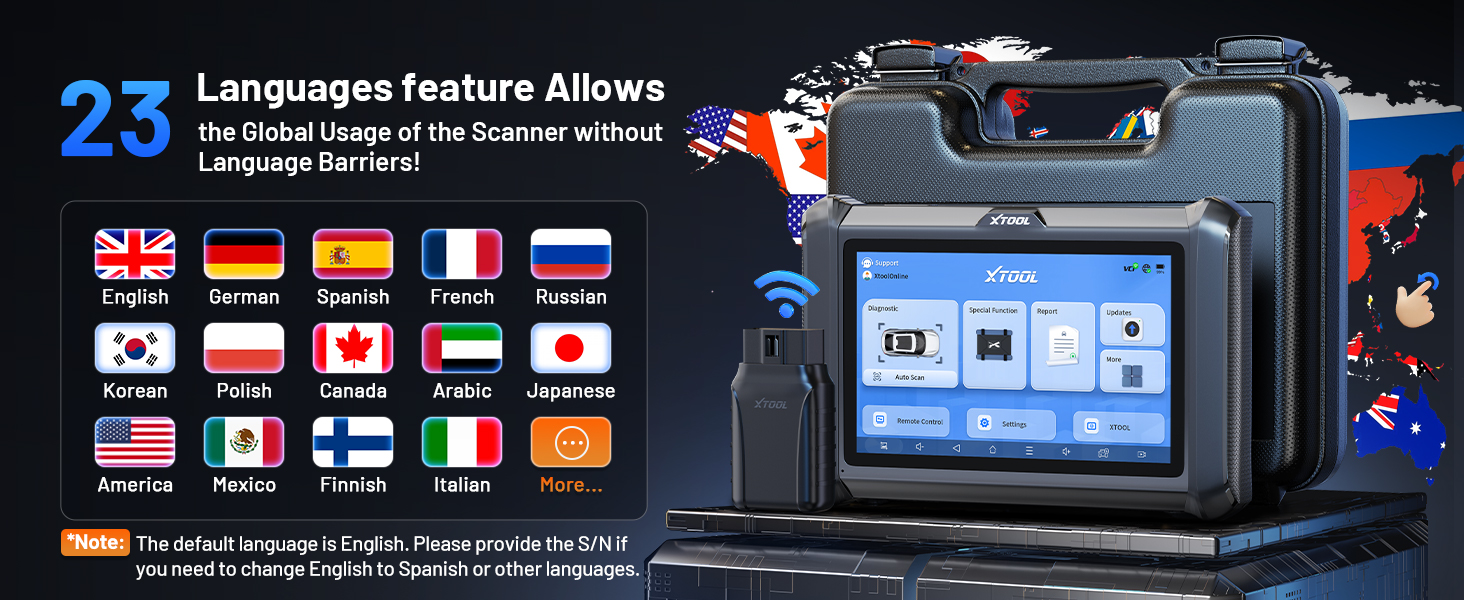
Image: Visual representation of the XTOOL D7W package contents, including the tablet, VCI box, cables, adapters, and carrying case.
Asennus
- Lataa tabletti: Connect the D7W tablet to the power adapter using the provided USB Type-C cable. Ensure the tablet is fully charged before first use.
- Virta päälle: Käynnistä tabletti painamalla virtapainiketta ja pitämällä sitä painettuna.
- Connect VCI Box: Plug the VCI box into the vehicle's OBD2 port. The OBD2 port is typically located under the dashboard on the driver's side.
- Langattoman yhteyden muodostaminen: The D7W tablet features built-in Wi-Fi for direct communication with the VCI box. No external Wi-Fi router is required for this connection. The tablet will automatically attempt to connect to the VCI box.
- Ohjelmiston alkuasennus: Follow the on-screen prompts to complete the initial software setup, including language selection and Wi-Fi network configuration for internet access (for updates).

Image: Diagram illustrating the wireless connection between the XTOOL D7W tablet and the VCI box, highlighting the freedom from tangled wires.
Käyttöohjeet
1. Täydellinen järjestelmän diagnostiikka
The D7W performs comprehensive diagnostics across all available vehicle systems, including Engine, ABS, SRS, Transmission, BCM, and more. This function allows you to:
- Lue ja poista diagnostiikkakoodit (DTC)
- View Live Data (up to 8 PIDs simultaneously)
- Retrieve Freeze Frame Data
- Access ECU Information
- Perform Auto VIN scanning for automatic vehicle identification
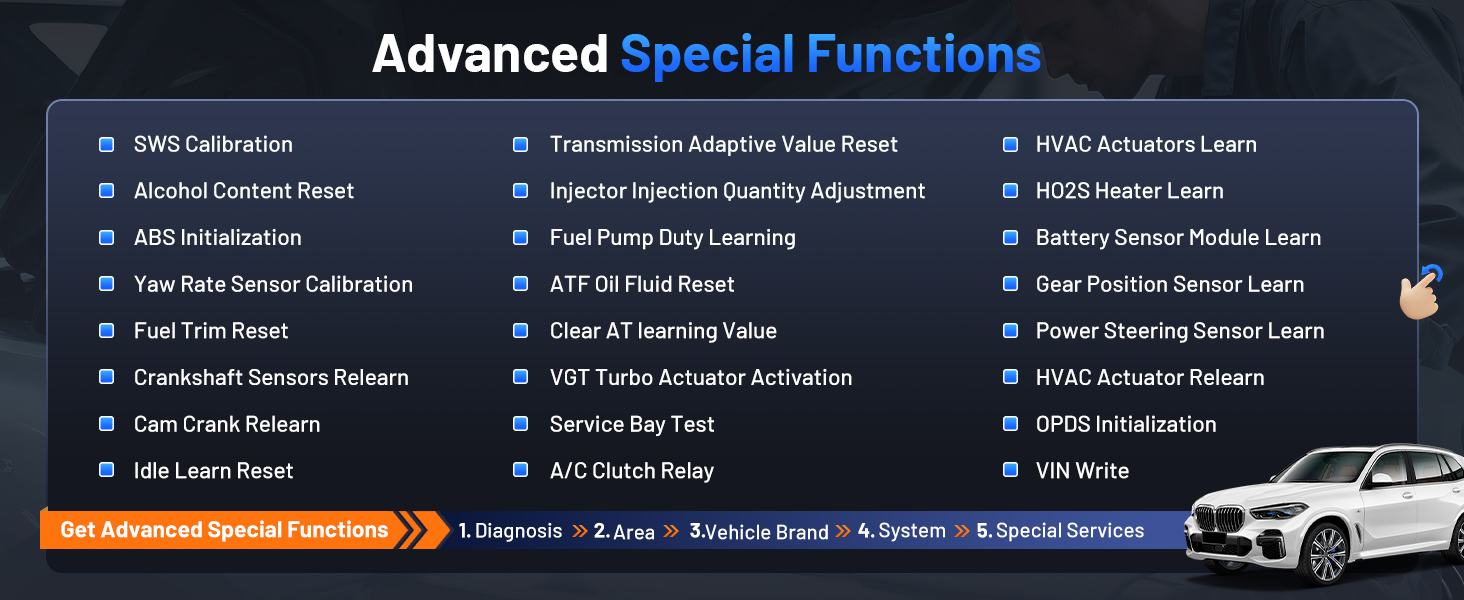
Image: Screenshot of the XTOOL D7W performing full system diagnostics, showing various diagnostic functions.
2. Kaksisuuntainen ohjaus (aktiiviset testit)
This function allows the diagnostic tool to send commands to vehicle components to test their functionality, aiding in faster fault isolation. Exampsisältää:
- Ruiskuttimen surinatesti
- ABS Pump Control
- Cooling Fan Activation
- Fuel Pump On/Off
- Window/Door Lock Tests

Kuva: esimamples of bidirectional control (active tests) such as injector buzz test, ABS pump control, and sound horn test.
3. Special Functions (39+ Resets)
The D7W offers a wide array of maintenance and reset services, including but not limited to:
- Öljyn palautus
- EPB:n (elektronisen seisontajarrun) nollaus
- TPMS:n (rengaspaineiden valvontajärjestelmän) nollaus
- BMS:n (akun hallintajärjestelmän) nollaus
- SAS:n (ohjauskulma-anturin) kalibrointi
- ABS-verenvuoto
- Injektorin koodaus
- Kaasun opetus
Kuva: Yliview of the 39+ maintenance services available on the XTOOL D7W, including various reset and calibration functions.
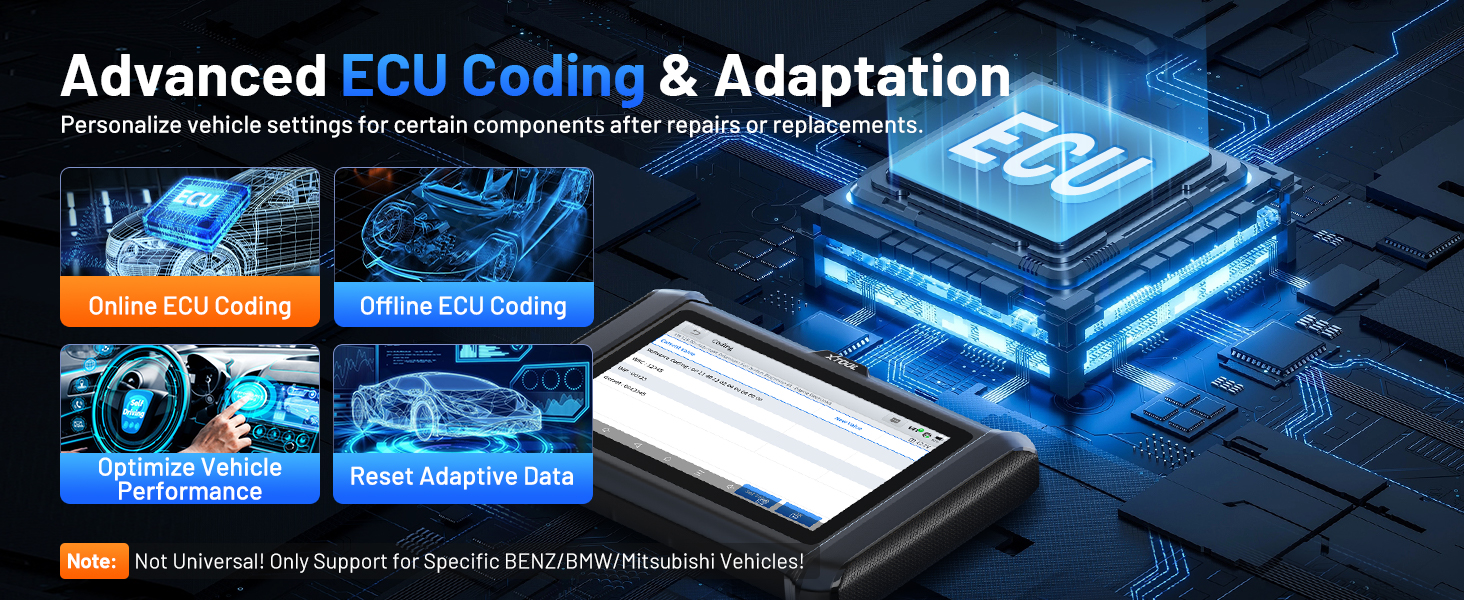
4. Advanced ECU Coding & PMI Programming
This feature allows for personalization of vehicle settings and recoding adaptive data for certain components after repairs or replacements. PMI (Programmable Module Installation) programming enables programming data from an original module to a new unit for module replacement, particularly for Ford, Lincoln, and Mazda vehicles. Huomautus: ECU Coding is not universally supported for all vehicles; it is specific to certain brands like VW, Audi, Skoda, Benz, and Mitsubishi.
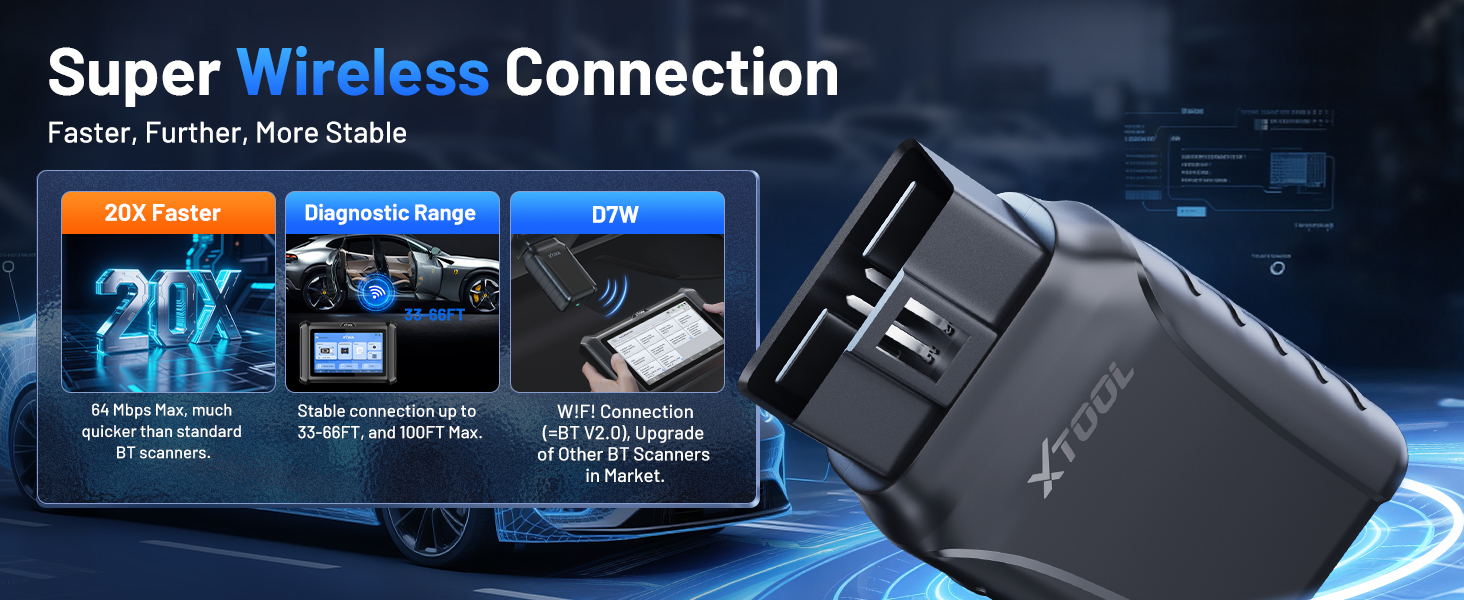
Image: Visual explanation of advanced ECU coding and adaptation, showing how it optimizes vehicle performance and resets adaptive data.
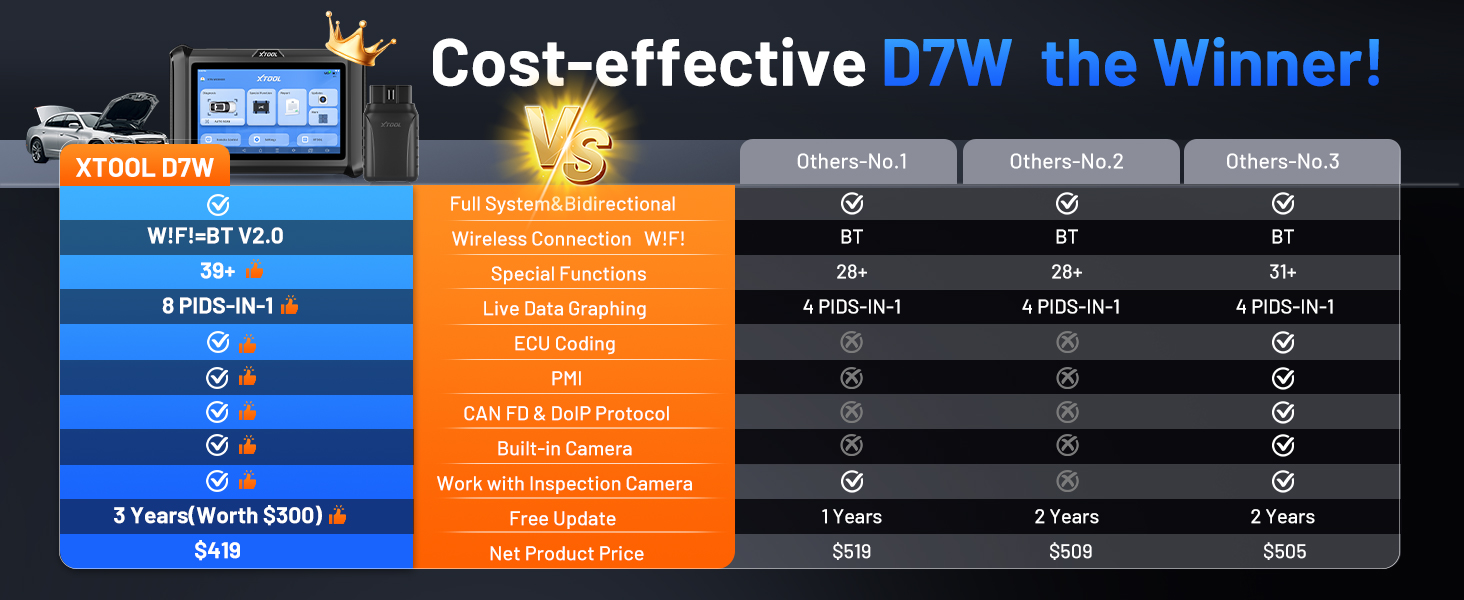
Image: Illustration of PMI and offline ECU programming for Ford, Lincoln, and Mazda vehicles, demonstrating module replacement procedures.
Huolto
- Ohjelmistopäivitykset: Regularly check for and install software updates via Wi-Fi to ensure compatibility with the latest vehicle models and diagnostic functions. The device includes 3 years of free updates.
- Akun hoito: To prolong battery life, avoid fully discharging the tablet frequently. Store the device in a cool, dry place when not in use.
- Puhdistus: Käytä pehmeää, damp liinalla tabletin näytön ja rungon puhdistamiseen. Vältä hankaavia puhdistusaineita tai liuottimia.
- Varastointi: Store the device and its accessories in the provided carry case to protect them from damage.
Vianetsintä
- Laite ei käynnisty: Varmista, että tabletin akku on riittävästi ladattu. Liitä se laturiin ja odota muutama minuutti ennen kuin yrität käynnistää sen uudelleen.
- VCI ei muodosta yhteyttä: Verify the VCI box is securely plugged into the vehicle's OBD2 port. Check the vehicle's ignition status. Ensure the tablet's Wi-Fi is enabled and attempting to connect to the VCI.
- Diagnostiikkatoiminto ei toimi: Confirm that the vehicle model and year are correctly selected. Ensure the software is up to date. Some functions may not be supported on all vehicle makes/models. Refer to the vehicle compatibility list or contact support.
- Hidas suorituskyky: Sulje kaikki taustalla käynnissä olevat tarpeettomat sovellukset. Varmista, että käytettävissä on riittävästi tallennustilaa.
Tekniset tiedot
| Ominaisuus | Erittely |
|---|---|
| Malli | XTOOL D7W |
| Käyttöjärjestelmä | Android 10.0 |
| Näyttö | 7 tuuman kosketusnäyttö |
| Muisti | 2 Gt RAM + 64 Gt tallennustilaa |
| Akku | 5000mAh (7.3V) Lithium Polymer |
| Yhteysmenetelmä | Built-in Wi-Fi (Wireless VCI) |
| Tuetut protokollat | CAN FD, DoIP, FCA (with active subscription) |
| Mitat | 12.6 x 11.25 x 4.1 tuumaa |
| Tuotteen paino | 5.06 kiloa |
| Kielet | 23 tuettua kieltä |

Image: Comparison table highlighting the enhanced features of the XTOOL D7W compared to previous models like D7, D7S, and D7BT.
Takuu ja tuki
The XTOOL D7W comes with a 2 vuoden takuuLisäksi se sisältää 3 vuotta ilmaisia ohjelmistopäivityksiä from the date of purchase, ensuring your tool remains current with the latest vehicle data and functionalities.
For technical assistance, troubleshooting, or any inquiries, please contact XTOOL customer support:
- Sähköposti: xtooldirect@outlook.com
- 24/7 Technical Assistance is available.
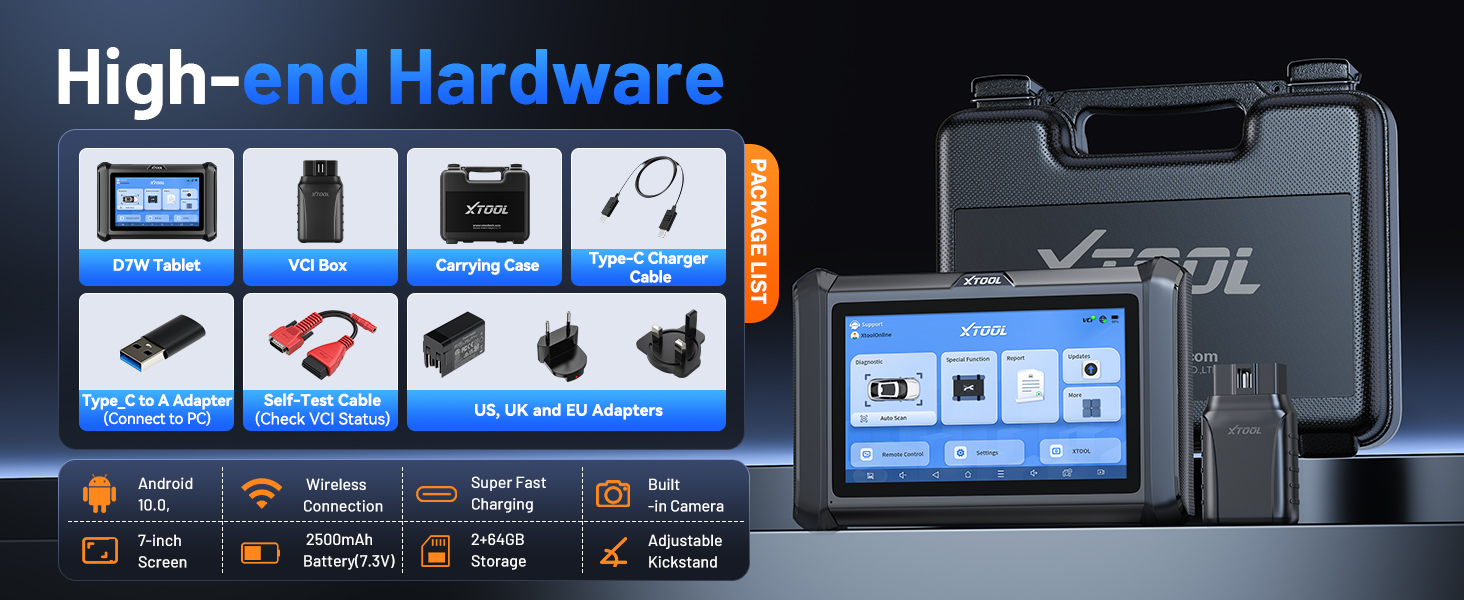
Image: Information regarding XTOOL's professional services, including 24/7 tech assistance, 2-year warranty, and 3 years of free updates.
Ask a question about this manual
Ask about setup, troubleshooting, compatibility, parts, safety, or missing instructions. Manuals+ will review the question and use this page’s manual context to help answer it.