
Tuote loppuview
The EWO'S XRT140 Universal Remote Control is designed as a direct replacement for various VIZIO Smart TV remotes. This product has been professionally inspected and tested to ensure it functions and appears like new. It offers seamless control over your VIZIO Smart TV, providing a reliable and user-friendly experience.

Kuva: Edestä ja sivulta view of the EWO'S XRT140 Universal Remote Control, showcasing sen ergonominen muotoilu ja painikkeiden asettelu.
Asennusopas
The EWO'S XRT140 remote control is designed for immediate use with compatible VIZIO Smart TVs. No pairing or programming is required.
Akun asennus
- Paikanna paristolokero kaukosäätimen takana.
- Liu'uta paristokotelon kansi auki.
- Insert two (2) 1.5V AAA batteries, ensuring the positive (+) and negative (-) terminals align correctly with the indicators inside the compartment.
- Sulje paristolokeron kansi kunnolla.
Once batteries are installed, the remote is ready to operate your VIZIO Smart TV.
Kaukosäätimen käyttö
This section details the functions of the buttons on your EWO'S XRT140 Universal Remote Control.
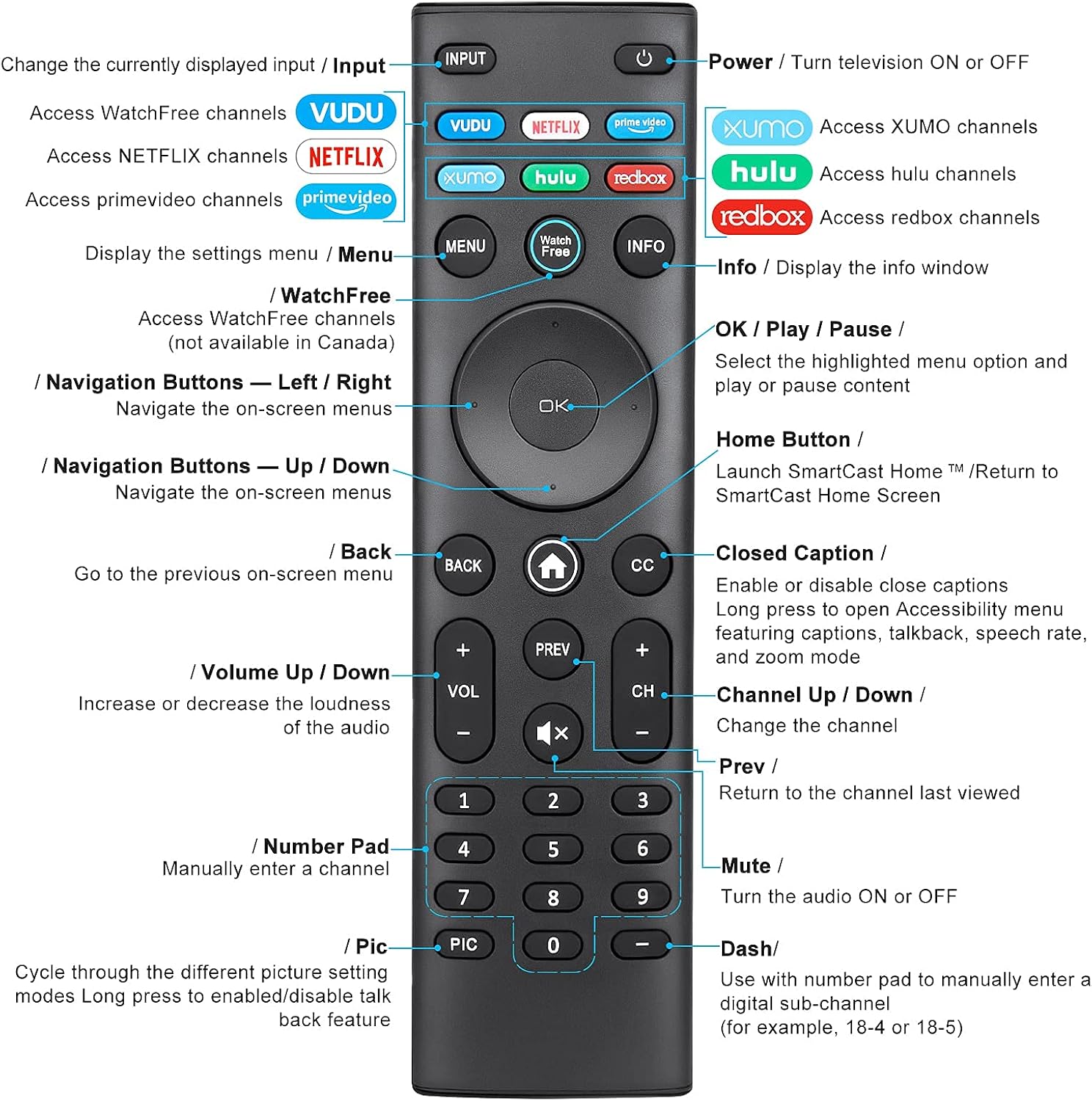
Image: Detailed diagram of the EWO'S XRT140 remote control, labeling each button with its corresponding function.
Painikkeiden toiminnot:
- INPUT: Change the currently displayed input source.
- TEHO (⏻): Turn the television ON or OFF.
- VOODOO: Access VUDU channels.
- NETFLIX: Access Netflix channels.
- prime-video: Access Prime Video channels.
- XUMO: Access XUMO channels.
- hulu: Access Hulu channels.
- redbox: Access Redbox channels.
- VALIKKO: Display the settings menu.
- WatchFree: Access WatchFree channels (Note: May not be available in all regions, e.g., Canada).
- TIEDOT: Display the info window.
- OK / Play / Pause: Select the highlighted menu option and play or pause content.
- Navigointipainikkeet (ylös/alas/vasemmalle/oikealle): Navigoi näytön valikoissa.
- Koti-painike (⌂): Launch SmartCast Home or return to the SmartCast Home Screen.
- TAKAISIN: Go to the previous on-screen menu.
- Tekstitys (CC): Enable or disable closed captions. Long press to open Accessibility menu featuring captions, talkback, speech rate, and zoom mode.
- VOL +/- (Äänenvoimakkuus ylös/alas): Lisää tai vähennä äänen voimakkuutta.
- PREV: Return to the channel last viewtoim.
- CH +/- (kanava ylös/alas): Vaihda kanavaa.
- MYKISTÄ (🔇): Turn the audio ON or OFF.
- Numeronäppäimistö (0–9): Manually enter a channel number.
- PIC: Cycle through different picture setting modes. Long press to enable/disable talk back feature.
- DASH (-): Use with the number pad to manually enter a digital sub-channel (e.g., 18-4 or 18-5).
Tärkeimmät ominaisuudet
- Välitön vastaus: This remote control boasts a quick transmission and response time of 0.2 seconds, ensuring minimal delay between your command and the TV's action.
- Kestävät napit: The buttons are rigorously tested to support over 150,000 clicks, providing long-lasting reliability.
- Laajennettu valikoima: The remote transmits a signal effectively over long distances, up to 12 meters (40 feet), allowing for flexible viewasentoja.
- Premium-muotoilu: Upgraded with a high-end glossy finish, the remote is made from durable ABS material, making it safe for use by children.
- Dedicated Shortcut Buttons: Features 7 convenient shortcut buttons for popular streaming services like VUDU, Netflix, Prime Video, XUMO, Hulu, and Redbox, plus a WatchFree button for quick access.
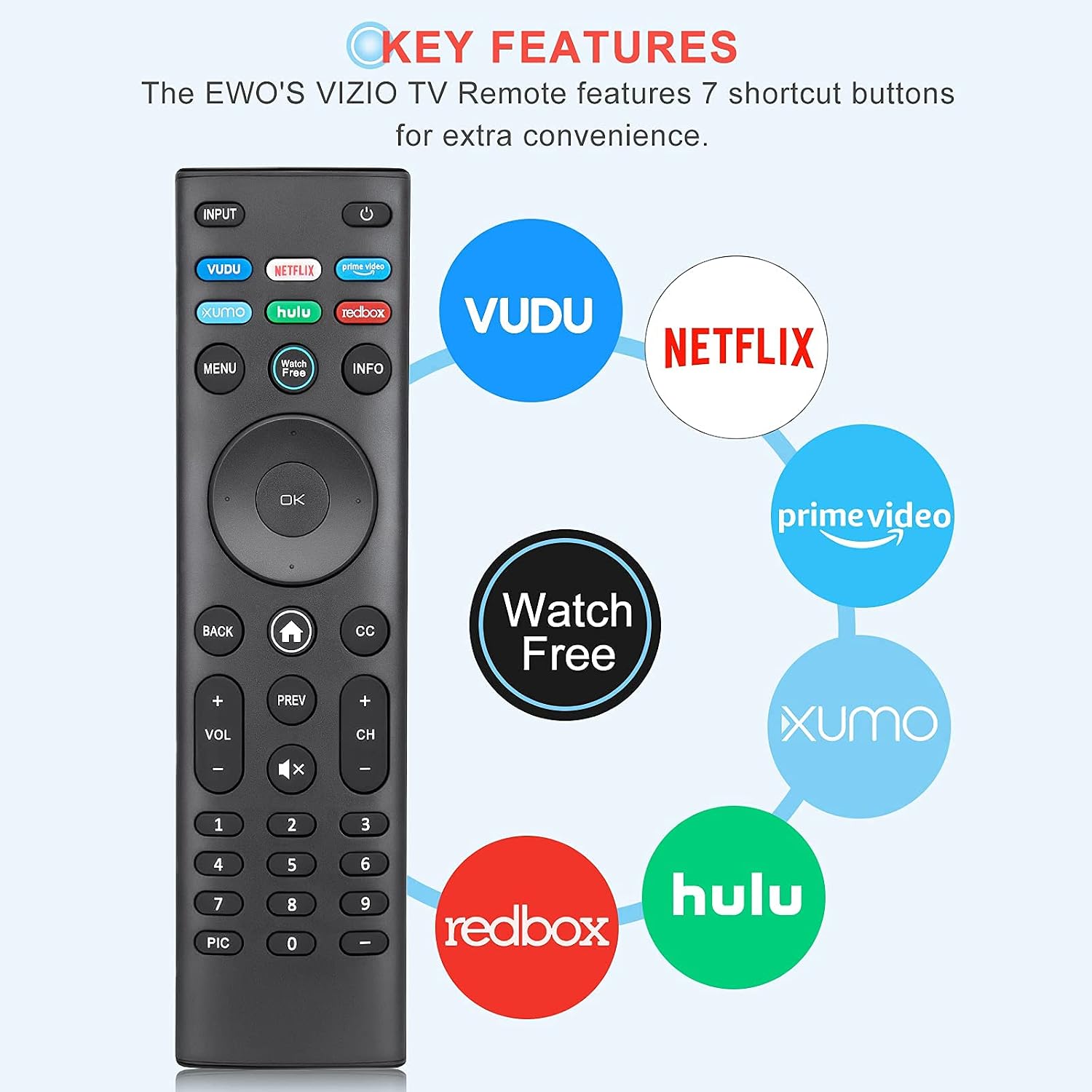
Image: The EWO'S XRT140 remote control with its 7 shortcut buttons for streaming services highlighted, emphasizing convenience.

Image: A hand holding the EWO'S XRT140 remote, with text indicating its fast response time and high click durability.

Image: An illustration demonstrating the EWO'S XRT140 remote's ability to transmit signals over 40 feet, highlighting its long-distance capability.
Yhteensopivuus
The EWO'S XRT140 Universal Remote Control is designed for broad compatibility with VIZIO Smart TVs and various VIZIO remote models.
Compatible VIZIO TV Series:
- All VIZIO LED LCD HD UHD HDR Smartcast 4K 3D Smart TVs
- Including D-Series, E-Series, M-Series, P-Series, PX-Series, V-Series, and OLED-Series.

Image: The EWO'S XRT140 remote alongside various VIZIO SmartCast TV models, illustrating its broad compatibility.
Compatible VIZIO Remote Models:
The XRT140 is a universal remote control compatible with, but not limited to, the following VIZIO remote models:
- XRT112
- XRT122
- XRT302
- XRT135
- XRT510
- XRT500
- XRT100
- XRT136
- VR1
- VR2
- VR10
- VR15

Image: The EWO'S XRT140 remote displayed next to several other VIZIO remote models, indicating its universal compatibility.
Huolto
Oikea hoito ja huolto pidentävät kaukosäätimen käyttöikää.
Puhdistus:
- Pyyhi kaukosäädin pehmeällä, kuivalla liinalla.
- Pinttyneeseen likaan, kevyesti dampKostuta liina vedellä tai miedolla, hankaamattomalla puhdistusaineella. Älä suihkuta puhdistusainetta suoraan kaukosäätimeen.
- Vältä voimakkaiden kemikaalien, liuottimien tai hankaavien puhdistustyynyjen käyttöä, sillä ne voivat vahingoittaa kaukosäätimen pintaa tai sisäisiä komponentteja.
Akun hoito:
- Vaihda paristot, kun kaukosäätimen suorituskyky heikkenee tai se lakkaa reagoimasta.
- Vaihda aina molemmat paristot samanaikaisesti uusiin samanlaisiin (AAA) paristoihin.
- If the remote will not be used for an extended period (e.g., several weeks or months), remove the batteries to prevent leakage and potential damage to the remote.
Vianetsintä
Jos kaukosäätimessäsi on ongelmia, noudata seuraavia yleisiä vianmääritysohjeita:
| Ongelma | Mahdollinen syy | Ratkaisu |
|---|---|---|
| Kaukosäädin ei vastaa | Tyhjät tai väärin asetetut paristot | Vaihda paristot uusiin 1.5 V:n AAA-paristoihin varmistaen oikean napaisuuden. |
| Kaukosäädin toimii ajoittain | Low battery power; Obstruction between remote and TV; Remote sensor on TV is blocked. | Replace batteries. Ensure a clear line of sight between the remote and the TV's IR sensor. Remove any objects blocking the TV's sensor. |
| Tietyt painikkeet eivät toimi | Dirt or debris under the button; Button malfunction. | Clean the remote surface around the button. If the issue persists, the button may be faulty. |
| Remote range is reduced | Low battery power; Interference from other electronic devices. | Replace batteries. Move other electronic devices away from the TV or remote. |
Tuotteen tekniset tiedot
| Erittely | Yksityiskohta |
|---|---|
| Merkki | EWO'S |
| Malli | XRT140 |
| Yhteensopivat laitteet | Television (VIZIO Smart TVs) |
| Suurin kantama | 40 jalkaa (noin 12 metriä) |
| Akun tyyppi | 2 x AAA (ei sisälly) |
| Tuotteen paino | 2.39 unssia |
| Pakkauksen mitat | 8.19 x 3.66 x 0.83 tuumaa |
| ASIN | B098YWCB68 |
| UPC | 656942198109 |
| Päivämäärä ensimmäinen saatavilla | 8. heinäkuuta 2021 |
Takuu ja tuki
As an Amazon Renewed product, the EWO'S XRT140 Universal Remote Control is backed by the Amazon Renewed Guarantee. This ensures that the product has been professionally inspected and tested to work and look like new.
If you are not satisfied with your purchase, renewed products are eligible for replacement or refund under the Amazon Renewed Guarantee. Please refer to the Amazon Renewed program terms and conditions for specific details regarding returns, replacements, and refunds.
For further assistance or inquiries, please contact Amazon customer support or refer to the Amazon Renewed Store for more information.
Amazon Renewed Store Link: Visit the Amazon Renewed Store