
1. Tuote ohiview
The PHEANOO D5 is a 2.1 channel sound bar system designed to enhance your television's audio experience. It includes a main sound bar unit and a dedicated wired subwoofer for deep bass. The system offers multiple connectivity options, including HDMI (ARC), Bluetooth 5.0, Optical, and AUX, ensuring compatibility with a wide range of devices. Its compact and stylish design allows for flexible placement, either on a TV stand or wall-mounted.

Image: The PHEANOO D5 sound bar and its wired subwoofer, both in black, shown together. The sound bar is long and cylindrical, and the subwoofer is a rectangular box.
2. Mitä laatikossa on
Tarkista pakkauksen sisältö huolellisesti. Jos jokin puuttuu tai on vaurioitunut, ota yhteyttä asiakaspalveluun.
- Soundbar and Wired Subwoofer
- HDMI-kaapeli
- RCA-äänikaapeli
- Remote Control (Bass, Treble Adjustable) - Paristot eivät sisälly toimitukseen
- Seinäkiinnityssarja

Image: All components included in the PHEANOO D5 package: the sound bar, subwoofer, power adapter, remote control, HDMI cable, RCA audio cable, and wall mounting hardware.
3. Asennus ja asennus
3.1 Fyysinen sijoittelu
The PHEANOO D5 sound bar offers flexible placement options to suit your home entertainment setup.
- Pöydän sijoittelu: Place the sound bar directly on a flat surface below your television. Ensure there is adequate space and that the sound bar is stable.
- Seinäasennus: Use the included wall mount kit to securely attach the sound bar to a wall. It is recommended to measure and mark drilling points accurately using a level, rather than relying solely on paper stencils, to ensure proper alignment.

Kuva: Kaksi entistäamples of sound bar placement: one mounted on a wall below a television, and another placed on a TV stand. This illustrates the flexible installation options.
The sound bar has a slim design with dimensions of 2.8"D x 29.5"W x 2.4"H, making it suitable for placement in front of most televisions without obstructing the screen.
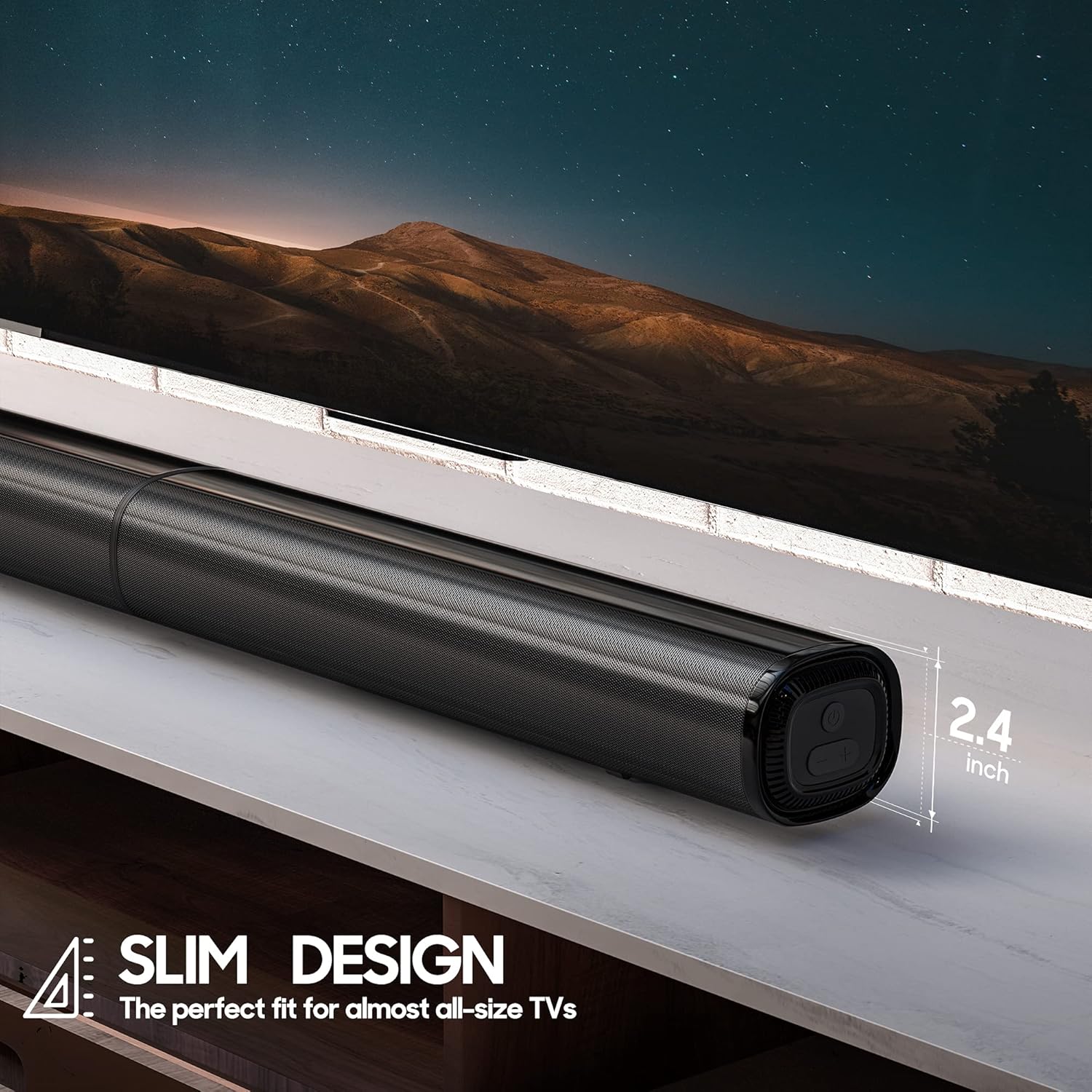
Kuva: Lähikuva view of the PHEANOO D5 sound bar placed under a television, highlighting its slim profile of 2.4 inches in height.
3.2 Subwooferin kytkeminen
The dedicated subwoofer connects to the sound bar via a wired connection. Ensure the subwoofer is placed in a location that allows for optimal bass distribution, ideally in a corner for enhanced effect.
3.3 Connecting to Your TV or Device
The D5 sound bar offers multiple connectivity options for seamless integration with your devices. Choose the connection method that best suits your television or audio source.
- HDMI (ARC): For the best audio quality and control, connect the sound bar to your TV's HDMI ARC port using the provided HDMI cable. This allows your TV remote to control the sound bar's volume.
- Optinen: Connect using an optical cable (not included) for high-quality digital audio.
- AUX: Use the provided RCA audio cable to connect to devices with a 3.5mm audio output.
- Bluetooth 5.0: Langattomaan äänen suoratoistoon älypuhelimista, tableteista tai muista Bluetooth-laitteista.

Image: The rear panel of the PHEANOO D5 sound bar showing the various input ports: AUX, Optical, HDMI (ARC), and USB. Bluetooth connectivity is also indicated.
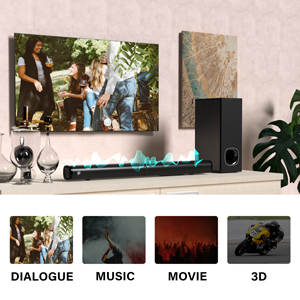
Image: A diagram illustrating the AUX, Optical, and HDMI (ARC) connection options available on the PHEANOO D5 sound bar.
3.4 Roku TV Ready -asennus
The D5 is certified to work seamlessly with any Roku TV through the HDMI (ARC) connection. This provides a smooth setup process, easy access to sound settings, and compatibility with your existing Roku TV remote.
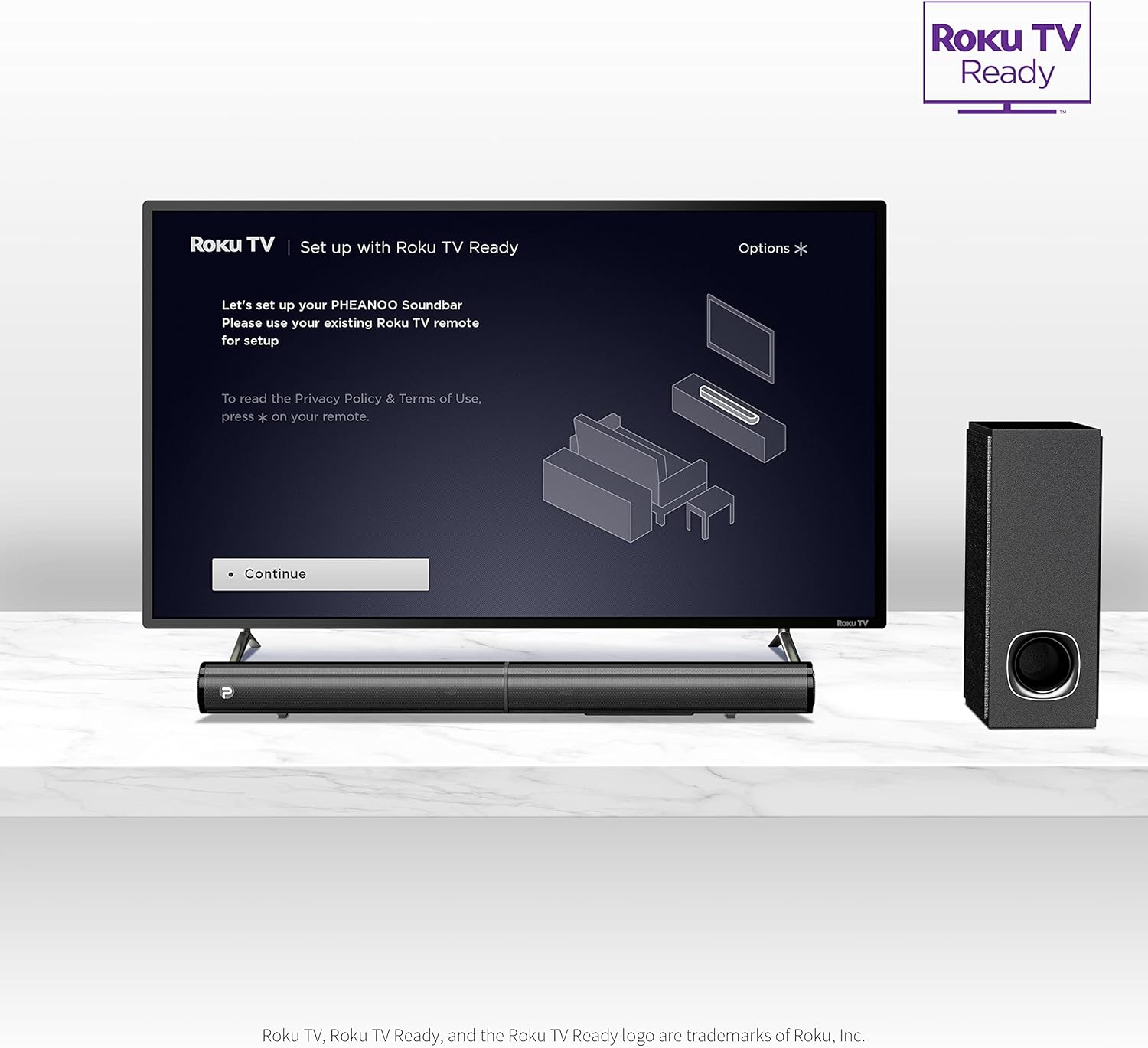
Image: A television screen displaying the "Roku TV | Set up with Roku TV Ready" interface, with the PHEANOO sound bar and subwoofer positioned below the TV, indicating easy integration.
4. Käyttöohjeet
4.1 Virta päälle/pois
Press the power button on the sound bar or the remote control to turn the unit on or off. The indicator light on the sound bar will show its status.

Image: A close-up of the sound bar's indicator light and a remote control, highlighting the 'PAIR' and 'INDICATOR' buttons for status and pairing.
4.2 Tulolähteen valinta
Use the "Input" button on the remote control or the sound bar to cycle through available input sources: HDMI (ARC), Optical, AUX, and Bluetooth.
4.3 Äänenvoimakkuuden säätö
Adjust the master volume using the Volume Up (+) and Volume Down (-) buttons on the remote control or the sound bar. The remote also allows for independent bass and treble adjustments.
4.4 Äänitilat
The D5 sound bar features various sound modes optimized for different content types. Use the remote control to select:
- Dialogitila: Enhances vocal clarity, making speech easier to understand.
- Musiikkitila: Optimoitu musiikin toistoon.
- Elokuvatila: Provides an immersive audio experience for films.
- 3D-tila: Luo laajemman ja tilallisemman äänentage.
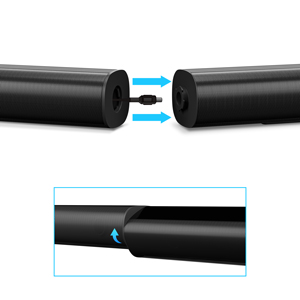
Image: A visual representation of the four sound modes: Dialogue, Music, Movie, and 3D, with corresponding icons and a sound wave graphic emanating from the sound bar.
4.5 Bluetooth -pariliitos
Bluetooth-laitteen yhdistäminen pariksi:
- Select Bluetooth input on the sound bar. The indicator light will flash.
- Ota Bluetooth käyttöön laitteessasi (esim. älypuhelimessa).
- Etsi "PHEANOO D5" in your device's Bluetooth settings and select it to pair.
- Once paired, the indicator light will become solid, and you can stream audio wirelessly.
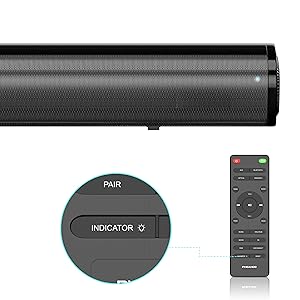
Image: A smartphone displaying a music player interface, with a Bluetooth icon and a sound wave connecting it wirelessly to the PHEANOO D5 sound bar.
5. Tärkeimmät ominaisuudet
5.1 Clear and Precise Dialogue
The D5 sound bar features a specially tuned dialogue mode that makes speech crystal clear and easier to understand, enhancing your viewing experience, especially for movies and TV shows.

Image: A group of people watching TV with the PHEANOO D5 sound bar, accompanied by a "CRYSTAL-CLEAR DIALOGUE" graphic, illustrating enhanced speech clarity.
5.2 Enhanced Bass Performance
The dedicated wired subwoofer provides deep and powerful bass, significantly improving the overall sound quality compared to standalone sound bars. The 5.25-inch subwoofer delivers a robust low-frequency response.

Image: A close-up of the PHEANOO D5 subwoofer, with a graphic indicating "BETTER BASS" and ripples suggesting powerful sound waves emanating from the unit.
5.3 Compact and Stylish Design
With overall dimensions of 29.5"W x 2.4"H x 2.8"D, the D5 sound bar features a compact and sleek design that blends easily into any living space, complementing your television without being obtrusive.
6. Tekniset tiedot
| Ominaisuus | Yksityiskohta |
|---|---|
| Mallin nimi | Sound Bar 4 (D5) |
| Kaiuttimen tyyppi | Soundbar, Subwoofer |
| Surround-äänikanavan asetukset | 2.1 |
| Yhteystekniikka | Auxiliary, Bluetooth, HDMI (ARC), Optical, USB |
| Langaton viestintätekniikka | Bluetooth 5.0 |
| Kaiuttimen suurin lähtöteho | 200 wattia |
| Tuotteen mitat | 2.8" S x 29.5" L x 2.4" K |
| Tuotteen paino | 11.57 kiloa |
| Subwooferin halkaisija | 8.27 tuumaa (bassokaiuttimen halkaisija) |
| Asennustyyppi | Seinäteline, Pöytätaso |
| Väri | Musta |
| Valvontamenetelmä | Kauko |
| Virtalähde | Johdollinen sähkö |
| Yhteensopivat laitteet | Television, Smartphones, Tablets |
7. Huolto
To ensure the longevity and optimal performance of your PHEANOO D5 Sound Bar, follow these maintenance guidelines:
- Puhdistus: Use a soft, dry cloth to clean the surfaces of the sound bar and subwoofer. Avoid using liquid cleaners, aerosols, or abrasive materials, as these can damage the finish.
- Ilmanvaihto: Varmista, että soundbarin ja subwooferin tuuletus on riittävä. Älä tuki tuuletusaukkoja.
- Ympäristö: Pidä laite poissa suorasta auringonvalosta, lämmönlähteistä, liiallisesta pölystä, kosteudesta ja voimakkaista magneettikentistä.
- Virtajohto: Tarkista virtajohto säännöllisesti mahdollisten vaurioiden varalta. Jos johto on vaurioitunut, lopeta käyttö ja ota yhteyttä asiakastukeen.
8. Vianmääritys
If you encounter issues with your PHEANOO D5 Sound Bar, refer to the following common troubleshooting steps:
| Ongelma | Mahdollinen ratkaisu |
|---|---|
| Äänipalkista ei kuulu ääntä. |
|
| Subwoofer is not producing bass. |
|
| Bluetooth-pariliitosongelmat. |
|
| Kaukosäädin ei toimi. |
|
9. Takuu ja tuki
The PHEANOO D5 Sound Bar comes with a limited warranty. Please refer to the warranty card included in your package for specific terms and conditions.
For further assistance, technical support, or warranty claims, please refer to the official PHEANOO support channels or the comprehensive User Manual PDF available online.
Verkkokäyttöopas (PDF): Lataa tästä