
1. Johdanto
Thank you for choosing the Yanmai USB Bluetooth 5.0 Adapter. This compact device enables wireless communication between your computer and various Bluetooth-enabled peripherals. This manual provides essential information for proper setup, operation, and maintenance to ensure optimal performance.
2. Tuote ohiview
The Yanmai USB Bluetooth 5.0 Adapter is a nano-sized dongle designed to add Bluetooth 5.0 capabilities to your desktop or laptop computer. It supports a wide range of Bluetooth devices, offering enhanced speed and efficiency for wireless connectivity.
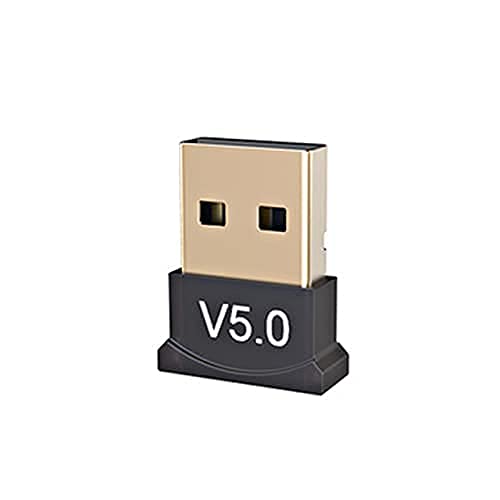
Kuva 2.1: The Yanmai USB Bluetooth 5.0 Adapter. This image shows the compact design of the adapter, featuring a black base with 'V5.0' marking and a gold-colored USB connector.

Kuva 2.2: The adapter held between fingers, illustrating its small, unobtrusive size. The 'V5.0' branding is visible on the black casing.
3. Ominaisuudet
- Bluetooth 5.0 -tekniikka: Utilizes the latest Bluetooth 5.0 standard, backward compatible with Bluetooth V4.0, 3.0, 2.1, 2.0, and 1.0.
- Nano-sized Design: Ultra-small form factor allows it to remain plugged into a USB port without obstruction.
- Luotettava yhteys: Enables wireless communication with a broad range of Bluetooth-enabled devices including computers, printers, phones, headsets, and speakers.
- Broad Operation Range: Offers a transmission distance of up to 20 meters (65 feet) for flexible use.
- Energiaa säästävä: Incorporates Bluetooth Low Energy (BLE) technology for efficient power consumption.
- Plug and Play: Supports plug-and-play functionality on Windows 10, 8.1, and 8 operating systems.
4. Tekniset tiedot
| Merkki | Yanmai |
| Bluetooth-standardi | V5.0 |
| Siru | CSR8510 |
| Taajuusalue | 2.4 GHz |
| Käyttöjärjestelmän tuki | Windows 10, Windows 8.1, Windows 8 (Plug & Play); Windows Me/2000/XP/Vista, Windows 7 (Driver installation may be required) |
| Käyttöliittymä | USB |
| Datanopeus | 10 Mbps |
| Receiving/Sending Range | Jopa 20 m (65 jalkaa) |
| Mitat (PxLxK) | 50 x 50 x 50 mm (noin) |
| Tuotteen paino | 60 g |
| UPC | 193356049370 |
5. Asennusohjeet
Follow these steps to install and set up your Yanmai USB Bluetooth 5.0 Adapter:
- Aseta sovitin: Locate an available USB port on your desktop or laptop computer. Carefully insert the Yanmai USB Bluetooth 5.0 Adapter into the USB port.
- Automatic Driver Installation (Windows 10/8.1/8): For Windows 10, 8.1, and 8, the operating system should automatically detect the adapter and install the necessary drivers. A notification will typically appear once the device is ready for use.
- Manual Driver Installation (Older Windows Versions): If you are using Windows Me, 2000, XP, Vista, or 7, you may need to install drivers manually. Please refer to the manufacturer's website or included driver CD (if applicable) for specific instructions and driver downloads.
- Tarkista asennus: After installation, check your computer's Device Manager (search for 'Device Manager' in Windows search bar) under 'Bluetooth' or 'Network adapters' to confirm that the 'Bluetooth Radio' or 'Generic Bluetooth Adapter' is listed and functioning correctly.
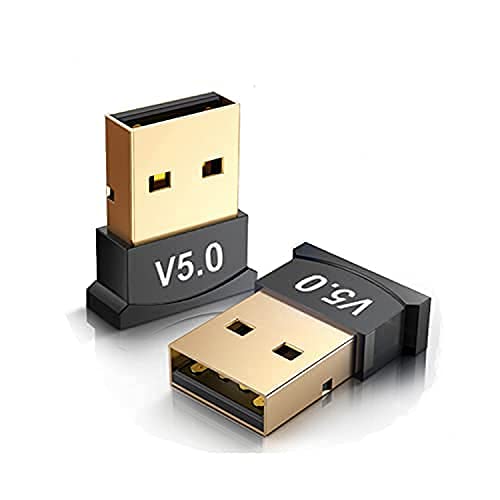
Kuva 5.1: Two adapters shown, highlighting their compact size and USB connector. This illustrates the small footprint of the device when plugged in.
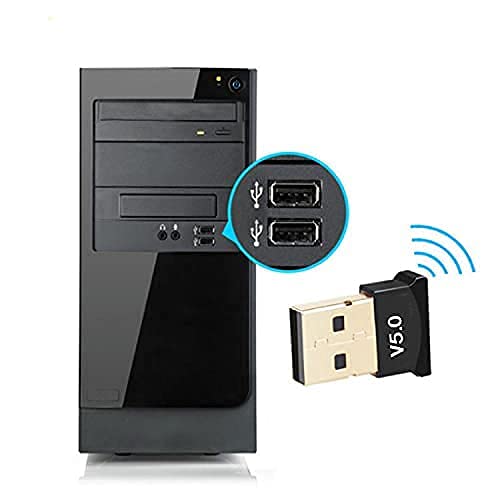
Kuva 5.2: The adapter inserted into a USB port on the front of a desktop computer tower. A magnified inset shows the USB ports clearly.
6. Käyttöohjeet
Once the adapter is installed, you can connect your Bluetooth devices:
- Ota Bluetooth käyttöön tietokoneellasi:
- Windows 10: Siirry osoitteeseen Asetukset > Laitteet > Bluetooth ja muut laitteet. Ensure Bluetooth is turned On.
- Windows 8.1/8: Siirry osoitteeseen PC-asetukset > PC ja laitteet > Bluetooth. Ensure Bluetooth is turned On.
- Put Your Bluetooth Device in Pairing Mode: Refer to your specific Bluetooth device's manual for instructions on how to enter pairing mode. This usually involves pressing and holding a button until an indicator light flashes.
- Lisää Bluetooth-laite:
- In the Bluetooth settings window on your computer, click 'Add Bluetooth or other device'.
- Valitse Bluetooth vaihtoehdoista.
- Tietokoneesi etsii lähellä olevia Bluetooth-laitteita. Valitse laitteesi luettelosta, kun se tulee näkyviin.
- Follow any on-screen prompts to complete the pairing process, which may include entering a PIN (e.g., '0000' or '1234') if requested.
- Nauti langattomasta yhteydestä: Once paired, your device should connect automatically when in range and Bluetooth is enabled on both ends.
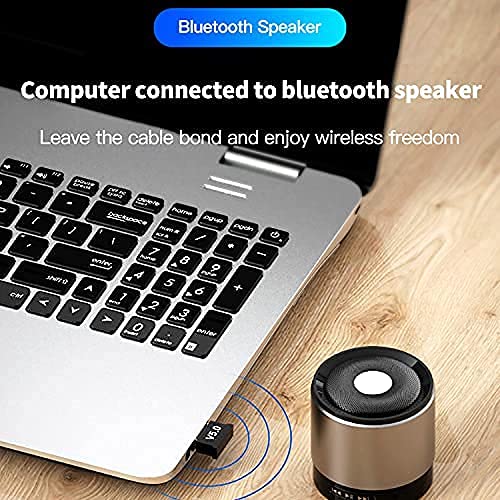
Kuva 6.1: A laptop with the Bluetooth adapter connected, wirelessly streaming audio to a small Bluetooth speaker. This demonstrates a common use case for the adapter.

Kuva 6.2: A person's hand adjusting a Bluetooth speaker, with a laptop and the adapter visible in the background. The image emphasizes wireless audio enjoyment.
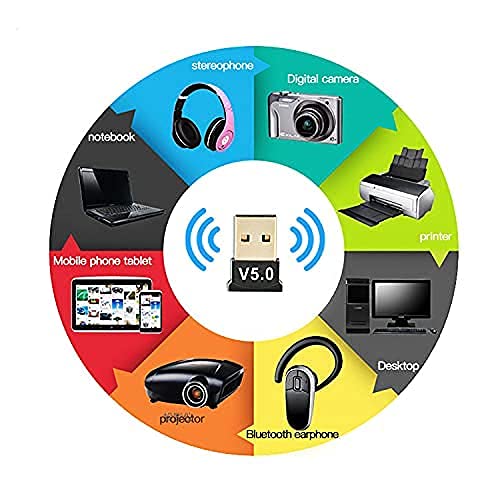
Kuva 6.3: A circular diagram illustrating the wide range of devices compatible with the Bluetooth adapter, including laptops, mobile phones, projectors, Bluetooth earphones, desktops, printers, digital cameras, and stereophones.
7. Huolto
The Yanmai USB Bluetooth 5.0 Adapter requires minimal maintenance. Follow these guidelines to ensure its longevity:
- Pidä puhtaana: Periodically wipe the adapter with a soft, dry cloth to remove dust. Avoid using liquid cleaners.
- Säilytä oikein: Kun et käytä adapteria, säilytä se viileässä, kuivassa paikassa suojassa suoralta auringonvalolta ja äärimmäisiltä lämpötiloilta.
- Käsittele varovasti: Avoid dropping the adapter or subjecting it to physical shock, which can damage internal components.
- Vältä vettä: Älä altista sovitinta vedelle tai muille nesteille.
8. Vianmääritys
If you encounter issues with your Yanmai USB Bluetooth 5.0 Adapter, refer to the following common problems and solutions:
- Sovitinta ei havaittu:
- Ensure the adapter is fully inserted into a working USB port. Try a different USB port.
- Käynnistä tietokone uudelleen.
- Check Device Manager for any unknown devices or errors under 'Bluetooth' or 'Network adapters'. If an error exists, try updating or reinstalling the driver.
- Laitteita ei voi parittaa:
- Ensure Bluetooth is enabled on both your computer and the device you are trying to pair.
- Varmista, että Bluetooth-laitteesi on pariliitostilassa.
- Bring the Bluetooth device closer to the adapter.
- Remove any previously paired instances of the device from your computer's Bluetooth settings and attempt to pair again.
- Ensure there are no strong interference sources (e.g., Wi-Fi routers, other wireless devices) nearby.
- Poor Connection Quality or Disconnections:
- Pienennä sovittimen ja liitetyn laitteen välistä etäisyyttä.
- Ensure there are no physical obstructions (walls, large metal objects) between the adapter and the device.
- Check for updated drivers for the Bluetooth adapter.
- Minimize other wireless activity on the 2.4GHz band if possible.
9. Takuu ja tuki
Jos tarvitset takuutietoja tai teknistä tukea, katso ostoksesi mukana toimitetut asiakirjat tai ota yhteyttä suoraan jälleenmyyjään/valmistajaan. Säilytä ostokuitti takuuvaatimuksia varten.