
1. Johdanto
The Ledlenser TFX Arcturus 6500 is a high-performance tactical flashlight engineered for demanding situations. It delivers ultra-bright white light and offers direct access to red, green, or blue light. Designed for law enforcement, security, rescue, survival, and outdoor use, this flashlight combines robust construction with advanced functionality, including a multi-color strobe and extreme water protection.
2. Pakkauksen sisältö
Varmista, että pakkauksessasi on kaikki seuraavat osat:
- TFX Arcturus 6500 Flashlight
- Pussi
- Nauha
- USB-kaapeli
- Battery (3 x 18650 Li-ion)
3. Tuote ohiview
Familiarize yourself with the components of your TFX Arcturus 6500 flashlight.
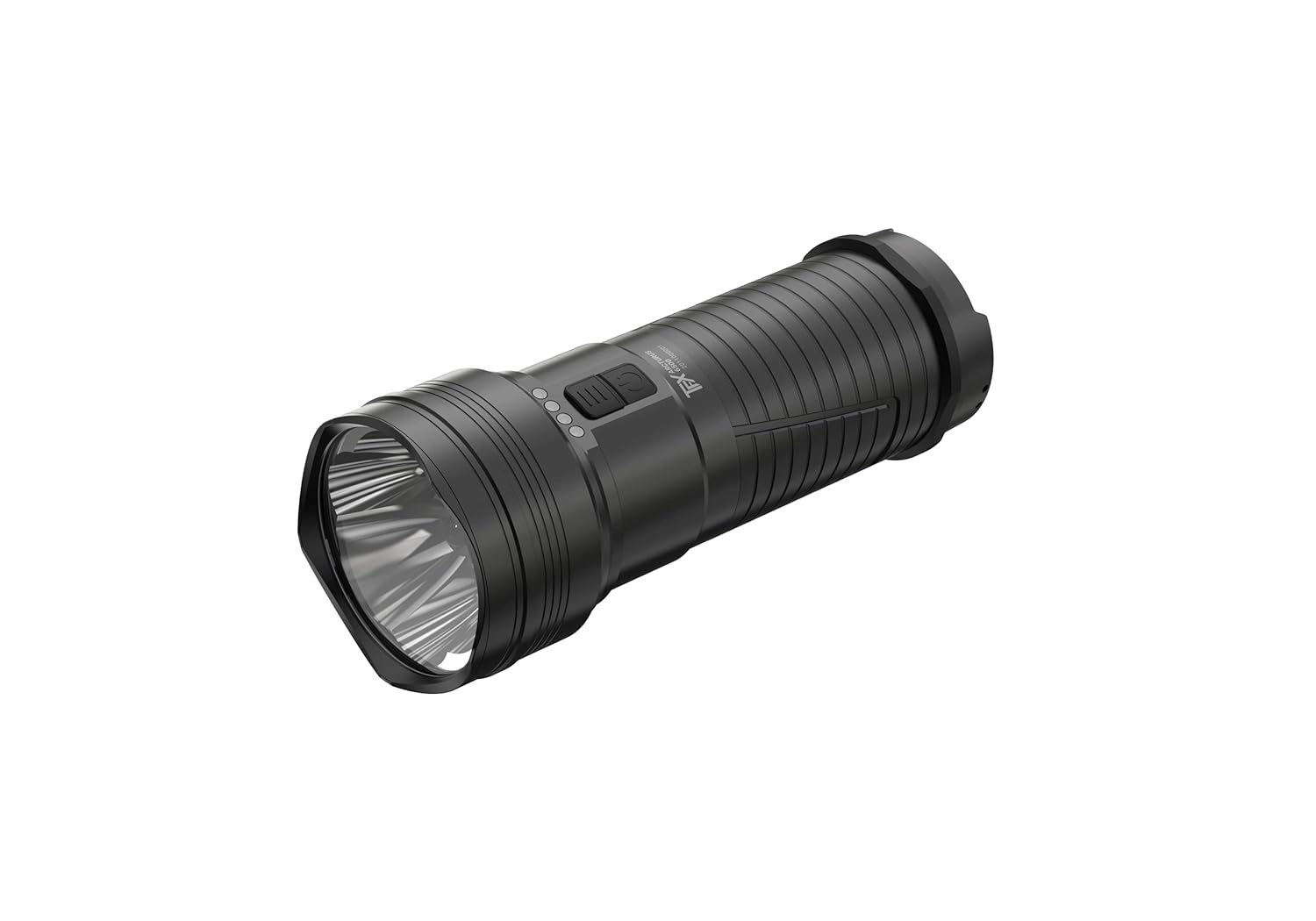
Kuva 1: Koko view of the TFX Arcturus 6500 Tactical Flashlight, showcasing its robust aluminum body and reflector head.

Kuva 2: Close-up of the flashlight's control panel, featuring the silent double front switch and the four-LED battery and charge status indicator.
4. Asennus
4.1 Akun asennus
- Irrota taskulampun takakansi kääntämällä sitä vastapäivään.
- Insert the three 18650 Li-ion batteries into the battery compartment, ensuring correct polarity (positive (+) end towards the head of the flashlight).
- Kierrä takakansi takaisin myötäpäivään, kunnes se on tiukasti kiinni.
4.2 Ensimmäinen lataus
Before first use, fully charge the flashlight's batteries.
- Locate the USB charging port, typically protected by a rubber cover.
- Connect the provided USB cable to the flashlight and to a suitable USB power source (e.g., wall adapter, computer USB port).
- The four LEDs on the control panel will indicate the charging status. All four LEDs illuminated steadily indicate a full charge.
- Once fully charged, disconnect the USB cable and ensure the rubber cover is properly sealed to maintain water resistance.
4.3 Nauhakiinnitys
Attach the lanyard to the designated loop on the tail cap for secure handling and to prevent accidental drops.
5. Käyttöohjeet
5.1 Virta päälle/pois ja kirkkaustilat
The TFX Arcturus 6500 features a silent double front switch for intuitive control.
- Kytkeminen päälle/pois päältä: Press and hold the main power button (larger button) for approximately 1 second.
- To Cycle Brightness (White Light): With the flashlight on, short press the main power button to cycle through the three brightness levels (High, Medium, Low).
- Burst-toiminto: From any mode, double-press the main power button for a momentary burst of maximum output. Release to return to the previous mode.
5.2 Color Light Modes (Red, Green, Blue)
The smaller, secondary button on the control panel allows direct access to color light modes.
- To Activate Color Light: With the flashlight off, press and hold the secondary button. The flashlight will turn on in the last used color mode.
- To Cycle Colors: With the color light on, short press the secondary button to cycle through Red, Green, and Blue.
- To Turn Off Color Light: Press and hold the secondary button again, or press the main power button.
5.3 Multi-Color Strobe
The multi-color strobe function allows the flashlight to flash in all four available colors (white, red, green, blue).
- To Activate Multi-Color Strobe: With the flashlight on (in any white or color mode), double-press the secondary button.
- To Deactivate Multi-Color Strobe: Short press either the main power button or the secondary button.
5.4 Älykäs muistitoiminto
The flashlight remembers the last used white light brightness level and color light mode. When turned on, it will revert to the previously selected setting.
5.5 Lukitustoiminto
To prevent accidental activation during transport or storage, the flashlight features a lock function.
- Lukituksen aktivointi: With the flashlight off, press and hold both the main power button and the secondary button simultaneously for approximately 3 seconds until the indicator LEDs flash.
- Lukituksen poistaminen käytöstä: Repeat the activation process. The indicator LEDs will flash to confirm unlock.
5.6 Battery and Charge Status Display
The four LEDs on the control panel provide real-time battery status and charging progress.
- Akun tila: When the flashlight is on, the LEDs indicate the remaining battery capacity. Four LEDs mean full, one LED means low battery.
- Lataustila: During charging, the LEDs will progressively illuminate to show charging progress.
6. Huolto
6.1 Puhdistus
- Pyyhi taskulampun runko pehmeällä,amp kangas. Vältä hankaavia puhdistusaineita.
- Clean the lens with a lens cleaning cloth to maintain optimal light output.
- Periodically clean the threads of the tail cap and apply a thin layer of silicone grease to maintain water resistance and smooth operation.
6.2 Akun hoito
- Always use the recommended 18650 Li-ion batteries.
- Charge batteries regularly, even if the flashlight is not in frequent use, to prolong battery life.
- Store the flashlight in a cool, dry place. For long-term storage, remove the batteries.
6.3 Vedenkestävyys (IPX8)
The TFX Arcturus 6500 is rated IPX8, meaning it is protected against continuous immersion in water under conditions specified by the manufacturer. Ensure all caps and covers are securely closed before exposing the flashlight to water.
7. Vianmääritys
If you encounter issues with your flashlight, refer to the table below for common problems and solutions.
| Ongelma | Mahdollinen syy | Ratkaisu |
|---|---|---|
| Taskulamppu ei syty. | Low or depleted battery. Incorrect battery installation. Lock function activated. | Charge the battery. Check battery polarity. Deactivate lock function. |
| Valoteho on himmeä. | Akku vähissä. Likainen linssi. | Charge the battery. Clean the lens. |
| Taskulamppu välkkyy. | Loose tail cap. Dirty battery contacts. | Tighten tail cap. Clean battery contacts with a clean cloth. |
| Lataus ei ala. | Faulty USB cable or power source. Charging port obstruction. | Try a different USB cable or power source. Check charging port for debris. |
8. Tekniset tiedot
Detailed technical specifications for the TFX Arcturus 6500 Tactical Flashlight.
| Ominaisuus | Yksityiskohta |
|---|---|
| Mallinumero | 502559 |
| Kirkkaus | Jopa 6500 lumenia |
| Valonlähteen tyyppi | LED (White, Red, Green, Blue) |
| Virtalähde | Paristokäyttöinen |
| Akun tyyppi | 3 x 18650 litiumioniakku (sisältyy pakkaukseen) |
| Voitage | 3.6 volttia |
| Materiaali | Alumiini |
| Vedenkestävyystaso | IPX8 |
| Tuotteen paino | 512 grammaa |
| Tuotteen mitat (PxLxK) | 15.1 x 4.7 x 6 senttimetriä |
| Erikoisominaisuudet | Cordless, RGB tri-color light function, Three-segment brightness + burst function, Silent double front switch, Multi-color strobe, Intelligent memory, Lock function, Roll protection, Glass pane |
9. Takuu ja tuki
For warranty information, technical support, or service inquiries, please refer to the documentation provided with your purchase or visit the official Ledlenser websivusto. Säilytä ostokuitti takuuvaatimuksia varten.