
1. Tuote ohiview
Discover the ForceClima 12300 Connected Heating portable air conditioner, designed to adapt to your needs at any time with its portable design and five operating modes. It ventilates, cools, heats, and dehumidifies any room in your home, or allows for peaceful rest with its night mode. Featuring Wi-Fi control, a remote control, a touch panel, and an LED screen, it ensures you can enjoy the optimal environment with maximum comfort.

Kuva 1.1: Edessä view of the Cecotec ForceClima 12300 portable air conditioner.

Image 1.2: Another perspective of the Cecotec ForceClima 12300 portable air conditioner.
2. Turvallisuusvaroitukset
Please read all safety warnings and instructions carefully before using the appliance to prevent personal injury or damage to the product. Keep this manual for future reference.
- Purkaminen: Remove the product from its box and remove all packaging materials. Ensure all components are present and undamaged.
- Sijoitus: Place the unit on a stable, flat surface. Ensure adequate clearance around the unit for proper airflow.
- Virtalähde: Liitä laite ainoastaan maadoitettuun pistorasiaan, jossa on oikea jännitteisyystage kuten tuotteen etiketissä on ilmoitettu.
- Lapset ja lemmikit: Pidä lapset ja lemmikkieläimet poissa laitteen luota käytön aikana.
- Huolto: Älä yritä korjata tai muokata laitetta itse. Ota yhteyttä pätevään huoltohenkilöstöön korjausten suorittamiseksi.
- Vesi: Do not immerse the appliance in water or other liquids. Avoid spilling liquids on the unit.
- Ilmanvaihto: Ensure the exhaust hose is properly installed and vented outdoors to prevent heat buildup.
3. Tuotteen ominaisuudet
- High Cooling/Heating Capacity: Portable air conditioner with a powerful 12000 BTU capacity, suitable for quickly and efficiently reaching desired temperatures in areas up to approximately 25 m². Features a heat pump for effective heating during winter.
- Wi-Fi-yhteys: Configure the appliance remotely via Wi-Fi connection, allowing full control from your smartphone from anywhere.
- Useita nopeuksia: Three fan speeds (Low, Medium, High) to adapt operation according to immediate needs.
- Kaukosäädin: Includes a remote control for convenient operation from any location without needing to approach the unit.
- Intuitive Display and Control: LED screen displays all possible configurations and highlights current settings for easy control. The top touch control panel provides practical and simple operation.
- Viisi toimintatilaa: Offers Fan mode, Cooling mode, Heating mode, Dehumidification mode, and Night mode.
- Korkea kosteudenpoistokyky: Dehumidification mode can capture up to 26 liters per day, contributing to a healthier environment in your home.

12000 BTU Capacity

Lämmitys ja jäähdytys

Wi-Fi-ohjaus

Kaukosäädin ja kosketusohjain

LED-näyttö

5 Toimintatilat

3 tuulettimen nopeutta

kosteudenpoisto
4. Asennus ja asennus
Proper setup is crucial for the optimal performance of your portable air conditioner. Follow these steps for installation:
- Pura pakkauksesta: Carefully remove the air conditioner and all accessories from the packaging. Ensure you have the unit, exhaust hose, window kit, and remote control.
- Paikannus: Place the unit on a firm, level surface near a window and a grounded electrical outlet. Ensure there is at least 20 cm (8 inches) of space around the unit for proper air circulation.
- Asenna ikkunasarja:
- Assemble the window sealing plate kit according to your window type (sliding or casement).
- Secure the window kit in the open window, ensuring a tight seal to prevent air leakage.
- Kiinnitä pakokaasuletku:
- Liitä poistoletkun toinen pää laitteen takana olevaan ilmanpoistoaukkoon.
- Connect the other end of the exhaust hose to the adapter in the window kit. Extend the hose as little as possible and avoid sharp bends to maximize efficiency.
- Drainage (Dehumidification/Cooling): For continuous drainage during dehumidification or cooling in high humidity, connect a drain hose (not included) to the continuous drain port and lead it to a floor drain or suitable container. Otherwise, the internal water tank will collect condensate and require manual emptying.
- Virtaliitäntä: Kytke virtajohto maadoitettuun 230 voltin pistorasiaan.

Image 4.1: Proper placement of the unit with the exhaust hose connected to a window.
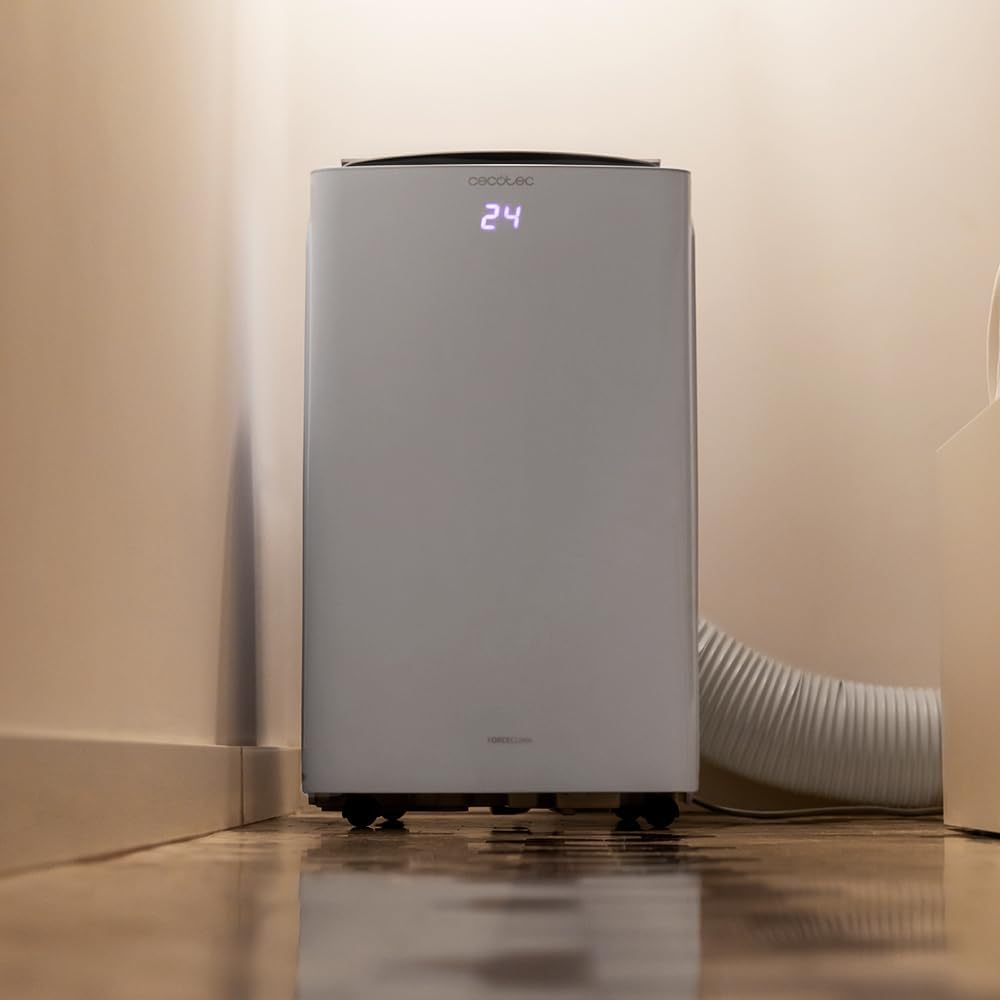
Image 4.2: Close-up of the exhaust hose connection at the base of the unit.
5. Käyttöohjeet
Your ForceClima 12300 offers various ways to control its functions:
5.1. Ohjauspaneelin käyttö
The touch control panel on top of the unit allows direct access to all functions.

Image 5.1: User interacting with the top control panel of the air conditioner.
- Virtapainike: Paina kytkeäksesi laitteen päälle tai pois päältä.
- Tilapainike: Cycle through the 5 operating modes: Cooling, Heating, Fan, Dehumidification, and Night.
- Tuulettimen nopeuspainike: Valitse haluamasi tuulettimen nopeus: Matala, Keskitaso tai Korkea.
- Lämpötilan säätö: Aseta haluttu lämpötila ylös/alas-nuolilla.
- Ajastinpainike: Aseta ajastin automaattista PÄÄLLE/POIS-toimintoa varten.
5.2. Kaukosäätimen käyttö
Mukana tuleva kaukosäädin tarjoaa kätevän käytön etäältä.

Image 5.2: Remote control for the Cecotec ForceClima 12300.
- All functions available on the control panel can be accessed via the remote control.
- Varmista, että kaukosäädin osoittaa laitteen vastaanotinta kohti.
- Install batteries (not included) as per the markings inside the battery compartment.
5.3. Wi-Fi- ja sovellushallinta
Control your air conditioner from anywhere using the dedicated smartphone application.

Image 5.3: Smartphone displaying the Cecotec control application.
- Lataa virallinen Cecotec-sovellus älypuhelimesi sovelluskaupasta.
- Follow the in-app instructions to pair your ForceClima 12300 unit with your Wi-Fi network.
- Once connected, you can remotely adjust modes, temperature, fan speed, and set schedules.

Image 5.4: The air conditioner seamlessly integrated into a home environment.
6. Huolto
Säännöllinen huolto varmistaa ilmastointilaitteen pitkän käyttöiän ja tehokkaan toiminnan.
- Ilmansuodattimen puhdistus:
- Sammuta laite ja irrota se pistorasiasta ennen puhdistamista.
- Remove the air filter (location typically on the back or side, refer to diagrams in the full manual if available).
- Clean the filter with a vacuum cleaner or wash it gently with lukewarm water and mild detergent. Rinse thoroughly and allow it to air dry completely before reinserting.
- Clean the air filter every two weeks or more frequently if the unit is used often or in dusty environments.
- Veden tyhjennys:
- When the internal water tank is full, the unit will stop operating and an indicator light will illuminate.
- Aseta matala astia tai tarjotin laitteen takaosassa pohjassa olevan tyhjennysaukon alle.
- Remove the drain plug to allow water to flow out. Replace the plug once the tank is empty.
- Laitteen ulkopuolen puhdistaminen: Pyyhi ulkopuoli pehmeällä, damp liinalla. Älä käytä voimakkaita kemikaaleja, hankausaineita tai liuottimia.
- Varastointi: If storing the unit for an extended period, ensure the water tank is completely drained and the unit is clean and dry. Store it in a cool, dry place, preferably in its original packaging.
7. Vianmääritys
Ennen kuin otat yhteyttä asiakastukeen, tutustu seuraaviin yleisiin ongelmiin ja ratkaisuihin:
| Ongelma | Mahdollinen syy | Ratkaisu |
|---|---|---|
| Yksikkö ei käynnisty. | Ei virtaa, virtajohto irti, sulake lauennut. | Tarkista virtaliitäntä, nollaa sulake. |
| Laite käy, mutta ei jäähdytä/lämmitä. | Air filter dirty, exhaust hose blocked/disconnected, room too large, doors/windows open. | Clean air filter, check hose connection, close doors/windows, ensure unit is sized for the room. |
| Vesivuoto. | Tyhjennystulppa löysällä, jatkuva tyhjennysletku tukossa tai väärin kytketty, vesisäiliö täynnä. | Ensure drain plug is secure, check drain hose, empty water tank. |
| Yksikkö on meluisa. | Laite ei ole tasaisella alustalla, tuuletin on estynyt. | Aseta tasaiselle alustalle ja tarkista, onko tuulettimen alueella esteitä. |
| Kaukosäädin ei toimi. | Paristot tyhjentyneet tai väärin asennettu, kaukosäätimen ja laitteen välissä on este. | Vaihda paristot ja varmista, että laitteen vastaanottimeen on esteetön näköyhteys. |
8. Tekniset tiedot
Detailed technical specifications for the Cecotec ForceClima 12300 Connected Heating Portable Air Conditioner:
| Erittely | Arvo |
|---|---|
| Merkki | Cecotec |
| Mallinumero | 05959 |
| Tuotteen mitat (P x L x K) | 47.5 x 40.5 x 88 cm |
| Paino | 27 kiloa |
| Energiatehokkuusluokitus | A |
| Vuotuinen energiankulutus | 1.1 kilowattituntia |
| Jäähdytyskapasiteetti | 12000 BTU |
| Tehoa | 1350 wattia |
| Voitage | 230 volttia |
| Melutaso | 65 dB |
| Ilmankuivauskapasiteetti | Jopa 26 litraa/päivä |
| Peittoalue | Noin 25 m² |
| Asennustyyppi | Ikkuna |
| Tyyppi | Kannettava |
| Erikoisominaisuudet | Dehumidifier, Heating, Wi-Fi Control, Remote Control, LED Display |
| Väri | Valkoinen |
| Materiaali | Muovi |
| Mukana olevat komponentit | 1 x Air conditioner; 1 x Window kit; 1 x Remote control; 1 x User manual |

Image 8.1: EU Energy Label for the ForceClima 12300, showing A-rated energy efficiency.
9. Takuu ja tuki
For warranty information, technical support, or spare parts availability, please refer to the warranty card included with your product or contact Cecotec customer service directly. Information regarding spare parts availability was not provided at the time of this manual's creation.
You can typically find contact details for Cecotec customer support on their official websivustolla tai tuotepakkauksessa.