
Johdanto
Thank you for choosing the Casio CSN 316 Calculator. This manual provides essential information to help you get the most out of your device, including setup instructions, operational guidance, maintenance tips, and troubleshooting solutions. Please read this manual thoroughly before using the calculator and keep it for future reference.
Tuote loppuview
The Casio CSN 316 is a reliable 12-digit calculator designed for everyday use. It features dual power sources, ensuring consistent performance in various environments. Its clear LCD display makes calculations easy to read.
Tärkeimmät ominaisuudet:
- 12-digit display capacity
- Dual power (Solar and Battery)
- Kirkas LCD-näyttö
- Standard arithmetic functions
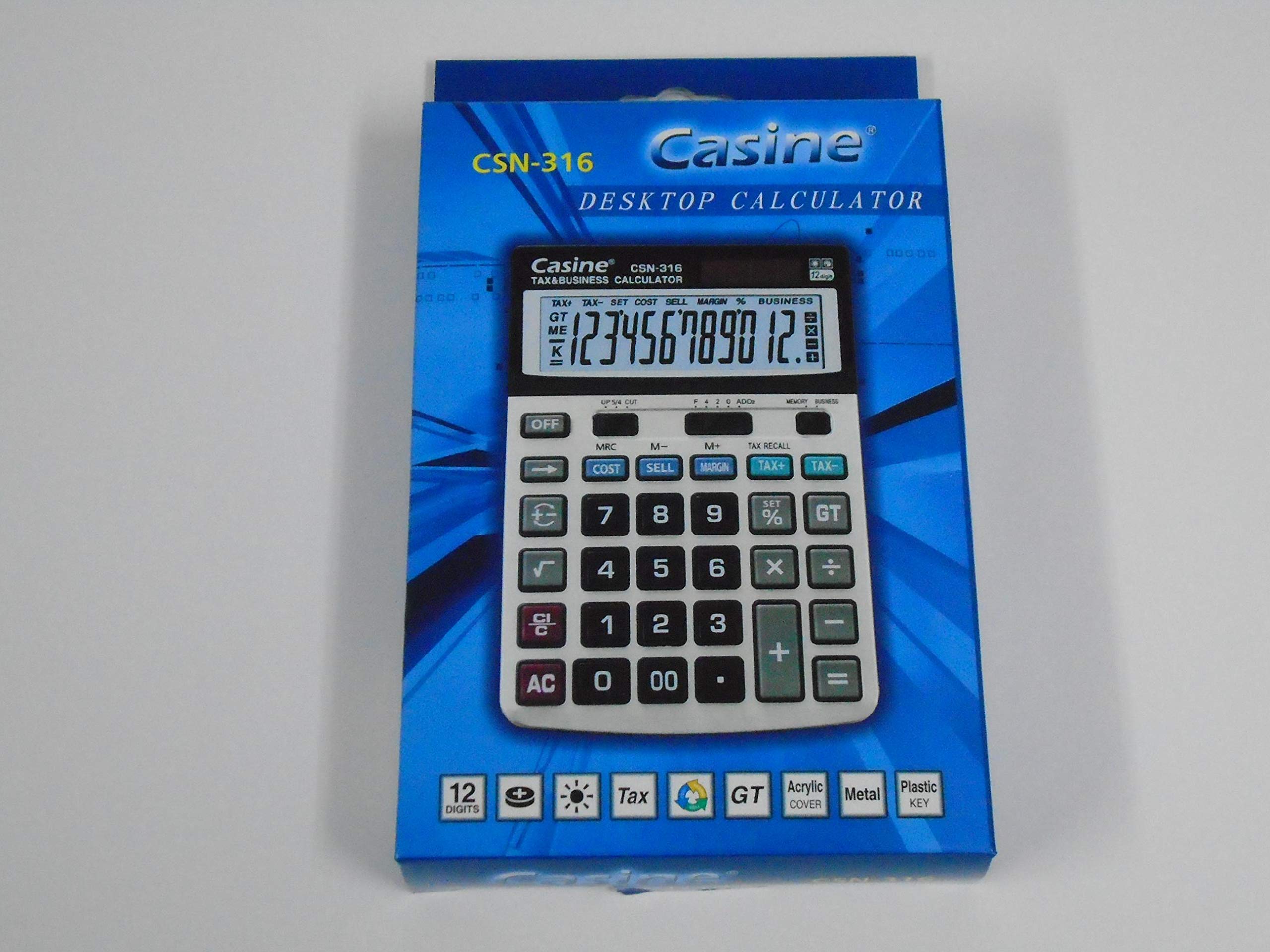
Kuva 1: Edessä view of the Casio CSN 316 Calculator, showing the 12-digit LCD display and key layout.
Asennus
1. Virtalähde
The Casio CSN 316 calculator operates on dual power: solar power and battery power. Under sufficient lighting, the calculator will primarily use solar power. In low light conditions, it will automatically switch to battery power.
2. Akun asennus/vaihto
- Varmista, että laskin on sammutettu.
- Etsi laskimen takaa paristolokeron kansi.
- Using a small screwdriver, carefully remove the screw(s) securing the battery compartment cover.
- Irrota kansi.
- Insert a new battery (type specified in Specifications section) with the correct polarity (+/-) as indicated inside the compartment.
- Sulje paristolokeron kansi ja kiinnitä se ruuveilla/ruuveilla.
Huomautus: Hävitä käytetyt paristot paikallisten määräysten mukaisesti.
Käyttöohjeet
Peruslaskelmat
- Lisäys (+): Syötä ensimmäinen numero, paina +, syötä toinen numero, paina =.
- Vähennys (-): Syötä ensimmäinen numero, paina -, syötä toinen numero, paina =.
- Kertolasku (×): Syötä ensimmäinen numero, paina ×, syötä toinen numero, paina =.
- Jako (÷): Syötä ensimmäinen numero, paina ÷, syötä toinen numero, paina =.
Clearing Entries
- Paina AC (All Clear) to clear all entries and reset the calculator.
- Paina CE (Clear Entry) to clear the last entered number without affecting previous calculations.
Muistin toiminnot
- M+: Lisää näytetyn arvon muistiin.
- M-: Vähentää näytetyn arvon muistista.
- MR: Palauttaa muistiin tallennetun arvon näytölle.
- MC: Tyhjentää muistin.
Huolto
Puhdistus
To clean your calculator, wipe it gently with a soft, dry cloth. Do not use abrasive cleaners, solvents, or spray directly onto the calculator, as this may damage the display or internal components.
Varastointi
Säilytä laskinta viileässä, kuivassa paikassa, poissa suorasta auringonvalosta ja äärimmäisistä lämpötiloista. Vältä painavien esineiden asettamista laskimen päälle.
Vianetsintä
| Ongelma | Mahdollinen syy | Ratkaisu |
|---|---|---|
| Näyttö on tyhjä tai himmeä. | Riittämätön valo aurinkoenergialle tai akun varaus on heikko. | Move to a brighter area or replace the battery. |
| Virheelliset laskutulokset. | Incorrect key input or previous calculation not cleared. | Paina AC to clear all and re-enter the calculation carefully. |
| Näppäimet eivät reagoi. | Calculator may be frozen or battery is completely drained. | Vaihda akku. Jos ongelma jatkuu, ota yhteyttä asiakastukeen. |
Tekniset tiedot
- Merkki: Casio
- Mallin nimi: CSN 316
- Näyttötyyppi: LCD
- Numeroiden määrä: 12
- Virtalähde: Dual Power (Solar and Battery Powered)
- Valmistajan osanumero: 2724633395248.0
- ASIN: B091BPDPC4
- Ensimmäinen saatavilla oleva päivämäärä: 30. maaliskuuta 2021
Takuu ja tuki
Tarkemmat takuutiedot löytyvät tuotteen pakkauksessa olevasta takuukortista tai Casion viralliselta verkkosivustolta. website. If you require further assistance or have questions not covered in this manual, please contact Casio customer support through their official channels.
Löydät usein tuen yhteystiedot valmistajan verkkosivuilta. websivusto: www.casio.com