
Inrico T522A
Inrico T522A 4G/LTE -verkkoradion käyttöohje
Malli: T522A
Johdanto
This manual provides comprehensive instructions for the Inrico T522A 4G/LTE Network Radio. Designed for reliable communication, this device integrates 4G/LTE connectivity with Zello and ZelloWork platforms, offering long-range, clear audio transmission. Please read this manual thoroughly before operating the device to ensure proper usage and optimal performance.
Tuote loppuview
The Inrico T522A is a robust network radio built for demanding environments. It features a durable design, including waterproof and dustproof capabilities (IP66 rating), and supports various network functionalities for seamless communication.
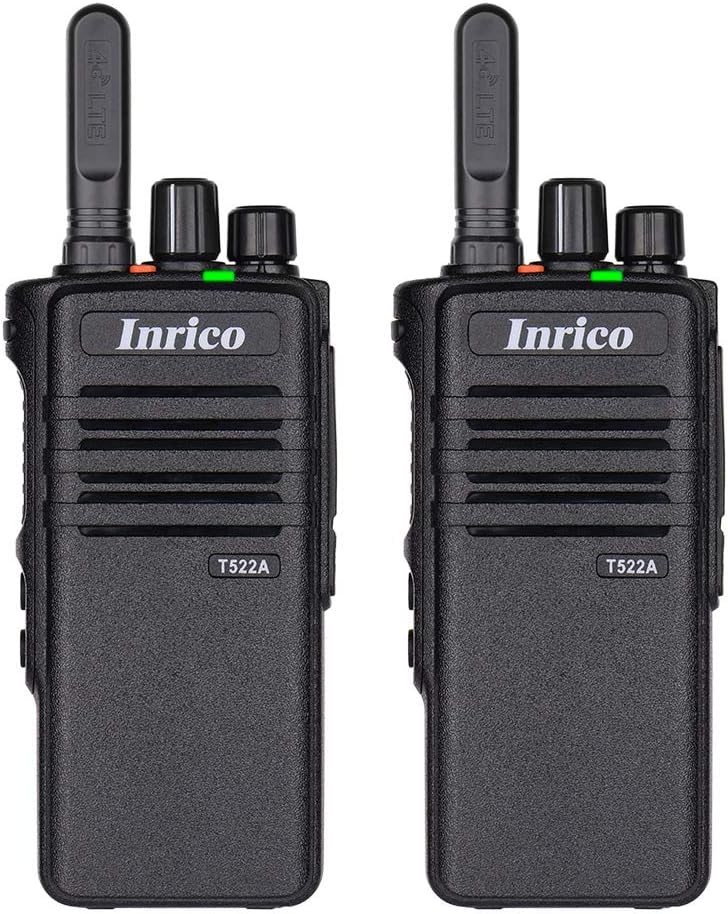
Kuva 1: Etuosa view of two Inrico T522A network radios, showing the Inrico branding and T522A model number.

Figure 2: Various angles of the Inrico T522A radio, including front, side, and back views, highlighting its compact design and belt clip.
Tärkeimmät komponentit:
- Antenni: For 4G/LTE signal reception.
- Virta/äänenvoimakkuuden säädin: To turn the device on/off and adjust volume.
- Channel/Function Knob: For selecting channels or functions.
- PTT (Push-to-Talk) -painike: For initiating voice transmissions.
- Kaiutin/mikrofoni: Integrated for audio input and output.
- Akkulokero: Sisältää irrotettavan akun.
- Vyön solki: Kätevään kantamiseen.
- Latausyhteystiedot: Located at the bottom for cradle charging.
Asennus
1. Akun asennus:
- Varmista, että radio on sammutettu.
- Paikanna paristolokero radion takana.
- Align the battery with the contacts and gently push it into place until it clicks.
- Secure the battery cover if applicable.
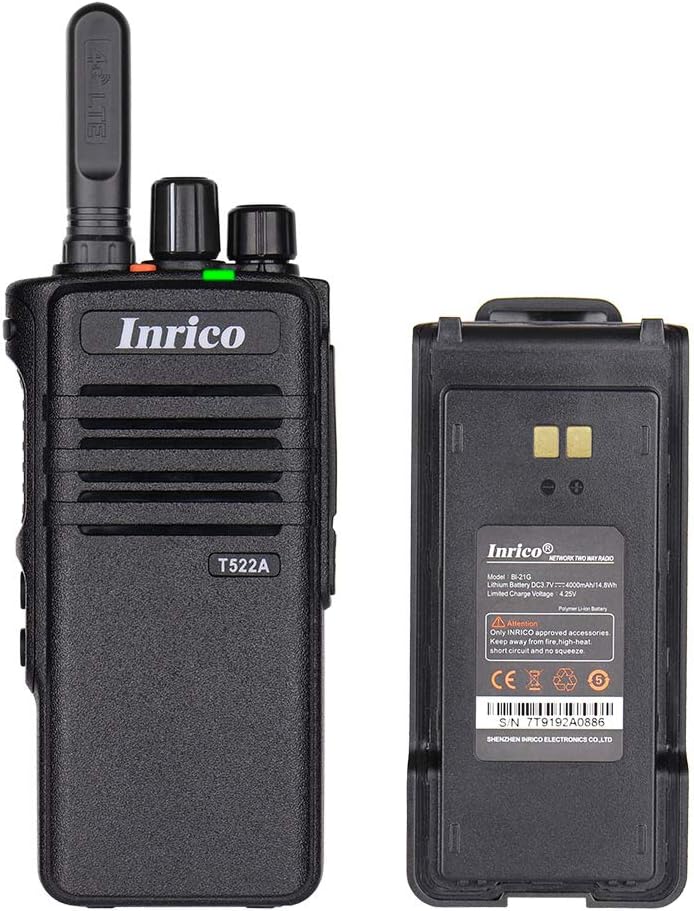
Figure 3: The Inrico T522A radio shown alongside its removable battery pack, illustrating the battery's connection points.
2. Akun lataaminen:
Lataa akku täyteen ennen ensimmäistä käyttöä.
- Place the radio into the charging cradle, ensuring the charging contacts align.
- Connect the charging cradle to a power source using the provided adapter.
- Latauksen merkkivalo palaa (yleensä punaisena) latauksen aikana ja vaihtaa väriä (yleensä vihreänä), kun akku on täyteen ladattu.

Figure 4: The Inrico T522A radio securely placed in its dedicated charging cradle, ready for power replenishment.
3. Verkkoyhteydet:
The T522A supports 4G/LTE and WLAN connectivity. Ensure a valid SIM card is inserted for 4G/LTE operation, or configure Wi-Fi settings for WLAN use.

Figure 5: The Inrico T522A radio depicted with "4G LTE" and Android logos, indicating its cellular and operating system capabilities.

Figure 6: The Inrico T522A radio shown with a WLAN (Wi-Fi) symbol, indicating its wireless local area network connectivity.
Käyttöohjeet
Virta päälle/pois:
- Käynnistääksesi laitteen, kierrä virta-/äänenvoimakkuusnuppia myötäpäivään, kunnes kuulet napsahduksen.
- Sammuta virta kääntämällä virta-/äänenvoimakkuusnuppia vastapäivään, kunnes kuulet napsahduksen.
Äänenvoimakkuuden säätö:
- Käännä virta-/äänenvoimakkuusnuppia myötäpäivään lisätäksesi äänenvoimakkuutta ja vastapäivään vähentääksesi äänenvoimakkuutta.
Using Zello/ZelloWork:
The Inrico T522A is optimized for Zello and ZelloWork applications.
- Ensure the Zello or ZelloWork application is installed and configured on the device.
- Log in to your Zello/ZelloWork account.
- Select the desired channel or contact.
- Press and hold the PTT button to transmit your voice. Release the PTT button to listen.
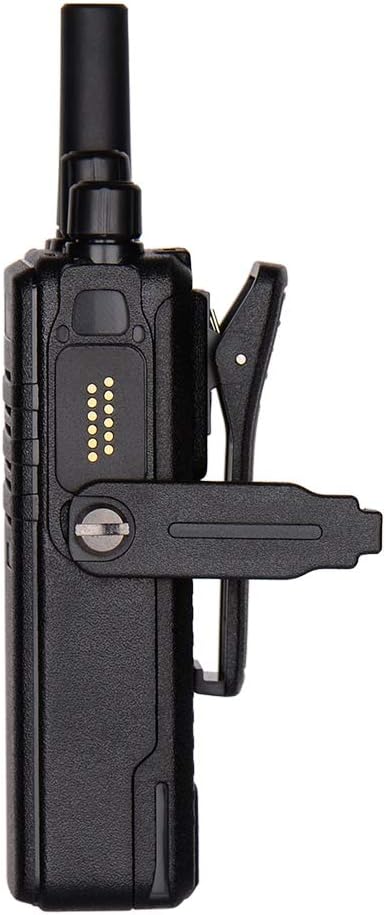
Figure 7: Two Inrico T522A radios displayed in front of a computer monitor showing a dispatch system interface, illustrating their integration with communication platforms.
Huolto
- Puhdistus: Käytä pehmeää, damp liinalla radion ulkopuolen puhdistamiseen. Älä käytä voimakkaita kemikaaleja tai hankaavia puhdistusaineita.
- Akun hoito: Akun käyttöiän pidentämiseksi vältä akun usein tapahtuvaa täydellistä purkamista. Säilytä radiota ja akkua viileässä ja kuivassa paikassa, kun sitä ei käytetä pitkään aikaan.
- Ympäristönsuojelu: While the radio is waterproof and dustproof (IP66), avoid prolonged exposure to extreme temperatures or direct sunlight.
Vianetsintä
| Ongelma | Mahdollinen syy | Ratkaisu |
|---|---|---|
| Radio ei käynnisty. | Akun varaus on heikko tai akku ei ole asennettu oikein. | Lataa akku tai asenna se takaisin tukevasti paikalleen. |
| Ei ääntä kaiuttimesta. | Volume is too low; speaker is blocked; network issue. | Increase volume; check for obstructions; verify network connection. |
| Cannot transmit/receive. | No network signal; Zello/ZelloWork not logged in; incorrect channel. | Check network signal strength; log into Zello/ZelloWork; select correct channel. |
| Huono äänenlaatu. | Weak network signal; interference. | Move to an area with better signal; avoid sources of interference. |
Tekniset tiedot
| Ominaisuus | Yksityiskohta |
|---|---|
| Merkki | Inrico |
| Malli | T522A |
| Yhteydet | 4G/LTE, WLAN |
| Yhteensopivat laitteet | Zello, ZelloWork, 4G/LTE devices on the same frequency band, internet-capable devices |
| Vedenkestävyystaso | Vedenpitävä (IP66) |
| Erikoisominaisuudet | Long Range, Waterproof, Dust Proof |
| Mukana olevat komponentit | 2 x Radio (as per product listing) |
| Väri | Musta |
Takuu ja tuki
Takuutietoja ja teknistä tukea varten ota yhteyttä Inricon viralliseen edustajaan. websivustolta tai ota yhteyttä valtuutettuun jälleenmyyjään. Säilytä ostokuitti ostotodistuksena.
Valmistaja: Inrico
Ask a question about this manual
Ask about setup, troubleshooting, compatibility, parts, safety, or missing instructions. Manuals+ will review the question and use this page’s manual context to help answer it.