
1. Turvallisuustiedot
Please read all safety instructions before operating the Smart Air Sqair Air Purifier. Failure to follow these instructions may result in electric shock, fire, or injury.
- Always unplug the air purifier before moving it, cleaning it, or performing any maintenance.
- Älä käytä laitetta, jos johto tai pistoke on vaurioitunut. Jos johto tai pistoke on vaurioitunut, ota yhteyttä asiakastukeen.
- Pidä virtajohto poissa kuumista pinnoista.
- Älä käytä ilmanpuhdistinta märässä tai damp ympäristöissä, kuten kylpyhuoneissa tai kodinhoitohuoneissa.
- Do not insert fingers or foreign objects into any openings of the air purifier.
- Varmista, että ilmanotto- ja poistoaukot eivät ole tukossa.
- Tätä laitetta ei ole tarkoitettu henkilöiden (mukaan lukien lapset) käytettäväksi, joilla on alentuneet fyysiset, sensoriset tai henkiset kyvyt tai joilla ei ole kokemusta ja tietoa, ellei heidän turvallisuudestaan vastaava henkilö ole valvonut tai opastanut laitteen käyttöä.
- Lapsia tulee valvoa sen varmistamiseksi, etteivät he leiki laitteella.
2. Pakkauksen sisältö
Carefully unpack your Smart Air Sqair Air Purifier and ensure all items are present:
- Smart Air Sqair Air Purifier Unit
- H13 HEPA -suodatin
- Activated Carbon (VOC) Filter
- Virtajohto
- Smart Air Handbook (this manual)

Image: Smart Air Sqair Air Purifier with its included HEPA filter.
3. Asennusohjeet
Follow these steps to set up your Smart Air Sqair Air Purifier:
- Attach the Wooden Legs: Turn the air purifier upside down. Screw the four wooden legs into the designated holes on the base in a clockwise direction until secure.
- Avaa yksikkö: Press the side buttons on both sides of the unit to lift the top body.
- Remove Filters from Packaging: Take out the HEPA and Activated Carbon (VOC) filters. Remove all plastic packaging from both filters.
- Lisää suodattimet: First, insert the Activated Carbon (VOC) filter into the base. Ensure the handle is facing up. Then, place the H13 HEPA filter on top of the VOC filter, making sure the "UP" arrow is facing upwards.
- Close the Unit: Carefully place the top body back onto the purifier base, ensuring it clicks securely into place.
- Liitä virta: Plug the short end of the power cable into the port on the back of the air purifier. Then, plug the other end into a standard wall socket.
Video: Official guide on how to set up the Smart Air Sqair air purifier, including attaching legs and installing filters.

Image: Visual guide for easy setup and filter installation.
4. Käyttöohjeet
The Smart Air Sqair Air Purifier features a simple analog dial for operation:
- Virta päälle/pois: Rotate the dial clockwise to turn the unit on. Rotate it counter-clockwise to turn it off.
- Nopeusasetukset: The dial offers three fan speed settings:
- Nopeus 1 (Matala): Ideal for quiet operation, such as in bedrooms or during sleep. Produces approximately 23 dB(A) of noise.
- Nopeus 2 (keskinopeus): Suitable for continuous purification in most living spaces. Produces approximately 43 dB(A) of noise.
- Nopeus 3 (korkea): Provides maximum airflow for rapid air cleaning, useful for larger areas or when air quality is poor. Produces approximately 52 dB(A) of noise.
- Sijoitus: For optimal performance, place the air purifier in a central location within the room, away from walls or furniture that might obstruct airflow.
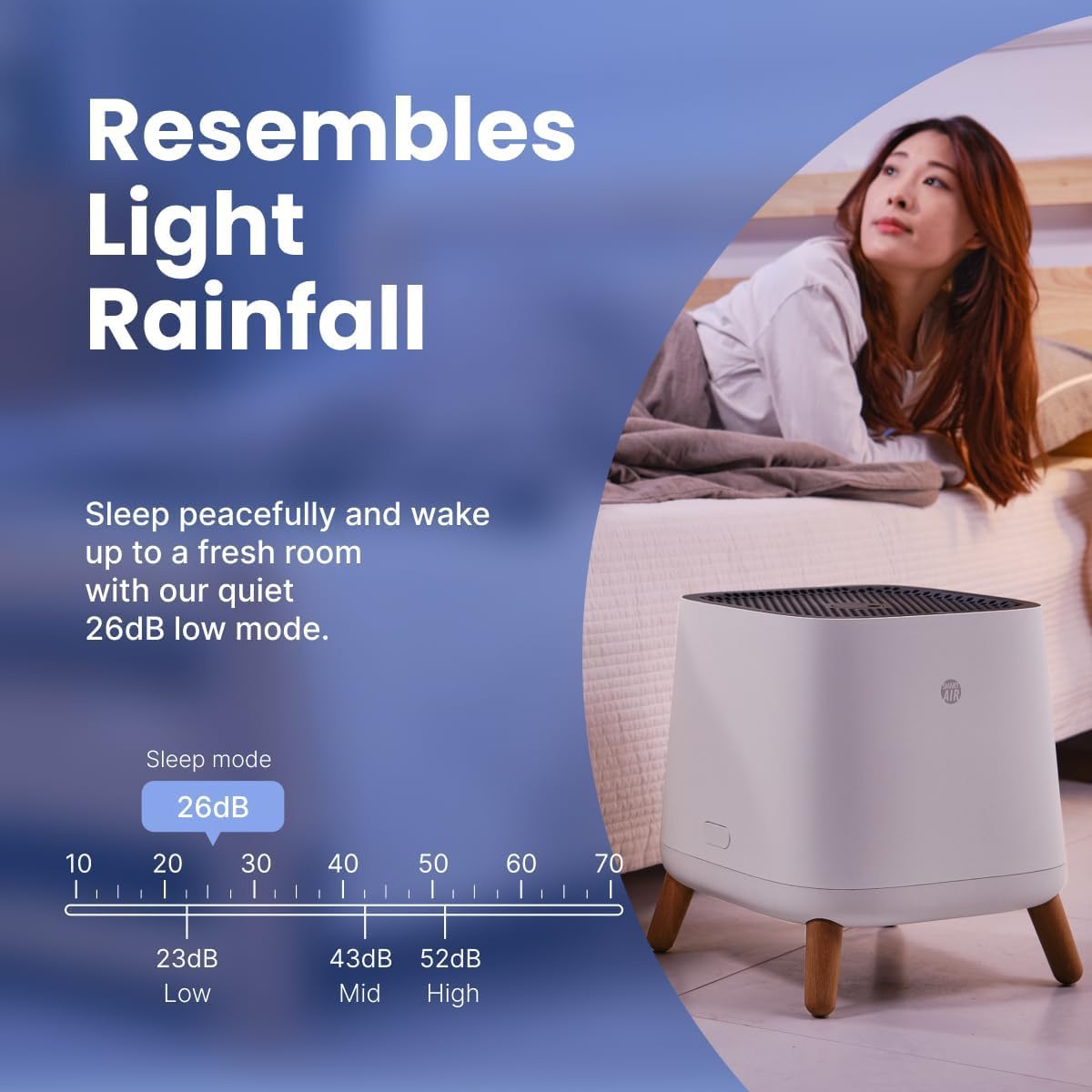
Image: The air purifier operating quietly in a bedroom setting.
5. Huolto (suodattimen vaihto)
Regular filter replacement is crucial for maintaining the efficiency and performance of your Smart Air Sqair Air Purifier. It is recommended to change your filters every 9-12 months, depending on usage and air quality.
Suodattimen vaihtovaiheet:
- Katkaise virta ja irrota pistoke: Turn off the air purifier and unplug it from the wall outlet.
- Lift Off Top Body: Press the side buttons on both sides of the unit and lift the top body.
- Poista vanhat suodattimet: Carefully remove the old HEPA and Activated Carbon (VOC) filters. Dispose of them responsibly.
- Clean Base (Optional): While the filters are out, you may gently wipe the inside of the purifier base with a dry cloth to remove any accumulated dust.
- Lisää uusia suodattimia: Place the new Activated Carbon (VOC) filter into the base first, ensuring its handle is facing up. Then, place the new H13 HEPA filter on top, with the "UP" arrow facing upwards.
- Kokoa uudelleen: Place the top body back onto the purifier base, ensuring it is securely closed.
- Plug In and Resume Operation: Plug the air purifier back into the wall outlet and turn it on.
Korvaavat suodattimet:
- HEPA Replacement Filter: ASIN B0DKW2F5TP
- Aktiivihiilisuodatin: ASIN B091D1KTBV
Video: Official guide on how to replace the filters in the Smart Air Sqair air purifier.

Image: The HEPA and Activated Carbon filters, emphasizing their role in air purification.
6. Vianmääritys
If you encounter any issues with your Smart Air Sqair Air Purifier, refer to the following common problems and solutions:
| Ongelma | Mahdollinen syy | Ratkaisu |
|---|---|---|
| Yksikkö ei käynnisty | Virtajohto ei ole kunnolla kytketty; Ei virtaa pistorasiasta. | Ensure power cord is securely plugged into both the unit and a working wall outlet. Test the outlet with another device. |
| Matala ilmavirtaus | Filters are dirty or clogged; Air inlet/outlet blocked. | Check and replace filters if necessary. Ensure nothing is obstructing the air intake or exhaust vents. |
| Epätavallinen melu | Foreign object inside; Unit not placed on a flat surface; Filters not installed correctly. | Unplug the unit and check for any foreign objects. Place the unit on a stable, flat surface. Reinstall filters to ensure they are seated properly. |
| Haju jatkuu | Activated Carbon filter is saturated. | Replace the Activated Carbon (VOC) filter. |
If the problem persists after trying these solutions, please contact Smart Air customer support.
7. Tekniset tiedot
| Ominaisuus | Yksityiskohta |
|---|---|
| Mallinumero | SA120-3-4 |
| Tuotteen mitat | 13 x 13 x 14.3 tuumaa |
| Tuotteen paino | 10.1 puntaa |
| Virtalähde | AC |
| Valvontamenetelmä | Pyörivä valitsin |
| Suodattimen tyyppi | H13 HEPA, Activated Carbon |
| Puhtaan ilman toimitusnopeus (CADR) | 300 m³/h (noin 177 CFM) |
| Peittoalue | Up to 900 sq ft at 5 ACH (Air Changes Per Hour) |
| Melutaso | 23–52 dB(A) |
| Wattage | 203 wattia |
| Contaminant Filtration | Dust, Pollen, Pet Dander, Pet Hair, Mold Spores, Smoke Odors, VOC Fumes, Airborne Particles (0.3 microns) |
| Sertifikaatit | ETL Certified, CARB Compliant, EPA Approved, Energy Star Rated, FCC Certified |

Image: Dimensions of the Smart Air Sqair Air Purifier.
8. Takuu ja tuki
The Smart Air Sqair Air Purifier SA120-3-4 comes with a 1 vuoden takuu.
For warranty claims, technical support, or any questions regarding your air purifier, please contact Smart Air customer support through their official websivusto tai jälleenmyyjä, josta tuote ostettiin.
Säilytä ostokuittisi takuun voimassaoloa varten.


