
1. Johdanto
The COMPUTHERM T-32 room thermostat is designed for controlling most boilers and air conditioners available in the EU. It can be easily connected to any gas boiler with a two-wire thermostatic connection point, and to all air conditioning systems or electrical appliances, whether they have a 24V or 230V control circuit.
This digital thermostat allows for more precise temperature measurement and adjustment compared to traditional thermostats. It helps reduce energy costs while maintaining comfort by regulating the connected appliance (e.g., a gas boiler or pump) based on the measured and set temperatures.
Tärkeimmät ominaisuudet:
- Tarkka lämpötilan säätö: Easily set desired temperature between 5°C and 30°C in 0.5°C increments.
- Constant Indoor Temperature: Switching sensitivity of ±0.2°C or 0.1°C ensures a uniform and stable room temperature.
- Monipuolinen yhteensopivuus: Suitable for boilers with a two-wire connection and various HVAC systems (24V or 230V).
- Lämmitys- ja jäähdytystilat: Tukee sekä lämmitys- että jäähdytystoimintoja.
- Digitaalinen näyttö: Tarjoaa selkeät ja tarkat lämpötilalukemat.
2. Asennus ja asennus
Tärkeää: Laitteen saa asentaa pätevä henkilö.
2.1 Pakkauksen sisältö
Varmista, että kaikki osat ovat mukana:
- 1x COMPUTHERM T-32 Digital Room Thermostat
- 2x AAA-paristot
- Kiinnitystarvikkeet (ruuvit ja tulpat)

Figure 1: Package contents including the thermostat, batteries, and mounting hardware.
2.2 Akun asennus
- Carefully remove the back cover of the thermostat.
- Insert the two AAA batteries into the battery compartment, ensuring correct polarity (+/-).
- Aseta takakansi takaisin paikalleen.
2.3 Asennus ja johdotus
The thermostat is designed for wall mounting in a room. Choose a location away from direct sunlight, drafts, or heat sources that could affect temperature readings.
- Separate the front panel from the back plate.
- Merkitse haluttu asennuskohta seinään.
- Poraa reiät ja aseta seinätulpat.
- Kiinnitä takalevy seinään mukana toimitetuilla ruuveilla.
- Connect the two-wire control circuit from your boiler or HVAC system to the terminals on the back plate. Refer to the wiring diagram on the back of the thermostat for correct connections.
- Carefully reattach the front panel to the back plate.

Kuva 2: Takaosa view of the thermostat with wiring terminals and battery compartment details.
3. Käyttö
3.1 Näytön loppuview
The digital display shows the current room temperature and the set desired temperature. The thermostat features three control buttons below the display.

Kuva 3: Etuosa view of the COMPUTHERM T-32 thermostat with its digital display and three control buttons.
3.2 Halutun lämpötilan asettaminen
Use the temperature control buttons (typically marked with up and down arrows or similar symbols) to adjust the desired temperature. Each press changes the temperature by 0.5°C within a range of 5°C to 30°C.
- Paina Nuoli ylös painiketta halutun lämpötilan nostamiseksi.
- Paina Nuoli alas painiketta halutun lämpötilan laskemiseksi.
The thermostat will automatically regulate the connected heating or cooling appliance to maintain the set temperature within its switching sensitivity of ±0.2°C.
3.3 Heating Mode Operation
In heating mode, if the measured room temperature falls below the set temperature minus the switching sensitivity (e.g., 22°C - 0.2°C = 21.8°C), the thermostat will activate the heating appliance. It will deactivate the heating when the room temperature rises above the set temperature plus the switching sensitivity (e.g., 22°C + 0.2°C = 22.2°C).
3.4 Cooling Mode Operation
In cooling mode, the operation is reversed. If the measured room temperature rises above the set temperature plus the switching sensitivity, the thermostat will activate the cooling appliance. It will deactivate cooling when the room temperature falls below the set temperature minus the switching sensitivity.
Note: After a temperature change using the thermostat's adjustment buttons, the switching sensitivity is temporarily not considered, allowing the thermostat to react to a difference of ±0.1°C for immediate response.
4. Huolto
- Puhdistus: Pyyhi termostaatti pehmeällä, kuivalla liinalla. Älä käytä hankaavia puhdistusaineita tai liuottimia.
- Akun vaihto: Vaihda paristot, kun näytössä näkyy heikon pariston ilmaisin. Käytä aina uusia AAA-alkaliparistoja.
- Vältä esteitä: Ensure no objects block the thermostat's ventilation slots or sensor, as this can affect temperature accuracy.
5. Vianmääritys
| Ongelma | Mahdollinen syy | Ratkaisu |
|---|---|---|
| Termostaatin näyttö on tyhjä. | Tyhjät tai väärin asennetut paristot. | Vaihda paristot ja varmista oikea napaisuus. |
| Lämmitys-/jäähdytysjärjestelmä ei reagoi. | Incorrect wiring; system power off; thermostat in wrong mode. | Check wiring connections (consult a professional); ensure system power is on; verify thermostat is set to appropriate mode (heating/cooling). |
| Epätarkka lämpötilalukema. | Thermostat located near heat source/draft; sensor obstructed. | Relocate thermostat if possible; ensure no obstructions around the sensor. |
| Temperature fluctuates too much. | High switching sensitivity setting (not applicable for T-32 as it's fixed). | The T-32 has a fixed sensitivity of ±0.2°C. Ensure proper placement and insulation of the room. |
6. Tekniset tiedot
- Malli: T32
- Virtalähde: 2x AAA 1.5V Alkaline Batteries (included)
- Control Voitage: 24V AC tai 230V AC
- Kantavuus: 8 Amperes
- Lämpötilan mittausalue: 5 °C - 30 °C
- Lämpötilan asetusalue: 5 °C - 30 °C
- Temperature Setting Increment: 0.5 °C
- Vaihtoherkkyys: ±0.2°C (or ±0.1°C after manual adjustment)
- Mitat (P x L x K): 8.5 x 8.5 x 2.8 cm
- Paino: 160 grammaa
- Liitettävyys: Langallinen
- Väri: Valkoinen


Figure 4: Dimensions of the COMPUTHERM T-32 thermostat.
7. Takuu
The COMPUTHERM T-32 Digital Room Thermostat comes with a 5 vuoden valmistajan takuuSäilytä ostokuitti takuuvaatimuksia varten. Takuu kattaa materiaali- ja valmistusvirheet normaalissa käytössä.
8. Tukea
For further assistance or if you encounter issues not covered in this manual, please refer to the official COMPUTHERM website or contact your retailer. Always ensure that any electrical work is performed by a qualified professional.
For more information, you may visit the manufacturer's websivusto: www.calorsol.de
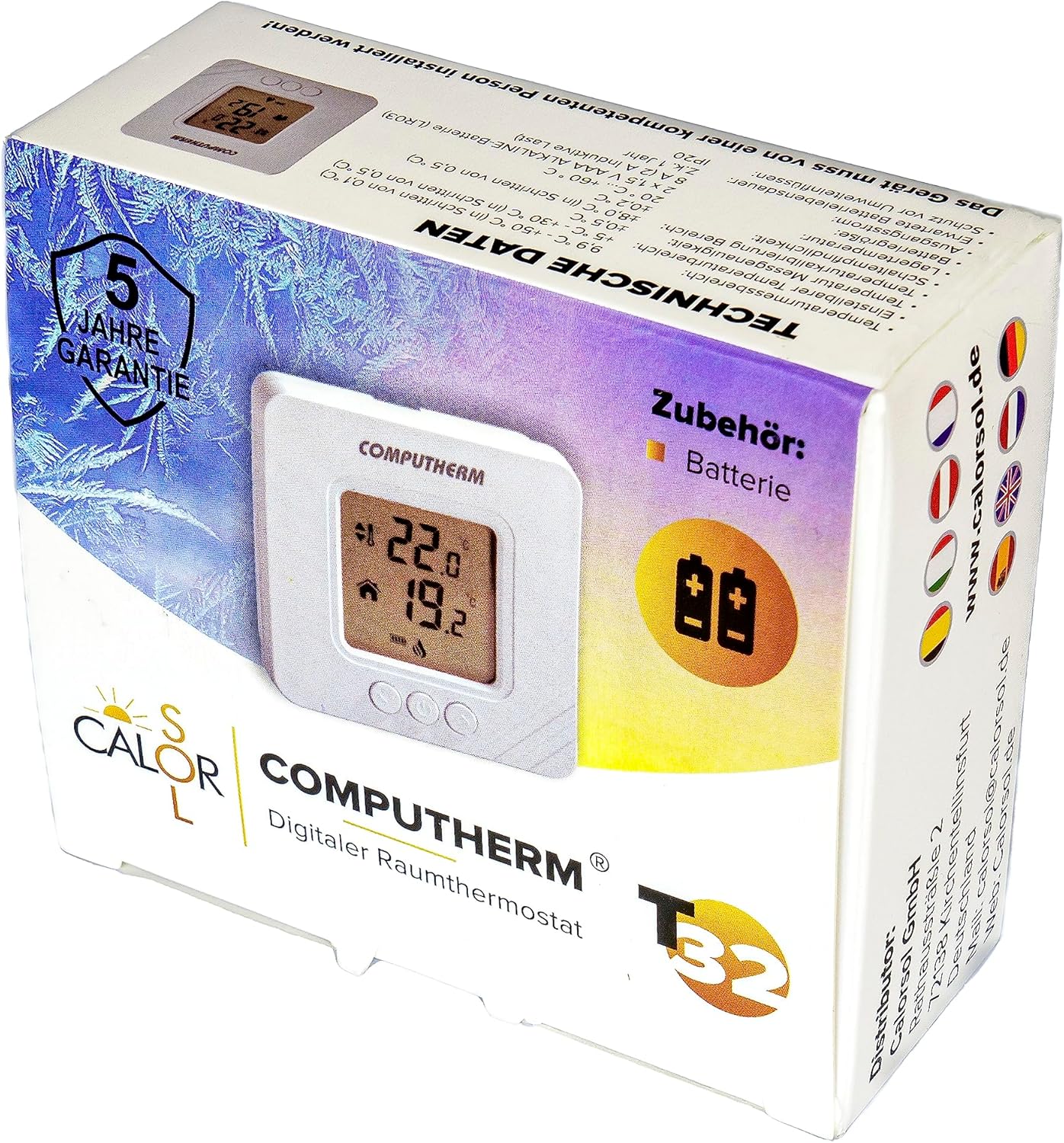
Figure 5: Product packaging displaying warranty information and technical data.