
1. Tuote ohiview
The BACKWIN Wired In-Ear Headphones are designed to provide high-fidelity audio with convenient controls for music and calls. They feature a built-in microphone, volume control, and a 3.5mm jack for wide compatibility.

Image: The BACKWIN Wired In-Ear Headphones, showcasing their sleek design and 3.5mm audio jack.
2. Pakkauksen sisältö
Tarkista pakkauksesta seuraavat tuotteet:
- BACKWIN Wired In-Ear Headphones (with integrated microphone and control)
- Korvatyynyt (koot S/M/L)
- Käyttöohje (tämä asiakirja)
3. Asennus
3.1 Korvatyynyjen valinta
For optimal sound quality and comfort, choose the ear tips that best fit your ears. The headphones come with three sizes (Small, Medium, Large). Experiment with each size to find the most secure and comfortable fit that also provides good sound isolation.

Image: Illustration of earbuds with various ear tip sizes for a customized fit.
3.2 Laitteeseen yhdistäminen
These headphones utilize a standard 3.5mm audio jack for connectivity. To connect:
- Locate the 3.5mm audio port on your smartphone, tablet, laptop, or other compatible device.
- Insert the 3.5mm jack of the headphones firmly into the device's audio port.
The headphones are compatible with most devices running iOS and Android operating systems, as well as laptops and tablets with a 3.5mm audio jack.
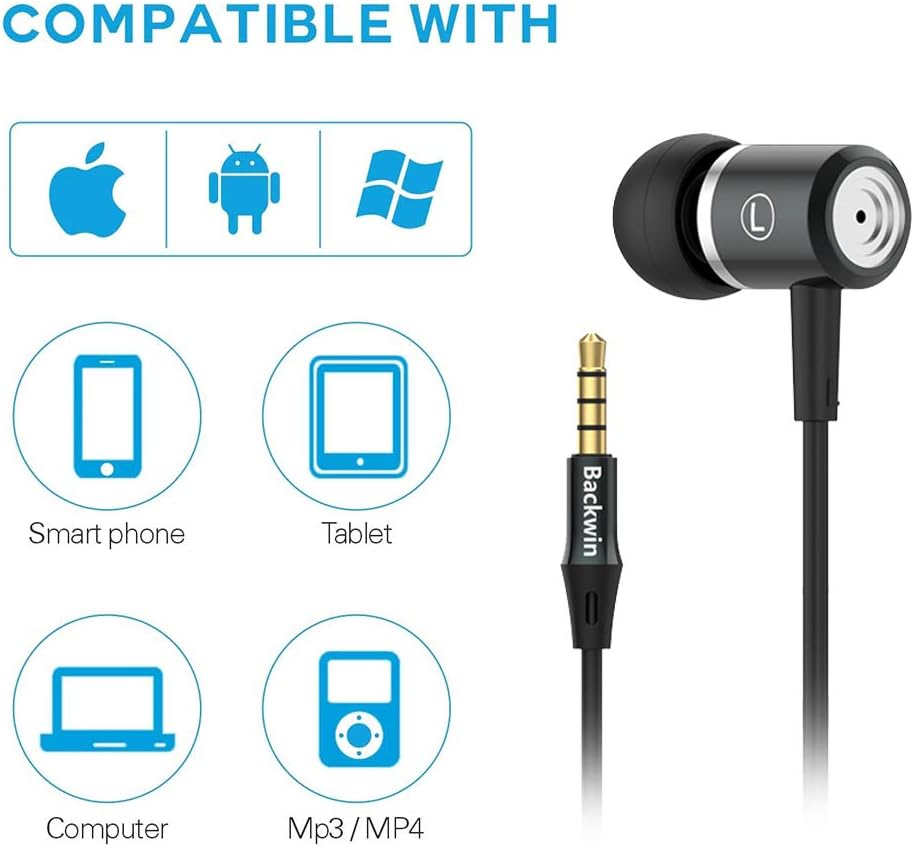
Image: Icons indicating compatibility with smartphones, tablets, computers, and MP3/MP4 players.
4. Käyttöohjeet
The in-line remote control allows for easy management of music playback and calls.

Image: Close-up of the in-line remote control, showing the volume up (+), volume down (-), and multi-function (center) buttons, along with the microphone.
4.1 Musiikin hallinta
- Toista/tauko: Paina keskipainiketta kerran.
- Seuraava kappale: Paina keskipainiketta kahdesti nopeasti.
- Edellinen kappale: Paina keskipainiketta kolme kertaa nopeasti.
4.2 Puhelunhallinta
- Puhelun vastaaminen/lopetus: Paina keskipainiketta kerran.
- Hylkää puhelu: Pidä keskipainiketta painettuna.
4.3 Äänenvoimakkuuden säätö
- Ääni kovemmalle: Paina + -painiketta.
- Äänenvoimakkuutta pienemmälle: Paina '-'-painiketta.
The built-in microphone ensures clear voice transmission during calls.
5. Huolto ja hoito
5.1 Puhdistus
- Pyyhi nappikuulokkeet ja johto varovasti pehmeällä, kuivalla liinalla.
- Irrota korvatulpat ja puhdista ne tarvittaessa miedolla saippualla ja vedellä. Varmista, että ne ovat täysin kuivat ennen takaisin kiinnittämistä.
- Älä käytä puhdistukseen voimakkaita kemikaaleja tai hankaavia materiaaleja.
5.2 Varastointi
To prolong the life of your headphones:
- Säilytä kuulokkeita puhtaassa, kuivassa paikassa, kun ne eivät ole käytössä.
- Avoid wrapping the cable too tightly to prevent damage. The cable is designed to be tangle-free for convenience.
- Pidä poissa äärimmäisistä lämpötiloista ja suorasta auringonvalosta.

Kuva: Yksityiskohtainen view of the headphone cable's internal structure, highlighting its durable construction.
6. Vianmääritys
| Ongelma | Mahdollinen ratkaisu |
|---|---|
| Ei ääntä tai matala äänenvoimakkuus |
|
| Mikrofoni ei toimi |
|
| Sound quality is poor or "tinny" |
|
| Earbuds are uncomfortable or fall out |
|
7. Tekniset tiedot
| Ominaisuus | Yksityiskohta |
|---|---|
| Merkki | BACKWIN |
| Mallinumero | 0 |
| Yhteystekniikka | Langallinen (3.5 mm:n liitin) |
| Langaton viestintätekniikka | None (Not Bluetooth compatible) |
| Melunhallinta | Ääneneristys, Melunvaimennus |
| Mikrofoni | Mukana |
| Ohjaustyyppi | In-line Remote (Volume Control, Call Control) |
| Kaapeliominaisuus | Tangle ilmainen |
| Materiaali | Muovi |
| Korvien sijoitus | Korvassa |
| Muototekijä | Korvassa |
| Impedanssi | 32 ohmia |
| Tuotteen paino | 1.41 unssia (0.04 kiloa) |
| Tuotteen mitat | 47.24 x 0.14 x 0.14 tuumaa |
| Yhteensopivat laitteet | Phones, Tablets, Laptops, Smartphones with Android and iOS operating systems |
| UPC | 712215782502 |
8. Takuu ja tuki
BACKWIN products undergo extensive quality verification to ensure reliability. If you encounter any issues or have questions regarding your headphones, please contact the seller directly via email for satisfactory after-sales service.
Please refer to your purchase documentation for specific warranty terms and conditions, as these may vary.