
Johdanto
Welcome to the AEEZO Kids Tablet TK701 user manual. This guide provides essential information for setting up, operating, maintaining, and troubleshooting your new tablet. Designed for children, this 7-inch tablet features a Full HD IPS touch screen, Android 10 operating system, and pre-installed Kidoz for a safe and engaging experience.
Tuote loppuview
Tabletin osat

Kuvan kuvaus: A detailed diagram of the AEEZO Kids Tablet TK701, highlighting its various ports and buttons. The tablet is shown from the front, side, and top views, with numbers indicating specific components.
- Palauta: Pieni neulanreikä laitteen nollaamista varten.
- Virta päälle/pois: Button to turn the tablet on or off.
- Äänenvoimakkuus+: Button to increase volume.
- Äänenvoimakkuus: Painike äänenvoimakkuuden vähentämiseksi.
- Eteenpäin oleva kamera: Camera located on the front of the tablet.
- Kuulokeliitäntä: 3.5mm port for headphones.
- SD-korttipaikka: Slot for inserting a microSD card for expanded storage.
- C-tyypin portti: USB Type-C -portti lataamista ja tiedonsiirtoa varten.
- Takakamera: Camera located on the back of the tablet.
- Kaiutin: Audio output speaker.
- Mikrofoni: Sisäänrakennettu mikrofoni.
Tärkeimmät ominaisuudet

Kuvan kuvaus: An image comparing 1080p FHD image quality (right, showing Red from Angry Birds clearly) with a lower resolution (left, showing a blurry green pig), illustrating the superior display of the AEEZO tablet.
- Näyttö: 7-inch FHD IPS Touch Screen with 1920x1200 resolution, 323 PPI, offering a 178° wide viewkulma.
- Käyttöjärjestelmä: GMS-certified Android 10.0.
- Prosessori: 1.6 GHz Quad-Core processor.
- Muisti ja tallennus: 2GB RAM, 32GB ROM (expandable up to 128GB via microSD card, not included).
- Kamerat: Dual cameras (2MP front, 5MP rear).
- Akku: 2,600mAh battery, providing approximately 4 hours of average use.
- Liitettävyys: WiFi.
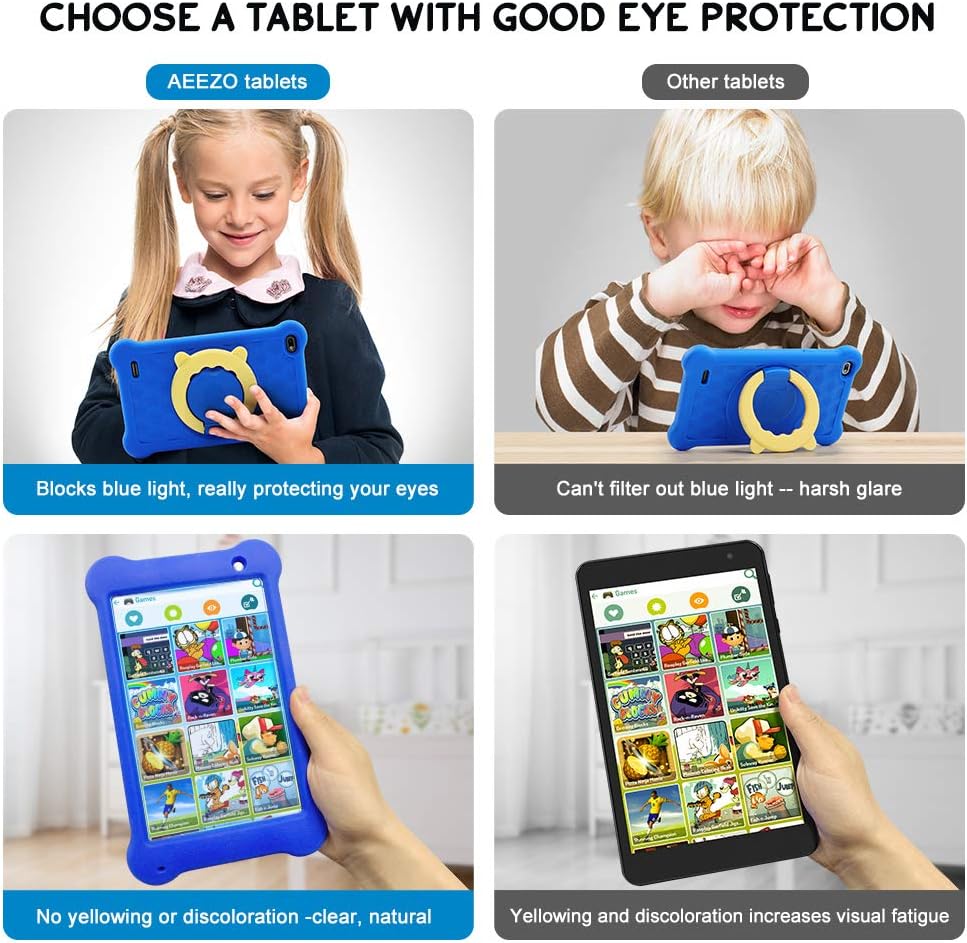
Kuvan kuvaus: A four-panel image demonstrating the AEEZO tablet's eye protection features. Two top panels show a child comfortably using an AEEZO tablet (blocking blue light) versus a child squinting at another tablet (harsh glare). Two bottom panels show the AEEZO tablet's clear display versus another tablet's yellowed display, highlighting the absence of discoloration.
- Suojaominaisuudet: Food-grade silicone cover designed to prevent damage from falls and collisions, and a pre-applied screen protection film that blocks harmful blue light for eye protection. The cover includes a 360-degree adjustable ring stand.
- Child-Friendly Software: Pre-installed Kidoz app, a COPPA-certified platform for kids, with parental controls.
Asennus
1. Alkulataus
Before first use, fully charge the tablet. Connect the provided USB Type-C cable to the tablet's Type C Port (8) and to a compatible 5V 2A charger (not included). The charging indicator will show the charging status.
2. Virta päälle / pois
- Virran kytkeminen: Press and hold the Power on/off button (2) until the screen lights up.
- Virran sammuttaminen: Press and hold the Power on/off button (2) until a power-off menu appears. Select "Power off" to shut down the device.
3. Ohjattu alkuasetustoiminto
Upon first power-on, follow the on-screen instructions to complete the initial setup. This includes selecting your language, connecting to a Wi-Fi network, and setting up your Google account.
4. MicroSD-kortin asettaminen (valinnainen)
To expand storage, insert a microSD card (up to 128GB, not included) into the SD Card Slot (7). Ensure the tablet is powered off before inserting or removing the card.
Käyttöohjeet
Perusnavigointi
- Kosketusnäyttö: Navigoi tabletilla napauttamalla, pyyhkäisemällä ja nipistämällä näyttöä.
- Aloitusnäyttö: Access apps and widgets from the main home screen.
- Ilmoitukset: Pyyhkäise alas näytön yläreunasta kohtaan view ilmoitukset ja pika-asetukset.
Using Google Play

Kuvan kuvaus: A young child smiling next to the AEEZO tablet, surrounded by icons for Google Play, Kidoz, Family Link, and FamilyGroup, indicating the tablet's software capabilities.
The tablet provides full access to Google services, including the Google Play Store. Parents can download a wide range of educational apps, games, and other content suitable for children. Ensure your Google account is set up and parental controls are configured within Google Play for content filtering.
Kidoz App

Kuvan kuvaus: The AEEZO Kids Tablet, encased in its blue protective cover, displays the colorful Kidoz app interface. Various icons representing kid-friendly games, videos, and creative tools are shown floating above the tablet.
Kidoz is a pre-installed, COPPA-certified application designed for children. It offers a curated selection of age-appropriate content. Navigate through Kidoz to find games, videos, and educational activities.
Lapsilukko

Kuvan kuvaus: A mother and child are comfortably seated on a sofa, with the child holding the AEEZO Kids Tablet. On the right side of the image, three circular icons represent key parental control features: Child Lock, Content Filter, and Time Limits.
The AEEZO Kids Tablet is equipped with robust parental control features to ensure a safe digital environment for children.
- Kidoz Parental Control: The pre-installed Kidoz app includes an advanced parental control system. Parents can set up a password to manage access to content, filter age-inappropriate material, and monitor usage.
- Sisällön suodatus: Utilize the age filter within Kidoz to ensure children only access content suitable for their age group.
- Aikarajat: Set daily time limits for tablet usage to promote healthy screen habits.
- Sovellusten hallinta: Hallitse, mihin sovelluksiin lapsesi voi käyttää.
- Google Family Link: For more comprehensive device management, consider using Google Family Link, which allows parents to manage app downloads, screen time, and device location from their own device.
Huolto
- Puhdistus: Use a soft, lint-free cloth to clean the screen and tablet body. Avoid abrasive cleaners or solvents.
- Akun hoito: To prolong battery life, avoid extreme temperatures. Do not allow the battery to fully discharge frequently. Charge the tablet regularly.
- Ohjelmistopäivitykset: Tarkista säännöllisesti tabletin asetuksista järjestelmäpäivitykset varmistaaksesi optimaalisen suorituskyvyn ja suojauksen.
- Suojakuori: The food-grade silicone cover provides protection against drops and impacts. Keep it clean and ensure it is properly fitted.
- Näytön suojakalvo: The pre-applied screen protection film helps block harmful blue light and protects the screen. If it becomes damaged, consider replacing it with a similar eye-protective film.
Vianetsintä
Tablet Does Not Turn On
- Ensure the tablet is sufficiently charged. Connect it to a power source for at least 30 minutes.
- Press and hold the Power on/off button (2) for 10-15 seconds.
- If unresponsive, use a thin object (like a paperclip) to press the Reset button (1) and then attempt to power on.
Hidas suorituskyky
- Sulje taustalla käynnissä olevat käyttämättömät sovellukset.
- Tyhjennä usein käytettyjen sovellusten välimuistitiedot.
- Ensure there is sufficient storage space. Uninstall unnecessary apps or move files SD-kortille.
- Käynnistä tabletti uudelleen.
Wi-Fi-yhteysongelmat
- Varmista, että Wi-Fi on käytössä tabletin asetuksissa.
- Käynnistä Wi-Fi-reititin uudelleen.
- Unohda verkko ja muodosta yhteys uudelleen syöttämällä salasana uudelleen.
- Varmista, että tabletti on Wi-Fi-signaalin kantaman sisällä.
Akku tyhjenee nopeasti
- Vähennä näytön kirkkautta.
- Close background apps and disable unnecessary notifications.
- Sammuta Wi-Fi tai Bluetooth, kun et käytä sitä.
- Check for apps consuming excessive battery in settings.
Tekniset tiedot
| Ominaisuus | Yksityiskohta |
|---|---|
| Mallin nimi | TK701 |
| Näytön koko | 7 tuumaa |
| Näytön resoluutio | 1920 x 1200 (FHD IPS) |
| Prosessori | 1.6 GHz Quad-Core (ARM) |
| RAM | 2 Gt |
| Sisäinen tallennustila | 32 Gt |
| Laajennettava tallennustila | Up to 128 GB (MicroSD, not included) |
| Käyttöjärjestelmä | Android 10.0 (GMS-sertifioitu) |
| Takaosa Webkameran resoluutio | 5 MP |
| Eteenpäin suunnattu kamera | 2 MP |
| Akku | 2,600 mAh Lithium Ion |
| Keskimääräinen akun käyttöikä | Noin 4 tuntia |
| Yhteydet | WiFi |
| Tuotteen paino | 1.43 paunaa (noin 648 g) |
| Tuotteen mitat | 9.06 x 6.69 x 1.97 tuumaa |
| Väri | Sininen |
Takuu ja tuki
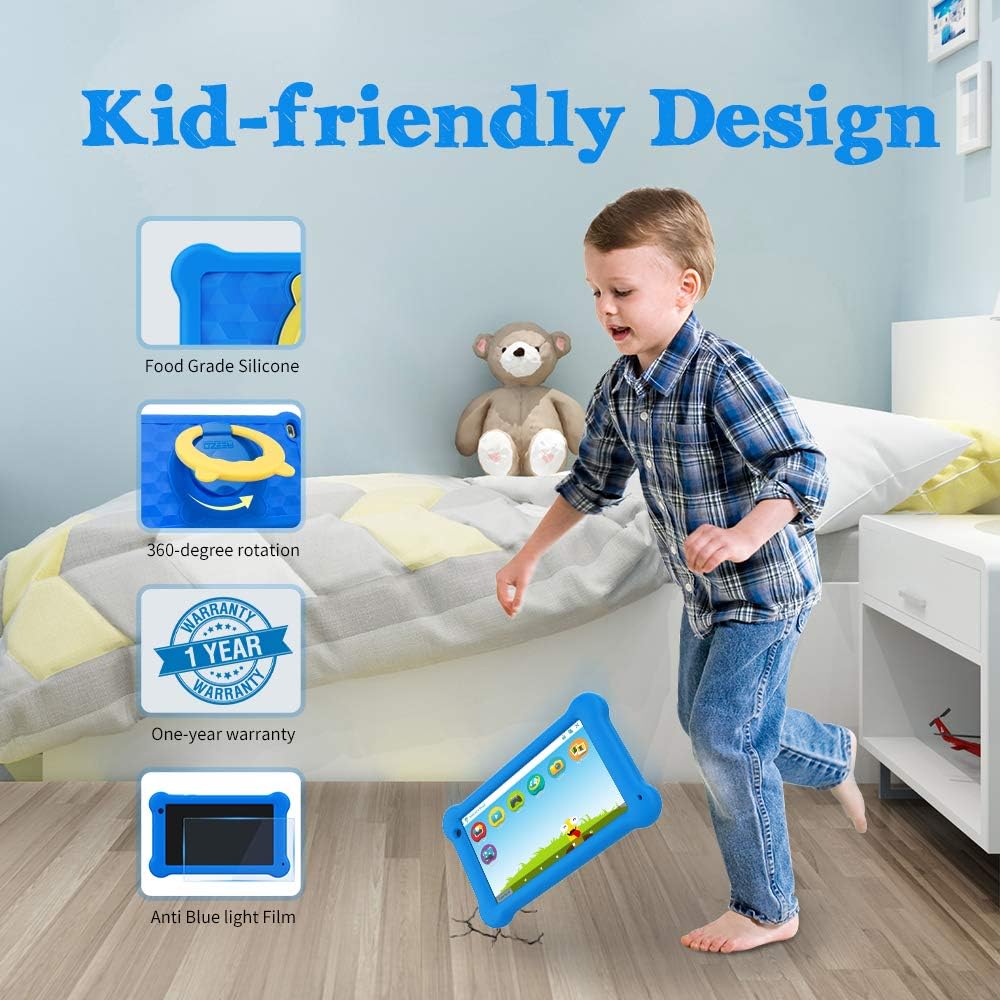
Kuvan kuvaus: A young boy is shown playing with the AEEZO Kids Tablet, which is protected by a blue silicone case and features a yellow rotating stand. Insets highlight key features: Food Grade Silicone, 360-degree rotation, a "1 Year Warranty" badge, and "Anti Blue Light Film."
The AEEZO Kids Tablet TK701 comes with a 1 vuoden takuu ostopäivästä lukien. Tämä takuu kattaa valmistusvirheet normaalissa käytössä. Säilytä ostokuitti takuuvaatimuksia varten.
For technical support, warranty service, or any questions regarding your tablet, please contact AEEZO customer service through the retailer where you purchased the product or visit the official AEEZO websivustolta yhteystiedot.