1. Johdanto
This manual provides detailed instructions for the installation, operation, and maintenance of your BOIFUN DD202 2K Wi-Fi Outdoor Security Camera. Please read this manual thoroughly before using the product to ensure proper functionality and safety. The BOIFUN DD202 is a battery-powered outdoor camera designed for reliable surveillance, featuring 2K Full HD resolution, color night vision, and intelligent motion detection.

Image 1.1: BOIFUN DD202 2K Wi-Fi Outdoor Security Camera
2. Pakkauksen sisältö
Tarkista pakkauksen sisältö vastaanotettuasi sen. Jos jokin puuttuu tai on vaurioitunut, ota yhteyttä asiakaspalveluun.
- 1 × BOIFUN DD202 Battery Camera
- 1 × Fixed Mounting Bracket
- 4 × kiinnitysruuvit
- 4 × seinätulppaa (mutterit)
- 1 × USB-latauskaapeli
- 1 × Käyttöopas
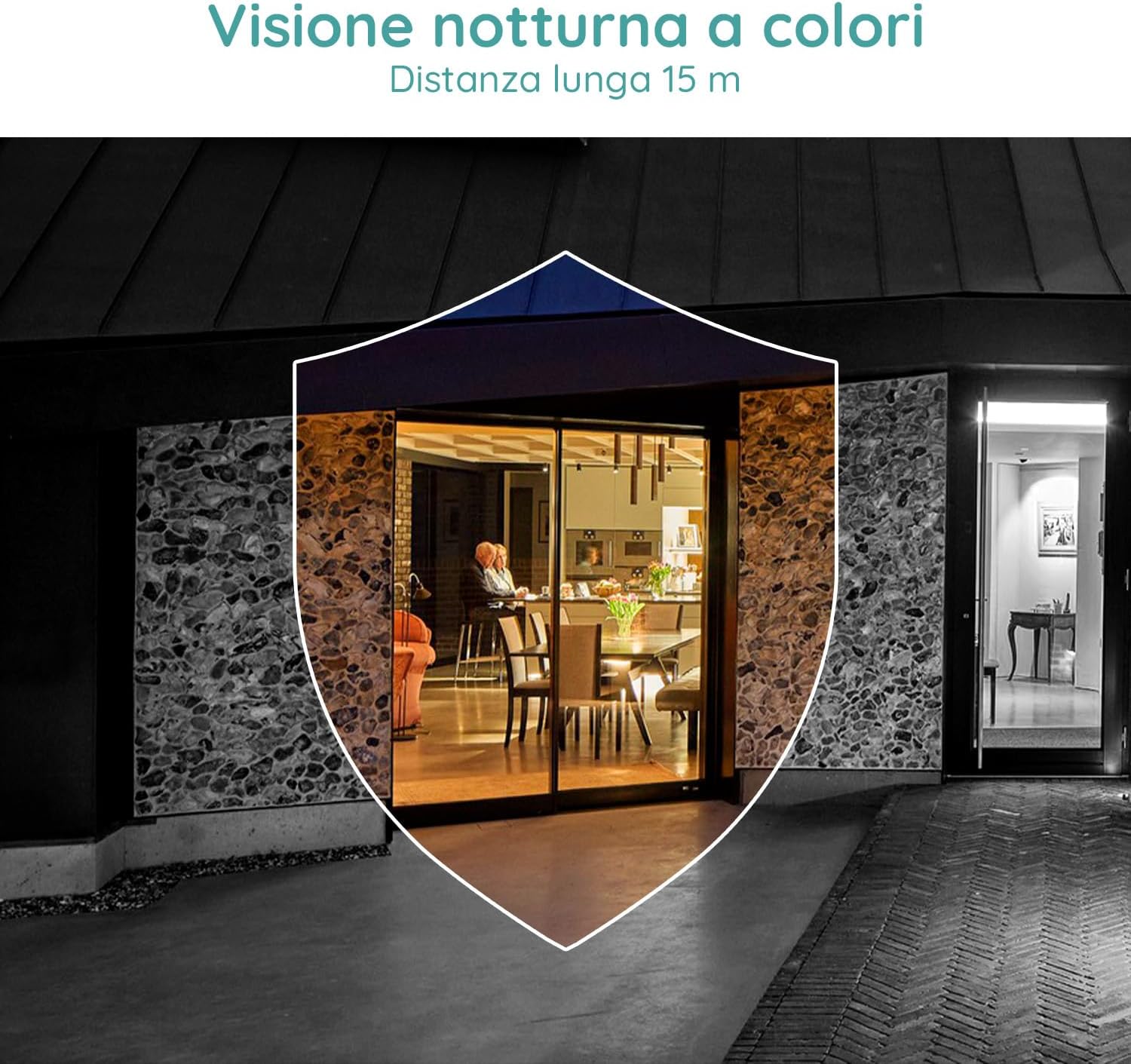
Image 2.1: Included components for the BOIFUN DD202 camera.
3. Tuote ohiview
The BOIFUN DD202 camera is designed for outdoor security with several key features:
- 2K Full HD Resolution: Tallentaa selkeän ja yksityiskohtaisen videontage.
- Värillinen yönäkö: Tarjoaa täysväristä videota jopa 20 metrin etäisyydeltä myös hämärässä.
- PIR-liikkeentunnistus: Advanced AI algorithm for accurate human motion detection, reducing false alarms.
- Acoustic Alarm & Spotlight: Deters intruders with a 110 dB siren and bright spotlight.
- 120 päivän akunkesto: Long-lasting 10400 mAh battery (based on 10 wake-ups/day).
- Kaksisuuntainen ääni: Communicate with visitors or deter unwanted guests remotely.
- IP66 Säänkestävä: Suunniteltu kestämään erilaisia ulkoilmaolosuhteita.
- 2.4 GHz:n Wi-Fi-yhteys: Ensures stable wireless connection.

Image 3.1: The camera continues to function and record even if the main power supply is interrupted, thanks to its internal battery.
4. Asennus
4.1 Kameran lataaminen
Before initial use, fully charge the camera using the provided USB cable. Connect the cable to the camera's charging port and a standard USB power adapter (not included).
4.2 Sovelluksen asennus ja tilin luominen
- Download the official BOIFUN app from your smartphone's app store (iOS or Android).
- Avaa sovellus ja seuraa näytön ohjeita luodaksesi uuden tilin tai kirjautuaksesi sisään, jos sinulla on jo tili.
4.3 Wi-Fi-yhteys
The camera supports 2.4 GHz Wi-Fi networks only. Ensure your smartphone is connected to a 2.4 GHz Wi-Fi network during the setup process.
- In the app, select 'Add Device' and choose your camera model.
- Follow the app's instructions to connect the camera to your Wi-Fi network. This typically involves scanning a QR code displayed on your phone with the camera.

Image 4.1: The camera supports 2.4 GHz Wi-Fi, offering better penetration and range compared to 5 GHz networks.
4.4 Fyysinen asennus
Kamera on suunniteltu seinäasennukseen. Valitse paikka, joka tarjoaa halutun viewing angle and is within range of your 2.4 GHz Wi-Fi network.
- Merkitse porauskohdat seinään käyttämällä kiinnitystelinettä mallina.
- Poraa reiät ja aseta seinätulpat.
- Kiinnitä asennusteline seinään ruuveilla.
- Secure the camera to the mounting bracket. Adjust the angle as needed.
5. Käyttöohjeet
5.1 Livenä View ja Tallennus
Access the live feed of your camera through the BOIFUN app. You can manually record video or take screenshots from the live view.
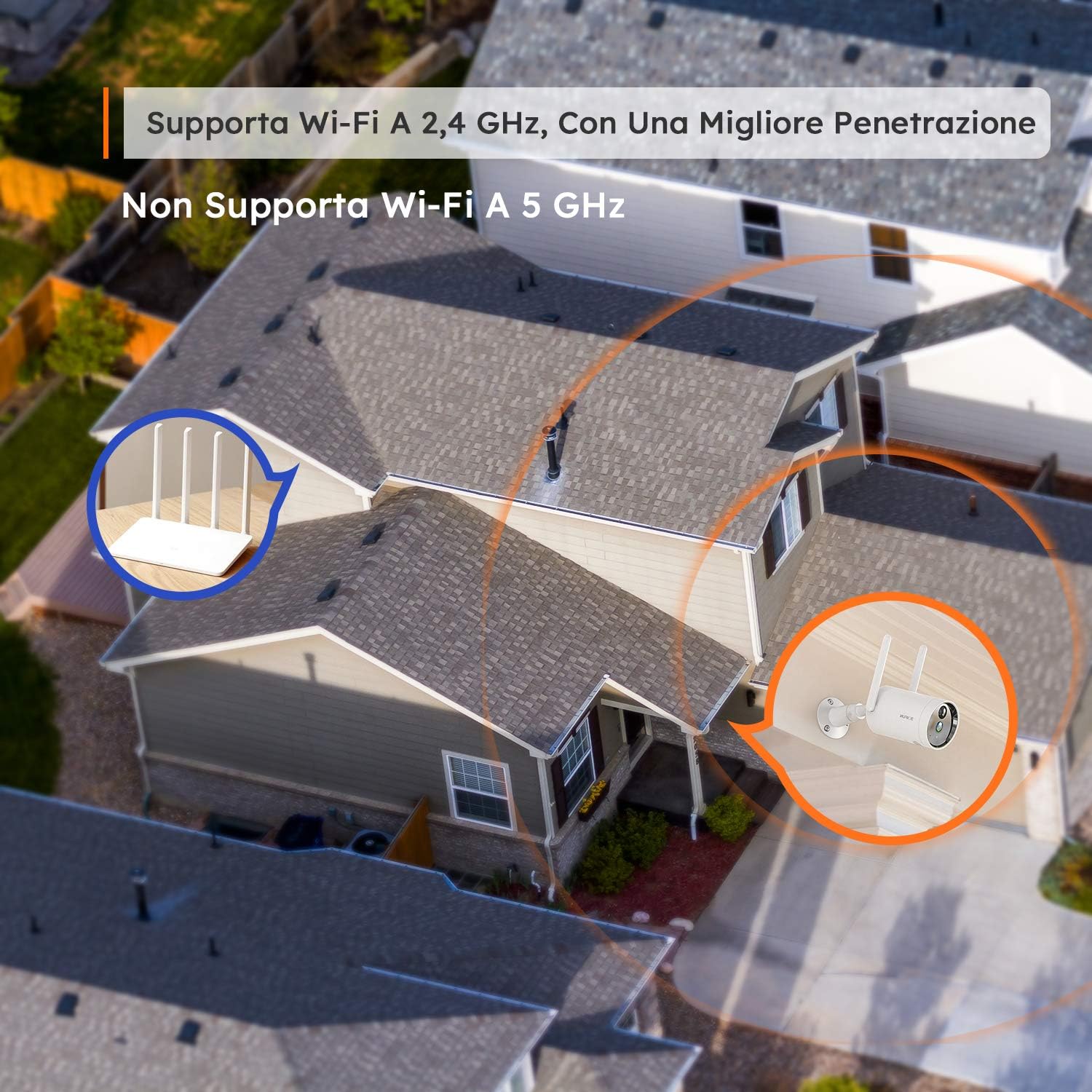
Image 5.1: Monitor multiple camera feeds simultaneously through the BOIFUN app on your smartphone.
5.2 Liiketunnistus
The camera features PIR (Passive Infrared) motion detection combined with an advanced AI algorithm to distinguish between humans and other moving objects, minimizing false alarms.
- Ihmisen tunnistus: Configure the camera to only alert you when a human figure is detected.
- Säädettävä herkkyys: Customize the detection sensitivity (levels 1-10) to suit your environment.
- Custom Alarm Zone: Määritä kameran sisällä olevat tietyt alueet view missä liiketunnistuksen tulisi olla aktiivinen.
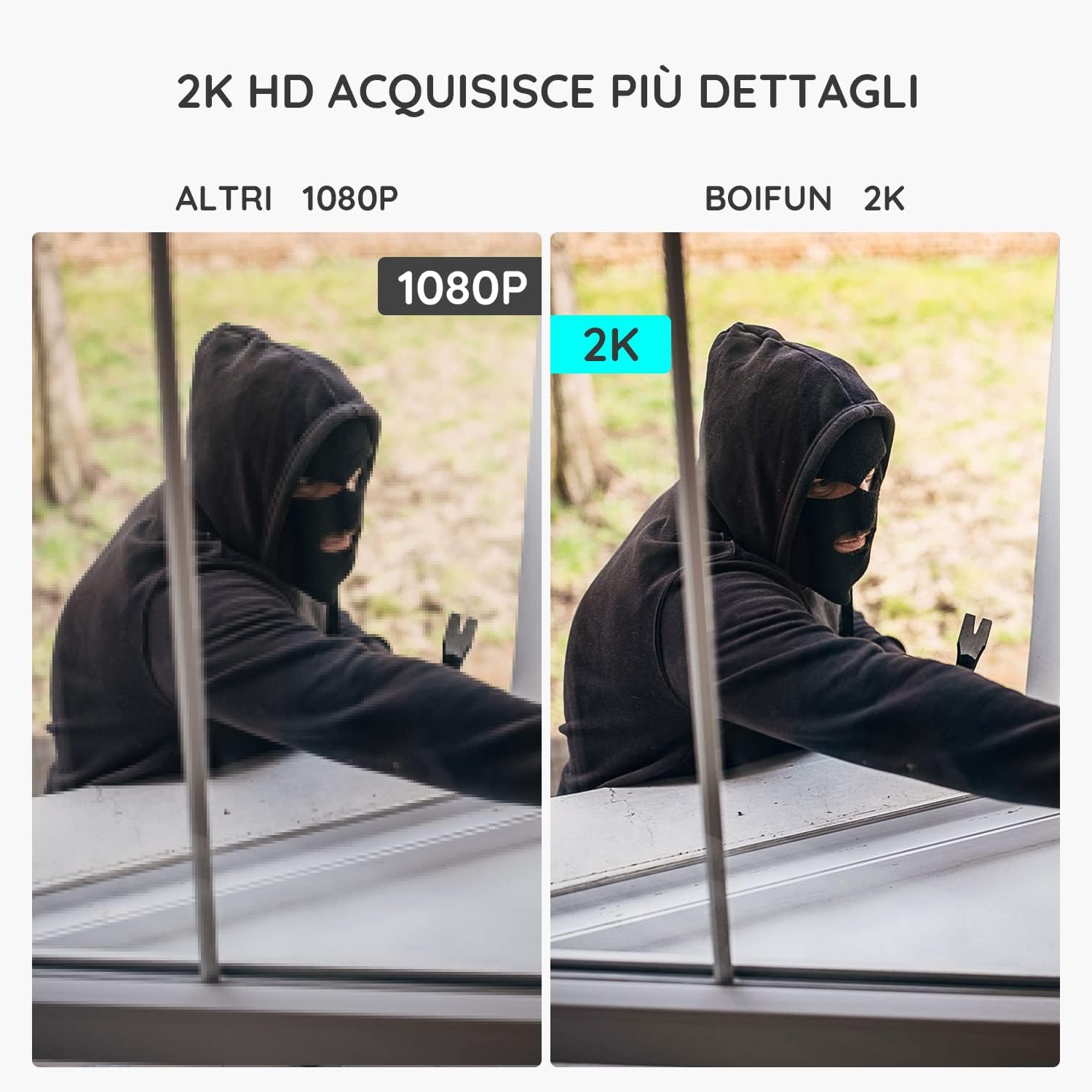
Image 5.2: The camera's PIR human detection accurately identifies people while ignoring other movements like pets or falling leaves, reducing unnecessary alerts.
5.3 Pimeänäkö
The BOIFUN DD202 offers 2K Full HD color night vision, allowing you to see clear, detailed, and color images even in complete darkness up to 20 meters. When a human is detected at night, the fill lights automatically activate to provide color footage.

Kuva 5.3: Esim.ample of the camera's color night vision capability, providing clear visibility in low-light conditions.
5.4 Hälytystoiminnot
Upon detecting motion, the camera can trigger an acoustic alarm (up to 110 dB) and activate its spotlight to deter intruders. You will also receive real-time notifications on your smartphone.

Image 5.4: The camera's real-time alert system, featuring a siren and spotlight to deter potential threats.
5.5 Kaksisuuntainen ääni
The integrated microphone and speaker allow for two-way communication. You can speak through the camera to interact with visitors or warn off unwanted individuals.
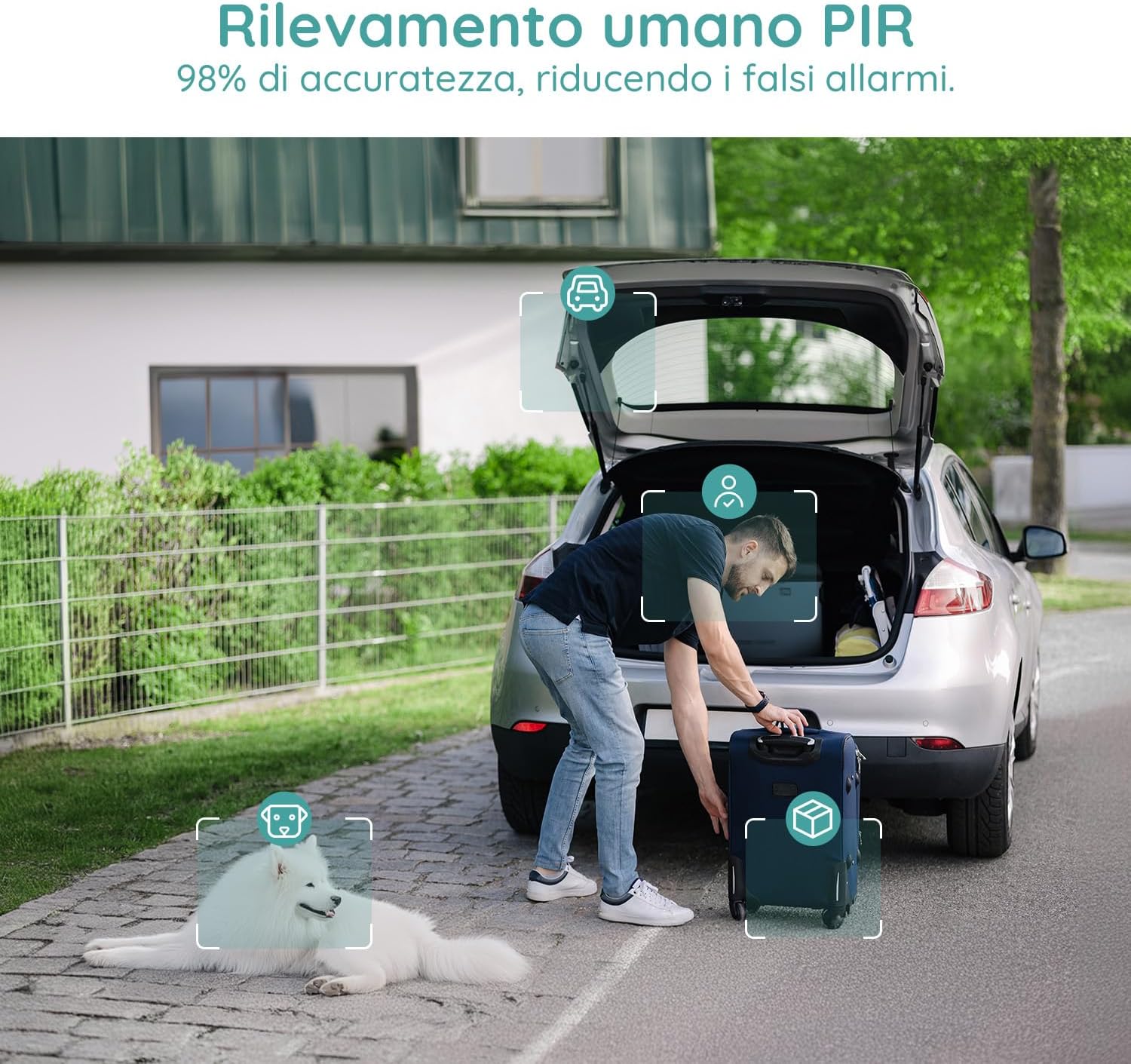
Image 5.5: Use the two-way audio feature to communicate with people near your camera.
5.6 Tallennusvaihtoehdot
- Micro SD -kortti: Supports up to 128GB Micro SD card (not included) for local storage. When the card is full, older footage korvataan automaattisesti.
- Pilvitallennus: Offers a 7-day free trial for cloud storage. Subsequent cloud storage requires a subscription. All video files are encrypted for privacy.
6. Huolto
- Puhdistus: Regularly wipe the camera lens and body with a soft, dry cloth to ensure clear image quality. Avoid using harsh chemicals.
- Akun lataus: Monitor the battery level via the app and recharge the camera when necessary to ensure continuous operation.
- Laiteohjelmistopäivitykset: Check the app periodically for firmware updates to ensure optimal performance and security.
7. Vianmääritys
7.1 Kamera ei muodosta yhteyttä Wi-Fi-verkkoon
- Varmista, että Wi-Fi-verkkosi on 2.4 GHz:n taajuudella. Kamera ei tue 5 GHz:n Wi-Fi-verkkoa.
- Tarkista, että kamera on Wi-Fi-reitittimesi kantaman sisällä.
- Varmista, että Wi-Fi-salasanasi on syötetty oikein sovellukseen.
- Käynnistä reititin ja kamera uudelleen ja yritä sitten muodostaa yhteys uudelleen.
7.2 Usein esiintyvät väärät hälytykset
- Säädä liiketunnistuksen herkkyyttä sovelluksessa alemmalle tasolle.
- Utilize the 'Human Detection' feature to filter out non-human movements.
- Set up a 'Custom Alarm Zone' to exclude areas with frequent irrelevant motion (e.g., busy roads, swaying trees).
7.3 Huono kuvanlaatu
- Varmista, että kameran linssi on puhdas eikä siinä ole pölyä tai tahroja.
- Tarkista Wi-Fi-signaalin voimakkuus. Heikko signaali voi vaikuttaa videoiden suoratoiston laatuun.
- Verify the video resolution setting in the app is set to 2K (HD).
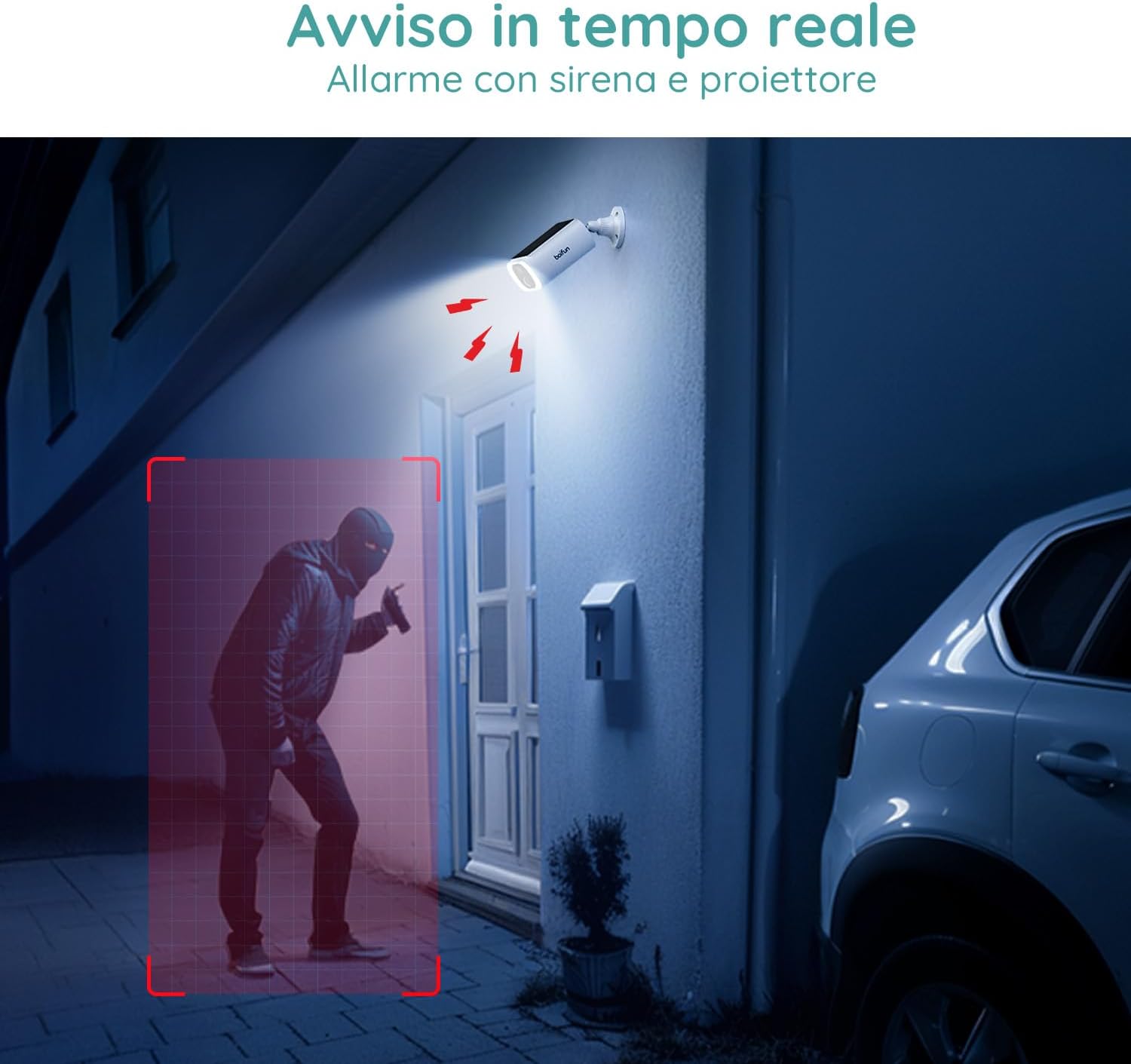
Image 7.1: Comparison illustrating the enhanced detail provided by 2K resolution compared to 1080p.
8. Tekniset tiedot
| Mallin nimi | DD202 |
| Merkki | BOIFUN |
| Videon resoluutio | 2K (1296p) |
| Viewkulma | 130 astetta |
| Yönäköalue | 20 metriä |
| Langaton tekniikka | Wi-Fi (2.4 GHz) |
| Virtalähde | Akkukäyttöinen (10400 mAh litiumioniakku) |
| Vedenkestävyys | IP66 (vedenpitävä) |
| Materiaali | Muovi |
| Mitat (P x L x K) | 12 x 8.5 x 20 cm |
| Paino | 710 grammaa |
| Yhteensopivat laitteet | Smartphone, Tablet (Android & iOS) |
9. Takuu ja tuki
BOIFUN is committed to providing advanced intelligent protection solutions and excellent customer service.
- Takuu: Tällä tuotteella on 3 vuoden takuu.
- Palautuskäytäntö: Nauti 30 päivän ilmaisesta palautusoikeudesta.
- Asiakastuki: 24/7 after-sales support is available.
For any questions or assistance, please contact us at: admin@boifun.net

Image 9.1: BOIFUN offers 9 years of focus, a 3-year warranty, and timely support within 24 hours.


