
OttLite CS49602W
OttLite LED Clamp Lamp Käyttöohje
Model: CS49602W
Johdanto
Thank you for choosing the OttLite LED Clamp Lamp. Tämä lamp is designed to provide superior illumination for various tasks, featuring OttLite's exclusive ClearSun LED Technology. This technology aims to reduce eyestrain by matching the spectral output of natural daylight, offering exceptional color accuracy and clarity. Its versatile clamp design allows for easy attachment to desks, tables, and workbenches, making it ideal for home, office, dorms, and crafting areas.
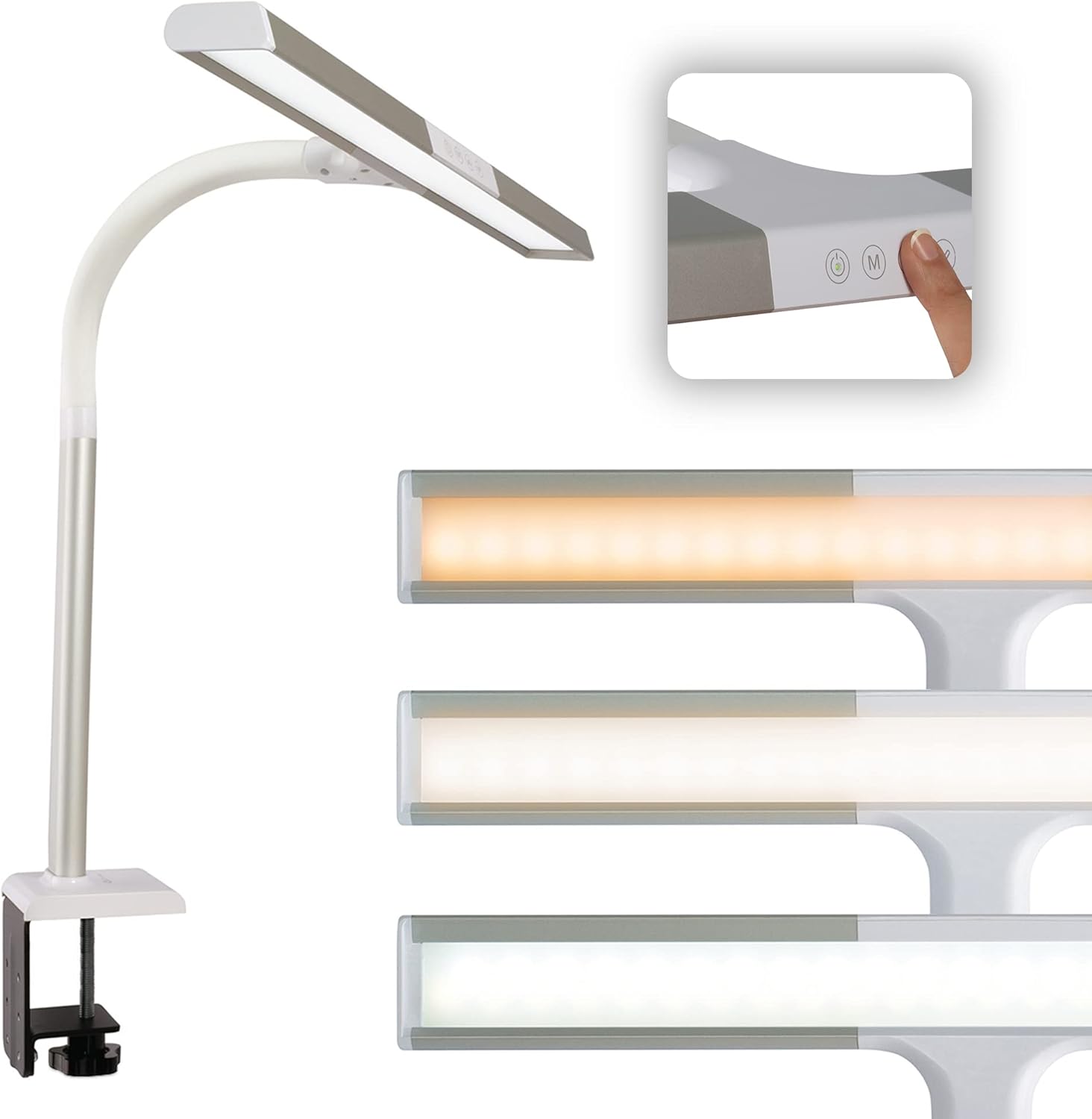
The OttLite LED Clamp Lamp, näyttelyasing its sleek design and integrated touch controls for easy operation.
Turvallisuustiedot
- Lue kaikki ohjeet ennen käyttöäamp.
- Älä käytä lamp jos johto tai pistoke on vaurioitunut.
- Pidä lamp poissa vedestä tai damp ympäristöissä.
- Tämä lamp on tarkoitettu vain sisäkäyttöön.
- Älä yritä muokata tai korjata laitettaamp yourself. Refer to qualified service personnel.
- Irrota lamp pistorasiasta ennen puhdistusta tai huoltotoimenpiteitä.
Pakkauksen sisältö
Valitse seuraavat kohdat rastittamalla ruutu:
- OttLite LED Clamp Lamp (Model: CS49602W)
- Virtakaapeli
Asennusohjeet
- Pura Lamp: Poista kaikki osat varovasti pakkauksesta.
- Kiinnitä Clamp: Securely attach the sturdy clamp to the edge of your desk, table, or workbench. Ensure the surface thickness is compatible with the clamp's opening.
- Säädä Lamp Asema: Lamp features a flexible neck that allows you to adjust its height from 16 to 24.75 inches and position the 19.5-inch shade for optimal illumination over your workspace.
- Liitä virta: Kytke virtajohto pistorasiaan.amp's power port and then plug the other end into a standard 120V AC electrical outlet.

Key features and components of the OttLite LED Clamp Lamp, including its adjustable shade, brightness settings, and sturdy clamp.
Käyttöohjeet
The OttLite LED Clamp Lamp is equipped with touch-sensitive controls for easy operation.
- Virta päälle/pois: Touch the power button on the lamp pää kääntääksesi l:namp päälle tai pois päältä.
- Säädä kirkkautta: Lamp offers 5 brightness settings. Repeatedly touch the brightness control button to cycle through the different levels.
- Vaihda värilämpötilaa: Select from 3 color temperatures: ClearSun natural daylight, warm white, and bright white. Touch the color temperature button to switch between these modes to suit your environment and mood.
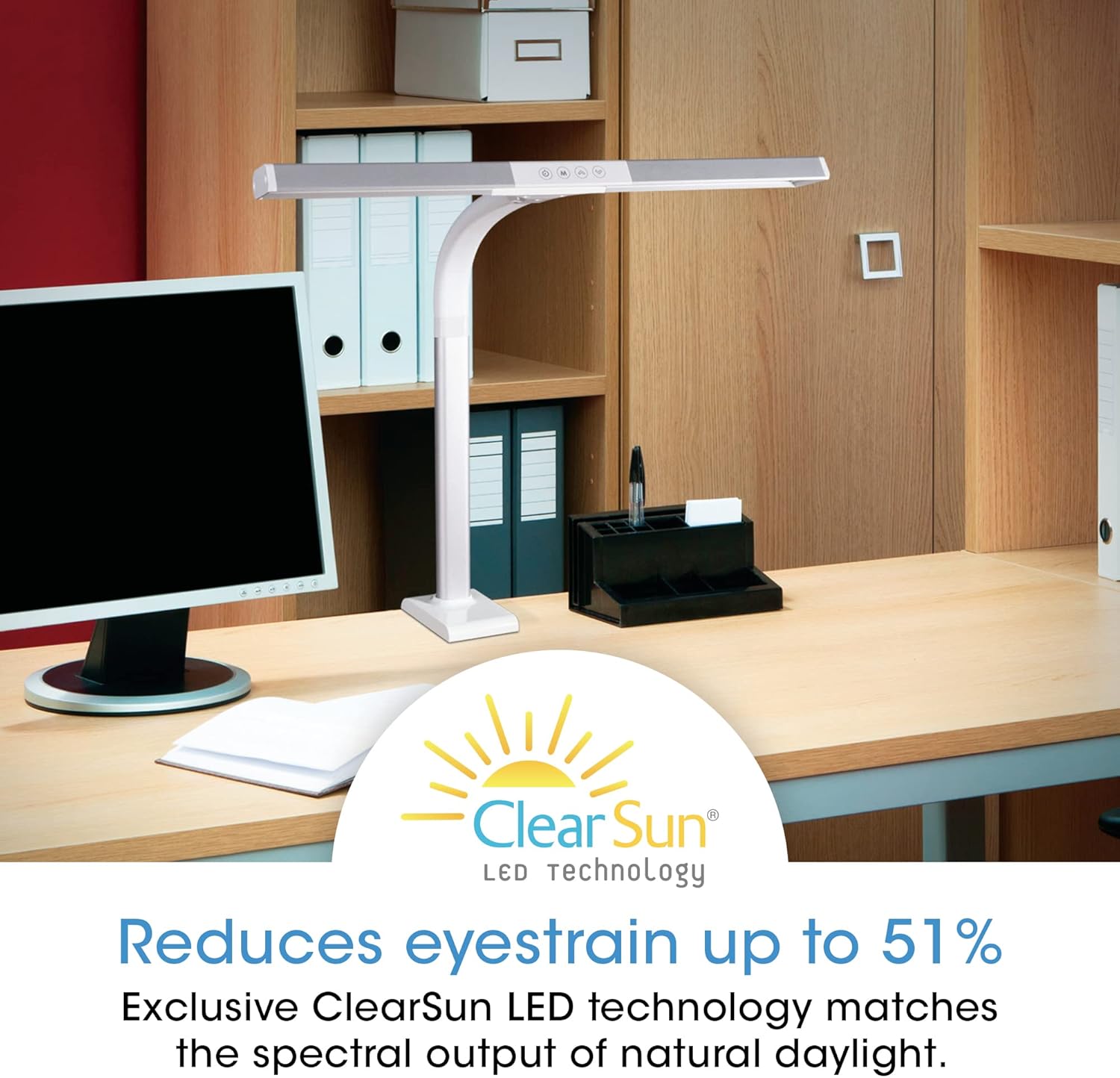
The OttLite LED Clamp Lamp utilizes ClearSun LED Technology to significantly reduce eyestrain, providing a comfortable lighting experience.
Understanding ClearSun LED Technology
OttLite's ClearSun LED technology is engineered to closely match the spectral output of the sun, providing balanced and smooth lighting. This revolutionary approach minimizes the harsh peaks and deep valleys found in typical LED light waves, which can cause eye fatigue. With a Color Rendering Index (CRI) of 95+, ClearSun LEDs ensure colors are seen with unmatched accuracy, making them appear exceptionally vivid and true-to-life.

Comparison of sunlight versus typical LED light spectrums, illustrating the unbalanced light waves produced by standard LEDs.

An illustration of the Color Rendering Index (CRI) scale, highlighting OttLite's 95+ CRI for superior color accuracy.
Official OttLite video explaining the benefits of ClearSun LED Technology and its impact on eye health and color accuracy.
Huolto
- Puhdistus: Puhdistaaksesi lamp, ensure it is unplugged. Use a soft, dry cloth to wipe down the surfaces. Do not use abrasive cleaners or solvents.
- Polttimon vaihto: Tämä lamp uses integrated LEDs that are designed to last for the lifetime of the product and are not user-replaceable.
- Varastointi: Jos säilytät lamp pitkään aikaan, irrota se pistorasiasta ja säilytä sitä viileässä, kuivassa paikassa, poissa suorasta auringonvalosta.
Vianetsintä
| Ongelma | Mahdollinen syy | Ratkaisu |
|---|---|---|
| Lamp ei käynnisty. | Virtajohto ei ole kunnolla kiinni. | Ensure the power cable is firmly connected to both the lamp ja pistorasia. |
| Lamp ei käynnisty. | Ei virtaa pistorasiasta. | Testaa pistorasiaa toisella laitteella tai tarkista sulake. |
| Valo välkkyy tai on himmeä. | Löysä virtaliitäntä. | Tarkista kaikki virtaliitännät. |
| Valo välkkyy tai on himmeä. | Incorrect power source. | Varmista, että lamp is connected to a 120V AC outlet. |
| Kirkkautta tai värilämpötilaa ei voi muuttaa. | Kosketusohjaimet eivät reagoi. | Ensure your finger is clean and dry. Try unplugging the lamp for a few seconds and plugging it back in to reset. |
Tekniset tiedot
| Ominaisuus | Yksityiskohta |
|---|---|
| Mallinumero | CS49602W |
| Lamp Tyyppi | Työpöytä L.amp (Clamp Asennus) |
| Valon lähde | Integroitu LED (ClearSun-teknologia) |
| Wattage | 8.8 wattia |
| Kirkkaus | 550 lumenia |
| Värilämpötilat | 3 (ClearSun natural daylight, warm white, bright white) |
| Kirkkausasetukset | 5 |
| Valvontamenetelmä | Kosketa |
| Säädettävä korkeus | 16-24.75 tuumaa |
| Varjostimen leveys | 19.5 tuumaa |
| Virtalähde | Johdollinen sähkö |
| Voitage | 120 volttia (AC) |
| Materiaali | Muovi |
| Tuotteen paino | 3.3 puntaa |
| Tuotteen mitat | 2" S x 20" L x 16" K |
| Sisä-/ulkokäyttö | Sisätiloissa |
Takuu ja tuki
The OttLite LED Clamp Lamp comes with a standard manufacturer's warranty. For specific details regarding your warranty coverage, please refer to the documentation included with your purchase or visit the official OttLite websivusto.
For technical support, troubleshooting assistance, or to inquire about replacement parts, please contact OttLite Customer Service. Contact information can typically be found on the OttLite websivustolla tai tuotepakkauksessa.
Verkkoresurssit:
- Vieraile osoitteessa OttLite-kauppa Amazonissa tuotetietoja ja päivityksiä varten.
Ask a question about this manual
Ask about setup, troubleshooting, compatibility, parts, safety, or missing instructions. Manuals+ will review the question and use this page’s manual context to help answer it.