
Johdanto
This manual provides essential instructions for the safe and efficient operation, installation, and maintenance of your Candy Smart Inverter CBDO485TWME/1-S integrated front-load washer dryer. Please read all instructions carefully before using the appliance and retain this manual for future reference.

Kuva 1: Edessä view of the Candy Smart Inverter CBDO485TWME/1-S integrated washer dryer. This image displays the appliance's overall design, including the control panel, detergent drawer, and main door.
Turvallisuustiedot
Noudata aina sähkölaitteita käyttäessäsi perusturvallisuusohjeita tulipalon, sähköiskun ja henkilövahinkojen riskin vähentämiseksi.
- Varmista, että laite on kunnolla maadoitettu.
- Älä käytä laitetta, jos se on vaurioitunut.
- Pidä lapset ja lemmikkieläimet poissa laitteen luota käytön aikana.
- Älä koske laitteeseen märin käsin.
- Irrota laite verkkovirrasta ennen huolto- tai puhdistustoimenpiteitä.
- Käytä vain automaattisille pesukoneille sopivia pesuaineita ja lisäaineita.
Asennus ja asennus
1. Purkaminen
Carefully remove all packaging materials. The appliance weighs approximately 66 kilograms, so it is recommended to have assistance during unpacking and positioning to prevent injury. Inspect the appliance for any damage incurred during transit.
2. sijoitus
This is an integrated front-load washer dryer designed to fit into cabinetry. Ensure the installation area is level, stable, and has adequate ventilation. Do not install the appliance in areas where the temperature may fall below freezing.

Kuva 2: The washer dryer shown integrated within a kitchen or utility room cabinet. This illustrates the appliance's intended installation as a built-in unit.
3. Vesi- ja viemäriliitännät
- Liitä vedenottoletku kylmävesihanaan. Varmista, että liitokset ovat tiukat vuotojen estämiseksi.
- Position the drain hose into a standpipe or secure it over a sink, ensuring it is not kinked.
4. Sähköliitäntä
Connect the power cord to a properly grounded 220 Volt electrical outlet. Do not use extension cords or adapters.
5. Initial Check-up
Before the first wash, it is recommended to run a short cycle without laundry and detergent to clean the drum and check for proper operation.
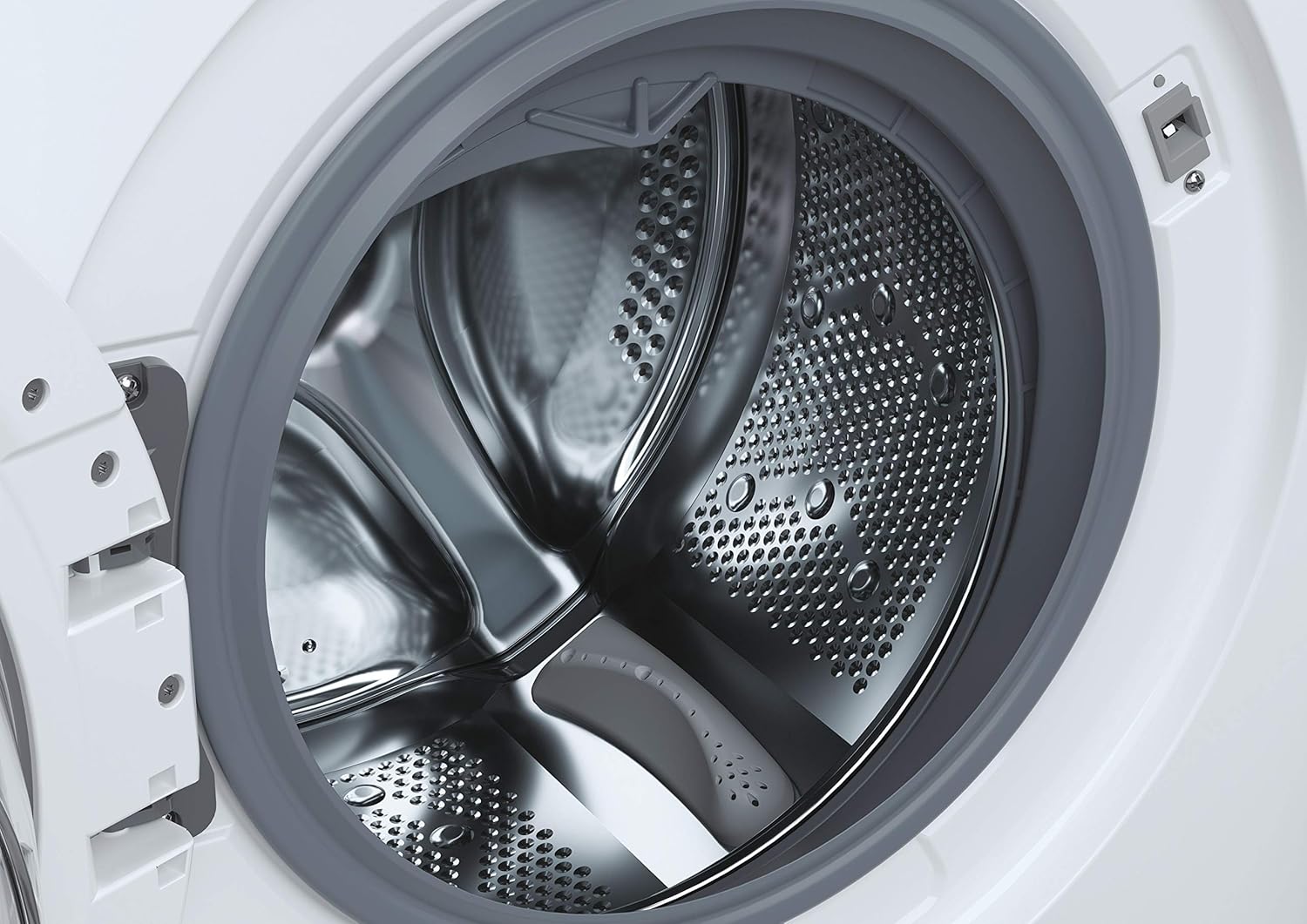
Kuva 3: Yksityiskohtainen view of the stainless steel drum inside the washer dryer. This shows the internal structure where laundry is placed for washing and drying.
6. Smart Fi+ Connectivity
The Candy Smart Inverter CBDO485TWME/1-S features Smart Fi+ for remote control and monitoring via the Simply-Fi app. Download the app from your device's app store.
- Android-laitteille: Follow the in-app instructions for pairing.
- For iOS (iPhone) devices: During the setup process, if the washing machine's Wi-Fi network does not appear, ensure that Pudottaa lentokoneesta is enabled in your iPhone's Control Center. This is crucial for the app to detect and connect to the appliance's network. Once connected, you can complete the registration and use the Smart Fi features.
Käyttöohjeet
1. Ohjauspaneeli ohiview

Kuva 4: Yksityiskohtainen view of the control panel, showing the program selection dial, digital display, and various option buttons. This panel allows users to select wash and dry cycles and customize settings.
The control panel consists of a program selection dial, a digital display, and several push buttons for additional options.
- Ohjelmavalinta: Käytetään halutun pesu- tai kuivausohjelman valitsemiseen.
- Digitaalinen näyttö: Näyttää ohjelman keston, virhekoodit ja valitut asetukset.
- Valintapainikkeet: Allow customization of temperature, spin speed, delay start, and other functions.
2. Pyykin lataaminen
Open the door and load laundry into the drum. Do not overload the machine; the maximum capacity for washing is 8 kilograms. For drying, refer to the specific program guidelines as drying capacity may differ.

Kuva 5: The integrated washer dryer with its door open, revealing laundry inside the drum. This image demonstrates the loading process for the appliance.
3. Pesuaineen lisääminen
Pull out the detergent drawer located on the top left of the control panel. Add appropriate amounts of detergent and fabric softener to the designated compartments.
4. Ohjelman valitseminen
Turn the program dial to select your desired wash or dry cycle. Available options include:
- Eco 40-60: Energy-efficient program for normally soiled cotton or mixed items.
- Pikaohjelmat: Options like 14', 30', 44', 59' for lightly soiled items requiring a fast wash.
- Erikoissyklit: Specific programs for different fabric types (e.g., cotton, synthetics, delicates).
- Kuivausohjelmat: Includes Sensor Dry for automatic drying based on moisture levels, and Active Steam for refreshing clothes.
5. Asetusten mukauttaminen
After selecting a program, use the option buttons to adjust settings such as wash temperature, spin speed (up to 1200 RPM), and delay start, if available for the chosen program.
6. Syklin käynnistäminen
Press the Start/Pause button to begin the cycle. The display will show the remaining time.
Huolto
1. Pesuainelokeron puhdistaminen
Regularly remove and clean the detergent drawer to prevent residue buildup. Rinse it under running water and ensure all compartments are clear before reinserting.
2. Rummun puhdistaminen
Run a maintenance wash cycle (e.g., a hot wash without laundry) periodically to clean the drum and remove any odors or residue.
3. Suodattimen puhdistaminen
The appliance has a filter located at the bottom front (visible in Figure 1). Regularly clean this filter to ensure proper drainage and prevent blockages. Refer to the detailed instructions in the full manual for safe removal and cleaning.
4. Ulkopuolen puhdistus
Pyyhi ulkopinnat pehmeällä, damp kangas. Älä käytä hankaavia puhdistusaineita tai liuottimia.
Vianetsintä
If you encounter issues with your washer dryer, consult the following common problems and solutions before contacting service.
| Ongelma | Mahdollinen syy | Ratkaisu |
|---|---|---|
| Laite ei käynnisty | No power supply; door not closed properly; program not selected. | Tarkista virtaliitäntä; varmista, että luukku on tiukasti kiinni; valitse ohjelma ja paina Käynnistä-painiketta. |
| Vesi ei täyty | Vesihana kiinni; tulovesiletku mutkalla; vedenpaine liian alhainen. | Avaa vesihana; suorista letku; tarkista asunnon vedenpaine. |
| Vesi ei valu | Tyhjennysletku mutkalla tai tukossa; suodatin tukossa. | Straighten/clear drain hose; clean the drain filter. |
| Virhekoodi E13 | Indicates an electrical issue, potentially with the control board. | Unplug the appliance for a few minutes, then plug it back in. If the error persists, contact authorized service. |
| Liiallinen tärinä/melu | Appliance not level; transport bolts not removed; unbalanced load. | Adjust leveling feet; ensure transport bolts are removed (if applicable); redistribute laundry inside the drum. |
Tekniset tiedot
- Malli: CBDO485TWME/1-S
- Merkki: Karkkia
- Tyyppi: Integrated Front-Load Washer Dryer
- Pesukapasiteetti: 8 kiloa
- Väri: Valkoinen
- Erikoisominaisuus: Invertteri moottori
- Kiertovaihtoehdot: Eco, Sensor Dry, Active Steam, various quick wash programs
- Voitage: 220 volttia
- Ohjaustyyppi: Push button and Rotary Dial
- Tuotteen paino: 66 kiloa
- Mukana olevat komponentit: 1 package (appliance)
Takuu ja tuki
Your Candy Smart Inverter CBDO485TWME/1-S washer dryer is covered by a manufacturer's warranty. The terms and duration of the warranty may vary by region. Please retain your proof of purchase for warranty claims.
For technical assistance, warranty service, or to locate an authorized service center, please contact Candy customer support. It is advisable to verify the availability of local service centers in your area before purchase or if you require assistance.
You can typically find contact information for Candy support on their official websivusto: www.candy-group.com