
1. Johdanto
Thank you for choosing the Sharkoon CA300T ATX PC Case. This full tower case is designed for high-performance gaming systems, offering extensive compatibility, efficient cooling, and advanced cable management features. This manual provides essential information for the proper setup, operation, and maintenance of your new PC case.
2. Turvallisuustiedot
- Always disconnect the power supply from the wall outlet before installing or removing any components inside the PC case.
- Handle components with care to avoid damage from electrostatic discharge. Consider using an anti-static wrist strap.
- Pidä pienet osat ja pakkausmateriaalit poissa lasten ulottuvilta.
- Avoid placing the PC case in direct sunlight, near heat sources, or in environments with high humidity.
- Do not attempt to modify the case structure, as this may void your warranty and cause damage.
3. Pakkauksen sisältö
Tarkista pakkauksen sisältö varmistaaksesi, että kaikki osat ovat mukana:
- Sharkoon CA300T ATX PC-kotelo
- Accessory box (screws, cable ties, standoffs, etc.)
- RGB lighting controller (if applicable)
- Käyttöohje (tämä asiakirja)
4. Tuote ohiview ja Ominaisuudet
The Sharkoon CA300T is a premium full tower ATX PC case designed for enthusiasts. It features a modern design with robust construction, tempered glass panels, and advanced cooling options.
Tärkeimmät ominaisuudet:
- Full Tower Design: Ample space for high-end components and custom liquid cooling solutions.
- Karkaistut lasipaneelit: Side panels made of tempered glass for a clear view sisäisistä komponenteista.
- RGB-valaistus: Integrated RGB lighting for customizable aesthetics.
- Optimoitu ilmavirtaus: Includes three 120mm fans and supports multiple radiators for superior cooling.
- Edistynyt kaapelienhallinta: Features an openable cable pocket/channel and ample routing options for a clean build.
- Pölysuodattimet: Three-layer top plate with a dust filter to maintain system cleanliness.
- Laaja liitäntä: Front panel includes 2x USB 3.0 ports and additional USB ports.
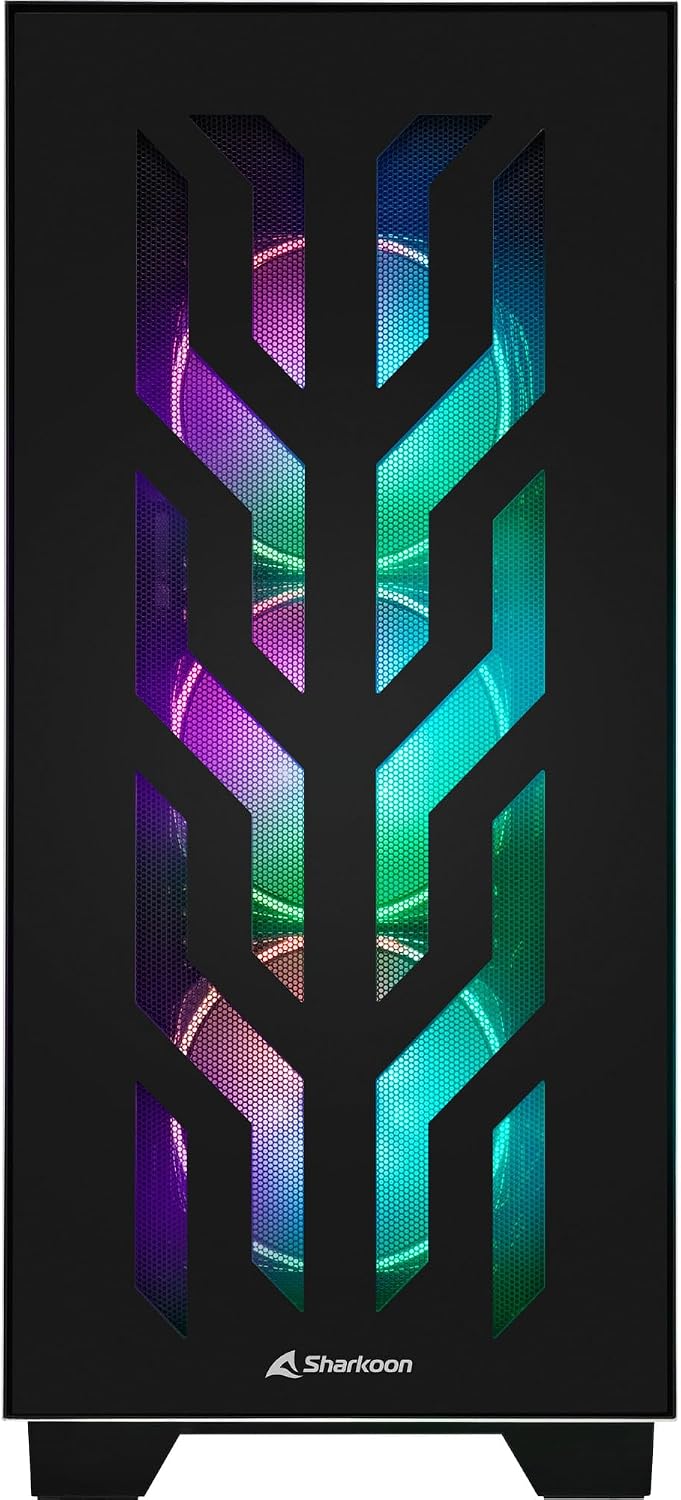
Kuva 4.1: Etuosa view of the Sharkoon CA300T PC case, showcasing the illuminated RGB fans behind the mesh panel.
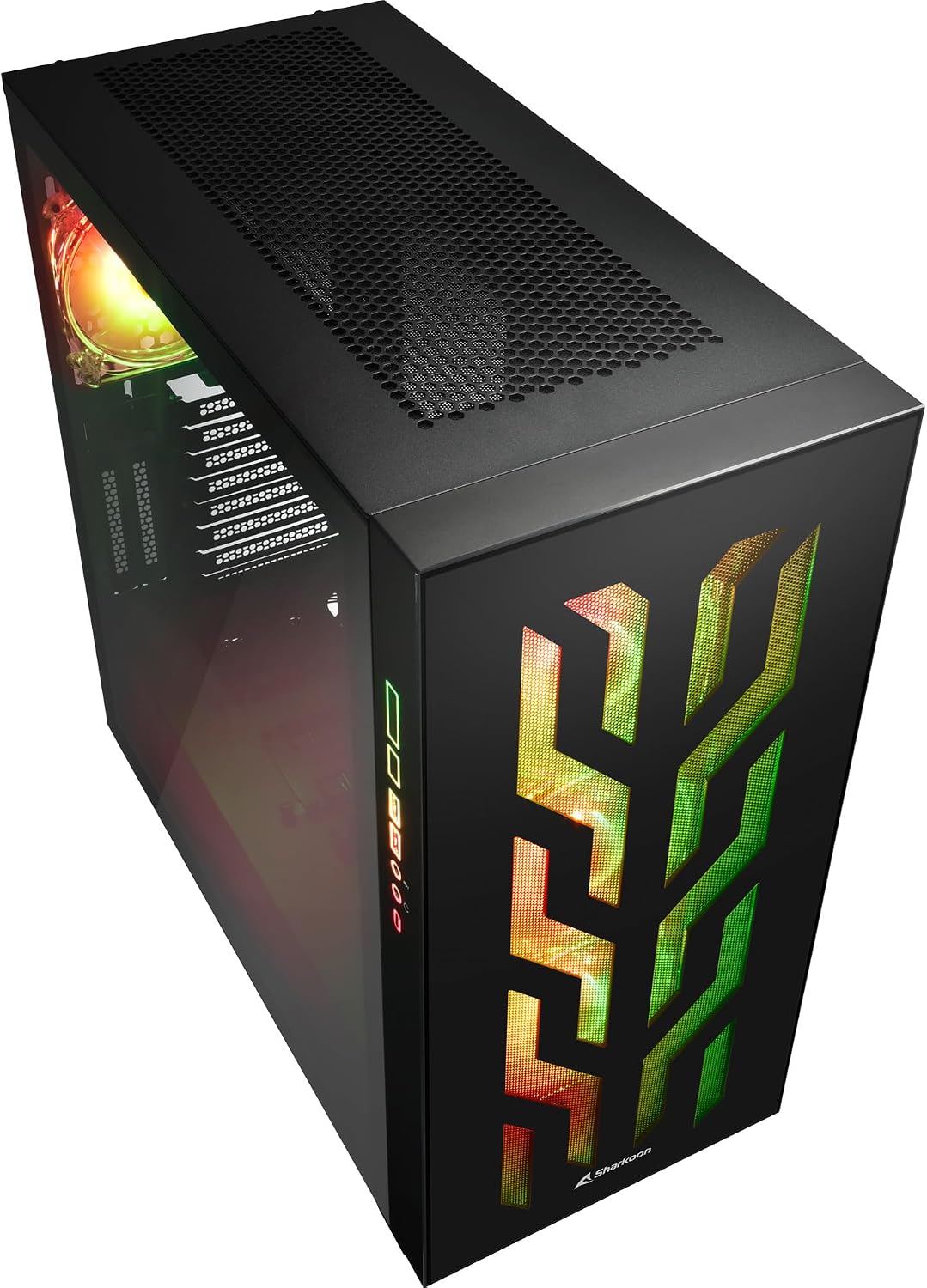
Kuva 4.2: Kulmassa view of the Sharkoon CA300T PC case, showing the tempered glass side panel and the vibrant RGB lighting from the interior.
5. Asennus
5.1 Pakkauksesta purkaminen
- Poista tietokoneen kotelo varovasti pakkauksestaan.
- Inspect the case for any signs of damage during transit. Contact your retailer if any damage is found.
- Locate the accessory box inside the case, which contains screws and other installation hardware.
5.2 Sivupaneelien irrottaminen
The Sharkoon CA300T features tempered glass side panels for easy access to components.
- Locate the two screws on the rear of the case securing the side panel.
- Irrota nämä kaksi ruuvia.
- Gently pull the panel upwards and away from the case to remove it. Repeat for the other side if necessary.

Kuva 5.1: Sisustus view of the Sharkoon CA300T PC case, showing the main compartment with the left tempered glass panel removed, ready for component installation.

Kuva 5.2: Sisustus view of the Sharkoon CA300T PC case with the left side panel completely removed, exposing the motherboard tray and various mounting points.
5.3 Emolevyn asennus
- Install the necessary standoffs onto the motherboard tray according to your ATX motherboard's screw holes.
- Carefully place your ATX motherboard onto the standoffs, aligning the screw holes.
- Kiinnitä emolevy mukana toimitetuilla ruuveilla.
5.4 Virtalähteen (PSU) asennus
The CA300T supports bottom-mounted power supplies.
- Liu'uta virtalähde sille tarkoitettuun lokeroon kotelon pohjassa takana.
- Kiinnitä virtalähde koteloon ruuveilla takaa.
5.5 Taajuusmuuttajan asennus
The case provides internal bays for 3.5-inch and 2.5-inch drives.
- Locate the drive cages or mounting points for your 3.5-inch or 2.5-inch drives.
- Mount your drives using the appropriate screws or tool-less mechanisms.
5.6 Graphics Card and Expansion Card Installation
The case offers multiple expansion slots and supports vertical GPU mounting.
- Irrota tarvittavat laajennuspaikkojen suojat kotelon takaosasta.
- Insert your graphics card or other expansion cards into the PCIe slots on your motherboard.
- Secure the cards with screws. For vertical GPU mounting, an additional riser cable (not included) is required.
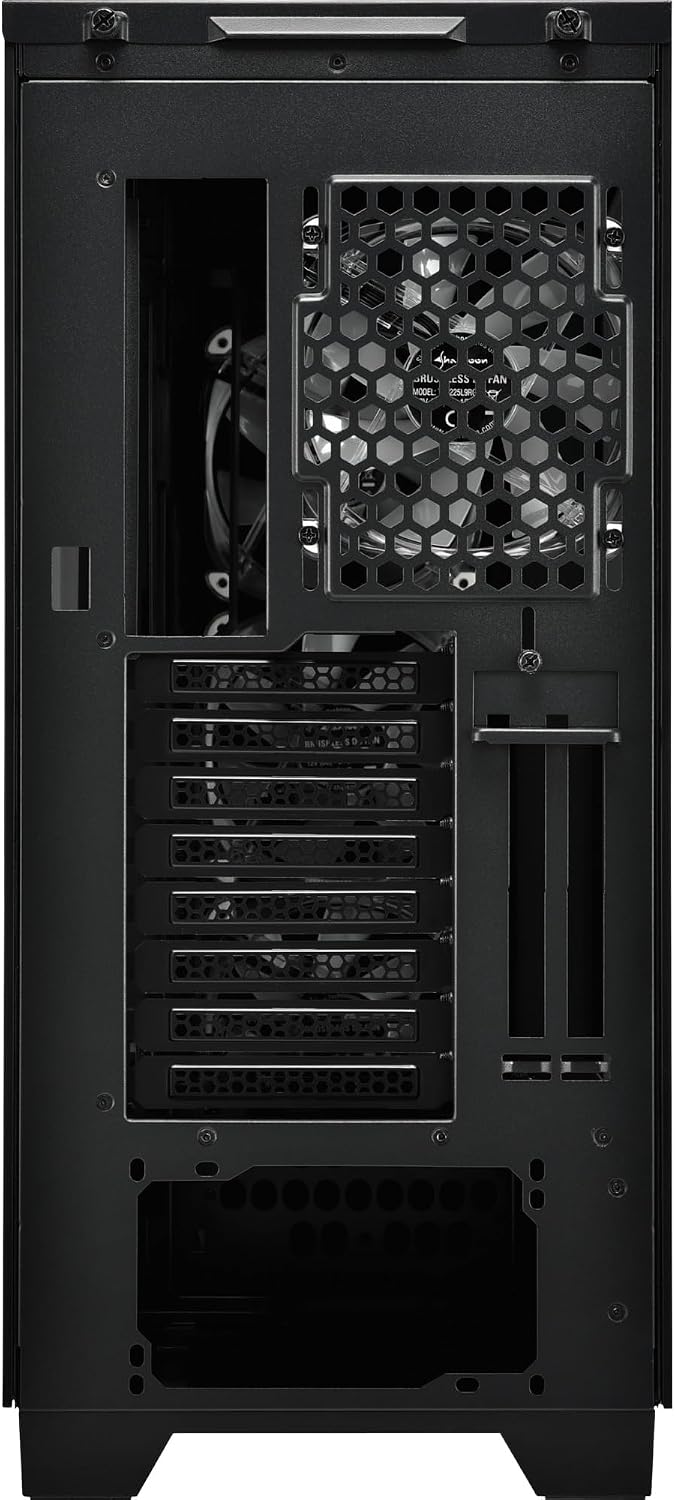
Kuva 5.3: Takaosa view of the Sharkoon CA300T PC case, illustrating the expansion slots, rear fan mount, and PSU opening.
5.7 Kaapelin hallinta
Hyödynnä emolevyn lokeron takana olevia kaapelien reitityskanavia ja kiinnityspisteitä järjestääksesi kaapelit paremman ilmavirran ja estetiikan saavuttamiseksi.

Kuva 5.4: Takaosan sisätilat view of the Sharkoon CA300T PC case, highlighting the dedicated cable management area behind the motherboard tray.
6. Käyttö
6.1 Virta päälle/pois
After all components are installed and cables are connected, press the power button on the front panel to turn on your system. Press it again to turn off, or use your operating system's shutdown function.
6.2 RGB-valaistuksen ohjaus
The integrated RGB lighting can be controlled via the dedicated RGB controller (if included) or through compatible motherboard software, depending on how the RGB components are connected. Refer to your motherboard manual for software control options.
7. Huolto
7.1 Pölysuodattimien puhdistaminen
The Sharkoon CA300T features a three-layer top plate with a dust filter. Regularly clean all dust filters to maintain optimal airflow and cooling performance.
- Sammuta tietokone ja irrota se pistorasiasta.
- Carefully remove the dust filters (e.g., from the top, front, and bottom).
- Clean the filters using compressed air or by gently washing them with water. Ensure they are completely dry before reinstallation.
7.2 Yleishoito
- Pyyhi kotelon ulkopinta pehmeällä,amp kangas. Vältä hankaavia puhdistusaineita.
- Ensure all cables are securely connected and not obstructing airflow.
8. Vianmääritys
Jos kohtaat ongelmia tietokoneen kokoonpanon kanssa, harkitse seuraavia yleisiä vianmääritysohjeita:
- Ei virtaa: Ensure the power supply is properly connected to the wall outlet and the motherboard. Check all power cables (24-pin, CPU, GPU).
- Tuulettimet eivät pyöri: Verify that all fan headers are correctly connected to the motherboard or fan controller. Check BIOS settings for fan control.
- Ei näyttöä: Confirm that your monitor is connected to the graphics card (not the motherboard's integrated graphics, unless intended). Reseat the graphics card and RAM modules.
- RGB Not Working: Check RGB cable connections to the motherboard or controller. Ensure any necessary software is installed and configured.
- Ylikuumeneminen: Ensure all fans are spinning correctly and dust filters are clean. Verify proper thermal paste application on the CPU cooler.
For more complex issues, consult the manuals for your individual components (motherboard, GPU, PSU) or seek professional assistance.
9. Tekniset tiedot
| Ominaisuus | Erittely |
|---|---|
| Merkki | Sharkoon |
| Mallin nimi | CA300T |
| Asian tyyppi | Täysi torni |
| Emolevyn yhteensopivuus | ATX |
| Suositeltu käyttö | Pelaaminen |
| Väri | Musta |
| Materiaali | Metalli |
| Power Supply Mount Type | Pohjakiinnitys |
| Jäähdytysmenetelmä | ilmaa |
| Tuulettimen koko | 120 mm |
| Fanien määrä | 3 |
| Total Expansion Slots | 4 |
| Total USB 3.0 Ports | 2 |
| USB-portteja yhteensä | 3 |
| Erikoisominaisuudet | RGB Lighting, Openable Cable Pocket, Three-layer Top Plate with Dust Filter |
| HDD Bay Size | 3.5 tuumaa |
| Number of Internal Bays | 4 |
| Yhteensopivat laitteet | ATX Motherboards, 3.5-inch Hard Drives |
| Vaalea väri | RGB |
| Tuotteen paino | 14.7 kiloa |
10. Takuu
The Sharkoon CA300T PC Case comes with a 2 vuoden valmistajan takuu. Please retain your proof of purchase for warranty claims. The warranty covers defects in materials and workmanship under normal use. It does not cover damage caused by misuse, accidents, unauthorized modifications, or improper installation.
11. Tukea
For technical support, warranty inquiries, or further assistance, please visit the official Sharkoon websivustolla tai ota yhteyttä heidän asiakaspalveluunsa. Löydät yhteystiedot ja usein kysytyt kysymykset heidän tukisivuiltaan.
Virallinen Websivusto: www.sharkoon.com