
Inrico S100
Inrico S100 4G POC -radion käyttöohje
Model: S100 | Brand: Inrico
1. Johdanto
The Inrico S100 is a robust 4G Push-to-Talk (PoC) radio designed for professional communication across 2G/3G/4G/WLAN networks. Featuring a 2.8-inch screen, compact design, and essential functions like GPS, Bluetooth, and SOS, it provides reliable and clear voice communication for various applications.

Figure 1.1: Inrico S100 4G POC Radio
2. Pakkauksen sisältö
Valitse seuraavat kohdat rastittamalla ruutu:
- Inrico S100 Handheld POC Radio
- Akku (4000 mAh litiumioniakku)
- Käyttöopas
- Micro USB latauskaapeli
- Vyöklipsi
- Nauha
- Assembly Kit (screwdriver, screws)

Figure 2.1: Inrico S100 Package Contents
3. Tuotteen ominaisuudet
The Inrico S100 is equipped with a range of features to enhance communication and usability:
- 4G PoC-radio: Operates across 2G/3G/4G/WLAN networks for global communication.
- 2.8 tuuman HD-näyttö: Clear screen with touchscreen capabilities.
- Android 8.1 -käyttöjärjestelmä: Provides a familiar and flexible user interface.
- GPS/AGPS/Beidou Navigation: For precise location tracking.
- Bluetooth-yhteys: For wireless accessories.
- SOS-toiminto: Dedicated button for emergency alerts.
- Kaksoiskamerat: Front 2.0MP and Rear 13.0MP for image and video capture.
- Kova ja selkeä ääni: Features a 036mm large speaker with noise cancellation.
- IP67 vedenpitävyysluokitus: Durable and resistant to dust and water immersion.
- 4000 mAh akku: Offers up to 21 hours talk time and 25 hours standby.
- Ohjelmoitavat painikkeet: All buttons can be customized via the Inrico App.

Kuva 3.1: Keskeiset ominaisuudetview
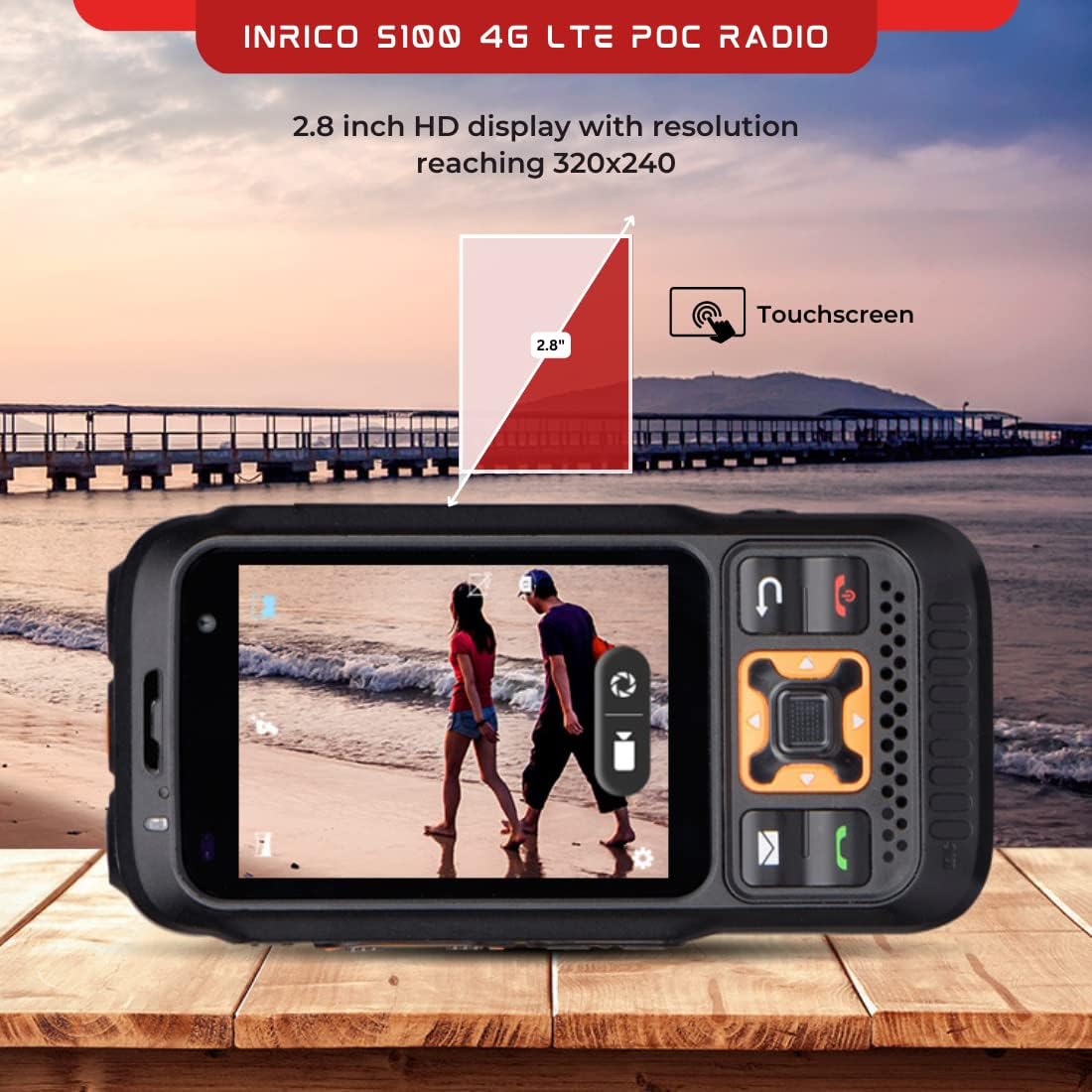
Kuva 3.2: 2.8 tuuman HD-näyttö

Figure 3.3: 4000 mAh Battery

Figure 3.4: Loud Speaker
4. Asennus
4.1 Akun asennus
- Paikanna paristolokero radion takana.
- Slide the battery lock (refer to Figure 4.1) to the unlocked position.
- Insert the 4000 mAh Lithium Ion battery, ensuring the contacts align correctly.
- Slide the battery lock back to the locked position to secure the battery.
4.2 SIM -kortin asennus
The Inrico S100 supports 4G network connectivity. Insert your Nano-SIM card into the designated slot, typically located under the battery or on the side of the device. Ensure the SIM card is inserted with the correct orientation.
4.3 Ensimmäinen lataus
Before first use, fully charge the device. Connect the Micro USB charging cable to the charging port on the side of the radio and plug the other end into a power adapter. The charging indicator will show the charging status.
4.4 Virran kytkeminen päälle/pois
- Virta päälle: Pidä virtapainiketta (yleensä sivussa tai päällä) painettuna, kunnes näyttö syttyy.
- Virta pois: Press and hold the Power button until a power-off menu appears. Select 'Power Off' to shut down the device.

Figure 4.1: Inrico S100 Ports and Controls
5. Käyttöohjeet
5.1 Push-to-Talk (PTT) -käyttö
The dedicated PTT button on the side of the radio allows for instant communication:
- Select the desired contact or group on the display.
- Press and hold the PTT button to transmit your voice.
- Release the PTT button to listen for replies.
5.2 Navigointi ja valikko
Navigate the device using the physical keypad and the 2.8-inch touchscreen. The Android 8.1 operating system provides a familiar interface for accessing applications, settings, and contacts.
5.3 Puheluiden soittaminen ja vastaanottaminen
The Inrico S100 supports group calls, private calls, and dispatch center communication. Use the on-screen interface to initiate or answer calls.
5.4 SOS-toiminto
In an emergency, press the dedicated SOS button. This will send an alert to pre-configured contacts or a dispatch center, often including your current GPS location.
5.5 GPS and Location Sharing
Utilize the built-in GPS, AGPS, and Beidou navigation for accurate location services. The device supports location sharing with other users or a central dispatch system.
5.6 Kameran käyttö
The radio features a 2.0MP front camera and a 13.0MP rear camera. Access the camera application from the main menu to capture photos or videos as needed for documentation or communication.
6. Huolto
6.1 Puhdistus
Käytä laitteen puhdistamiseen pehmeää, damp liinalla. Vältä voimakkaiden kemikaalien tai hankaavien materiaalien käyttöä, jotka voivat vahingoittaa näyttöä taiasing. Ensure all ports are closed before cleaning to maintain the IP67 rating.
6.2 Akun hoito
- Charge the battery regularly, but avoid overcharging or completely draining it to prolong its lifespan.
- Säilytä laitetta ja akkua viileässä ja kuivassa paikassa, kun niitä ei käytetä.
- If the battery performance significantly degrades, consider replacing it with an official Inrico battery.
6.3 Veden- ja pölynkestävyys (IP67)
The Inrico S100 is rated IP67, meaning it is protected from dust ingress and can withstand immersion in water up to 1 meter for 30 minutes. Ensure all port covers are securely closed to maintain this protection.
7. Vianmääritys
| Ongelma | Mahdollinen syy | Ratkaisu |
|---|---|---|
| Laite ei käynnisty | Low battery; Battery not installed correctly; Software issue | Charge the battery; Reinstall battery; Perform a soft reset (hold power button for 10 seconds) |
| Ei verkkosignaalia | Out of network coverage; SIM card not installed or faulty; Network settings incorrect | Move to an area with better coverage; Reinstall SIM card; Check network settings in Android OS |
| Huono äänenlaatu | Speaker/microphone obstructed; Low network signal; Volume too low | Clean speaker/microphone; Move to an area with better signal; Adjust volume settings |
| GPS ei toimi | GPS disabled; Poor satellite reception | Enable GPS in settings; Move to an open area away from obstructions |
8. Tekniset tiedot
| Ominaisuus | Erittely |
|---|---|
| Merkki | Inrico |
| Mallin nimi | S100 |
| Käyttöjärjestelmä | Android 8.1 |
| Piirisarja | MT 6739 |
| Näytön koko | 2.8 tuumaa |
| Näytön tyyppi | LCD |
| Etukamera | 2.0 MP |
| Takakamera | 13.0 MP |
| Akun kapasiteetti | 4000 mAh Lithium Ion |
| Puheaika | 21 tuntia |
| Valmiusaika | 25 tuntia |
| Mitat | 129.2 x 67.5 x 26 mm |
| Paino | 481 g |
| IP-luokitus | IP67 |
| Navigointi | GPS, AGPS, Beidou |
| Yhteydet | 4G, Bluetooth |
| Sertifikaatit | FCC, CE, RoHS |
9. Takuu ja tuki
Inrico products typically come with a standard manufacturer's warranty. Please refer to the warranty card included in your package or contact Inrico customer support for specific details regarding warranty coverage and service.
For technical support, troubleshooting assistance, or inquiries about your Inrico S100, please visit the official Inrico websivustolla tai ota yhteyttä heidän asiakaspalveluunsa. Pidä ostokuitti ja tuotteen sarjanumero käsillä, kun pyydät tukea.
Ask a question about this manual
Ask about setup, troubleshooting, compatibility, parts, safety, or missing instructions. Manuals+ will review the question and use this page’s manual context to help answer it.