
Tuote loppuview
The Warrky 4K Mini DisplayPort to HDMI Adapter facilitates the connection of devices equipped with Mini DisplayPort, Thunderbolt 1, or Thunderbolt 2 outputs to HDMI-enabled displays such as monitors, projectors, or HDTVs. This adapter supports 4K Ultra High Definition (3840x2160@30Hz) video resolution with synchronized audio pass-through for digital 7.1, 5.1, or 2 channels. It is backward compatible with 1440p, 1080p, and 720p resolutions and is HDCP 2.2 compliant.
Designed for durability and reliable performance, the adapter features gold-plated pins, a robust aluminum case, and a nylon braided jacket. Its compact and lightweight design ensures portability for various applications, including home theater, office productivity, and presentations.

Image: The Warrky 4K Mini DisplayPort to HDMI Adapter enabling 4K high-definition video and audio from a laptop to a large screen TV.
Asennusohjeet
Follow these steps to connect your device using the Warrky Mini DisplayPort to HDMI Adapter:
- Tunnista portit: Ensure your source device (laptop, desktop) has a Mini DisplayPort or Thunderbolt 1/2 port, and your display (monitor, TV, projector) has an HDMI input port.
- Connect Adapter to Source: Insert the Mini DisplayPort end of the Warrky adapter into the Mini DisplayPort or Thunderbolt 1/2 port on your source device.
- Liitä HDMI-kaapeli: Connect a standard HDMI cable (not included) to the HDMI output port of the Warrky adapter.
- Connect HDMI Cable to Display: Connect the other end of the HDMI cable to an available HDMI input port on your monitor, TV, or projector.
- Käynnistettävät laitteet: Ensure both your source device and display are powered on.
- Valitse syöttö: On your display, select the correct HDMI input source using the display's remote control or on-screen menu.

Image: Compatibility diagram illustrating how to connect Mini DP/Thunderbolt source devices to HDMI displays using the adapter.
Video: Official Warrky video demonstrating the connection process of the 4K Mini DisplayPort to HDMI Adapter.
Käyttöohjeet
Once connected, your display should automatically detect the signal. You can configure your display settings on your source device for optimal use:
- Peilitila: Duplicate your primary screen onto the external display. This is useful for presentations or sharing content.
- Laajenna tila: Expand your desktop across multiple screens, allowing for increased workspace and multitasking. This mode treats the external display as a separate screen.
- Resoluutio: The adapter supports resolutions up to 3840x2160@30Hz (4K UHD). Ensure your source device and HDMI cable also support these resolutions for the best visual experience.
- Audio: The adapter supports digital audio pass-through (7.1, 5.1, or 2 channels). Verify your audio output settings on your source device to direct sound to the HDMI display if desired.
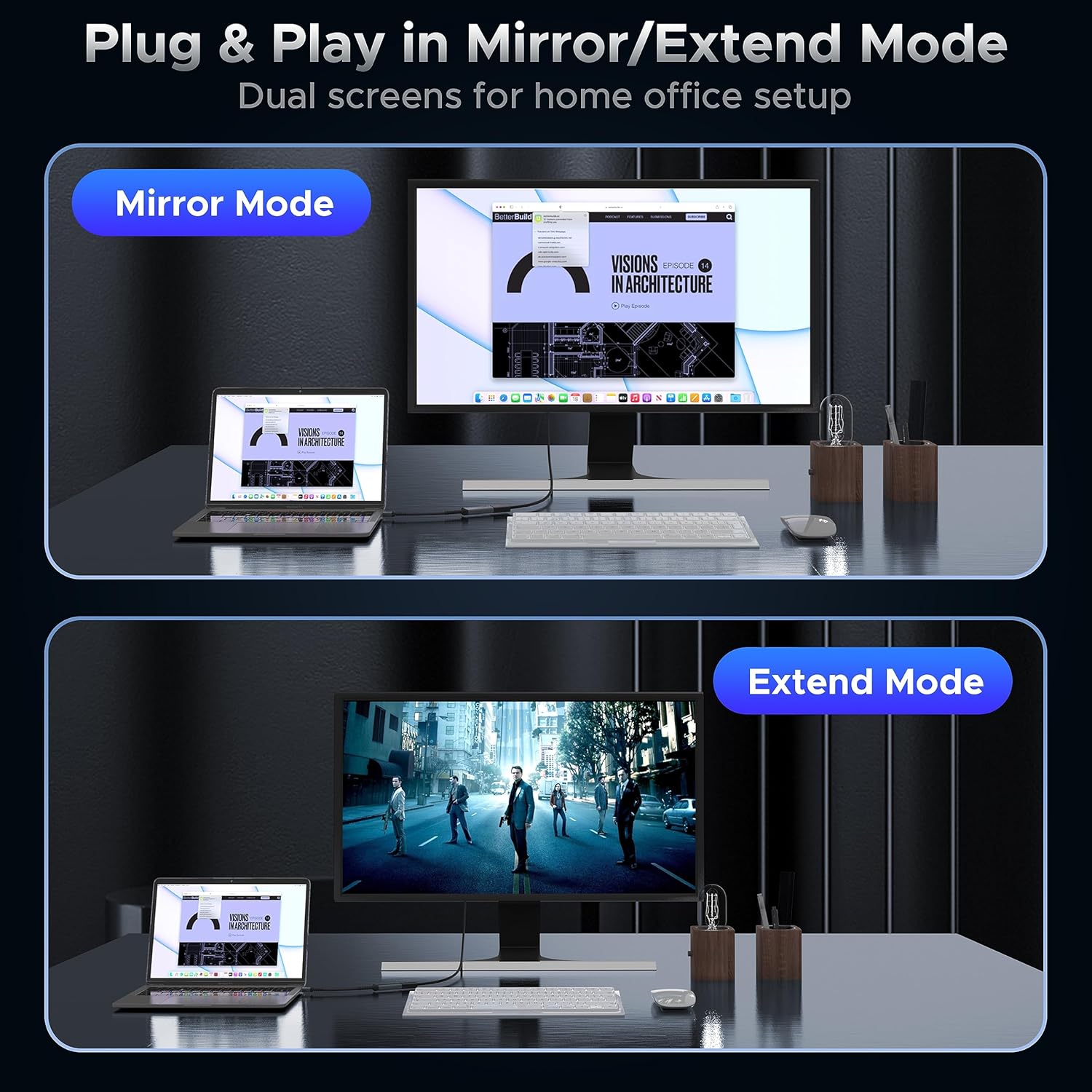
Image: Demonstrates the functionality of Mirror Mode for duplicating displays and Extend Mode for expanding desktop space.

Image: Visual representation of the adapter's benefits for home entertainment, work efficiency, and professional presentations.
Huolto
To ensure the longevity and optimal performance of your Warrky Mini DisplayPort to HDMI Adapter, follow these maintenance guidelines:
- Puhdistus: Use a soft, dry cloth to gently wipe the adapter. Avoid using liquid cleaners, solvents, or abrasive materials, as these can damage the product.
- Varastointi: Kun et käytä adapteria, säilytä se viileässä, kuivassa paikassa suojassa suoralta auringonvalolta ja äärimmäisiltä lämpötiloilta.
- Käsittely: Avoid bending the cable sharply or applying excessive force to the connectors. The adapter is designed with robust strain relief and a nylon braided jacket for durability, but proper handling extends its lifespan.
- Yhteys: Always grasp the connector housing when plugging or unplugging the adapter, rather than pulling on the cable itself.

Kuva: Yksityiskohtainen view of the adapter's construction, emphasizing its gold-plated, nylon braided, and aluminum components for enhanced durability.
Vianetsintä
If you encounter issues while using the adapter, refer to the following common solutions:
| Ongelma | Ratkaisu |
|---|---|
| No video signal on display. |
|
| No audio from display. |
|
| Display resolution is not 4K. |
|
| Välkkyvä tai epävakaa näyttö. |
|
If these steps do not resolve the issue, please contact Warrky customer support.
Tekniset tiedot
| Ominaisuus | Yksityiskohta |
|---|---|
| Mallinumero | WARRKY-AV-MH01 |
| Liittimen tyyppi | Mini DisplayPort (Male), HDMI (Female) |
| Maksimiresoluutio | 4K (3840x2160) @ 30Hz |
| Taaksepäin yhteensopivuus | 1440p, 1080p, 720p |
| Äänen tuki | Digital 7.1, 5.1, or 2 channels |
| HDCP-yhteensopivuus | HDCP 2.2 |
| Kaapelin pituus | Approximately 0.65 ft (20 cm) |
| Materiaalit | Gold-plated pins, Aluminum case, Nylon braided jacket, Copper wire (28+32AWG) |
| Compatible Devices (Source) | MacBook Pro (before 2016), MacBook Air (before 2018), iMac (before 2017), Mac Mini (before 2018), Microsoft Surface Pro 1-6, Surface laptop, Surface Studio/Book/Dock (Not Surface/Surface 2 for Windows RT), other laptops/desktops with Mini DP or Thunderbolt 1/2. Note: Not compatible with Thunderbolt 3/4, USB-C devices, or new MacBooks with Type-C ports. |
| Compatible Devices (Display) | Monitors, Projectors, HDTVs with HDMI input |
| Tuotteen paino | 0.03 kiloa |
Takuutiedot
The Warrky 4K Mini DisplayPort to HDMI Adapter comes with a Elinikäinen takuu. This warranty covers defects in materials and workmanship under normal use. For warranty claims or further details, please contact Warrky customer support.
Asiakastuki
Warrky is committed to providing excellent customer service. If you have any questions, concerns, or require assistance with your product, please do not hesitate to reach out to our professional customer support team.
- Vastausaika: You can expect a prompt and effective response within 18 hours.
- Yhteydenottotapa: Please refer to the contact information provided on the product packaging or the official Warrky websivusto.
For more information and support resources, visit the official Warrky store on Amazon: Warrky Amazon Store.